|
Author
|
Message
|
|
icewebdezignz13
|
icewebdezignz13
Posted 8 Years Ago
|
|
Group: Forum Members
Last Active: 8 Years Ago
Posts: 5,
Visits: 393
|
Hi, i am a newbie in iclone 6 Please can someone help me understand how i can go about rendering my project to get a very neat looking characters and scene in my iclone 6.5 without using indigo, i wish to know if there are other plugins or if i have to export my project before i render in another software? please a help will be appreciated. thanks
|
|
|
|
|
wires
|
|
|
Group: Forum Members
Last Active: Last Month
Posts: 5.7K,
Visits: 26.5K
|
It has been stated, and proved, that rendering any animation from iClone using Indigo is almost impossible for a user with a single system. Not only are the render times extremely long, but the storage space required just to save the render files is high. If you have access to a networked render farm then it should be possible, at least after you have made all the required adjustments required to the materials and lighting for a good Indigo render. There are no other render plugins available for iClone at the moment, and any being introduced will not work with 6.5. If you have 3DXchange Pipeline you could try and export the assets out as Alembic files for further render, but even that option isn't the greatest due to the fact that the materials/textures need to be reapplied in a host application it almost every instance.
Gerry
System: Win 10 Pro (21H2), Asus X99-E WS, CPU i7-5930K -3,5 GHz, 32 GB DDR4 2666-16 RAM, NVidia GTX 1080 Ti GPU - 11 GB VRAM(Driver Studio-536.99), Samsung 850 Pro 512 GB SSD, 6 TB HD storage.
|
|
|
|
|
Peter (RL)
|
Peter (RL)
Posted 8 Years Ago
|
|
Group: Administrators
Last Active: 2 Years Ago
Posts: 23.1K,
Visits: 36.6K
|
icewebdezignz13 (5/28/2018)
Hi, i am a newbie in iclone 6
Please can someone help me understand how i can go about rendering my project to get a very neat looking characters and scene in my iclone 6.5 without using indigo, i wish to know if there are other plugins or if i have to export my project before i render in another software? please a help will be appreciated. thanks
Are you not happy with the quality you get from iClone 6's built in render engine? If so, do check your quality settings. for example in Preferences (CTRL+P) set the Quality to HIGH and your Max Texture Size to at least 4096 x 4096. You can also try rendering to Sequence Image PNG which will preserve the quality. Alternatively if you have plenty of free (defragmented) hard drive space and a fast computer you can choose Uncompressed AVI for the render format.
Peter
Forum Administrator www.reallusion.com
|
|
|
|
|
icewebdezignz13
|
icewebdezignz13
Posted 8 Years Ago
|
|
Group: Forum Members
Last Active: 8 Years Ago
Posts: 5,
Visits: 393
|
Thank you Wires, am great full for your reply, can I get a link to a tutorial that will guide me on the export and rendering of my project and the name of the software I can use for the rendering to get a perfect job. ( I have 3D exchange). And can iclone 7+ render a full project with or without indigo? Thanks a lot
|
|
|
|
|
icewebdezignz13
|
icewebdezignz13
Posted 8 Years Ago
|
|
Group: Forum Members
Last Active: 8 Years Ago
Posts: 5,
Visits: 393
|
Thank you Peter for the idea, I will give it a try and see if that helps but what I want to achieve with my project is to get my whole project looking like something rendered with indigo with sharp looking characters like the pros.
If I can get more ideas from you, I will like it. Thanks Peter, you have also helped me here...
|
|
|
|
|
Rogue Anime
|
Rogue Anime
Posted 8 Years Ago
|
|
Group: Forum Members
Last Active: 3 Years Ago
Posts: 548,
Visits: 3.4K
|
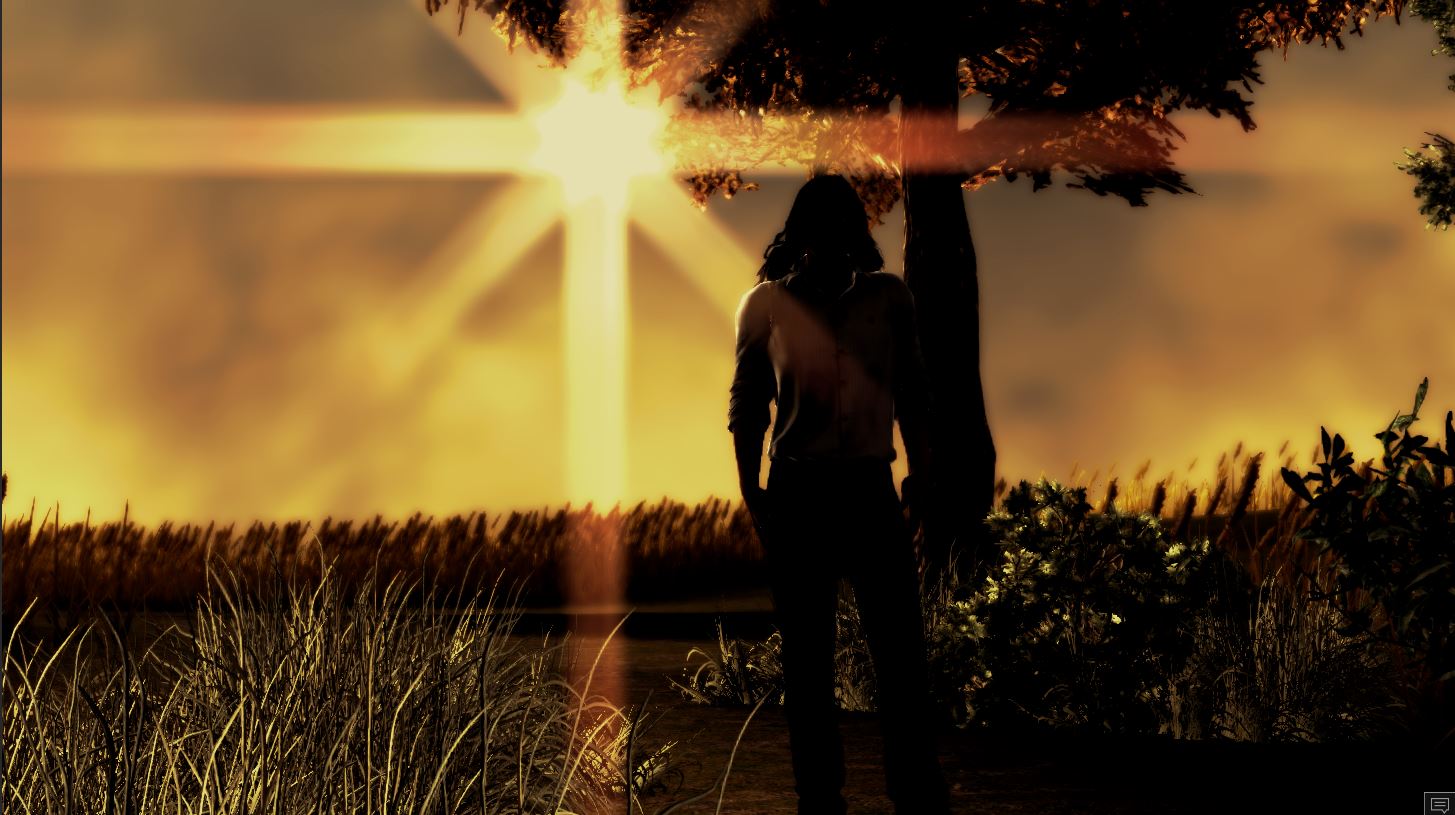
Ice - You can get really decent looking results from iClone 6 using the methods our friends have described above. Further, I would look at your visual tab, and explore the tone mapping & ambient occlusion fields. Using/tweaking these fields while in 'high' mode and exporting that project in a PNG sequence will give you really nice results in both iClone 6 & & 7 programs. There are tutorials out there on all these features of iClone 6. By doing all these things Wires & Peter have mentioned, you will get excellent results within the iClone rendering engine. Here is a frame from one of my iClone 6 projects. ~V~
Val RogueAnanda
|
|
|
|
|
4u2ges
|
4u2ges
Posted 8 Years Ago
|
|
Group: Forum Members
Last Active: Last Month
Posts: 5.3K,
Visits: 16.8K
|
I understand you are with IC6, and Peter was too shy to mention option to move to IC7. But instead of investing into other plugins and software, why not to upgrade? I am not saying with IC7 you would get rendering results like you are getting with Indigo, but with new lighting, shading and other features it's pretty much close. Well worth to upgrade IMO anyway.
|
|
|
|
|
Lamias
|
Lamias
Posted 8 Years Ago
|
|
Group: Forum Members
Last Active: 3 Years Ago
Posts: 646,
Visits: 2.9K
|
I agree with 4u2ges. IC 6 scenes can "appear realistic" only if they have an artistic tone. Rogue Anime's image is a nice example of what I mean. If there is extreme lighting or darkness, or if the lights are positioned behind the characters etc, the results will be nice (and artistic). However, if you want a character to appear as realistic as possible in an everyday outdoors scene with average sunlight, this is not really possible in IC6. Do as Rogue Anime suggested and experiment with the visuals tab, but at the end of the road, an upgrade to IC 7 is necessary to achieve better results. Of course the models must be of high quality in order to look as realistic as possible in your render. Again, this is only if you want everyday scenes to appear realistic. If you have extreme lighting then the quality of the model is not as important.
___________________________________________________________________
My YouTube Channel
Phoenix ;)
|
|
|
|
|
justaviking
|
justaviking
Posted 8 Years Ago
|
|
Group: Forum Members
Last Active: 2 Years Ago
Posts: 8.2K,
Visits: 26.5K
|
icewebdezignz13 (5/28/2018)
...what I want to achieve with my project is to get my whole project looking like something rendered with indigo with sharp looking characters like the pros.Yup. We all want "pro" results at an "amateur" price. First, I will reinforce what the others before me have already said: a) You can get nice iC6 pictures, but... b) You can do much better with iC7. c) I would pay to upgrade to iC7 rather than look to buy some other plug-in or software. Other comments: d) There will be an "Iray" plug-in coming soon, but that's for iC7, and we have not put it to the test in the real world yet. e) TEXTURES AND LIGHTING --- With any tools, including Indigo, Iray, or anything, if you have poor lighting and 2-cent textures, you will get a bad result no matter what software you use. f) LIGHTING --- Practice that skill, and color grading and post-effects, and only after you are good at that will upgrading the rendering software give real value g) TEXTURES --- Take a look at the first two pictures (roll of bathroom tissue - a.k.a. toilet paper) in this thread: https://forum.reallusion.com/FindPost366316.aspx Not to brag about it, but I think it's a good example of the difference between a crappy texture (pun intended) and a better one. Same geometry in both pictures, but especially if you look at the full-sized images, there is a huge difference in the two models. Neither Indigo, Iray, Arnold, Renderman, nor any other software will give you high-quality results with low-quality input.
iClone 7... Character Creator... Substance Designer/Painter... Blender... Audacity...
Desktop (homebuilt) - Windows 10, Ryzen 9 3900x CPU, GTX 1080 GPU (8GB), 32GB RAM, Asus X570 Pro motherboard, 2TB SSD, terabytes of disk space, dual monitors.
Laptop - Windows 10, MSI GS63VR STEALTH-252, 16GB RAM, GTX 1060 (6GB), 256GB SSD and 1TB HDD
|
|
|
|
|
Rampa
|
|
|
Group: Forum Members
Last Active: 2 Months Ago
Posts: 8.2K,
Visits: 62.6K
|
The PBR, IBL, and GI make a big difference in iClone 7.
In iClone 6, there is IBL. Use it! It will simulate GI reasonably well, and even give you some PBR-ish results on your materials. It is a form of indirect lighting that will work better than the ambient light setting in most cases.
|
|
|
|