|
Author
|
Message
|
|
Miranda (RL)
|
Miranda (RL)
Posted 5 Years Ago
|
|
Group: Administrators
Last Active: 4 Years Ago
Posts: 1.8K,
Visits: 11.2K
|
Dear Character Creator Users, We are pleased to introduce some new features in version 3.4:
- Smart Hair - Hair, Beard, Brows: Brand new Smart Hair system provides the most realistic, yet performant hairs, brows, and beards for Digital Humans. With its component-based design and Smart Hair Shader system, users can easily create hair variations and expand their hair collection.
- CC3 Base+ Update: Support ExpressionPlus (ExPlus) custom blendshapes (ARKit, tongue), tongue morph slider, viseme for iClone's AccuLips for more expressive facial performance.
Smart Hair -Hair, Beard, Brows
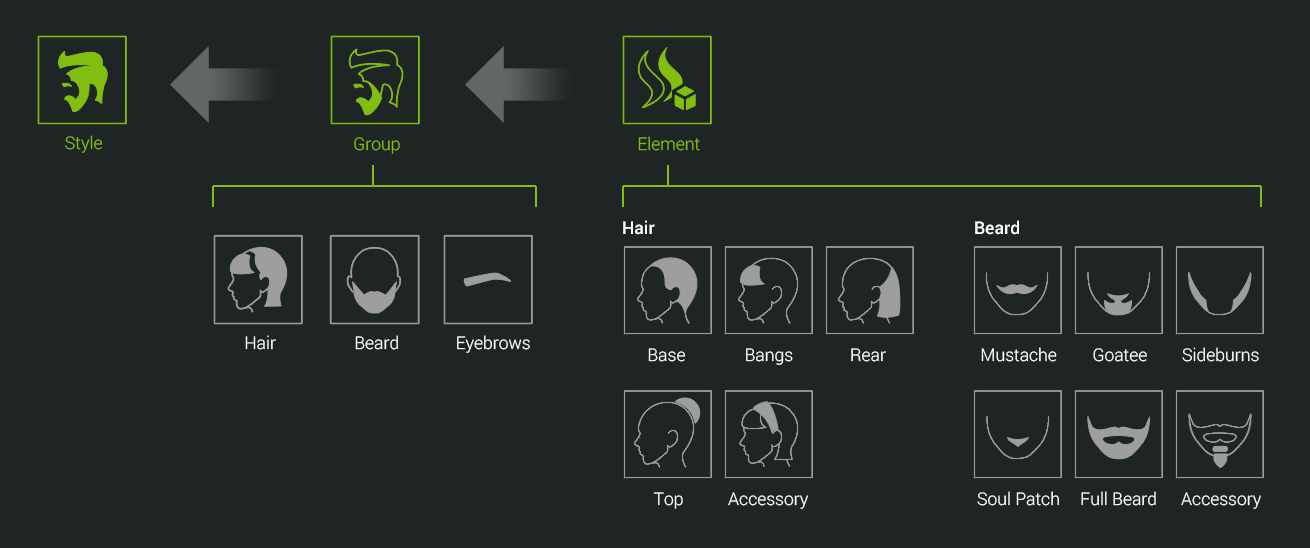
Visit the webpage to see full information. In version 3.4, Character Creator formally supports facial hair content including beard and eyebrows, which will contort with the expressions of the face, and also conform perfectly to different face/head shapes. To provide more flexibility, hair and beard content are designed based on the idea of component system, which means that hair and beard settings are separated into separate elements that can be mixed and matched for different looks. *Note: The current beard and eyebrows are only for CC3+ and Game Base characters. Only hair can be applied to other character generations. The idea of component system design: - Style (*.rlHairStyle) - the fastest way to switch the full hair, beard and eyebrows of character at once
- Group (*.rlHair) - switch a pair of hair, beard or eyebrows of character
- Element (*.rlHairElement) - switch the parts of hair or beard
 What's more, version 3.4 supports new generation of hair shader (Smart Hair Shader) for variety in hair color and visual quality. By utilizing Flow, Root, and ID channels to control corresponding parameters, you will be amazed by how easy it is to present ombre color gradients and specular variation in Character Creator. 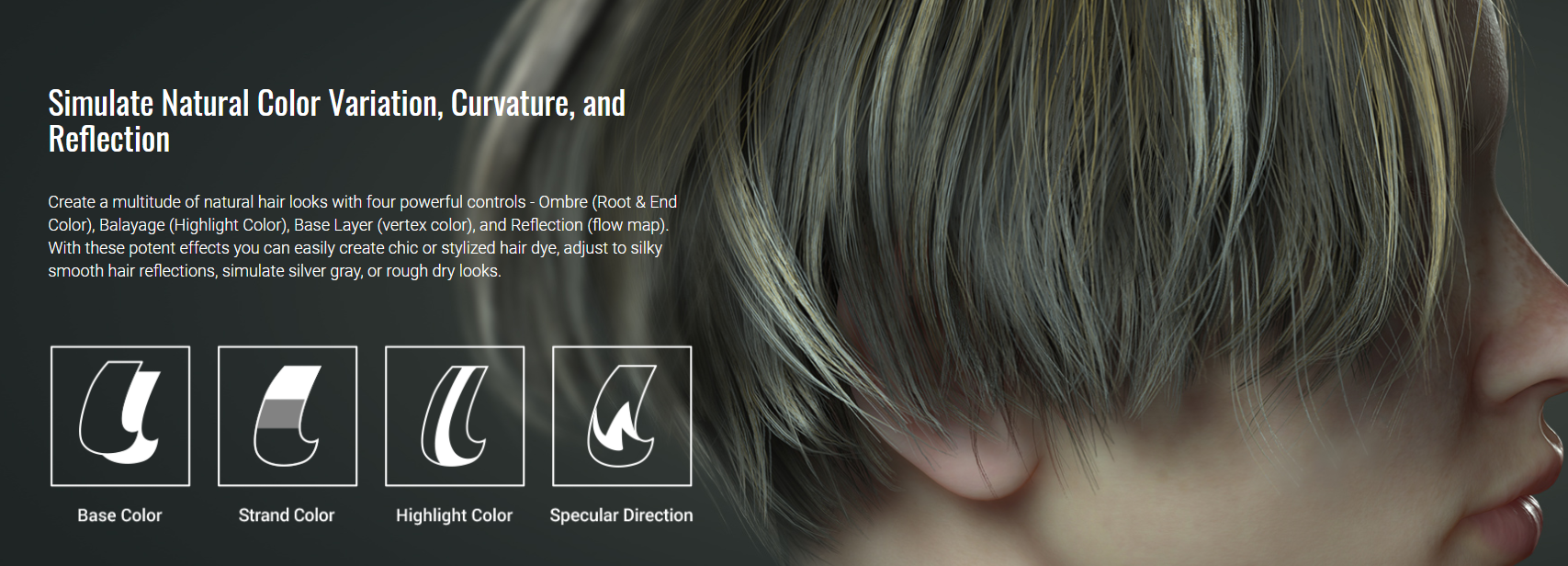 You will get some sample hair and facial hair content with the free update. Reallusion also provides users with optional Facial Hair, and Hair content packs. Beard & Brows Builder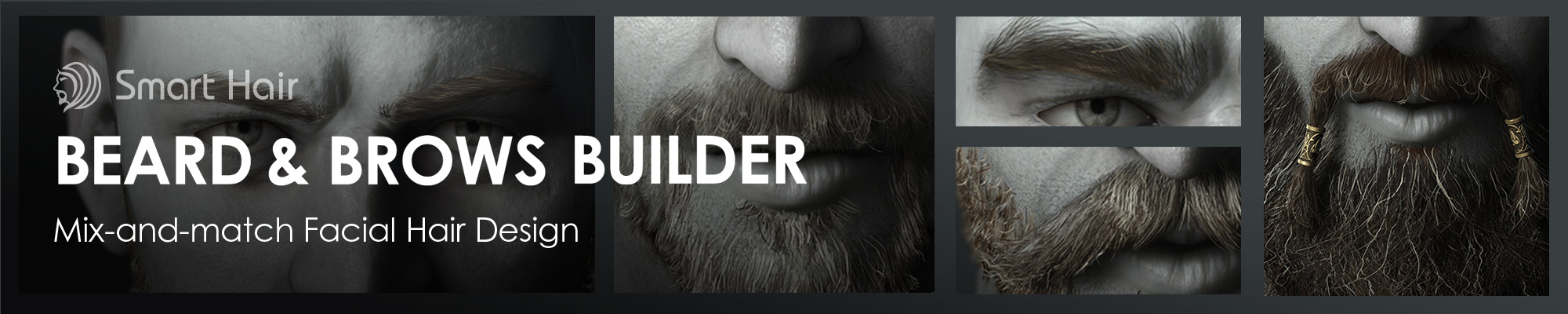 Prime Hairstyles Prime Hairstyles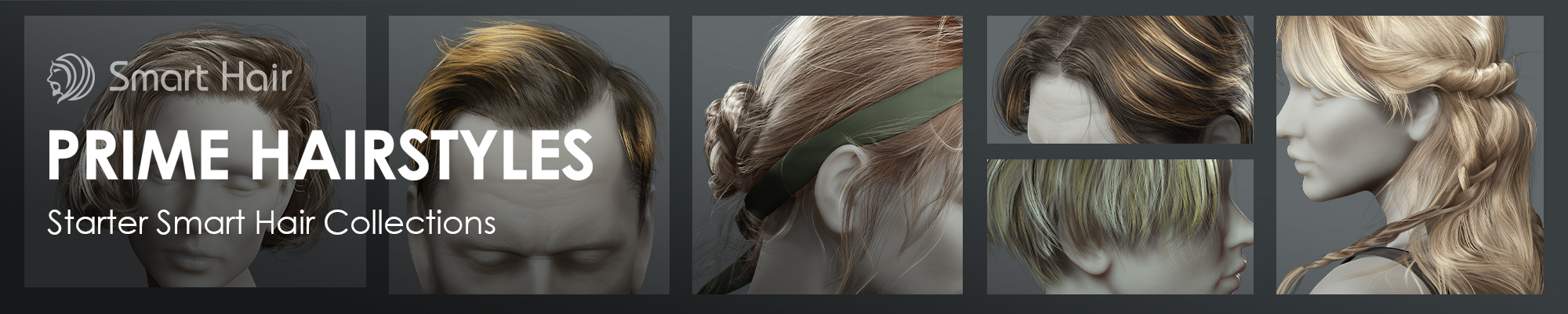 *Note: about physics capability of those hairs >> Know MoreSome Important Information You Should Know about the Update- Where do I find my purchased hair content from Content Manager & Smart Gallery >> Know More (Forum)
- How to upgrade my existing hair content to support the new Smart Hair Shader >> Know More (Tutorial)
- Importing Daz G3/G8 hair and facial hair content as Smart Hair through Transformer >> Know More (Online Manual)
- Exporting Smart Hair to 3rd party 3D Tools >> Know More (Forum)
Visit the webpage to see full information.
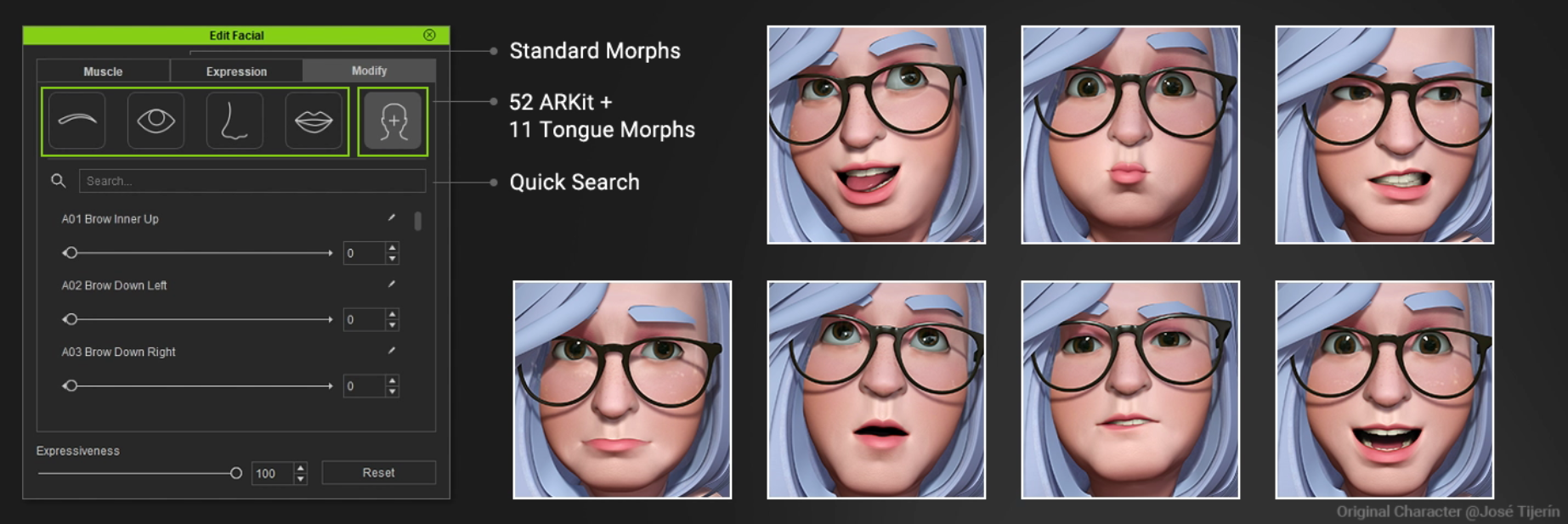
- ExpressionPlus (ExPlus): 11 tongue blendshapes and 52 ARKit blendshapes
- ARKit 1:1 Blendshape: 100% compatible with other engines which support iPhone mocap
- Edit Facial function has been upgraded
- Muscle: 2 new expression sets: ExPlus, ExPlus_tongue only
- Expression: 4 new ExPlus expression presets
- Modify: 63 blendshapes under the Custom section
- Morph Slider: 7 new tongue morph sliders
More Information You Should Know about the Update
- How to make your existing CC3 Base+ characters to support the facial-related enhancement introduced above? >> Know More (Forum)
- How to animate CC3+ character with Unreal Live Link Face? >> Know More (Forum)
Other Enhancements in Version 3.4 Here are the summary of enhancement and adjustment in version 3.4. For the full release note, please visit the webpage.- UI changes for the New Hair creation process >> Know More (Forum)
- New visual cue: sliders with green dots signify the presence of DRM protection >> Know More (Forum)
- Usability Enhancement: Edit Facial panel >> Know More (Forum)
- Usability Enhancement: orbit camera by selected vertices >> Know More (Forum)
- New default project path inside preference settings. >> Know More (Forum)
Related Update There are some related software and plugin updates along with CC version 3.4. Please visit the links below:Related Resource The Reallusion Team |
|
|
|
|
Miranda (RL)
|
Miranda (RL)
Posted 5 Years Ago
|
|
Group: Administrators
Last Active: 4 Years Ago
Posts: 1.8K,
Visits: 11.2K
|
Where Do I Find My Purchased Hair Content?From CC v3.4 and iClone v7.9, hair content assets will be stored in the Shared Templates folder in local PC (...\Reallusion\Shared Templates\Hair), which means that users can easily to access hair content from both programs. Along with this change, the hair folders in Content Manager and Smart Gallery have been re-organized. For Character Creator:If you'd like to find your existing content assets, please go to Hair > Group > Hair > _Legacy > CC. 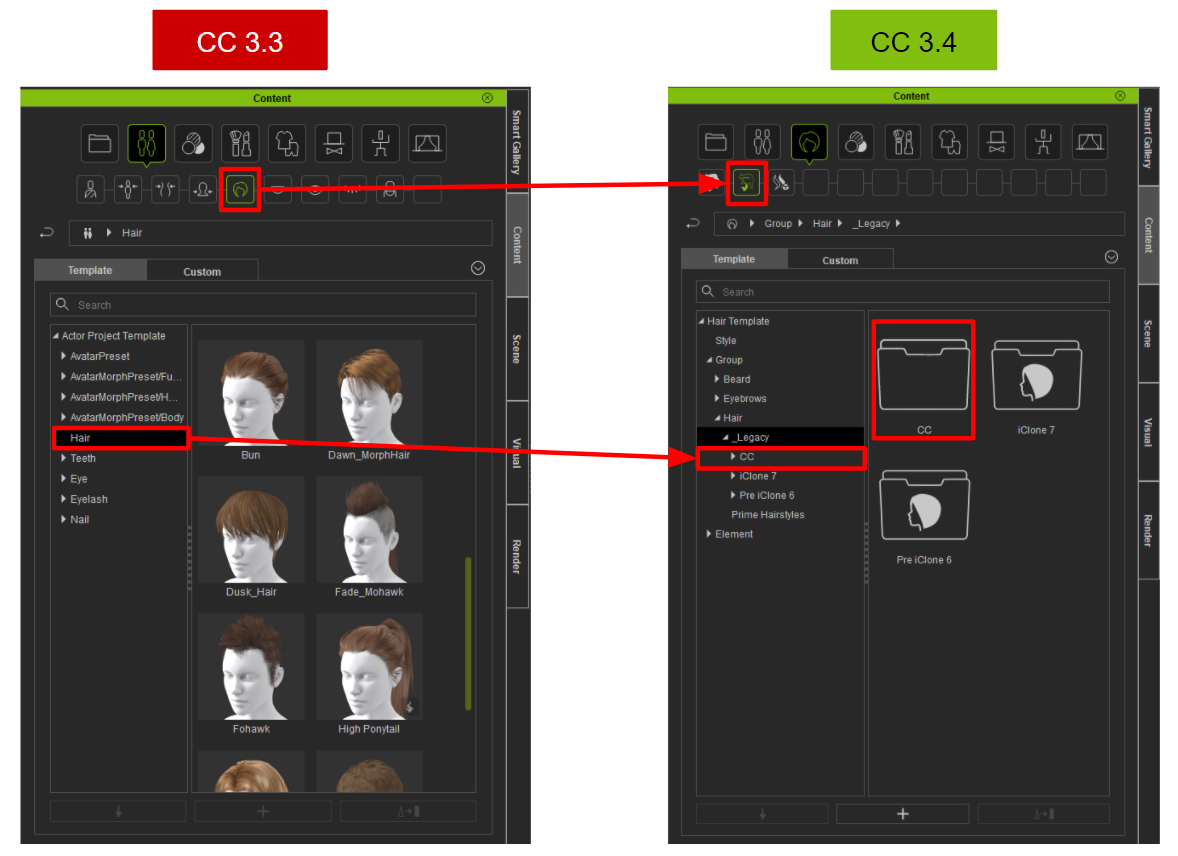 For iClone: For iClone:If you'd like to find your existing content assets, please go to Body Part > Hair > Group > Hair > _Legacy > iClone 7 or Pre iClone 6. 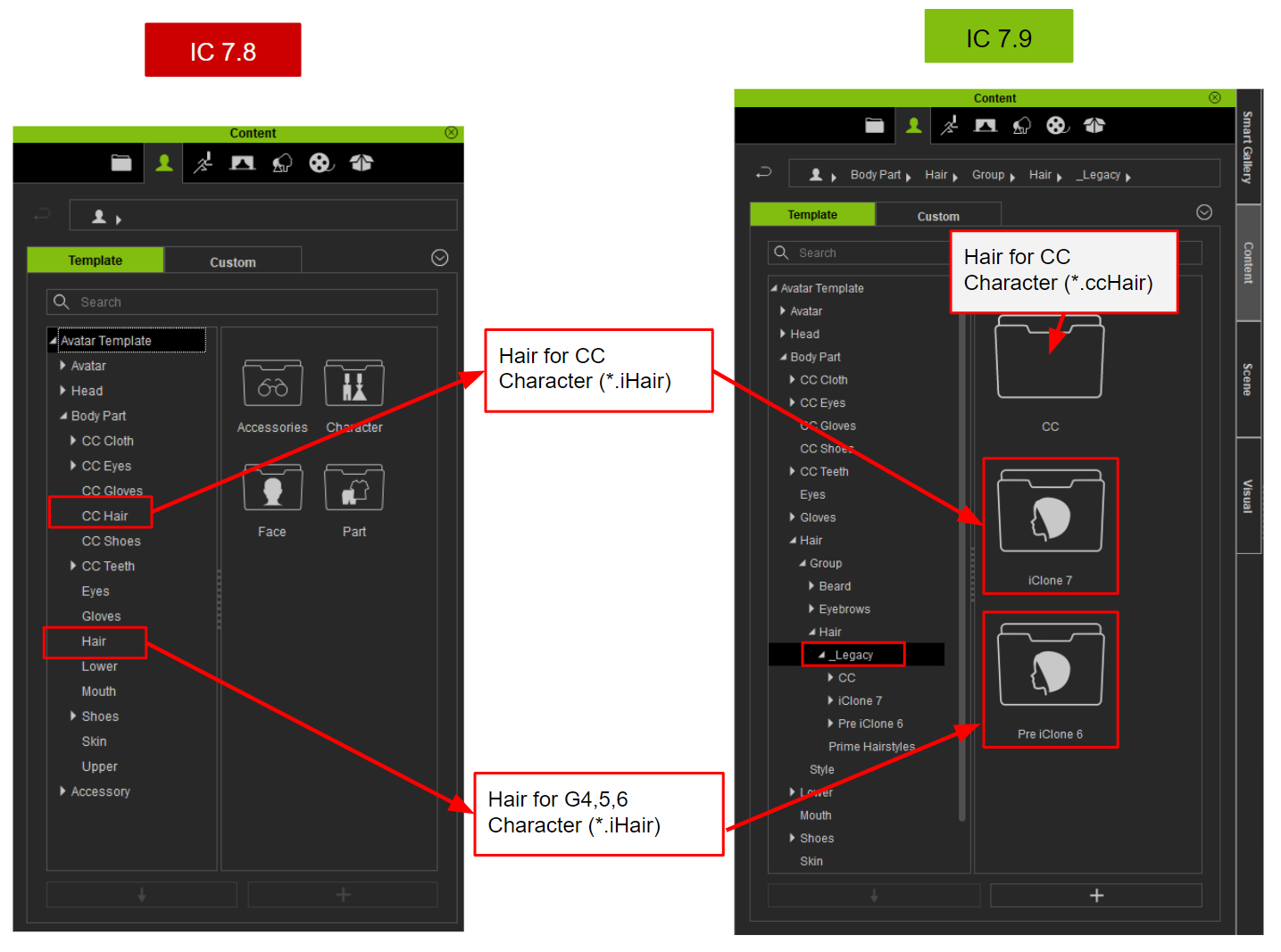
|
|
|
|
|
Miranda (RL)
|
Miranda (RL)
Posted 5 Years Ago
|
|
Group: Administrators
Last Active: 4 Years Ago
Posts: 1.8K,
Visits: 11.2K
|
Exporting Smart Hair to 3D ToolsThe specification of Smart Hair in iClone / Character Creator includes- Component design: hair, beard, brows
- Beard and brows with skin weight settings included, so beard and brows can perfectly follow animated facial surface for any real-time performance
- Smart Hair Shader with realistic color variation and reflection controls
To make the Smart Hair work with other 3D tools, two new options are added on the Export FBX panel. 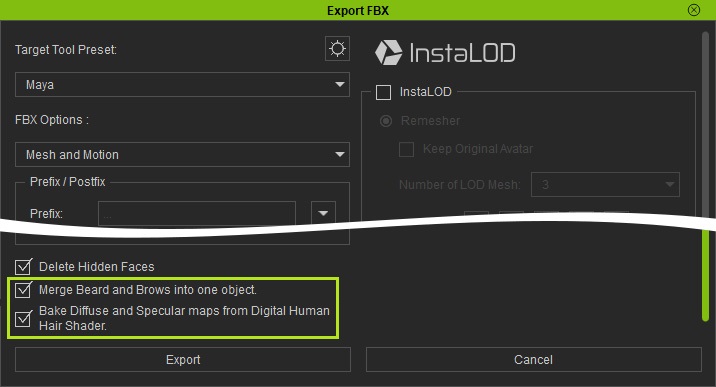 Merge Beard and Brows into one object Merge Beard and Brows into one object Beards and eyebrows can be exported along with the character to external 3D tools for animation. However, since the skin weight settings are not included, the hair's morphing sliders will be exported for further use in 3rd party tools. The facial expressions and hair morph sliders must work together to create complete facial expression animations. >> Know MoreBake Diffuse and Specular maps from Digital Human ShaderFor exporting the Smart Hair in FBX format, Character Creator allows you to export the material with or without the Shader Setting result. You can find the setting at the bottom of the Export FBX panel. There are some scenarios for reference: Scenario 1 (Bake): Export a character with its final look for the use in destination toolsScenario 2 (Un-bake): Export a character for creating or adjusting its mesh or textures
You can find more details from Online Manual.
|
|
|
|
|
Miranda (RL)
|
Miranda (RL)
Posted 5 Years Ago
|
|
Group: Administrators
Last Active: 4 Years Ago
Posts: 1.8K,
Visits: 11.2K
|
How to Make Your Existing CC3 Base+ Characters to Support the ExpressionPlus Blendshapes?ExpressionPlus (ExPlus) consists of a new set of advanced facial performance derived from human scans including tongue morphs, with 1:1 mapping to ARKit blendshapes, it can significantly improve facial mocap using iPhone, and gives more expressive options to Edit Facial (CC) and Face Key Editor (iClone). In addition, optimized visemes are included for Accurate Lipsync (AccuLips), giving CC3+ characters convincing facial talking animation. >> Know MoreYon can update the new facial system to your existing CC3+ Characters by applying "CC3plus" facial profile. >> Know More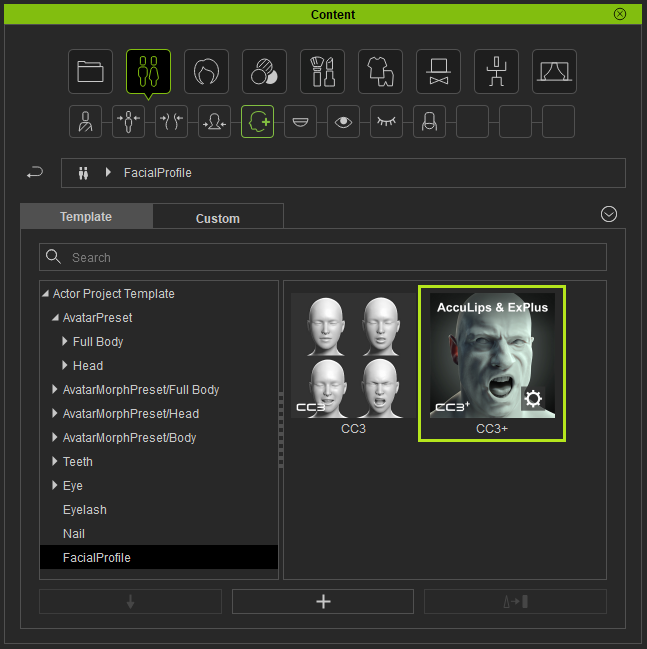
|
|
|
|
|
Miranda (RL)
|
Miranda (RL)
Posted 5 Years Ago
|
|
Group: Administrators
Last Active: 4 Years Ago
Posts: 1.8K,
Visits: 11.2K
|
UI Changes for the New Hair Creation Process
From version 3.4, to create hair or facial hair content, one should perform Create > Accessory to import external geometry, then go to Modify > Create Hair, Brows, Beard to transform the accessory to hair or facial hair. This step not only sets the model as a new piece of hair element, but also assigns skin weights to the vertices. 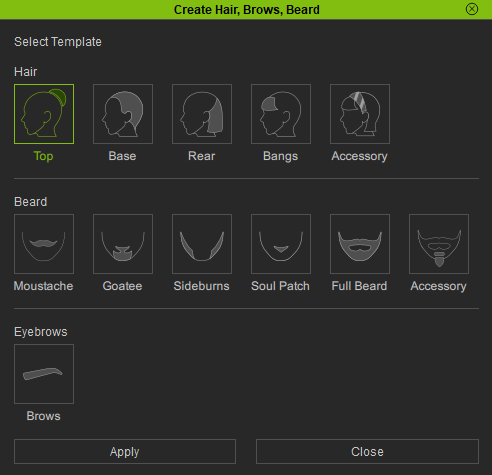 Therefore, adjustments inside the Transfer Skin Weight panel is no longer needed: 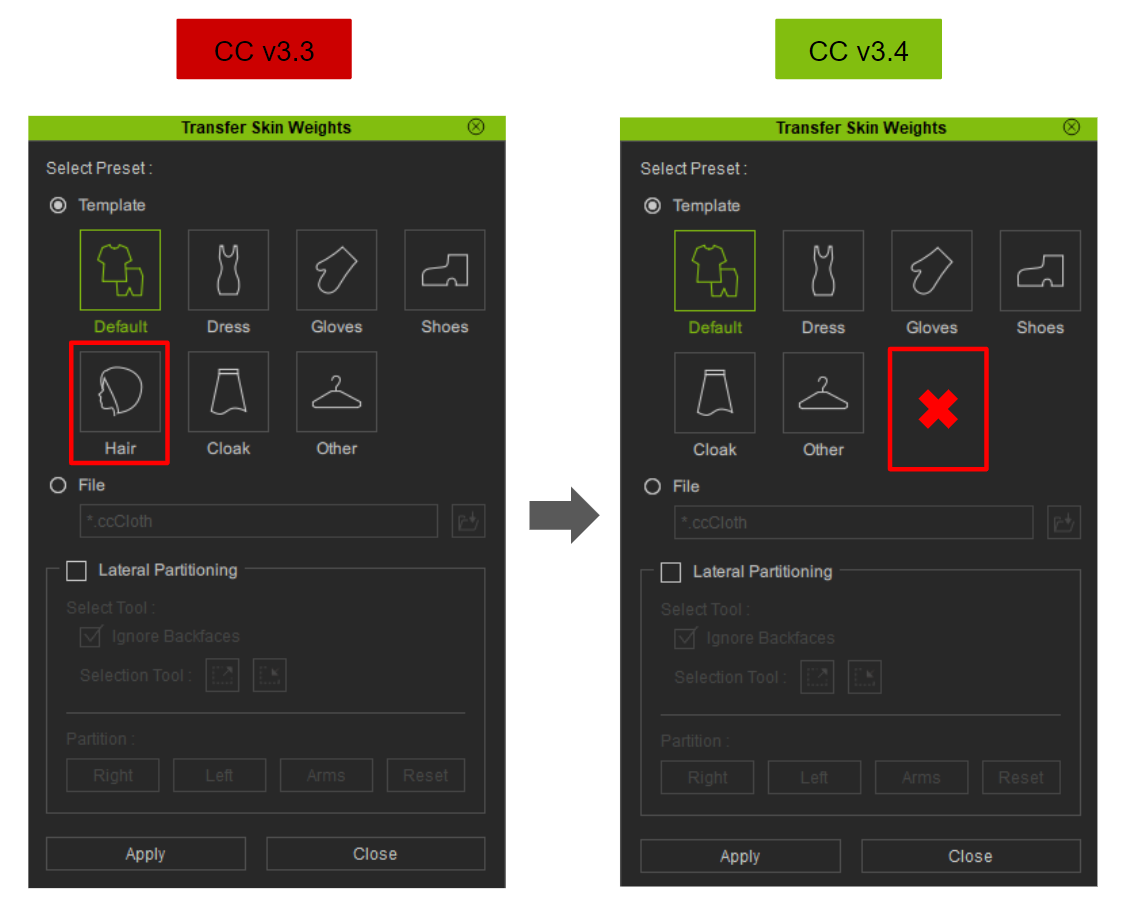
|
|
|
|
|
Miranda (RL)
|
Miranda (RL)
Posted 5 Years Ago
|
|
Group: Administrators
Last Active: 4 Years Ago
Posts: 1.8K,
Visits: 11.2K
|
Sliders with Green Dots Signify the Presence of DRM ProtectionIn version 3.3, the folder structure of Reallusion-made morph sliders (e.g. Ultimate Morphs, Headshot Morph 1000+) in the Modify panel was re-organized to make paid sliders display along with embedded sliders, so users can easily drag sliders without the need to access to different product folders. This change caused some side effects because it blurred the line between embedded and paid sliders. Content developers might be accidentally using paid sliders when creating character morphs, so users who purchase their morph content require to pay extra if they don't own the paid sliders. (Ref. related post) Thanks for the feedback from Slayerazazel and others, we added a visual cue on all paid sliders in version 3.4. Sliders with green dots signify the presence of paid content with DRM protection. 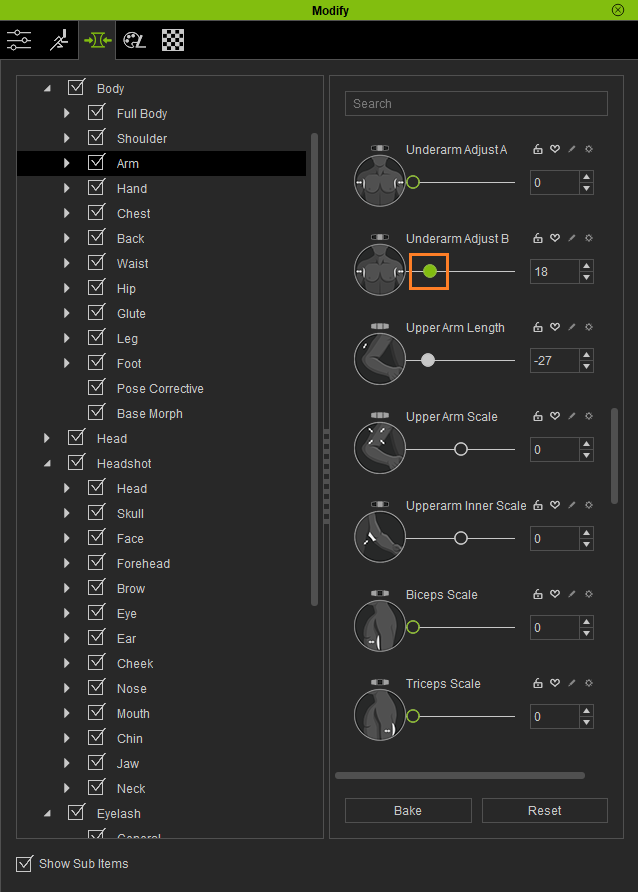
|
|
|
|
|
Miranda (RL)
|
Miranda (RL)
Posted 5 Years Ago
|
|
Group: Administrators
Last Active: 4 Years Ago
Posts: 1.8K,
Visits: 11.2K
|
Enhancement: Edit Facial panel New Features with ExpresionPlus blendshapesExpressionPlus (ExPlus) consists of a new set of advanced facial performance derived from human scans including tongue morphs, with 1:1 mapping to ARKit blendshapes, it can significantly improve facial mocap using iPhone, and gives more expressive options to Edit Facial (CC) and Face Key Editor (iClone). In addition, optimized visemes are included for Accurate Lipsync (AccuLips), giving CC3+ characters convincing facial talking animation. The Edit Facial function has been upgraded along with this change. 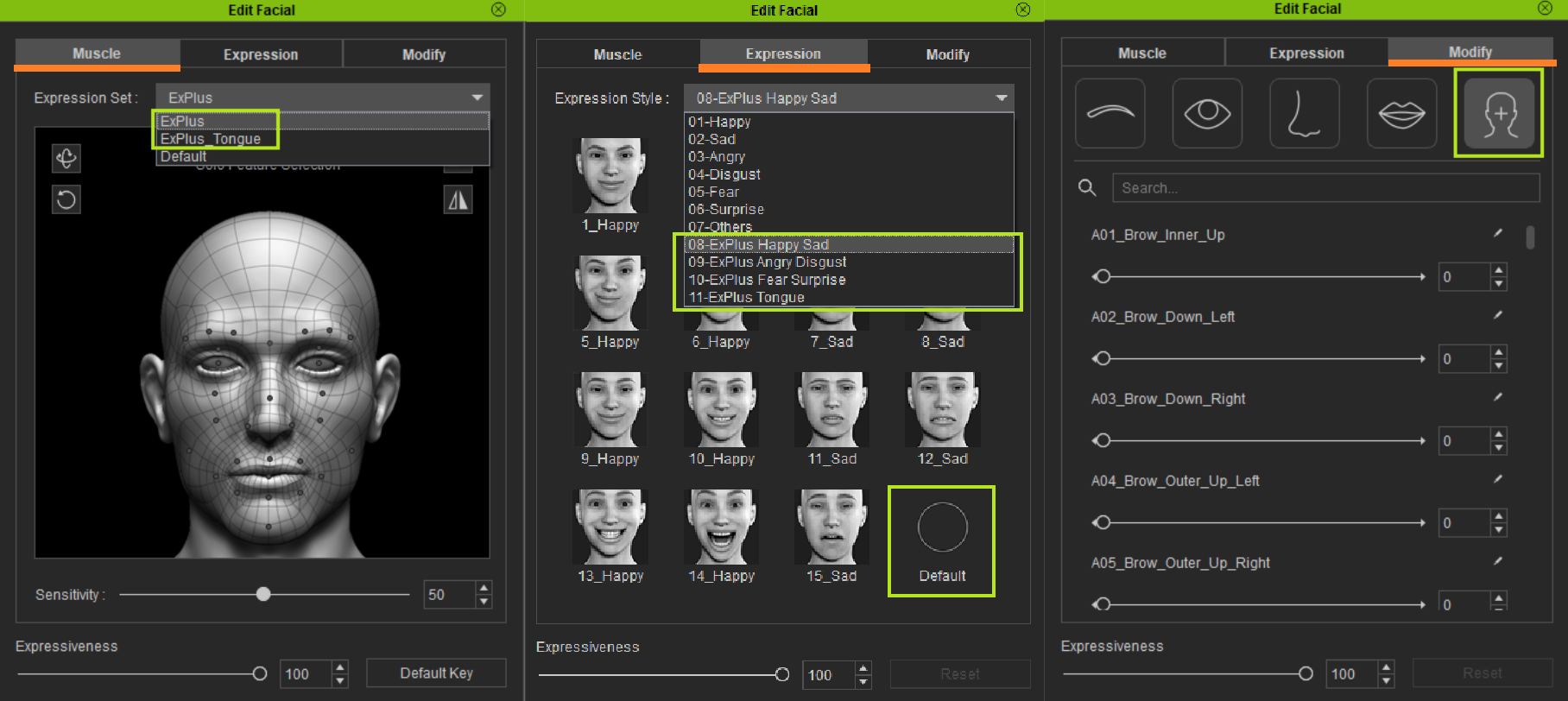 - Edit Facial Muscle panel now provides two additional expression sets: ExPlus and ExPlus-Tongue.
- Edit Facial Expression panel now provides 4 example sets of ExPlus.
- Every expression set in the Edit Facial panel now comes with the Default functionality with the ability to reset to factory settings.
- Edit Facial Modify panel has now expanded to 64 slots.
- New Sensitive and Mirror Selection option for Edit Facial.
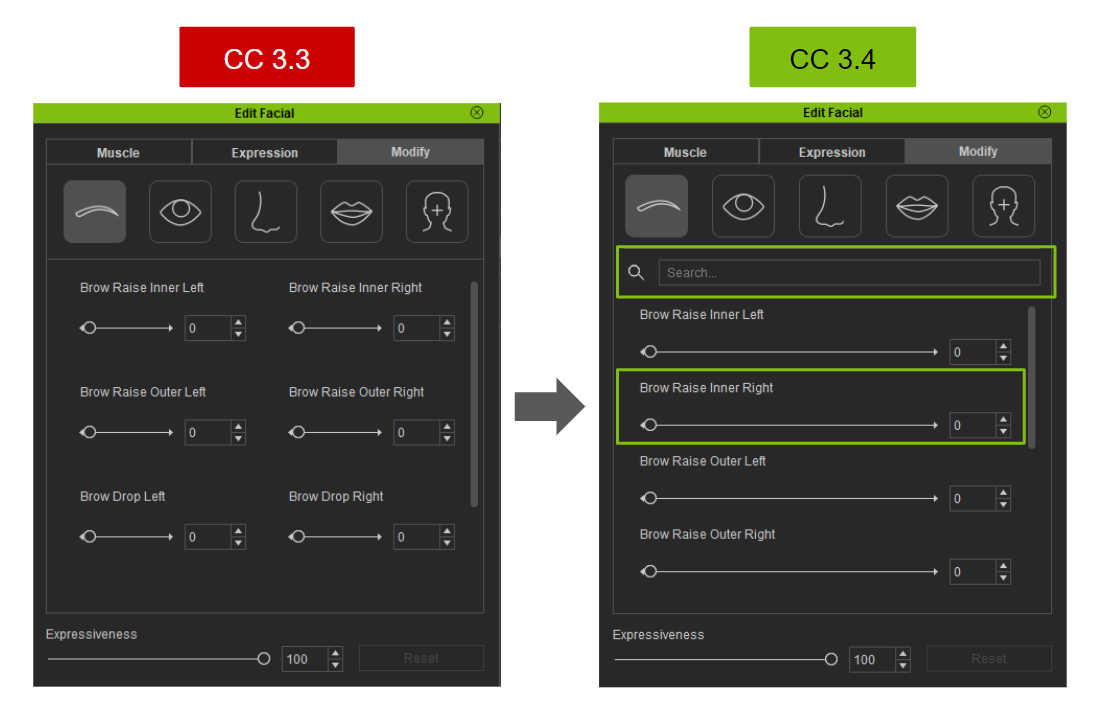
Check this video for overview: UI Optimization From version 3.4, the Modify section on Edit Facial panel has become more user friendly.- A search function has been added with the ability to search for specific sliders based on key words.
- Sliders are now laid out in a single column rather than side by side, providing more room to adjust the sliders in a more precise manner with finer level of control.
|
|
|
|
|
Miranda (RL)
|
Miranda (RL)
Posted 5 Years Ago
|
|
Group: Administrators
Last Active: 4 Years Ago
Posts: 1.8K,
Visits: 11.2K
|
Enhancement: Orbit Camera by Selected VerticesFor more convenient editing, users can now orbit camera by the selected vertices on the following functions. Edit Mesh (Version 3.4)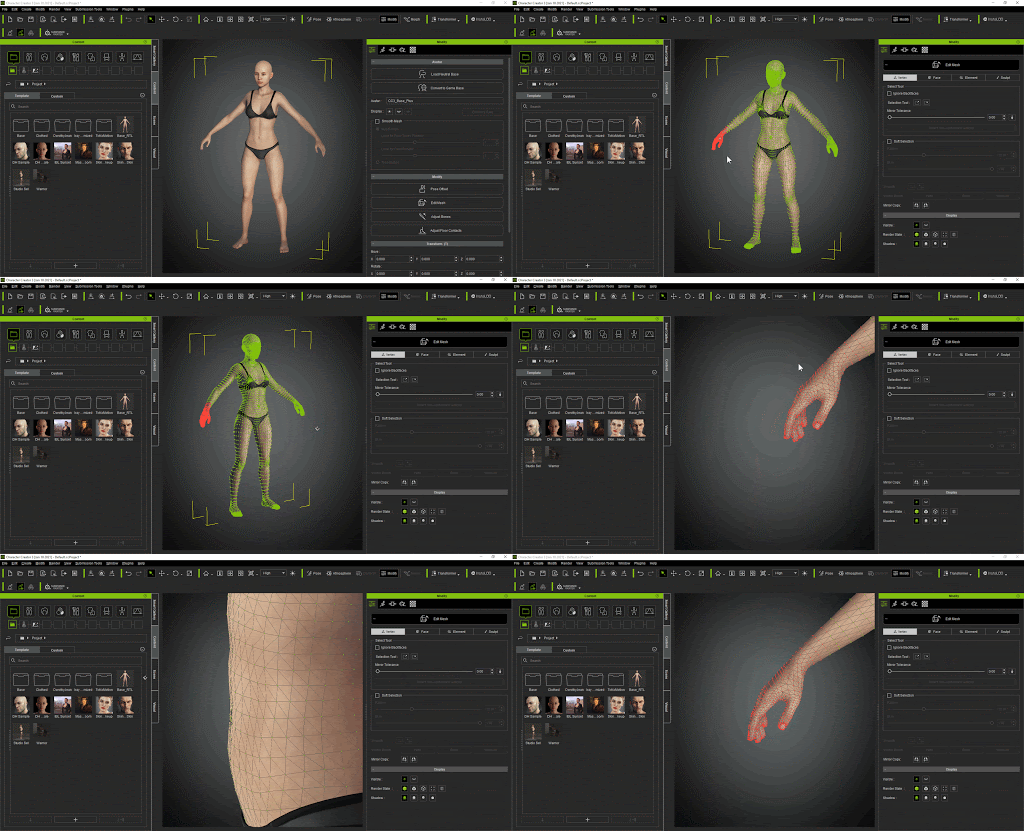 Edit Mesh (Before version 3.4) Edit Mesh (Before version 3.4)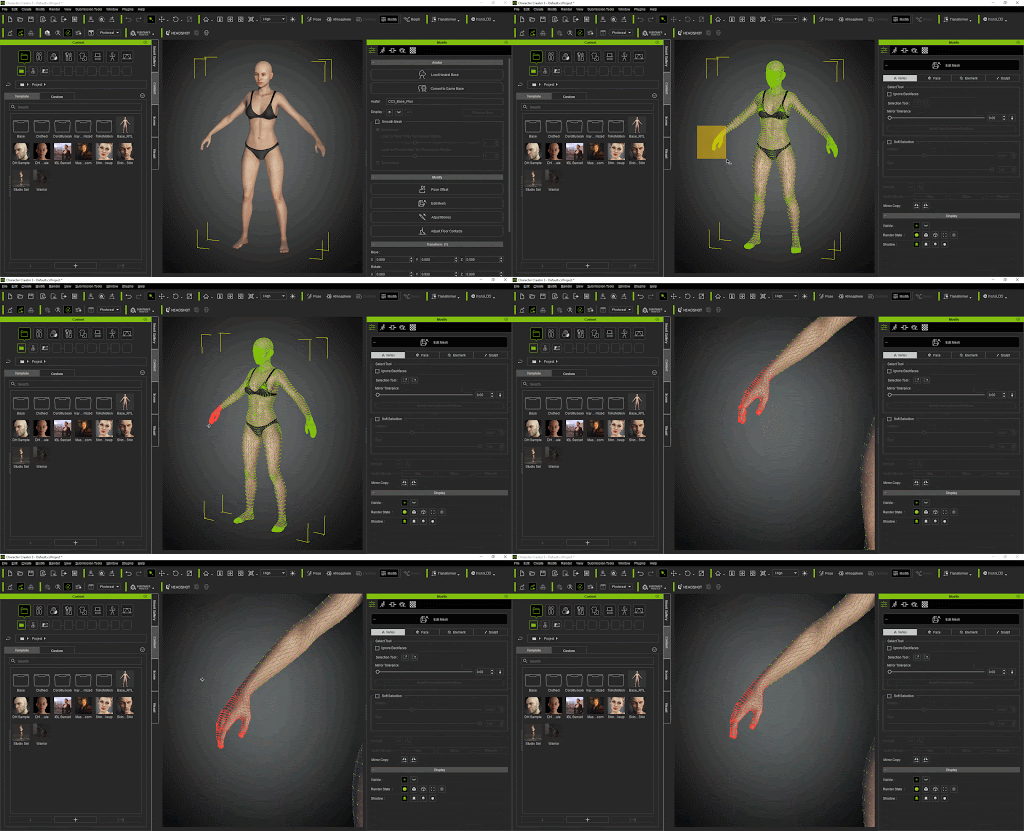
Conform (Version 3.4) Conform (Before version 3.4)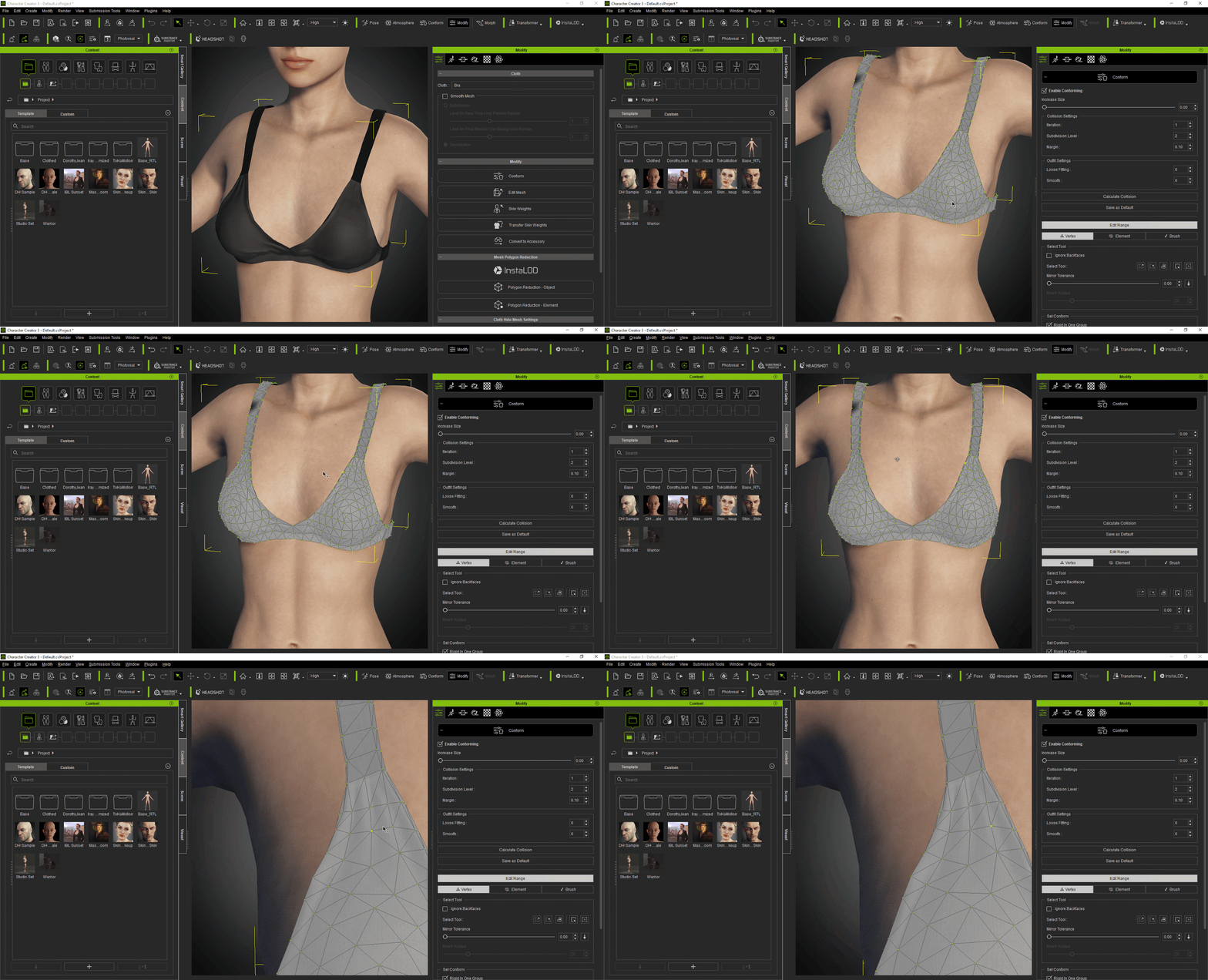
Skin Weights Editing (Version 3.4) Skin Weights Editing (Before version 3.4) 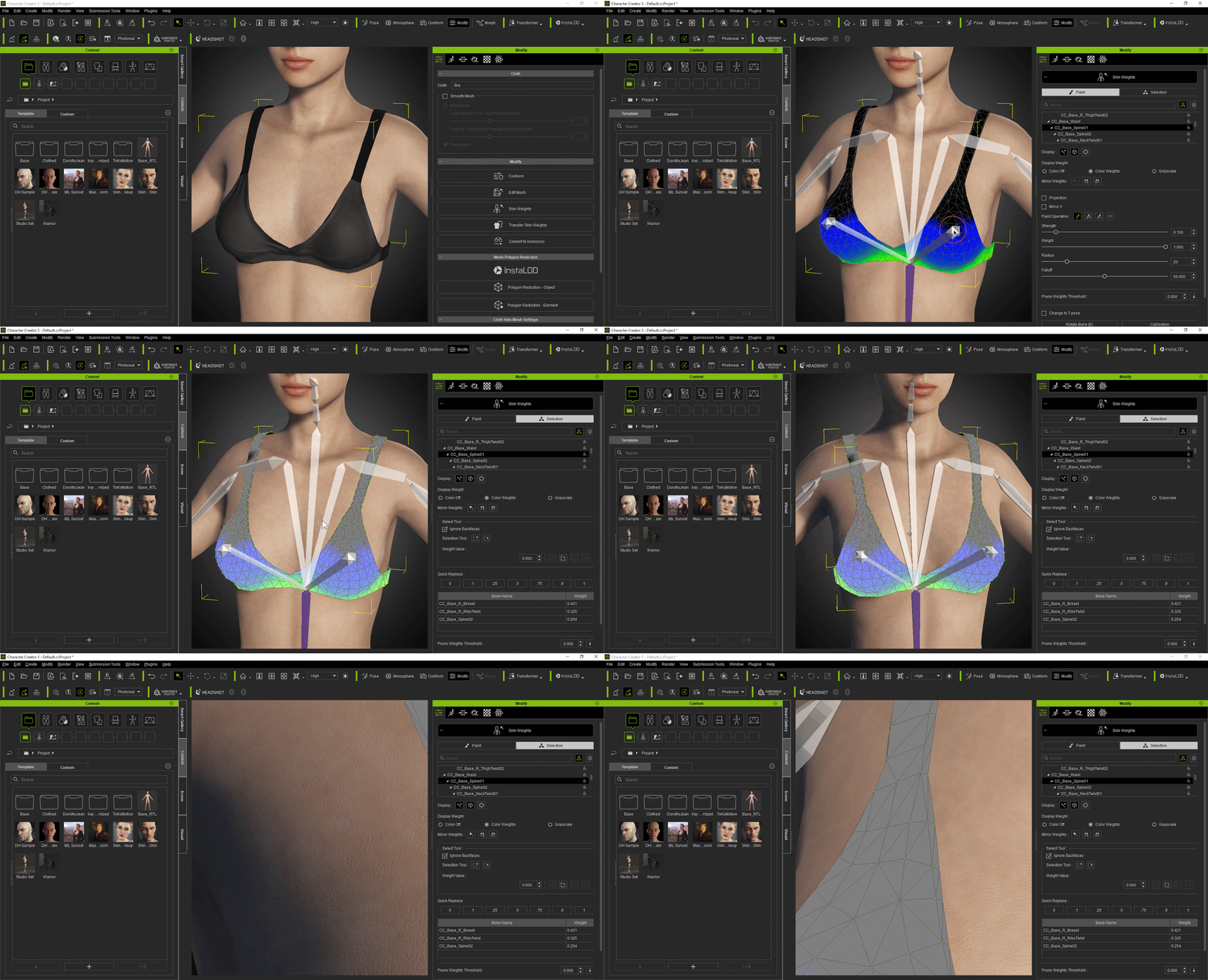
|
|
|
|
|
Miranda (RL)
|
Miranda (RL)
Posted 5 Years Ago
|
|
Group: Administrators
Last Active: 4 Years Ago
Posts: 1.8K,
Visits: 11.2K
|
Added: Set Default ProjectPrior to version 3.4, the custom start-up project path was hard to find, and impossible to reset the factory settings.
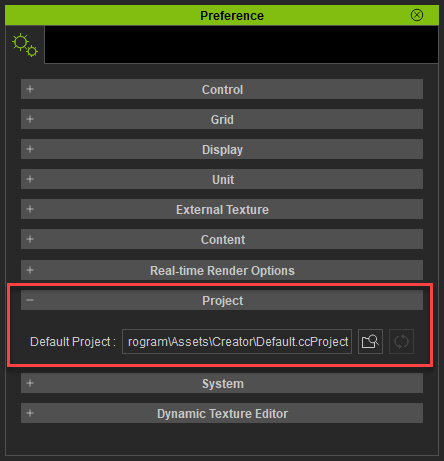
Now, one can easily go to Preference > Project > Default Project to find the Default Project path, and change the Default Project via Content Manager > Set Default Project or Preference > Project > Choose Default Project.
Moreover, one can click on the Reset to Default Project button to reset the default project to factory settings.
*This function is also supported in iClone v7.9.
 Set Default Project and Reset Default Project in Content Manager 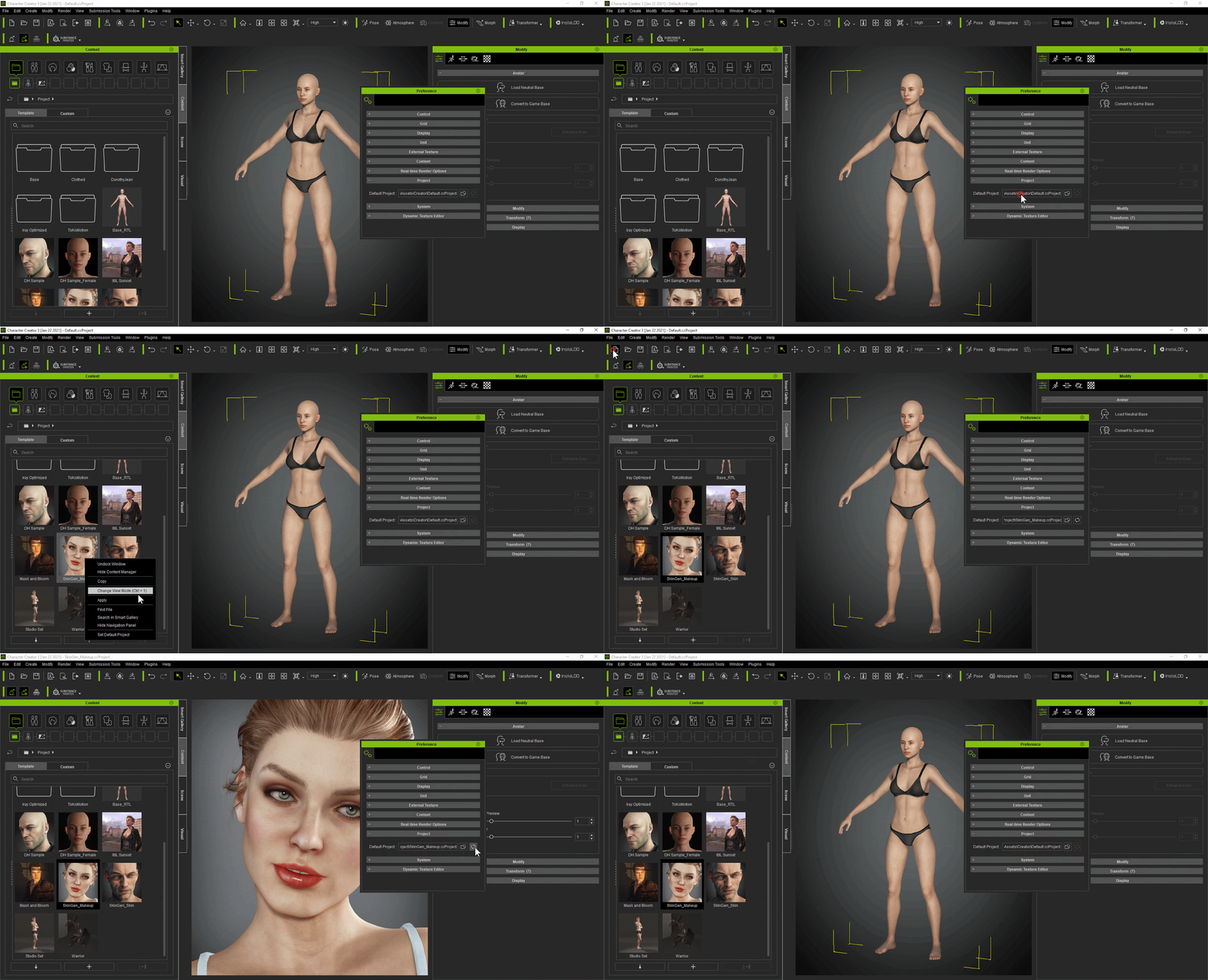 Set Default Project and Reset Default Project in Preference 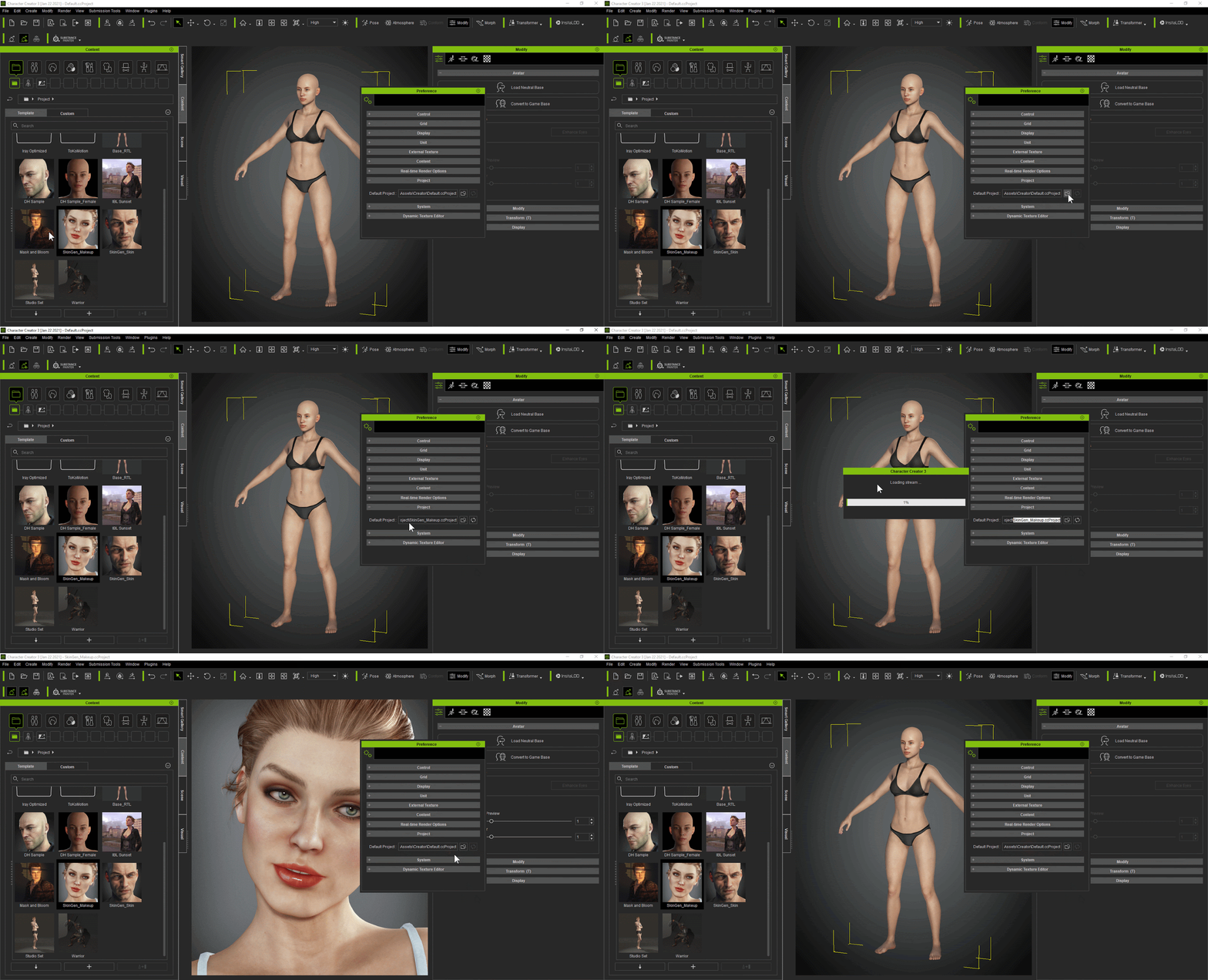
|
|
|
|
|
wires
|
|
|
Group: Forum Members
Last Active: Last Month
Posts: 5.7K,
Visits: 26.5K
|
Thank you very much for this excellent collection of new and improved features, already downloaded and installed. :cool::smooooth::)
Gerry
System: Win 10 Pro (21H2), Asus X99-E WS, CPU i7-5930K -3,5 GHz, 32 GB DDR4 2666-16 RAM, NVidia GTX 1080 Ti GPU - 11 GB VRAM(Driver Studio-536.99), Samsung 850 Pro 512 GB SSD, 6 TB HD storage.
|
|
|
|