|
Author
|
Message
|
|
PaleHorseDavid
|
PaleHorseDavid
Posted 6 Years Ago
|
|
Group: Forum Members
Last Active: Last Year
Posts: 12,
Visits: 139
|
So this doesn't support Unity 2020.x
Is there a tutorial or guide somewhere for doing it manually? The video I did find glosses over it because it teaches how to use this plugin.
|
|
|
|
|
Bladepup
|
Bladepup
Posted 6 Years Ago
|
|
Group: Forum Members
Last Active: 4 Years Ago
Posts: 5,
Visits: 78
|
I've been on 2019.4 and using standard and it seems to work just fine, just setting project up for URP on 2019.4 to see the results. 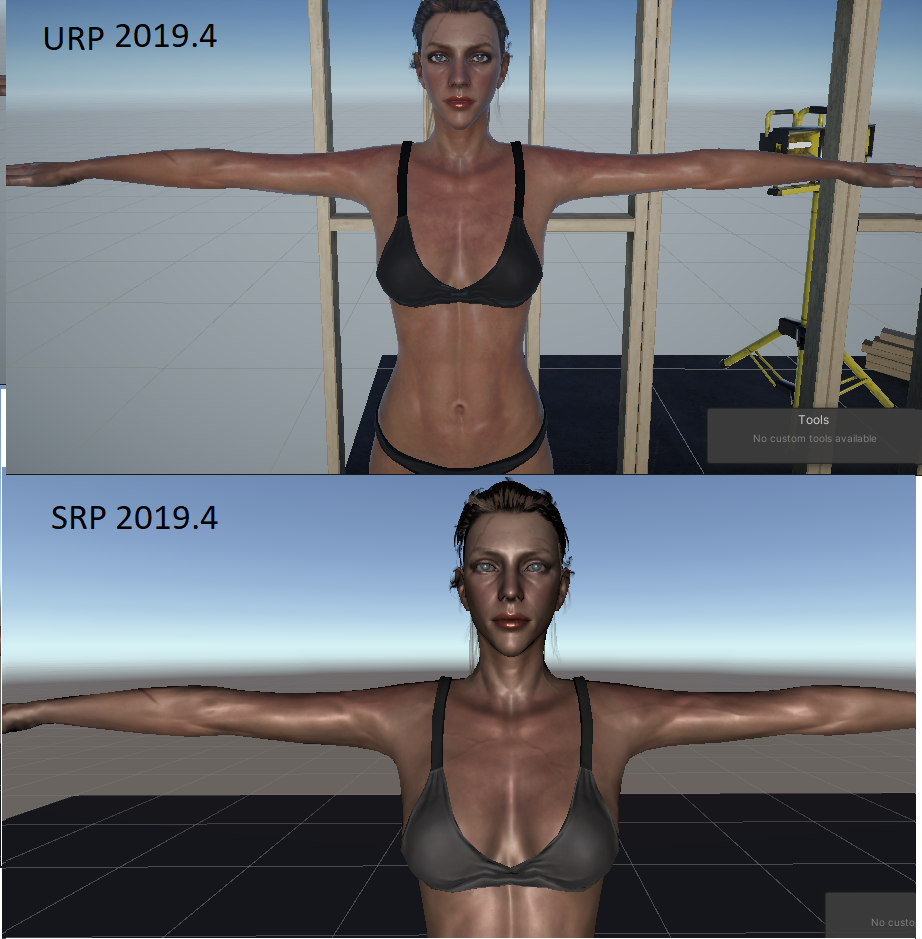
|
|
|
|
|
deidrereaystudios
|
deidrereaystudios
Posted 6 Years Ago
|
|
Group: Forum Members
Last Active: 3 Years Ago
Posts: 43,
Visits: 346
|
So after all this time and multiple people asking. The auto plugin is not updated to the latest unity LTS (2019.4.8f1)?? Why ... ??
I was helping test the beta for this plugin and tested on the new LTS.
For anyone wondering HDRP is a mess..
URP was alright and so was built in renderer. The only issues i saw were around the eyelids needing to be changed from opaque etc.
I really do wonder why that is not taken into consideration updating to the latest version of unity that is stable....
|
|
|
|
|
Ryan Hayle
|
Ryan Hayle
Posted 6 Years Ago
|
|
Group: Forum Members
Last Active: Last Month
Posts: 49,
Visits: 380
|
Here's the camera setting if you want to try that: https://manual.reallusion.com/Character_Creator_3/ENU/3/Content/Character_Creator_3/3/04_Introducing_the_User_Interface/Modify_Attribute_Tab_Camera.htm?Highlight=camera20mm has been suggested here: https://forum.reallusion.com/319416/Character-Creator-where-is-focal-length> Which appears to be something in between the two. There's still too little smoothing on the nose and to me the eyes still look a little bigger than the CC version. (but that could be the camera's fov)and the wireframe looks the same? Otherwise contact support, if you can clearly show the output is wrong.
|
|
|
|
|
jerome.dipietro
|
jerome.dipietro
Posted 6 Years Ago
|
|
Group: Forum Members
Last Active: Last Year
Posts: 91,
Visits: 1.1K
|
Thanks @Ryan Hayle All good suggestions and much appreciated. Import into Blender looks like this 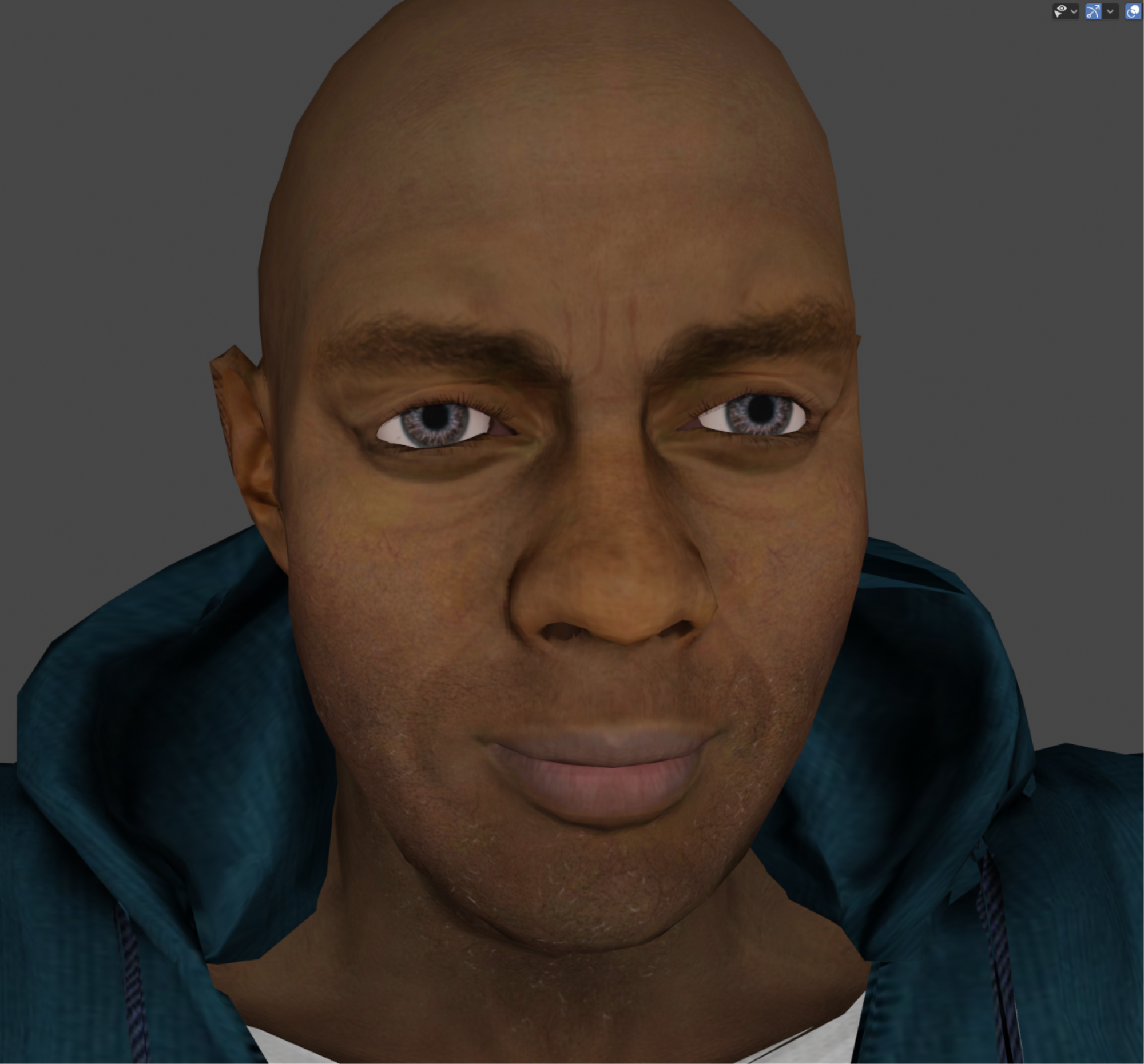 Which appears to be something in between the two. There's still too little smoothing on the nose and to me the eyes still look a little bigger than the CC version. (but that could be the camera's fov) For the export from CC, I'm just using what I've done in previous versions, as you say just the preset: 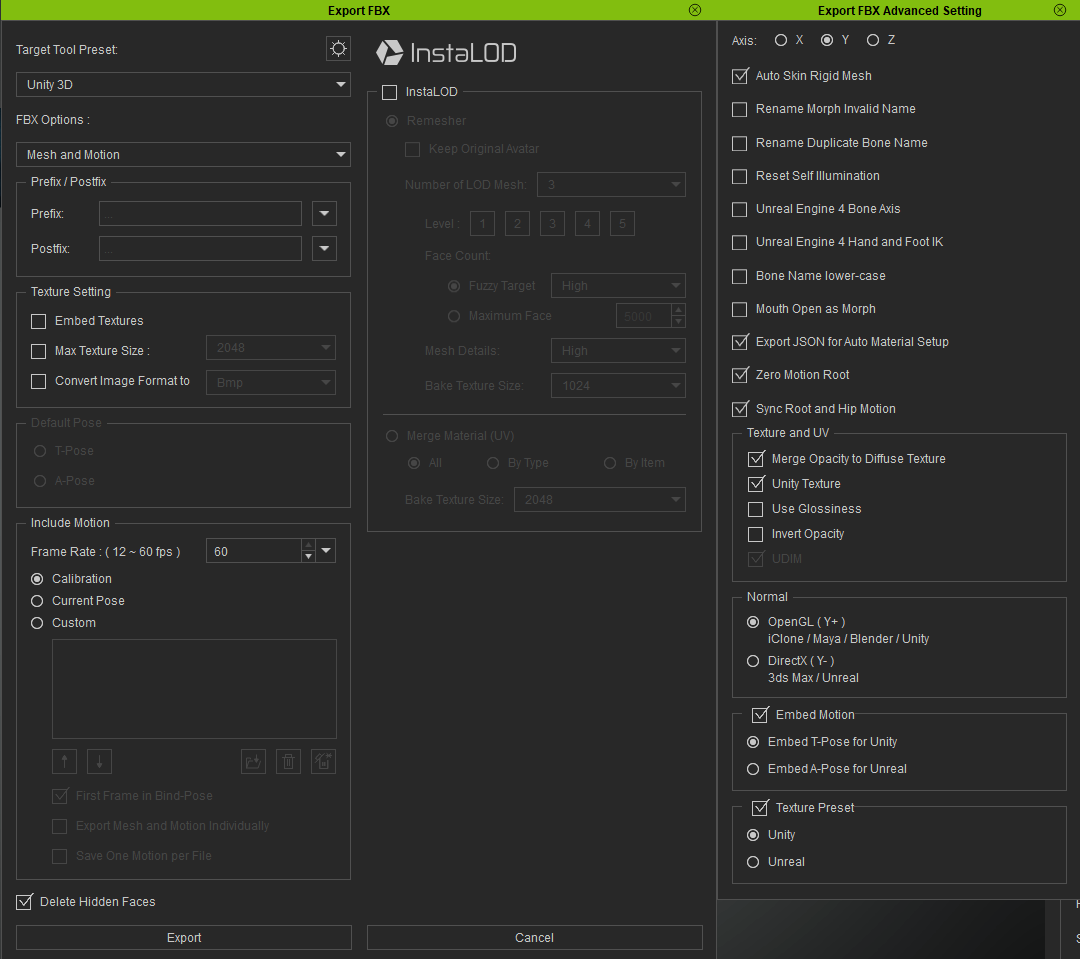
Unity Virtual Reality Developer
|
|
|
|
|
Ryan Hayle
|
Ryan Hayle
Posted 6 Years Ago
|
|
Group: Forum Members
Last Active: Last Month
Posts: 49,
Visits: 380
|
Hey Unity friend,
Take the fbx model into Blender or whatever modelling software you use and look at the actual mesh. Does it look the same as the CC3 version?
If it does then maybe it's a Unity issue or setting related, if it does not (which seems to be the case going by your images as the face looks like it is protruding outwards) log a support ticket as the mesh exporting would be broken. It also may be worth sharing your export settings, as I assume you are using the Unity preset. Good luck!
|
|
|
|
|
tnici
|
|
|
Group: Forum Members
Last Active: 5 Years Ago
Posts: 2,
Visits: 45
|
Is it possible, that the distortion comes from the perspective projection in the view? CC uses othographic by default. I also had the problem with the flat shaded faces you see on the nose. I encountered in on this piece of clothing: https://marketplace.reallusion.com/super05(Using Unity 2020.1 and plain 3D rendering)
|
|
|
|
|
jerome.dipietro
|
jerome.dipietro
Posted 6 Years Ago
|
|
Group: Forum Members
Last Active: Last Year
Posts: 91,
Visits: 1.1K
|
Posted in another thread but have not got any answers, so wondering if I posted in the wrong place? https://forum.reallusion.com/FindPost456485.aspxSince upgrading to CC3.3 (CC3+ meshes) characters import incorrectly (without smoothing and incorrect proportions) This: 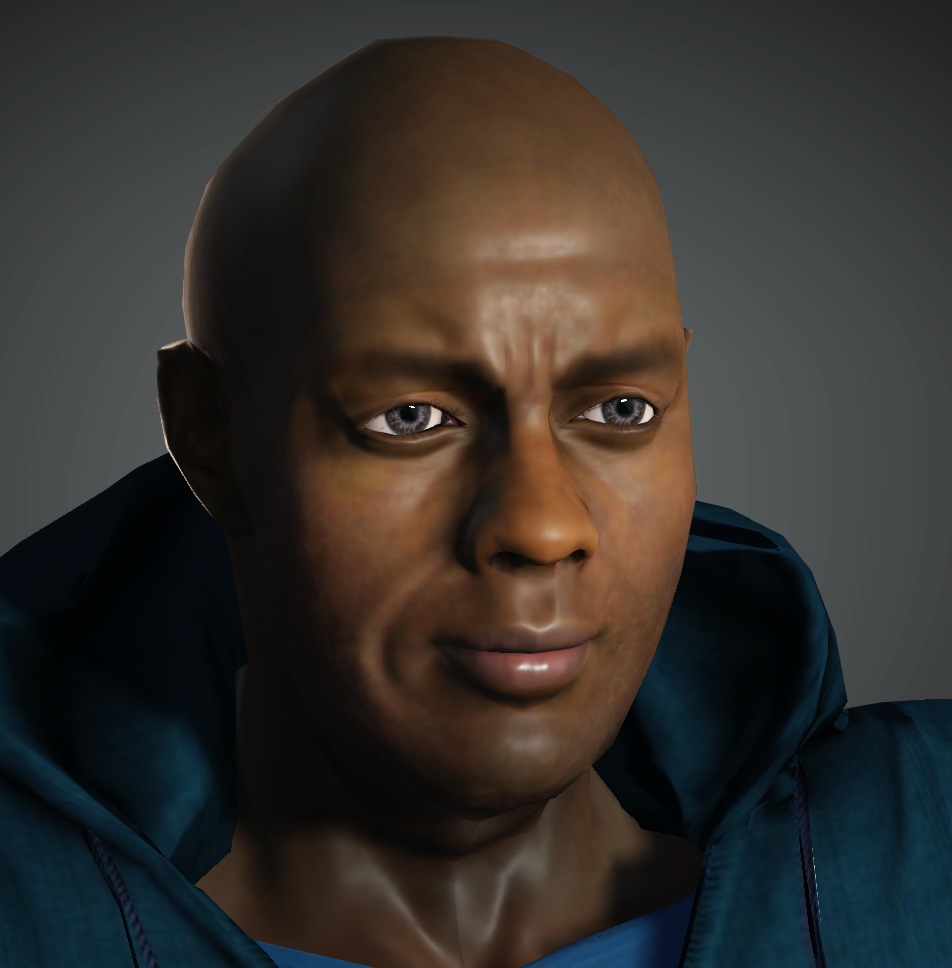 becomes: 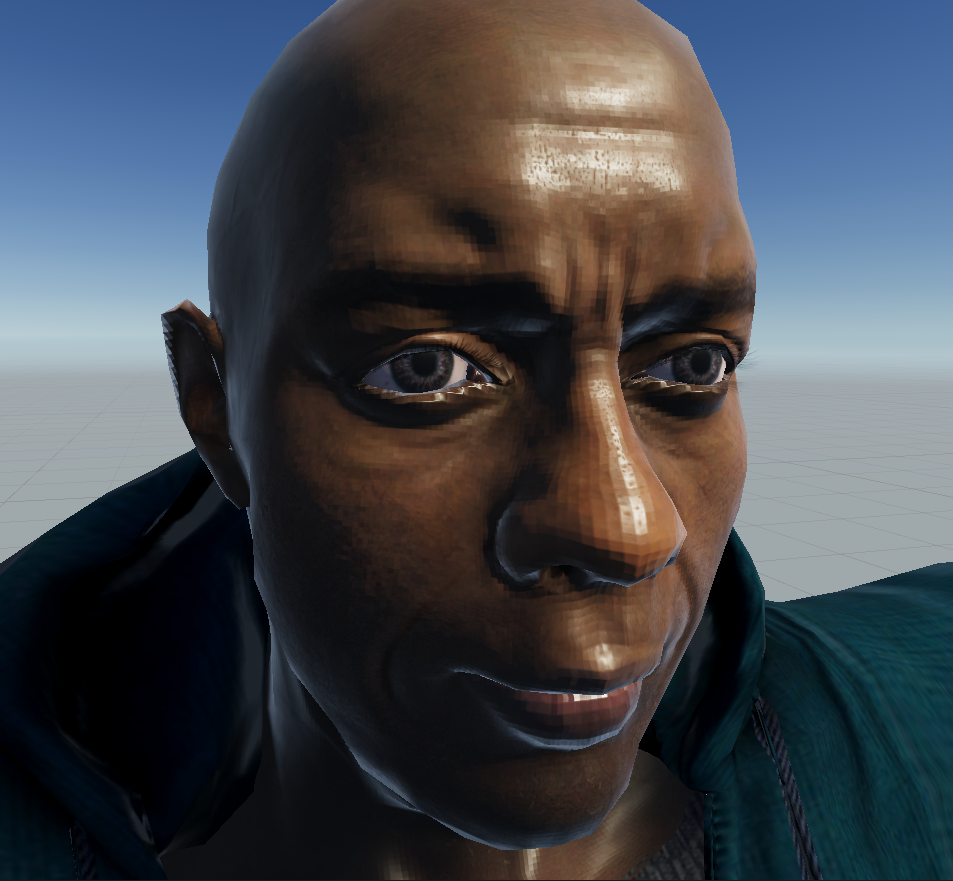 when imported from CC3.3 using AutoSetup 1.1 Never had these problems when using CC3.2 and AutoSetup 1.02 Should I lodge a support ticket? Is the new version just broken for Unity? Is it possible to revert back to the older version so I can keep working? It's all rather frustrating having spent money on the new morphs, skin plug-in etc. for this new version
Unity Virtual Reality Developer
|
|
|
|
|
Ryan Hayle
|
Ryan Hayle
Posted 6 Years Ago
|
|
Group: Forum Members
Last Active: Last Month
Posts: 49,
Visits: 380
|
So does it work on Unity 2019.4 LTS?
|
|
|
|
|
Miranda (RL)
|
Miranda (RL)
Posted 6 Years Ago
|
|
Group: Administrators
Last Active: 4 Years Ago
Posts: 1.8K,
Visits: 11.2K
|
|
|
|
|