|
Author
|
Message
|
|
mrtobycook
|
mrtobycook
Posted 6 Years Ago
|
|
Group: Forum Members
Last Active: Last Year
Posts: 425,
Visits: 2.7K
|
Thanks @animagic I’ll try that! I have a top Ryzen processor, lots of ram and a 2080 ti but I get quite a long delay after I press “activate editor” under skin. Is that normal? Also, if I change it to 4096 pixels forget it - it takes a loooong time to process that (10 mins?) then seems to make zero difference to what is actually exported. I hope there’s a video tutorial being made that explains how to actually do all this 😂 UPDATE: After re-watching the official videos, I can see that it’s perfectly normal for there to be a HUGE wait after clicking “activate editor”. :)))) May I please please suggest that a modal appears and says “activating skin editor can take several minutes the first time, as cache files are built. There are ways to speed up the process, please click here for more!“ then the user is linked to an article that summarizes, in a friendly and clear way like Kai does in the video “Skingen performance settings”, all the things that can speed this up (plus how to delete cache etc)
- - - - - - - - - - - - - - - - - - - - - - - - - - - -

virtualfilmer.com | youtube
|
|
|
|
|
animagic
|
animagic
Posted 6 Years Ago
|
|
Group: Forum Members
Last Active: 5 Months Ago
Posts: 15.8K,
Visits: 31.4K
|
@mrtobycook: Check the Real-time Texture Size setting in Preference. If it is lower than what SkinGen uses you will experience blurriness in the view port.
|
|
|
|
|
Elyssa
|
Elyssa
Posted 6 Years Ago
|
|
Group: Forum Members
Last Active: 2 Years Ago
Posts: 33,
Visits: 148
|
I'm curious, Can I do these in cc3+ without Skin Gen Premium? Or can I do these with Skin Gen Premium? Or can't I do these ? 1. Changing eyebrow or eyelash color. Default color is brown. I want to make them black. 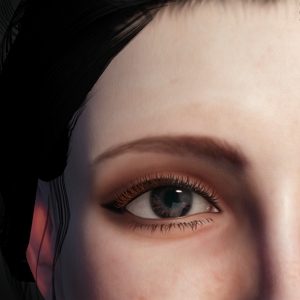 2. remove freckle 2. remove freckle
3. remove mustache and beard
I could remove freckle, mustache and beard in Appearance Editor. But can't find these functions in cc3+. If I can do these with Skin Gen Premium, Please let me know. Thank you.
|
|
|
|
|
SpiderTec
|
SpiderTec
Posted 6 Years Ago
|
|
Group: Forum Members
Last Active: Last Year
Posts: 75,
Visits: 264
|
I found a solution, If you power off your PC then Character Creator will rebuild the morph sliders, but when I close it and open it again my CCv3 will open just fine.. So I guess just keep the PC running 24/7.
|
|
|
|
|
mrtobycook
|
mrtobycook
Posted 6 Years Ago
|
|
Group: Forum Members
Last Active: Last Year
Posts: 425,
Visits: 2.7K
|
There also seems to be a sudden increase in resolution when I activate the Skin Editor. Anyone else experiencing that? Here is with skin editor off: 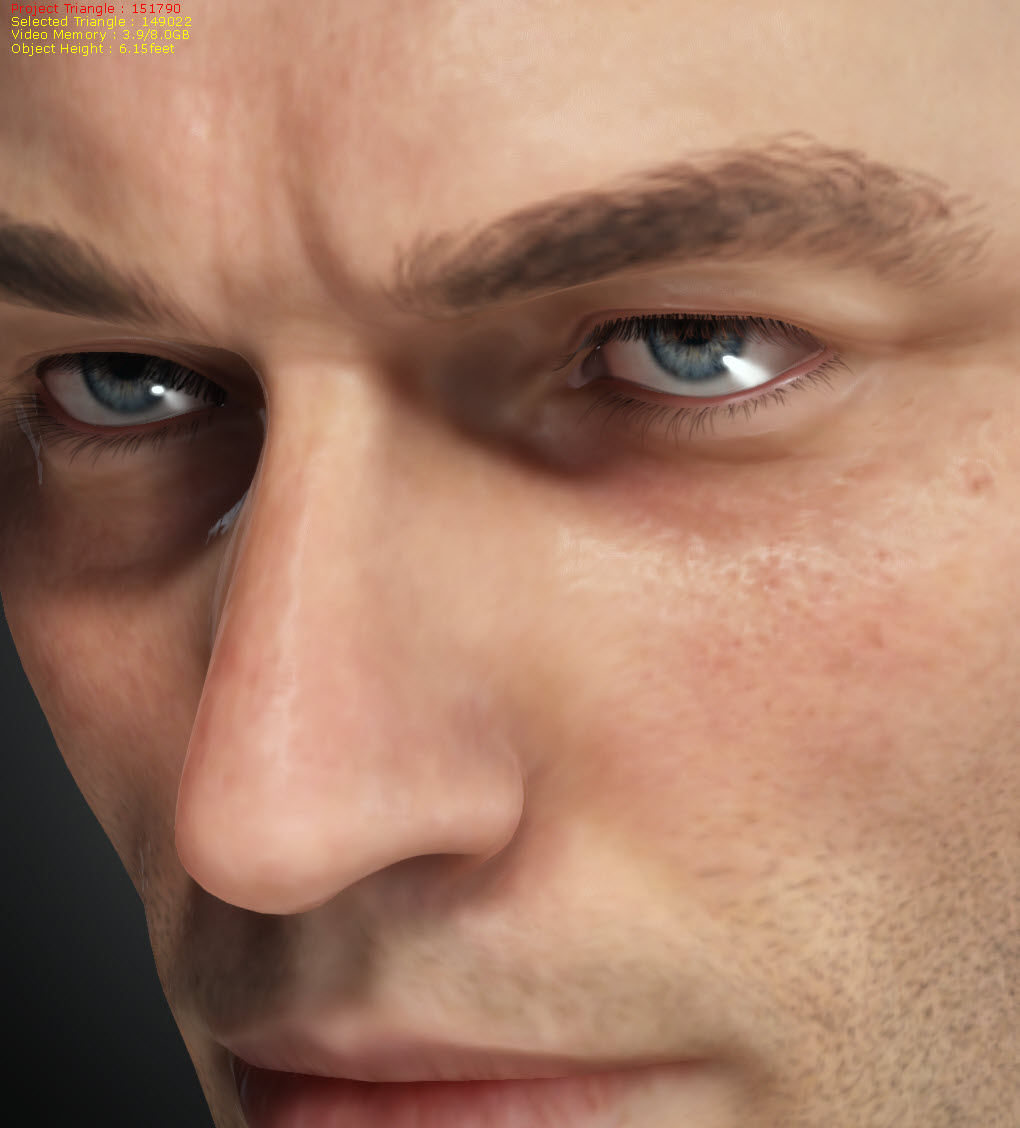 and on: 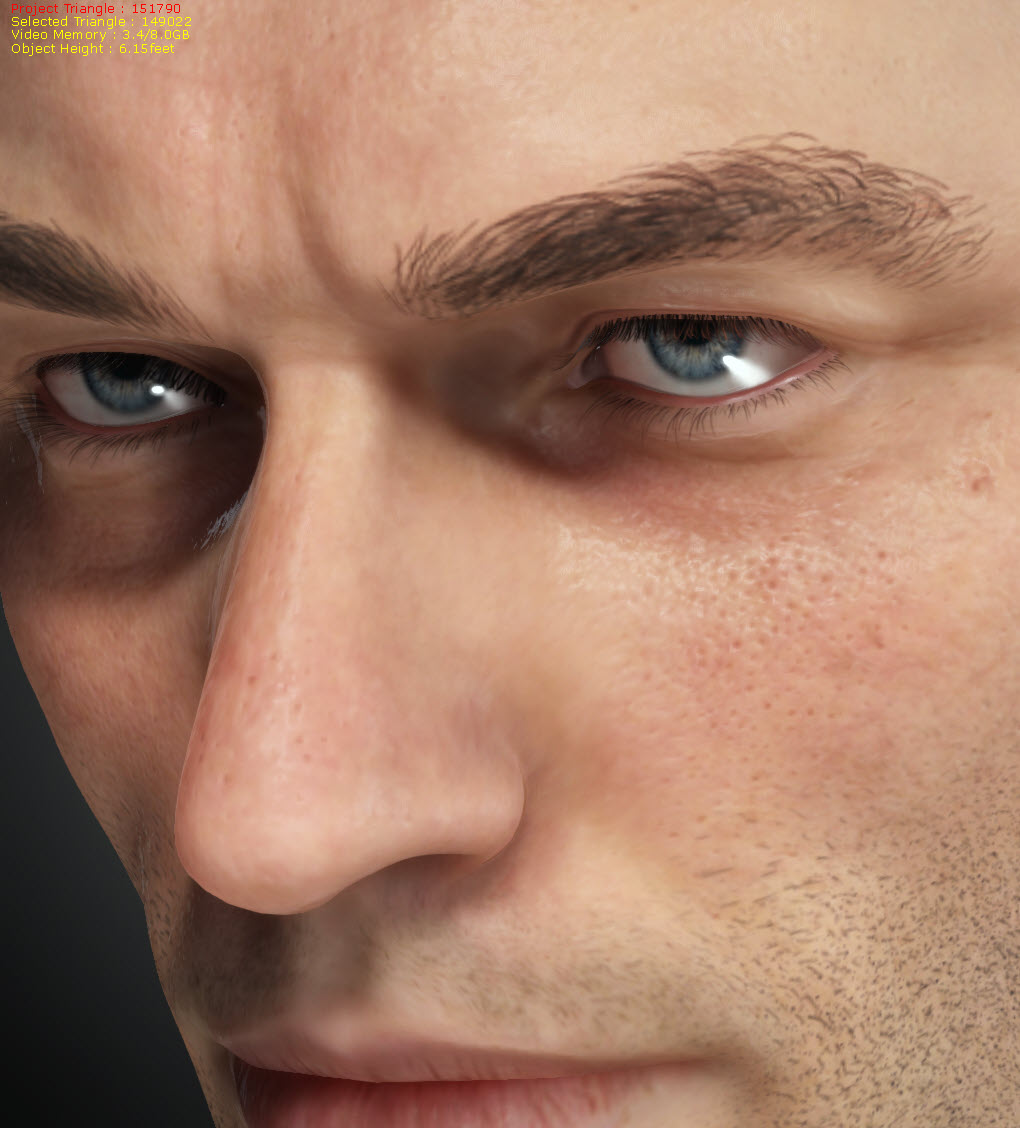 BTW when I render, the quality is the blurry one I'm seeing in the viewport - not the much better quality that I'm seeing in the Skin Editor
- - - - - - - - - - - - - - - - - - - - - - - - - - - -
virtualfilmer.com | youtube
|
|
|
|
|
mrtobycook
|
mrtobycook
Posted 6 Years Ago
|
|
Group: Forum Members
Last Active: Last Year
Posts: 425,
Visits: 2.7K
|
I'm having a few things happening with CC3.3. (1) LOOKS GOOD IN CC, BAD IN iCLONE: Has anyone figured out why the new CC3+ characters look good in CC but really fake and bad in Iclone? Or is it just my install? ****SOLVED*** This was because of lighting. In iClone, I found a lighting setup that was close to the CC setup, and the results then looked the same as in CC.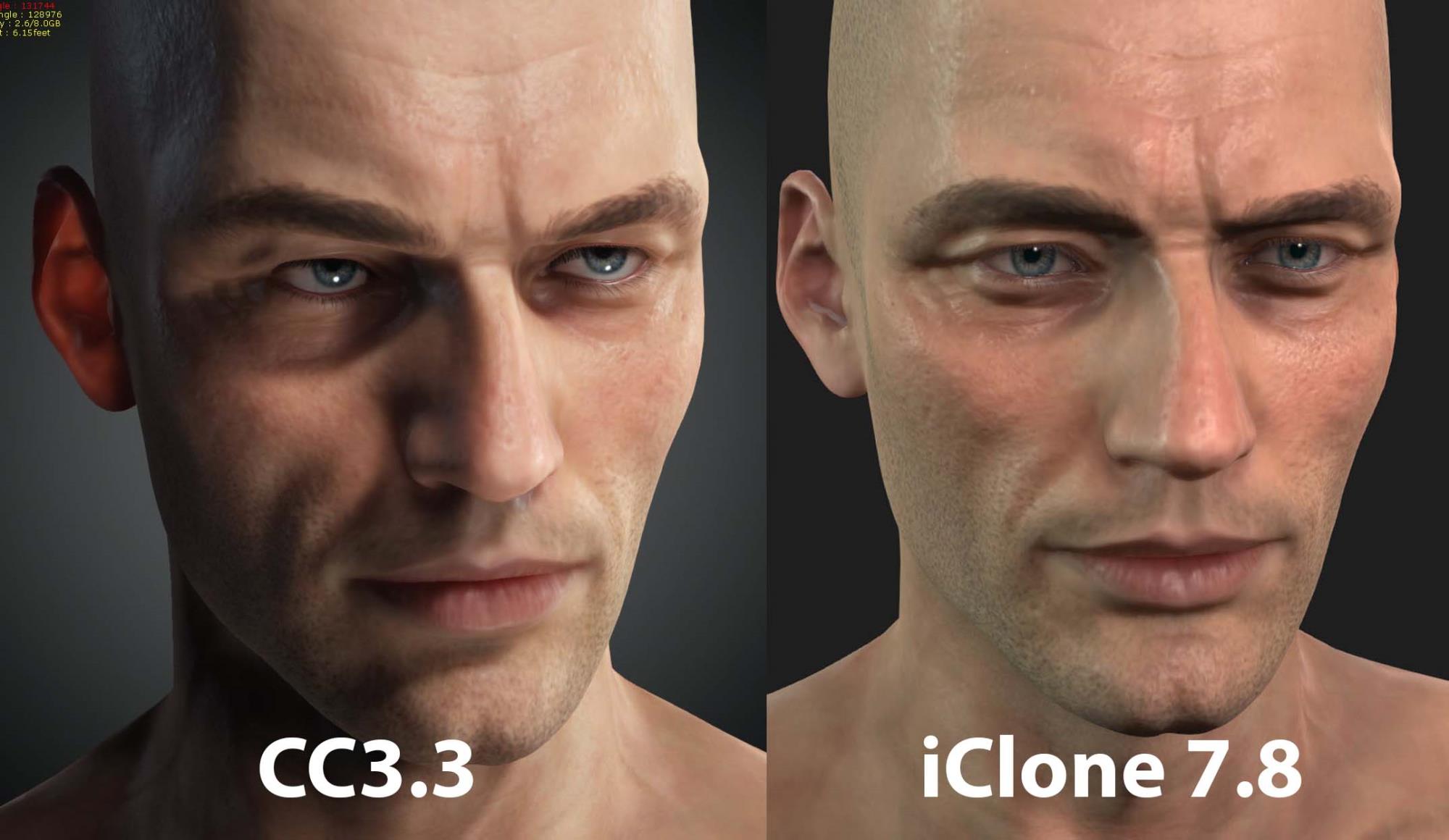 (2) EVERYTHING IS LOW RES. Even in CC3.3, everything is very low resolution. Where have the 4k base character versions gone? Or is there now a different way for me to tell CC to "use high resolution textures and show me them, now"? :-) Everything seems super low res, even in CC. Here's an example, when I zoom into Caleb in CC3.3: 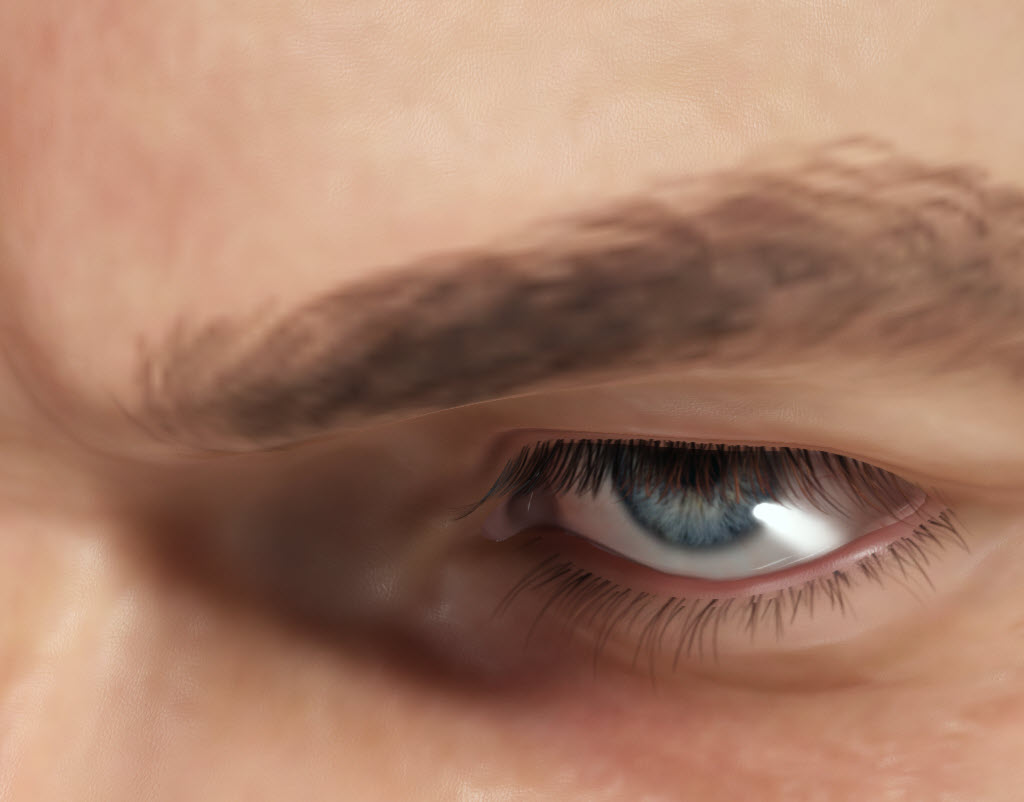 **UPDATE: This remains an issue. I have tried updating all the skin textures (via “activate skin editor”) to 4096, but that seems to make no actual difference. Blurry. And this blurriness is then the same when I transfer model to iClone. (3) iRay render seems broken. It looks like the skin is fried and bright red: 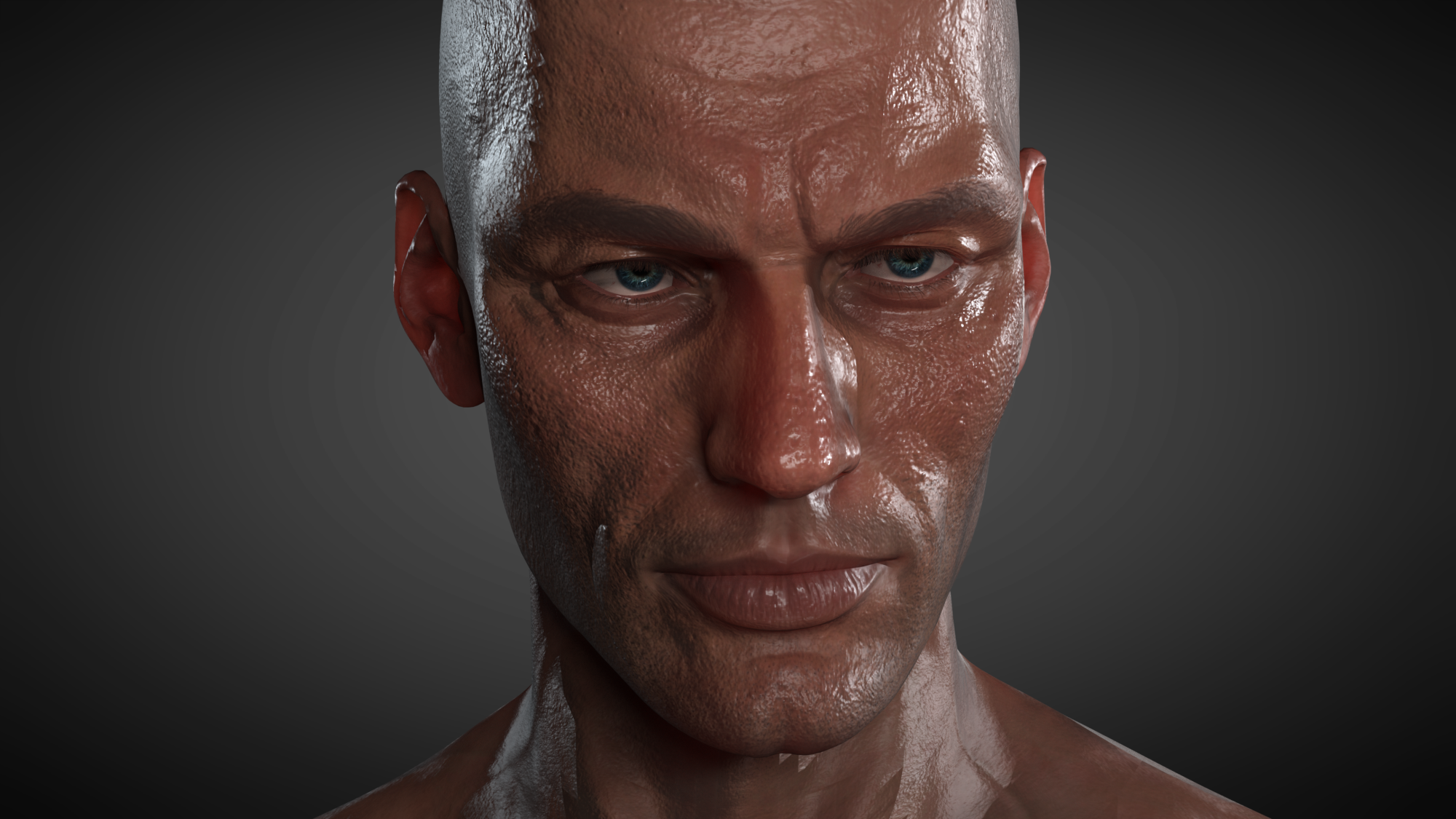 (4) I hope they are making a video showing how to achieve results like this in CC (obviously with new premium Skingen) :-) I'm struggling a little with the complexity of the new interface and all the options ( I have the paid skingen). Would love some step by step guides to the example images!! 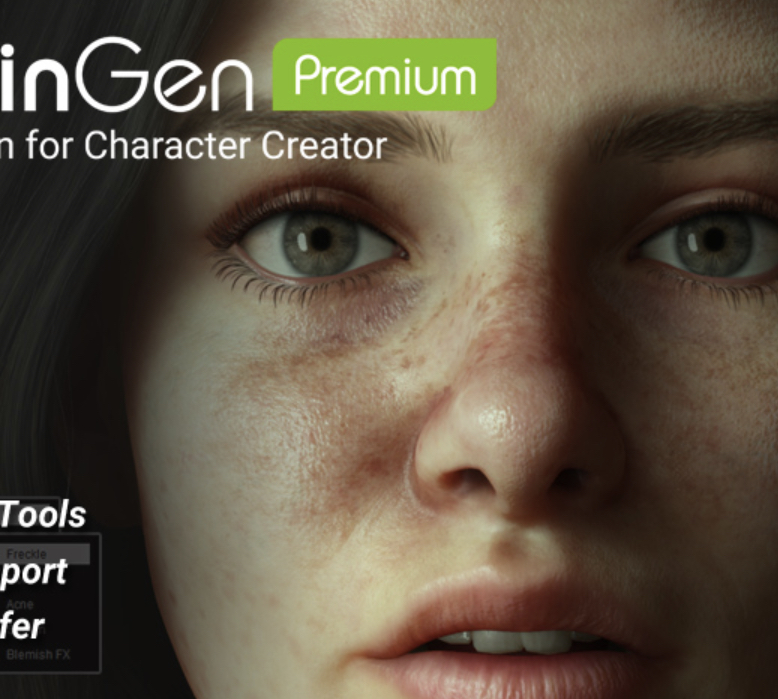 - - - - - - - - - - - - - - - - - - - - - - - - - - - -
virtualfilmer.com | youtube
|
|
|
|
|
planetstardragon
|
planetstardragon
Posted 6 Years Ago
|
|
Group: Forum Members
Last Active: Last Year
Posts: 11.5K,
Visits: 46.0K
|
Hi Peter, keeping it real, rent and food first -shrug- I'm. Music Producer / artist - DJ - CG Artist - keeping up with the tech on everything ( which I barely do ) is expensive, and streaming at .0003 cents a song play on spotify is pretty thankless, ( the hope is a long term investment for licensing - which is working but painfully slow when competing vs the music industry illuminati lol ) and a majority of my releases get pirated to boot, earlier this year I had a #1 song ....could barely afford a cup of coffee from it's payoff lol. this covid lockdown isn't helping either! - heck, it's from RL's Kindness of allowing me to use DA points that I'm able to keep up with all things iclone. - put it this way, to get the gear I really want to update my music production, is easily over $10k - but i'm still charting with sticks and stones, so onward and upward! I don't want them to change the resolution on the program, I'm sure it's a check box somewhere that simply allows us to resize a data panel....the view screen of the animiation itself and renders looks great ....it's perfect no need to fix that.. I'm even happy with the current render engine, I've been able to pull out some really great renders with it Which btw....I still believe in your products and the company very much, so I will point out what needs to be fixed!! my artist name is - Anirhythm, - animation + rhythm ....I named my artist this way because iclone so....yeah, it's important to me <3 ( the honest sincere responses are the hardest to refute!!! )
☯🐉 "To define Tao is to defile it" - Lao Tzu
|
|
|
|
|
Peter (RL)
|
Peter (RL)
Posted 6 Years Ago
|
|
Group: Administrators
Last Active: 2 Years Ago
Posts: 23.1K,
Visits: 36.6K
|
planetstardragon (7/27/2020)
... and talking about my monitor and not the fact that we can't simply scroll down is an ad hominem!
I know you guys love us and wont insist that i buy a new monitor just cuz you don't want to add a scroll bar and make the window resiezable. - overkill! Hi PSD Please by all means add your suggestion to the Feedback Tracker and it will be considered. However, I do find it puzzling that presumably you have a powerful computer to run iClone/CC3 on and yet you want to dumb it down with a low res monitor from about 10 years ago. In the last year or so demands for 4K support grew and soon it will be demands for 8K support. I'm not sure that the team will want to spend time adding support for outdated resolutions that hardly anyone still uses. But of course you never know. ;)
Peter
Forum Administrator www.reallusion.com
|
|
|
|
|
Mystic360VR
|
Mystic360VR
Posted 6 Years Ago
|
|
Group: Forum Members
Last Active: 2 Years Ago
Posts: 81,
Visits: 460
|
My CC3 has been crashing on Undo using the skin tool a lot. I can't figure a specific pattern or option that's triggers it. Curious if anyone else has noticed.
|
|
|
|
|
TonyDPrime
|
TonyDPrime
Posted 6 Years Ago
|
|
Group: Forum Members
Last Active: 2 Years Ago
Posts: 3.4K,
Visits: 12.4K
|
c68 (7/31/2020)
Hi guys, I'm new to CC3 (using it for 4 weeks now) - and like it a lot! :) *waves* Im not sure if this is a bug... or its on my end... Im trying to export a character as an OBJ, so that I can create cloth in MD and model hair in Blender 2.83 but i cant get this to work ... :/ Every time i reimport the model into CC3 i get a strange offset ... For testing purposes I did the following: (im using "Pipeline") 1. Make a new clean project (default cc3+ female) 2. Export the character as OBJ (with the current pose) 3. Reimport the OBJ as an Accessory (not sure if this is the RIGHT way to import, but I think It worked like that in 3.22...) This is what I get: 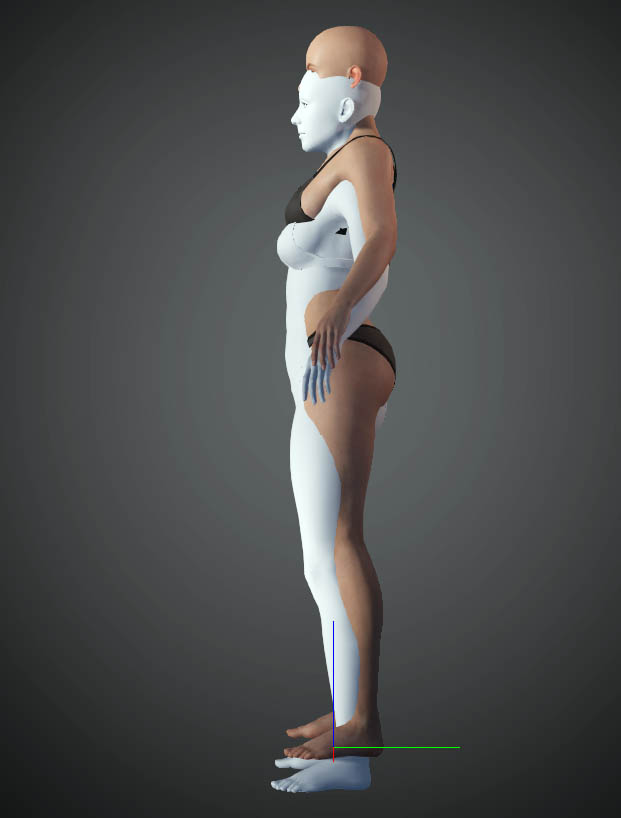 Am I doing something wrong?? Should not the white model perfectly fit over the character? Is this a bug? Please help ... Happy Rendering! :) I'm just kind of winging it here, but it could be an OBJ can't track the 'world space' as it were without a point of reference. Depending on what you are doing you could include a prop to match it vs easier, but it would still be a manual re-positioning like you would be doing here. I think Alembic has a world space reference point, so a single frame Alembic may give you what you want, whereas an OBJ may just be randomly placed vs some random X-Y-Z axis. Because, for me just the fact that the OBJ is standing upright, and not sideways, would be a big win! Someone else could add in here, as it also entails Blender, which I know next to nothing about...just kind of sharing my thought on a single-frame Alembic, with world-space selected on export, as a possible alternative.
|
|
|
|