|
Author
|
Message
|
|
StyleMarshal
|
StyleMarshal
Posted 3 Years Ago
|
|
Group: Forum Members
Last Active: 2 Years Ago
Posts: 5.8K,
Visits: 14.3K
|
3DChick (3/29/2023)
I've run into a problem. Has retargeting CC4 characters to use Unreal animations changed in 5.1? I ran the same process I did in 5.0 and even 5.1 a couple of months ago, and I get a hot mess. Like arms shooting through their bodies...I've tried running the new fancy retargeter, I've tried skeleton sharing. If I use a UE4 skeleton nothing happens at all, and if I use a UE5, the arms (most of the upper body) is totally messed up. I can't even get CC4 animations to work with CC4 skeletons brought in a different times. I have to be missing some new step, but nothing I've found on YouTube seems to work. Thoughts from the Gurus here? 0:-) 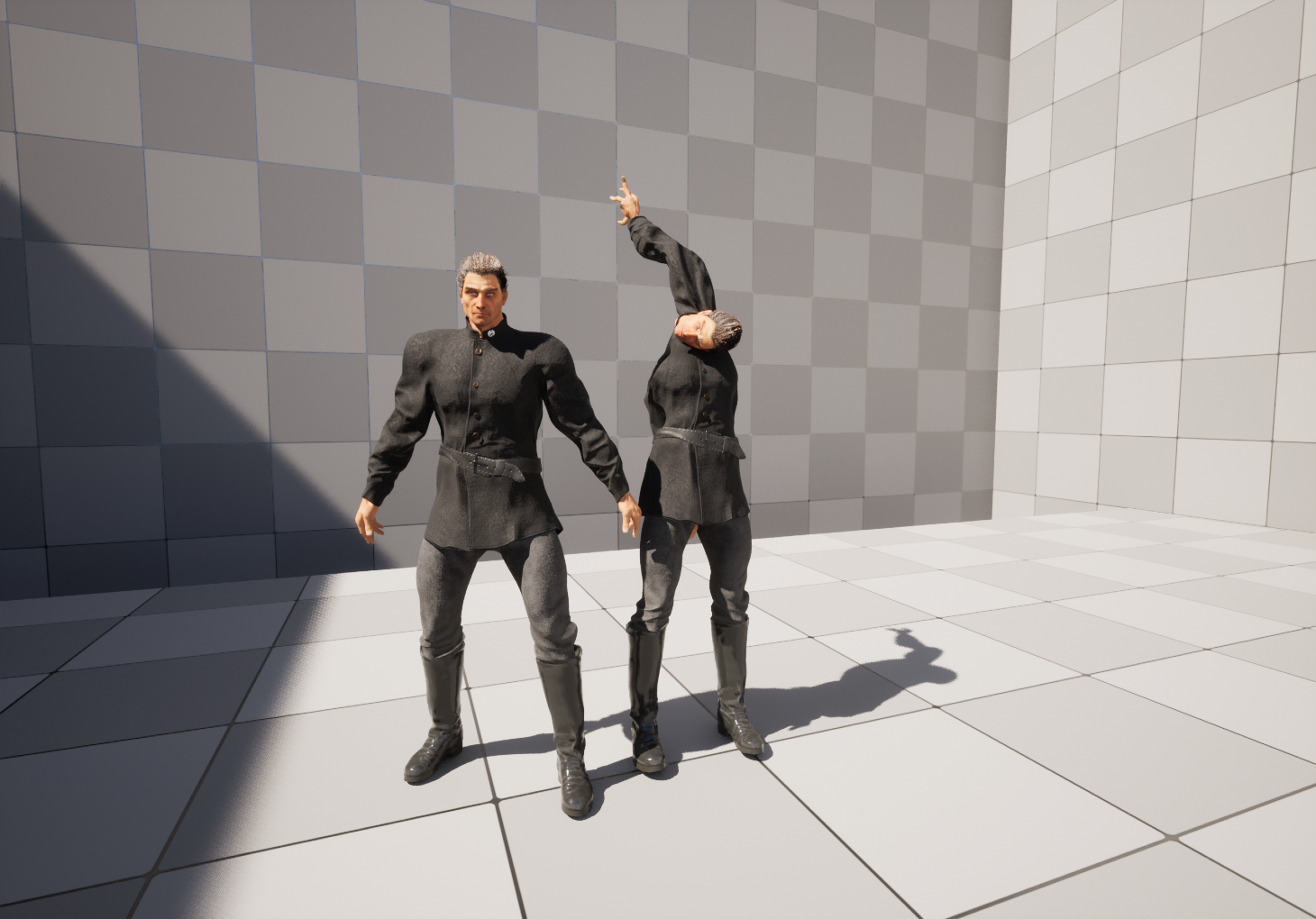 Works fine here with UE5.1.1. Here is a Video how to retarget without skeleton sharing : 1. UE4 Mannequin To CC4 2. UE5 Manny/Quinn To CC4 3. CC4 To CC4 There are 2 ways of "Retargeting" 1. The New UE5 way 2. The old UE4 way Showing both here , hope it helps :
|
|
|
|
|
3DChick
|
3DChick
Posted 3 Years Ago
|
|
Group: Forum Members
Last Active: Last Month
Posts: 411,
Visits: 2.0K
|
I've run into a problem. Has retargeting CC4 characters to use Unreal animations changed in 5.1? I ran the same process I did in 5.0 and even 5.1 a couple of months ago, and I get a hot mess. Like arms shooting through their bodies...I've tried running the new fancy retargeter, I've tried skeleton sharing. If I use a UE4 skeleton nothing happens at all, and if I use a UE5, the arms (most of the upper body) is totally messed up. I can't even get CC4 animations to work with CC4 skeletons brought in a different times. I have to be missing some new step, but nothing I've found on YouTube seems to work. Thoughts from the Gurus here? 0:-)
____________________________________________
Life-long learner and having waaaay too much fun with iClone! Youtube Channel: 3DChick
Book Covers: www.significantcover.com Largely Unfinished Fiction: www.nemontgomery.com
|
|
|
|
|
StyleMarshal
|
StyleMarshal
Posted 3 Years Ago
|
|
Group: Forum Members
Last Active: 2 Years Ago
Posts: 5.8K,
Visits: 14.3K
|
Wonder Studio , how it works. It's possible to export the Mocap and a Pro Version is coming too.
|
|
|
|
|
yepkoo
|
yepkoo
Posted 3 Years Ago
|
|
Group: Forum Members
Last Active: Last Year
Posts: 1.2K,
Visits: 1.9K
|
Bassline303 (3/29/2023)
Yeah , curious too !
Thanx for the great & easy Niagara Fluid Caching Tut ! 👍You're welcome Bassline303, Thank you for sharing the video so that others can benefit from it. It's an honor to have my videos on your page :)
The Unreal Engine development team surprises us a little more with each update.
I wonder what the features of Unreal Engine will be after 1 year :D
Of course, I must also commend the success of the Reallusion team.
This world has some really great developers.
----------------------------------------------------------------
https://www.youtube.com/yepkoo
https://dev.epicgames.com/community/profile/bxvo/Yepkoo#learning
|
|
|
|
|
StyleMarshal
|
StyleMarshal
Posted 3 Years Ago
|
|
Group: Forum Members
Last Active: 2 Years Ago
Posts: 5.8K,
Visits: 14.3K
|
cypressize (3/29/2023)
I have a problem, maybe someone could help. When i render my Scene in unreal engine the Hair Physics are totally messed up and way too fast. When i press Simualte in the viewport and playing the sequence everything is fine. What do i miss here ? Importet Character from Iclone. Hi cypressize , which UE version? Groom or hair cards ? A Video of your problem would help to see whats going on. You can adjust the influence of the hair cards or cloth physics here : try something like 0,3 - 0,7 : 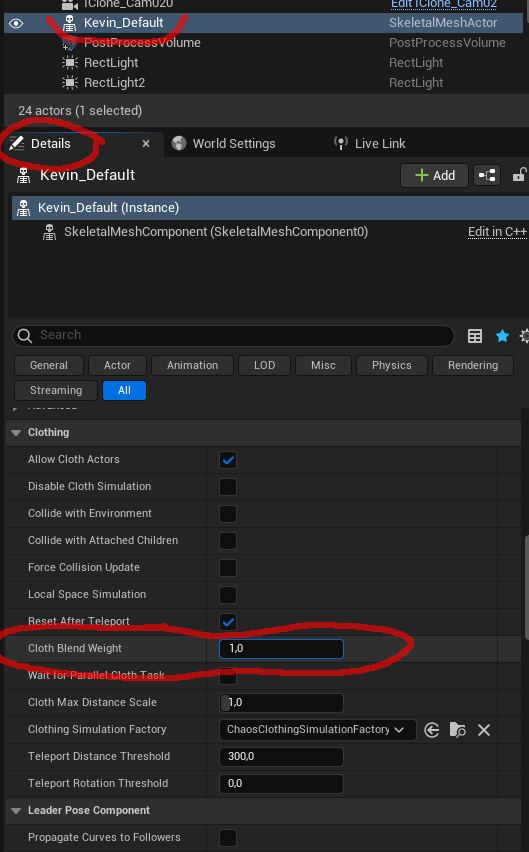
|
|
|
|
|
StyleMarshal
|
StyleMarshal
Posted 3 Years Ago
|
|
Group: Forum Members
Last Active: 2 Years Ago
Posts: 5.8K,
Visits: 14.3K
|
@yepkoo , Yeah , curious too !
Thanx for the great & easy Niagara Fluid Caching Tut ! 👍
|
|
|
|
|
yepkoo
|
yepkoo
Posted 3 Years Ago
|
|
Group: Forum Members
Last Active: Last Year
Posts: 1.2K,
Visits: 1.9K
|
Bassline303 (3/29/2023)
Wonder-Dynamics ( Wonder Studio ) First Beta Testers are showing their results. The AI generated mocaps are looking incredible. https://youtu.be/DYgK1BeOEqw?t=751 This is a really great system. I'll use it as soon as it's out of beta :)
I hope we don't have to wait too long.
----------------------------------------------------------------
https://www.youtube.com/yepkoo
https://dev.epicgames.com/community/profile/bxvo/Yepkoo#learning
|
|
|
|
|
StyleMarshal
|
StyleMarshal
Posted 3 Years Ago
|
|
Group: Forum Members
Last Active: 2 Years Ago
Posts: 5.8K,
Visits: 14.3K
|
Wonder-Dynamics ( Wonder Studio ) First Beta Testers are showing their results. The AI generated mocaps are looking incredible. https://youtu.be/DYgK1BeOEqw?t=728
|
|
|
|
|
yepkoo
|
yepkoo
Posted 3 Years Ago
|
|
Group: Forum Members
Last Active: Last Year
Posts: 1.2K,
Visits: 1.9K
|
rosuckmedia (3/29/2023)
Hi Yepkoo,
Many Thanks for the Tutorial.👍👍
Greetings RobertHi Rob, Thanks, hope it helps everyone.
----------------------------------------------------------------
https://www.youtube.com/yepkoo
https://dev.epicgames.com/community/profile/bxvo/Yepkoo#learning
|
|
|
|
|
cypressize
|
cypressize
Posted 3 Years Ago
|
|
Group: Forum Members
Last Active: 3 Years Ago
Posts: 3,
Visits: 47
|
I have a problem, maybe someone could help. When i render my Scene in unreal engine the Hair Physics are totally messed up and way too fast. When i press Simualte in the viewport and playing the sequence everything is fine. What do i miss here ? Importet Character from Iclone.
|
|
|
|