|
Author
|
Message
|
|
ed8tor
|
ed8tor
Posted 8 Years Ago
|
|
Group: Forum Members
Last Active: 8 Years Ago
Posts: 4,
Visits: 6
|
Thanks, but there is no folder for Reallusion in Programs/Common Files/. There is one in Program Files x86, but downloader isn't there. And it doesn't show on the hub list (it remains greyed out as an option). I have dl'ed it and tired installing four times with the same result.
|
|
|
|
|
Peter (RL)
|
Peter (RL)
Posted 8 Years Ago
|
|
Group: Administrators
Last Active: 2 Years Ago
Posts: 23.1K,
Visits: 36.6K
|
Hi... The Content Downloader launches automatically when you try to download your content. You don't launch the downloader manually. So for instance in your Member Account > Order History page you will see download links for all your purchases marked Install.RLD. When you click one of these links it will prompt you to Open or Save the file. If you click OPEN it will automatically launch the Content Downloader and begin downloading your content. The downloader itself is installed in the location below: C:\Program Files (x86)\Common Files\Reallusion\Downloader\bin\RLDownloaderR2.exe
Peter
Forum Administrator www.reallusion.com
|
|
|
|
|
ed8tor
|
ed8tor
Posted 8 Years Ago
|
|
Group: Forum Members
Last Active: 8 Years Ago
Posts: 4,
Visits: 6
|
I have downloaded and installed the Downloader three times but I can't find it anywhere in my Win 10 files or folders. There is no option to set a directory and it installs so quickly I cannot read the file path to find it. The Hub says it's not installed, but I refresh it every time I install the downloader and it still doesn't show. Where is the program normally installed to? If I can find the .exe I can at least make a desktop shortcut for it. Thanks
|
|
|
|
|
Peter (RL)
|
Peter (RL)
Posted 8 Years Ago
|
|
Group: Administrators
Last Active: 2 Years Ago
Posts: 23.1K,
Visits: 36.6K
|
This issue is normally resolved if you install the latest version of the Content Downloader (not Reallusion Hub). Please download and install the latest version which can be found on the page below. Then let us know if the issue remains. Thanks. https://www.reallusion.com/downloader/
Peter
Forum Administrator www.reallusion.com
|
|
|
|
|
p.rica
|
p.rica
Posted 8 Years Ago
|
|
Group: Forum Members
Last Active: 7 Years Ago
Posts: 1,
Visits: 23
|
Hello, I've just bought the "Conforming Hair Vol1" but I don't manage to install it even if several other purchases were installed without any problem. When i launch the .RLContent, a warning pop says "The required program version is larger than the installed program, please update your program to the latest version and install again". However, i do have the latest versions of HUB and other Reallusion programs (see attached screenshot). Could you please help me ? 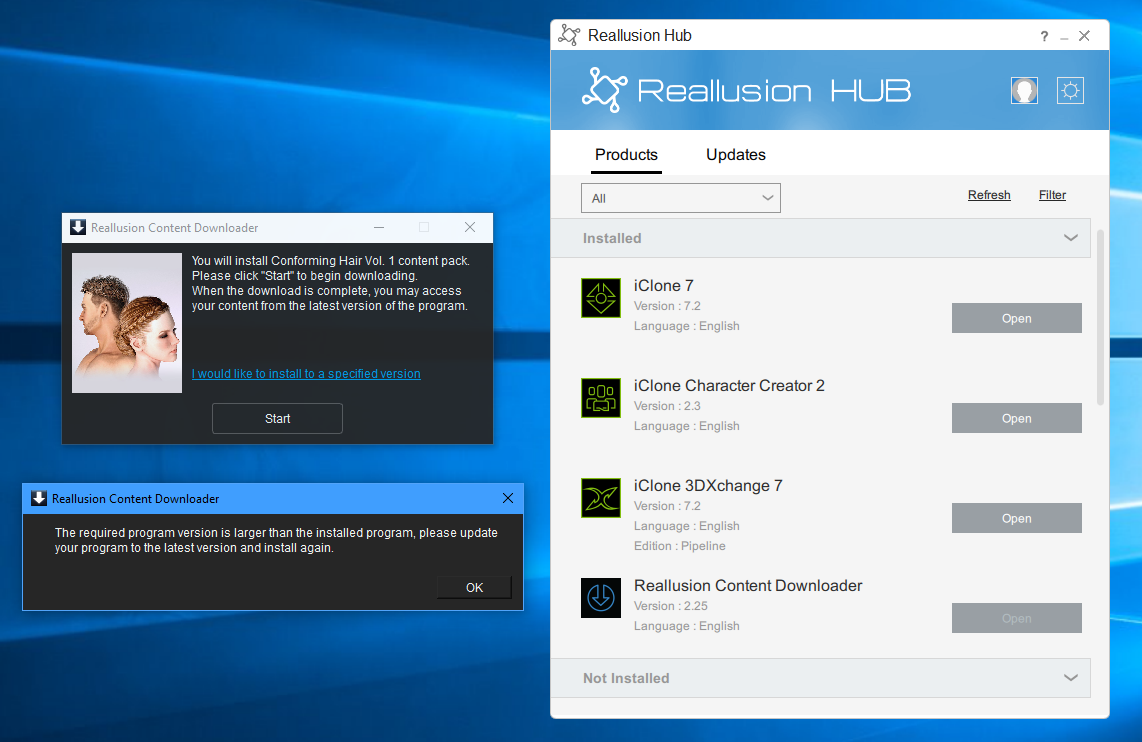
|
|
|
|
|
Postfrosch
|
Postfrosch
Posted 8 Years Ago
|
|
Group: Forum Members
Last Active: 3 Years Ago
Posts: 6.9K,
Visits: 18.4K
|
The downloader works again
Thanks for your help
Greets from Germany
Postfrosch
--------------------------------------------------------------

|
|
|
|
|
Postfrosch
|
Postfrosch
Posted 8 Years Ago
|
|
Group: Forum Members
Last Active: 3 Years Ago
Posts: 6.9K,
Visits: 18.4K
|
I get this error message since today,
if I want to download / install something from the marketplace.
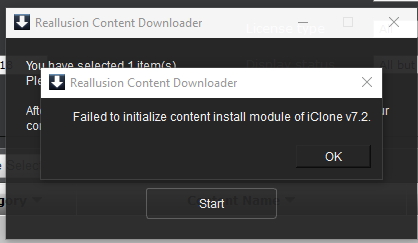
On Saturday it was still. I have not changed anything on the PC since then.
It can also no update for Win 10. All drivers are up to date.
Does somebody has any idea?
Greets from Germany
Postfrosch
--------------------------------------------------------------
|
|
|
|
|
Tony (RL)
|
Tony (RL)
Posted 8 Years Ago
|
|
Group: Administrators
Last Active: 6 Years Ago
Posts: 222,
Visits: 1.7K
|

The Content Downloader is designed to help you quickly download and add content into your Reallusion apps. With the most enhanced cross-platform and cross-product content access, getting the content you want has never been easier.
Please share your feedback on the Content Downloader in this forum.
Sincerely Yours, The Reallusion Downloader Team
Tony
Product Marketing Manager
www.reallusion.com
|
|
|
|