|
Author
|
Message
|
|
TheOldBuffer
|
TheOldBuffer
Posted 8 Years Ago
|
|
Group: Forum Members
Last Active: 2 Years Ago
Posts: 429,
Visits: 6.4K
|
Kelleytoons (1/30/2018)
Okay, I'm real confused (my normal state but). Does it or does it not work?
Some folks say it does, some say it does not. If it works in XChange 6, does that mean all the facial stuff gets mapped correctly for use in iClone 7? I would guess not -- that all changed in 7. I want to use Faceware for my animation, but if the face stuff isn't mapped correctly for this it won't work.It doesn't work for me. 3DX7 won't fill in the slots in the expression editor and 3DX6 will only work using the older duf files.
Homebuilt computer - Windoze 10, INTEL i9 9900 k @ 5.1 GHz, EVGA RTX 2080 TI XC ULTRA, 16GB 3100 MHz RAM, Asus Maximus Hero XI motherboard, Sound blaster Z series. iClone6 & 7 Pipeline, Crazytalk 8, Crazytalk Animator 2, Facefilter, Pop video 3, Hitfilm 4Pro, Cubase 8.5 Pro,
|
|
|
|
|
Kelleytoons
|
Kelleytoons
Posted 8 Years Ago
|
|
Group: Forum Members
Last Active: 2 Years Ago
Posts: 9.2K,
Visits: 22.1K
|
Thanks -- that's kind of what I thought from my limited tests.
Alienware Aurora R16, Win 11, i9-149000KF, 3.20GHz CPU, 64GB RAM, RTX 4090 (24GB), Samsung 870 Pro 8TB, Gen3 MVNe M-2 SSD, 4TBx2, 39" Alienware Widescreen Monitor
Mike "ex-genius" Kelley
|
|
|
|
|
tq.linux
|
tq.linux
Posted 8 Years Ago
|
|
Group: Forum Members
Last Active: 7 Years Ago
Posts: 117,
Visits: 5.5K
|
I output FBX with morphs about an expressions.(Pic1) I work while hoping for 3DX7 not to stop. There is also a thing which becomes a good result in iClone7.(Pic2) I'm waiting for DUF as a solution, too.(^^)/ 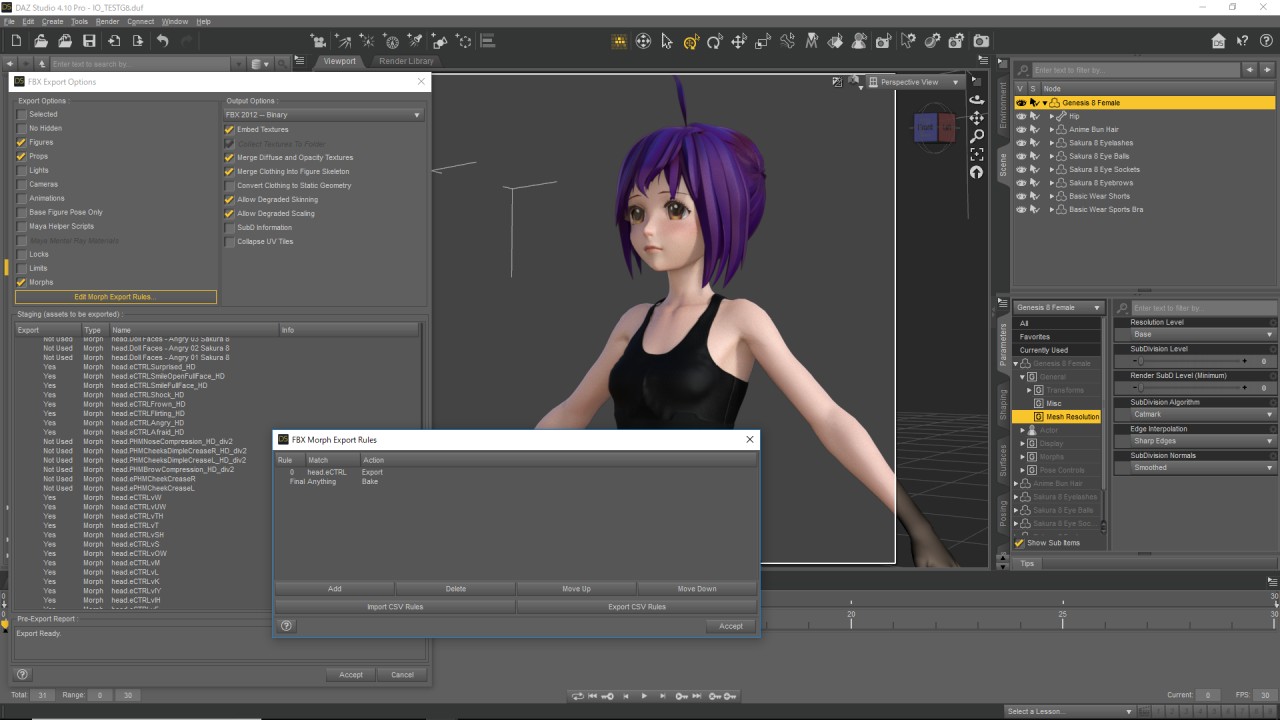 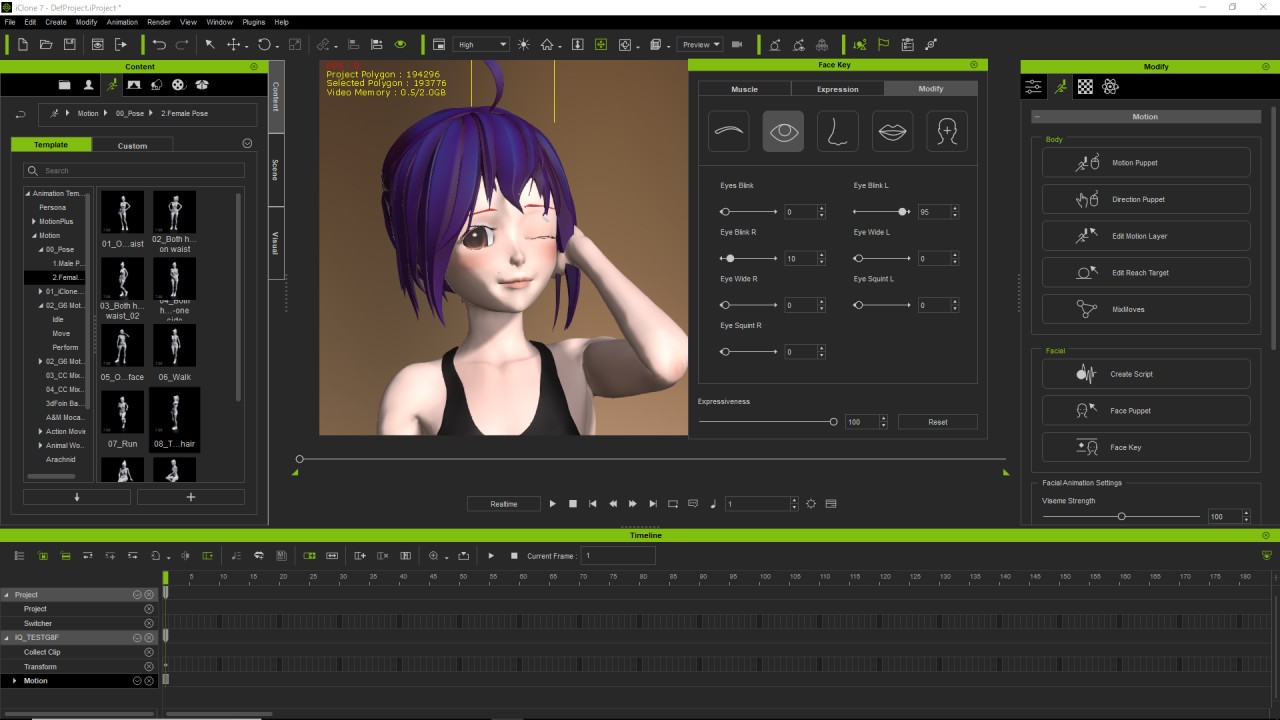
|
|
|
|
|
Kelleytoons
|
Kelleytoons
Posted 8 Years Ago
|
|
Group: Forum Members
Last Active: 2 Years Ago
Posts: 9.2K,
Visits: 22.1K
|
I'm not sure exactly what you mean -- I get that you (somehow) make expressions in Daz (a route I'm not going to go as I do not know that program nearly well enough) and then -- what? -- remap that in XChange somehow? Oh well, I guess I'll just write off the import of Gen 8 characters for FW stuff.
Alienware Aurora R16, Win 11, i9-149000KF, 3.20GHz CPU, 64GB RAM, RTX 4090 (24GB), Samsung 870 Pro 8TB, Gen3 MVNe M-2 SSD, 4TBx2, 39" Alienware Widescreen Monitor
Mike "ex-genius" Kelley
|
|
|
|
|
kungphu
|
kungphu
Posted 8 Years Ago
|
|
Group: Forum Members
Last Active: 2 Months Ago
Posts: 997,
Visits: 7.1K
|
I haven't used Gen 8 figures but for non-standard figures you can just set up a keyframe in Daz and then use a slider to apply several different facial morphs on that frame. When importing into 3DXchange you'll see the set of Daz morphs show up. You'll have to use them in 3DXchange to manually make your own facial expressions to match the facial guide poses in 3DXchange (hope that makes sense). It works for non Genesis characters. Don't see why it wouldn't work for Gen 8. It's just a time consuming PiTA :)
My "NEWEST" Latest:) Movie Made With Amaaaazing iClone
—> High Noon”ish” in Narrow Valley<—
|
|
|
|
|
Kelleytoons
|
Kelleytoons
Posted 8 Years Ago
|
|
Group: Forum Members
Last Active: 2 Years Ago
Posts: 9.2K,
Visits: 22.1K
|
Ah -- that sounds like a drag. So perhaps I'll wait and see if someone simplifies the process somehow (if I were going to do this it wouldn't be for just ONE character, and having to redo something like that is just something I would never do). But thanks for the info.
Alienware Aurora R16, Win 11, i9-149000KF, 3.20GHz CPU, 64GB RAM, RTX 4090 (24GB), Samsung 870 Pro 8TB, Gen3 MVNe M-2 SSD, 4TBx2, 39" Alienware Widescreen Monitor
Mike "ex-genius" Kelley
|
|
|
|
|
kungphu
|
kungphu
Posted 8 Years Ago
|
|
Group: Forum Members
Last Active: 2 Months Ago
Posts: 997,
Visits: 7.1K
|
NP, and yesssir... it is a total drag. I did it for multiple characters in iclone 6 (that required even less facial morphs) and it took forever! Not sure if there is a slick workaround.
My "NEWEST" Latest:) Movie Made With Amaaaazing iClone
—> High Noon”ish” in Narrow Valley<—
|
|
|
|
|
Kelleytoons
|
Kelleytoons
Posted 8 Years Ago
|
|
Group: Forum Members
Last Active: 2 Years Ago
Posts: 9.2K,
Visits: 22.1K
|
Well, we can always hope that Python will help (obviously it's really only for iClone, but perhaps there will be some process that also allows characters to be manipulated/rigged with it).
Alienware Aurora R16, Win 11, i9-149000KF, 3.20GHz CPU, 64GB RAM, RTX 4090 (24GB), Samsung 870 Pro 8TB, Gen3 MVNe M-2 SSD, 4TBx2, 39" Alienware Widescreen Monitor
Mike "ex-genius" Kelley
|
|
|
|
|
tq.linux
|
tq.linux
Posted 8 Years Ago
|
|
Group: Forum Members
Last Active: 7 Years Ago
Posts: 117,
Visits: 5.5K
|
I could change well today. (Readjustment of an eye and a jaw is necessary.) It was troubled until yesterday by the same condition.
Please see a picture for FBX Export Setting. I think Simply G8F was good. 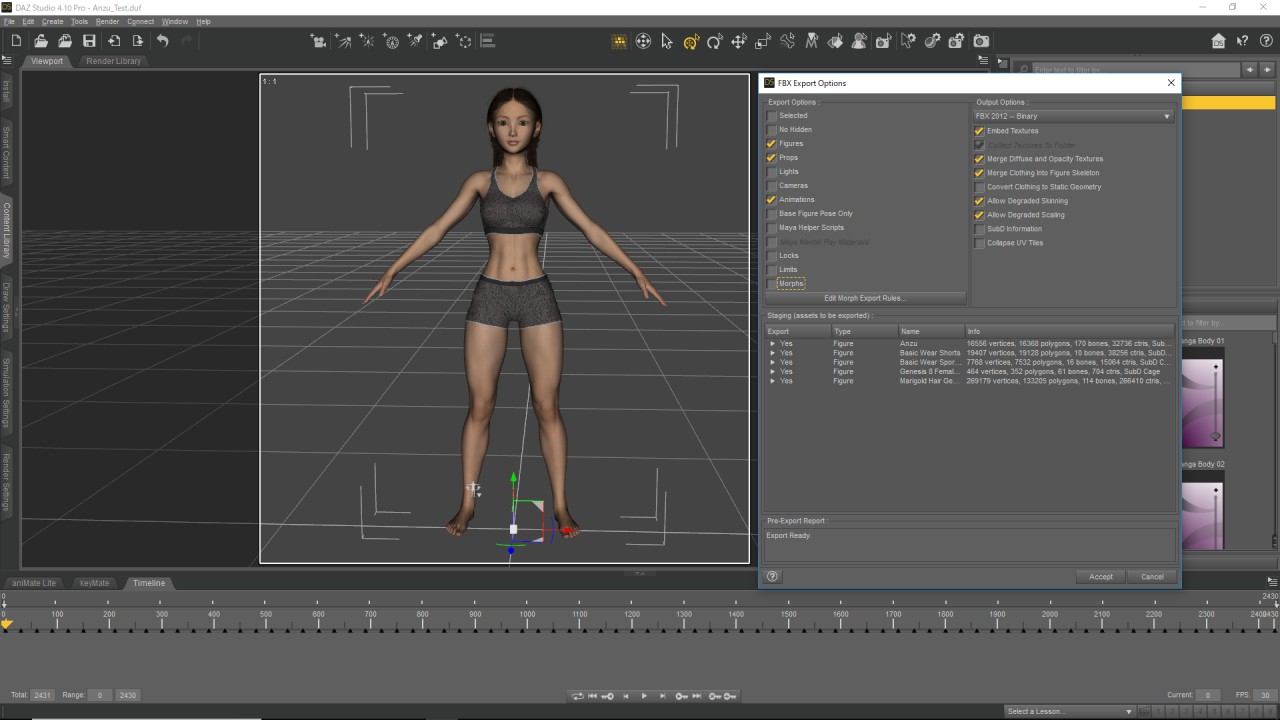
|
|
|
|
|
GOETZIWOOD STUDIOS
|
GOETZIWOOD STUDIOS
Posted 8 Years Ago
|
|
Group: Forum Members
Last Active: 5 Years Ago
Posts: 1.2K,
Visits: 7.2K
|
To summarize the current Daz3D to iClone 7.2 issues:3DXchange Automatic Expression Mapping: Head Eye Jaw Viseme Muscle
Genesis OK OK OK OK OK
Genesis 2 OK OK OK OK OK
Genesis 3 OK FAILED FAILED OK OK
Genesis 8 OK FAILED FAILED OK OK
If you take a look at the file *Daz Genesis Avatar Face Key Sequence.xls* that comes with the DAZ Genesis Extension you will see that facekeys 82 to 95 that are not created by the DUF files are supposed to be automatically created by 3DXchange.
Facekeys 90 to 95 (Face Orient) are indeed recreated correctly by 3DXchange in all cases.
Facekeys 82 to 89 (Eye Look) are not created automatically by 3DXchange for Genesis 3 and 8 figures.
Facekeys 61 to 66 (Jaw Rotate & Move) are created by DUF files in all cases but for some reason 3DXchange fails to import those from the FBX files for Genesis 3 & 8 figures.
When importing a Genesis 8 figure, 3DXchange says the figure has been recognized as a Genesis 3 figure.
After having imported a Genesis 3 or 8 figure into 3DXchange and opened the Expression Editor, 3DXchange says that *Jaw, Left Eye and Right Eye have not been mapped*. But it does not say why.
--
guy rabiller | GOETZIWOOD STUDIOS
"N.O.E." (Nations Of Earth) Sci-Fi TV Show, Showrunner.
|
|
|
|