|
Author
|
Message
|
|
Alan_M
|
Alan_M
Posted 8 Years Ago
|
|
Group: Forum Members
Last Active: 6 Years Ago
Posts: 225,
Visits: 2.9K
|
Hi Jennifer, Reallusion will undoubtedly be heavily marketing the course when it is released so if you have your account set to receive notifications and newsletters from Reallusion then you should not miss anything. As to your technical problem, I am afraid I cannot re-produce it. I do not have the Georgina avatar from the course assets to hand but I loaded a range of avatars from the Reallusion library all the way back to a G3 one!! In all cases I was able to get the Edit Reach Target dialog box to appear after selecting each one of the avatars. 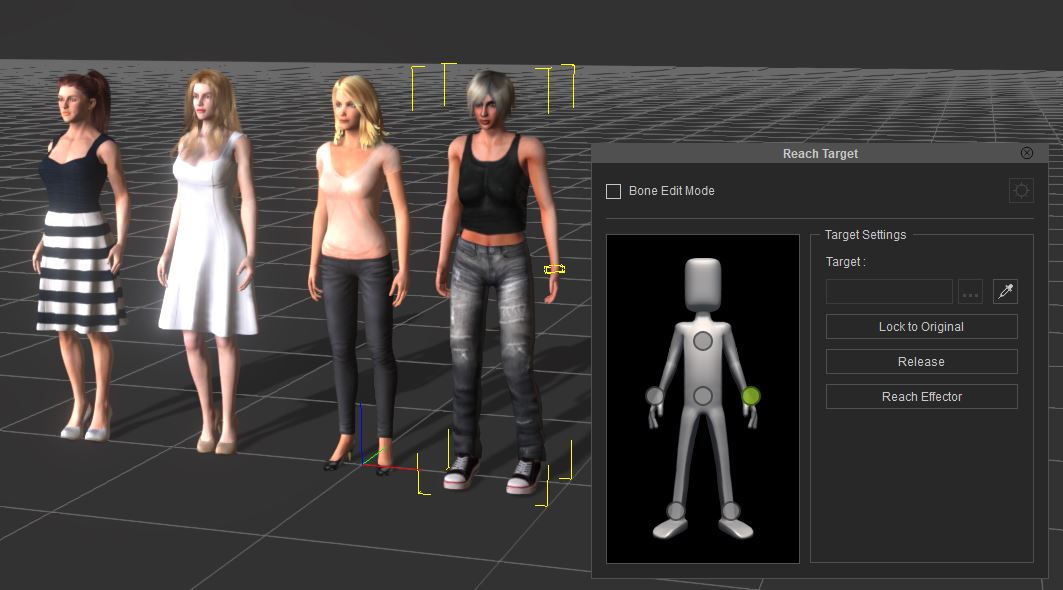 The only things I can think of are the following. 1). Do you use a dual monitor setup? Is the dialog on a second monitor that is no longer connected. (Fix is to use the 'Window/Workspace/Reset Layout' feature) 2). CC characters have clothing and accessories, make sure the base Avater is selected in the scene manager, otherwise the Edit Reach Target button will not appear in the modify panel Finally, is this only happening with the Georgina asset? Or does it happen with any avatar from your library?
Alan M
|
|
|
|
|
jenjon
|
jenjon
Posted 8 Years Ago
|
|
Group: Forum Members
Last Active: Last Year
Posts: 4,
Visits: 71
|
Dear Alan,
Good to hear that you will be creating iClone 7 tutorials!!
Can I get on your mailing list to keep me posted when it is ready?
I have another question for you that Reallusion has not responded to as yet. Perhaps you may have some insight into this. I am working on tutorial 103-08.12 Reach Target to Fix Hand Jitter.
With Georgina selected I click on the Edit Reach Tool and no panel for this function appears. Although I can select hands or neck on Georgina with a mouse click there is no way to proceed any further without the Edit panel. (And the panel is not behind any of my windows...I checked!)
Is this a software glitch at RLs end?
Have you encountered this.
Any input gratefully received.
btw... we are fellow limeys!
Jennifer
|
|
|
|
|
Alan_M
|
Alan_M
Posted 8 Years Ago
|
|
Group: Forum Members
Last Active: 6 Years Ago
Posts: 225,
Visits: 2.9K
|
Hi Jennifer, I must admit I did not try QuickTime player, I still have it on my system, but you may be aware Apple announced a number of years ago they would no longer develop or support QT on the Windows platform. It is a shame as I really liked how you can scrub the video timeline in QT. Sadly that has put QuickTime onto my legacy list and I have had to stop using it day to day in favour of VLC. Undoubtedly as the years progress you will run into more and more media that may not play properly because of Apple's decision but as you have found, simply using another media player can resolve the problem, even if it take you away from your favourite player. I am working on a new iClone 7 course at the moment, should be out later in the year all being well.
Alan M
|
|
|
|
|
jenjon
|
jenjon
Posted 8 Years Ago
|
|
Group: Forum Members
Last Active: Last Year
Posts: 4,
Visits: 71
|
HI,
Unfortunately I get the same error message. when I tried to open it with Qtime Player. But curiously it worked in Windows Media Player so no more worries. Sorry to have put you to so much trouble.
Have you made any other tutorials for iClone 7 or CC2?
Thanks,
Jennifer
|
|
|
|
|
Alan_M
|
Alan_M
Posted 8 Years Ago
|
|
Group: Forum Members
Last Active: 6 Years Ago
Posts: 225,
Visits: 2.9K
|
Jennifer greetings, Sorry you are having trouble with that file. I downloaded it again myself and it unzipped and it played back fine without issue, I tried three different media players and they all played back OK. It is possible the zip got corrupted during download, this does happen as I can contest and I have not had any other reports of that error you have kindly provided. Anyhow, as a safety I have found the original video and I have put it into a new zip archive and uploaded it for you. (I also downloaded it again and checked that it would play OK). Please try the following link and let me know how you get on. VIDEO_103-06-P13-48.02_Adding_a_B_camera_for_48.01_v002.zipIf the above does not work I will upload the video directly without zipping it and we will try again. Sorry for the inconvenience. All the best and thanks for your kind words about the course.
Alan M
|
|
|
|
|
jenjon
|
jenjon
Posted 8 Years Ago
|
|
Group: Forum Members
Last Active: Last Year
Posts: 4,
Visits: 71
|
Hi, I have downloaded the missing video for Adding a B Camera for 48.01. When I try and open it I get an error message: Error -2041: an invalid sample description was found in the movie etc. Can you please provide a file that doesn't have this problem? Otherwise I am enjoying your tutorials. Jennifer 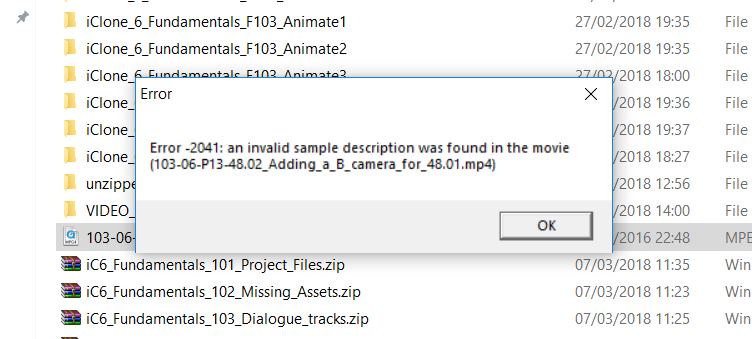
|
|
|
|
|
warteschleifen
|
warteschleifen
Posted 9 Years Ago
|
|
Group: Forum Members
Last Active: 4 Years Ago
Posts: 49,
Visits: 414
|
Thanks Alan,
I already found this last week.
I got an answer from RL, I should try the 1 click activation.
But this also doesn´t work. Still Trial....
I have to wait again 48 hours. Really bad support.....
|
|
|
|
|
Alan_M
|
Alan_M
Posted 9 Years Ago
|
|
Group: Forum Members
Last Active: 6 Years Ago
Posts: 225,
Visits: 2.9K
|
Hi there, Alan Marques here, co-creator and presenter of the Fundamentals Course. As to your issue I am afraid it is down to RL to assist you, though I appreciate they have not been very fast on that for you. I do not work for RL and as this is their content the licensing has to be sorted by them. It should not be the case that they should be trial assets. I seem to recall in the early days of the release of this course that RL issued coupon codes to all purchasers to active the assets. Since I was not able to test the full course install prior to release there may be other purchases on this forum who can advise on how their install experience went. As to other missing assets you may have spotted that the first page of this topic has a full list of assets that I have been able to post as they were created by myself specifically for the course. They can be found here: Missing Fundamantals assets and fixes
Let me know how you get on resolving this. warteschleifen (7/5/2017)
Hallo everyone, I´m new on this forum !
I just diggin through the fundamentals videos.
There was some missing files for the training.
The reallusion support sended me the "Fundamentals Training Resource Pack" with the missing "City Elements downtown Metro Areas Vol.1"
There are 5 buildings in this pack.
But after installing this, it shows trial in the right corner.
I wrote to the support, but the support isn´t really fast. Waitin 36 hours now.... .
I already tried content activation in the help menu
Maybe I get an answer here to solve this problem.
Alan M
|
|
|
|
|
warteschleifen
|
warteschleifen
Posted 9 Years Ago
|
|
Group: Forum Members
Last Active: 4 Years Ago
Posts: 49,
Visits: 414
|
Hallo everyone, I´m new on this forum !
I just diggin through the fundamentals videos.
There was some missing files for the training.
The reallusion support sended me the "Fundamentals Training Resource Pack" with the missing "City Elements downtown Metro Areas Vol.1"
There are 5 buildings in this pack.
But after installing this, it shows trial in the right corner.
I wrote to the support, but the support isn´t really fast. Waitin 36 hours now.... .
I already tried content activation in the help menu
Maybe I get an answer here to solve this problem.
|
|
|
|
|
Alan_M
|
Alan_M
Posted 9 Years Ago
|
|
Group: Forum Members
Last Active: 6 Years Ago
Posts: 225,
Visits: 2.9K
|
Viktors252 (6/14/2017)
A very helpful course but I find I am missing the 5 Downtown Metro Buildings in Assets 2. Got all the beer glasses etc but no buildings. Thanks. Vik
Hi there, Thanks for your kind comment about the course. The missing assets should be in your account. These assets were provided by Reallusion as part of the course so I cannot provide them to you personally. Please check your order history and look for a file to download called something like "Fundamentals Training Resource Pack" Let me know if this helps. If you cannot find it in your account then you will need to get in touch with RL support to find out why it is not there. 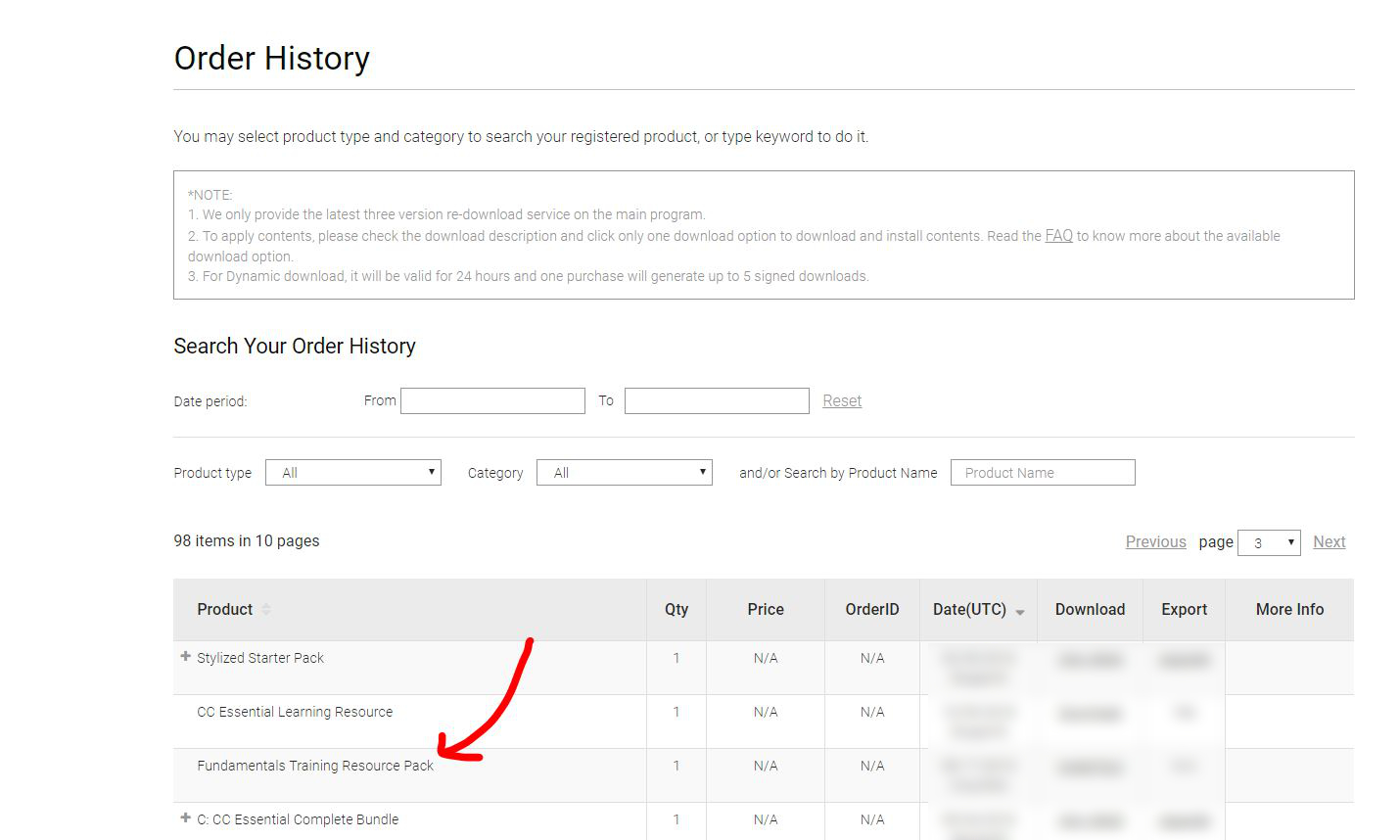 Alan M
|
|
|
|