|
Author
|
Message
|
|
Skuzzlebutt
|
Skuzzlebutt
Posted 10 Years Ago
|
|
Group: Forum Members
Last Active: 3 Years Ago
Posts: 582,
Visits: 8.6K
|
since it's a export fbx 2012 version from CC,
backwards compatibilty might be a issue.
in max try "select all" from the edit menu...
.
|
|
|
|
|
Anna Mironova
|
Anna Mironova
Posted 10 Years Ago
|
|
Group: Forum Members
Last Active: 3 Years Ago
Posts: 63,
Visits: 1.1K
|
yep its included  could it be because of old version of 3d max? i have 2010
|
|
|
|
|
Skuzzlebutt
|
Skuzzlebutt
Posted 10 Years Ago
|
|
Group: Forum Members
Last Active: 3 Years Ago
Posts: 582,
Visits: 8.6K
|
on the fbx import dialog make sure you include animation  .
.
|
|
|
|
|
Anna Mironova
|
Anna Mironova
Posted 10 Years Ago
|
|
Group: Forum Members
Last Active: 3 Years Ago
Posts: 63,
Visits: 1.1K
|
i quess i'm making something wrong exporting from CC like that  but it has no any keys in 3dmax http://joxi.ru/a2XK1aPiJew7mg.png
|
|
|
|
|
Skuzzlebutt
|
Skuzzlebutt
Posted 10 Years Ago
|
|
Group: Forum Members
Last Active: 3 Years Ago
Posts: 582,
Visits: 8.6K
|
annamironova2007 (7/27/2016)
thank you for tutorial:-) i have a question as i see on your video model loads in 3d max with not straight T-pose 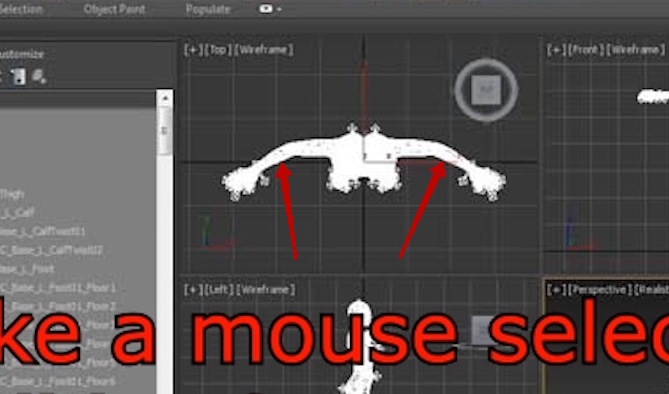 dress i'm exporting from daz is the same 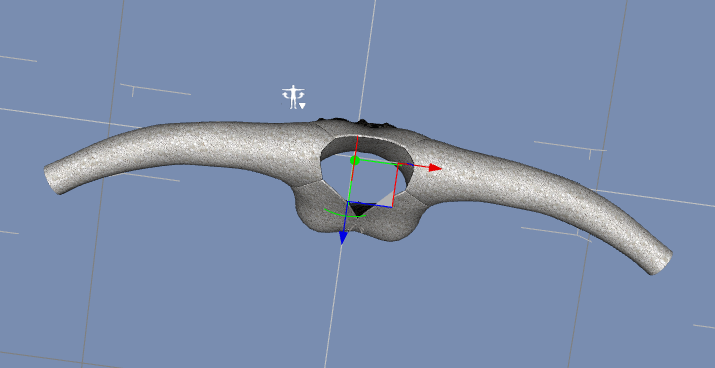 but mine model has straight T-pose 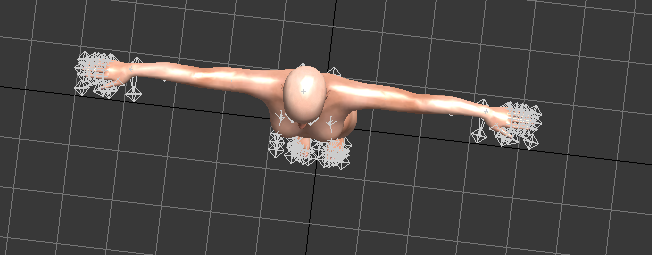 so it looks like this  is there any way to fit it in the way it has to be? yes, in the beginning of the tutorial. you export with the calibration pose provided above on import to max move timeline to frame 50 select all keyframes right click and remove selected keys move timeline slider back to frame 1 this will put the avatar into the daz pose
.
|
|
|
|
|
Anna Mironova
|
Anna Mironova
Posted 10 Years Ago
|
|
Group: Forum Members
Last Active: 3 Years Ago
Posts: 63,
Visits: 1.1K
|
thank you for tutorial:-) i have a question as i see on your video model loads in 3d max with not straight T-pose dress i'm exporting from daz is the same but mine model has straight T-pose so it looks like this is there any way to fit it in the way it has to be?
|
|
|
|
|
Snarp Farkle
|
Snarp Farkle
Posted 10 Years Ago
|
|
Group: Forum Members
Last Active: 2 Years Ago
Posts: 770,
Visits: 3.6K
|
budbundy (7/25/2016)
Snarp Farkle (7/25/2016)
Thanks budbundy, I see now that it can be done but 3dmax tuts don't help me much at all, I don't own it or likely will ever own it.
If anyone knows how to do this in Blender or some other reasonably priced program, I'd appreciate some tips. :)
look at just the beginning - exporting from daz and exporting a calibrated pose from cc. from that point it's importing the fbx in blender, then importing/merging the obj from daz you will just have to move and scale the obj and then follow the blender skinning tuts. Oh wow thanks budbundy, I was just trying to put all the steps together in my cranial grey matter, should be simple enough, I'll try it when I get home then. :)
Dell XPS 8900, Intel(R) Core(TM) i7-6700 CPU @ 3.40GHz, 3408 Mhz, 4 Core(s), 8 Logical Processor(s), 16 GB RAM, - 4 GB GeForce GTX 745, NVIDIA compatible.
Acer Aspire V Nitro Laptop, 2.5GHz Intel Core i5-7300HQ processor with 6MB cache, 256GB solid state drive, 16GB Ram, 4 GB NVIDIA GeForce GTX 1050 Ti graphics.
|
|
|
|
|
redrubyslippers
|
redrubyslippers
Posted 10 Years Ago
|
|
Group: Forum Members
Last Active: 4 Years Ago
Posts: 198,
Visits: 1.1K
|
good tutorial.................
RRS
|
|
|
|
|
Skuzzlebutt
|
Skuzzlebutt
Posted 10 Years Ago
|
|
Group: Forum Members
Last Active: 3 Years Ago
Posts: 582,
Visits: 8.6K
|
Snarp Farkle (7/25/2016)
Thanks budbundy, I see now that it can be done but 3dmax tuts don't help me much at all, I don't own it or likely will ever own it.
If anyone knows how to do this in Blender or some other reasonably priced program, I'd appreciate some tips. :)
look at just the beginning - exporting from daz and exporting a calibrated pose from cc. from that point it's importing the fbx in blender, then importing/merging the obj from daz you will just have to move and scale the obj and then follow the blender skinning tuts.
.
|
|
|
|
|
Snarp Farkle
|
Snarp Farkle
Posted 10 Years Ago
|
|
Group: Forum Members
Last Active: 2 Years Ago
Posts: 770,
Visits: 3.6K
|
Thanks budbundy, I see now that it can be done but 3dmax tuts don't help me much at all, I don't own it or likely will ever own it. If anyone knows how to do this in Blender or some other reasonably priced program, I'd appreciate some tips. :)
Dell XPS 8900, Intel(R) Core(TM) i7-6700 CPU @ 3.40GHz, 3408 Mhz, 4 Core(s), 8 Logical Processor(s), 16 GB RAM, - 4 GB GeForce GTX 745, NVIDIA compatible.
Acer Aspire V Nitro Laptop, 2.5GHz Intel Core i5-7300HQ processor with 6MB cache, 256GB solid state drive, 16GB Ram, 4 GB NVIDIA GeForce GTX 1050 Ti graphics.
|
|
|
|