|
By Skuzzlebutt - 10 Years Ago
|
this requires 3ds max, but it has good tips common to all 3d apps.
and should get anyone converting like a boss.
it also includes calibration poses so there isnt much work in your 3d app lining things up.
it is a beginner level tutorial so someone who never used these programs can follow along (using pause)
there is also a calibration pose that is common to OBJ charactor models so you can chop off parts and convert them quickly as well.
(link at bottom of post)
duration: around 7 minutes
difficulty: very easy
keep in mind: in your 3d app you do not need to have things 100% lined up and perfect,
CC has conform and mesh editing tool to fix holes and shape the mesh.
calibration poses:
http://www.mediafire.com/download/bz833cxauomse3s/calibration+poses.rar
|
|
By brand468 - 10 Years Ago
|
Big thanks "budbundy",
this is exactly what I needed :):):)
|
|
By BOLPHUNGA - 10 Years Ago
|
Thanks for this works like a charm
was very easy to follow even with out audio
|
|
By Skuzzlebutt - 10 Years Ago
|
your welcome guys,
i had tech problems, so couldnt do this with audio,
also forgot to mention once you get past the erase-keyframes part
to save and export(overwrite) this way you now have a template
and a backup template.
|
|
By Snarp Farkle - 10 Years Ago
|
Thanks budbundy, I see now that it can be done but 3dmax tuts don't help me much at all, I don't own it or likely will ever own it.
If anyone knows how to do this in Blender or some other reasonably priced program, I'd appreciate some tips. :)
|
|
By Skuzzlebutt - 10 Years Ago
|
|
Snarp Farkle (7/25/2016)
Thanks budbundy, I see now that it can be done but 3dmax tuts don't help me much at all, I don't own it or likely will ever own it.
If anyone knows how to do this in Blender or some other reasonably priced program, I'd appreciate some tips. :)
look at just the beginning - exporting from daz and exporting a calibrated pose from cc.
from that point it's importing the fbx in blender, then importing/merging the obj from daz
you will just have to move and scale the obj and then follow the blender skinning tuts.
|
|
By redrubyslippers - 10 Years Ago
|
good tutorial.................
|
|
By Snarp Farkle - 10 Years Ago
|
budbundy (7/25/2016)
Snarp Farkle (7/25/2016)
Thanks budbundy, I see now that it can be done but 3dmax tuts don't help me much at all, I don't own it or likely will ever own it.
If anyone knows how to do this in Blender or some other reasonably priced program, I'd appreciate some tips. :)
look at just the beginning - exporting from daz and exporting a calibrated pose from cc. from that point it's importing the fbx in blender, then importing/merging the obj from daz you will just have to move and scale the obj and then follow the blender skinning tuts.
Oh wow thanks budbundy, I was just trying to put all the steps together in my cranial grey matter, should be simple enough, I'll try it when I get home then. :)
|
|
By Anna Mironova - 10 Years Ago
|
thank you for tutorial:-)
i have a question
as i see on your video model loads in 3d max with not straight T-pose
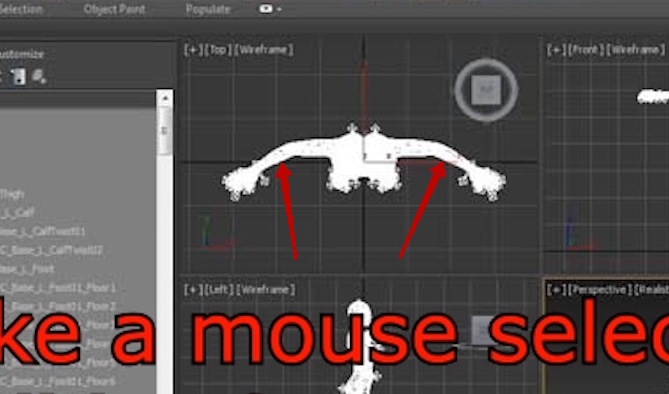
dress i'm exporting from daz is the same
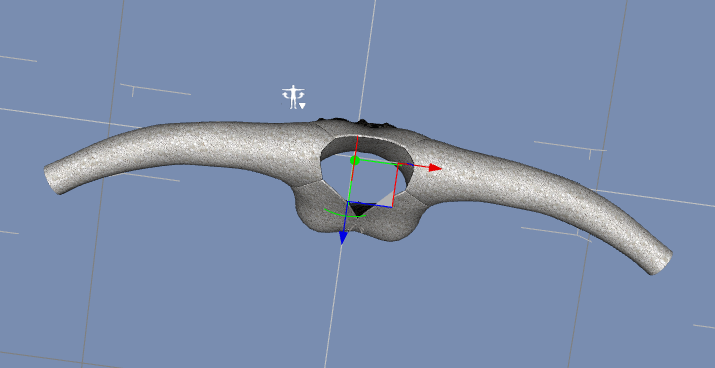
but mine model has straight T-pose
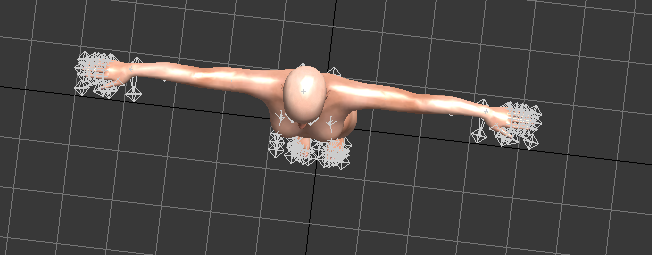
so it looks like this

is there any way to fit it in the way it has to be?
|
|
By Skuzzlebutt - 10 Years Ago
|
annamironova2007 (7/27/2016)
thank you for tutorial:-) i have a question as i see on your video model loads in 3d max with not straight T-pose dress i'm exporting from daz is the same but mine model has straight T-pose so it looks like this is there any way to fit it in the way it has to be?
yes, in the beginning of the tutorial. you export with the calibration pose provided above
on import to max
move timeline to frame 50
select all keyframes
right click and remove selected keys
move timeline slider back to frame 1
this will put the avatar into the daz pose
|
|
By Anna Mironova - 10 Years Ago
|
i quess i'm making something wrong
exporting from CC like that

but it has no any keys in 3dmax
http://joxi.ru/a2XK1aPiJew7mg.png
|
|
By Skuzzlebutt - 10 Years Ago
|
on the fbx import dialog
make sure you include animation

|
|
By Anna Mironova - 10 Years Ago
|
yep its included

could it be because of old version of 3d max? i have 2010
|
|
By Skuzzlebutt - 10 Years Ago
|
since it's a export fbx 2012 version from CC,
backwards compatibilty might be a issue.
in max try "select all" from the edit menu...
|
|
By Skuzzlebutt - 10 Years Ago
|
...
|
|
By Anna Mironova - 10 Years Ago
|
with select all 1 key found :-)
deliting it doesnt change anything

Oh my! got it!
needed plugin fbx 2012 (took it from here http://usa.autodesk.com/adsk/servlet/pc/item?siteID=123112&id=18817399 )
now its works!
|
|
By Skuzzlebutt - 10 Years Ago
|
good to hear, i was going to ask if you ever updated it...
|
|
By Anna Mironova - 10 Years Ago
|
need one more magic kick to understood where am i doing mistake....
i have made one dress with your lesson and it went well
but with this shirt i stuck. It opens in a weird way in CC
where my mistake is?

|
|
By Skuzzlebutt - 10 Years Ago
|
not enough info.
i would export the fbx from CC again with calibration
erase keyframes then save as max file and export/overwrite the fbx
this will be a template and a backup template, you can add clothes
export to CC. then delete skin-skin wrap and obj mesh to reset the template
|
|
By Anna Mironova - 10 Years Ago
|
seems like problem with fbx
just tried to "play" wiht just a body, withour clothes and its the same weird (reexported from CC few times with the same effect)
https://youtu.be/0uDIsk5cXO0
|
|
By Skuzzlebutt - 10 Years Ago
|
the fbx plugin may need to be re-downloaded and re-installed
let me know if your still stuck
and i will send you templates for male and female
|
|
By Anna Mironova - 10 Years Ago
|
reinstalled plugins works well by now (at least i was able to save templates)
Tank you for your advice
|
|
By Skuzzlebutt - 10 Years Ago
|
lol, i just sent you some templates in PM
|
|
By Anna Mironova - 10 Years Ago
|
could you please make a calibration pose for kids (daz K4 based)
|
|
By Skuzzlebutt - 10 Years Ago
|
|
annamironova2007 (7/31/2016)
could you please make a calibration pose for kids (daz K4 based)
the pose should be the same, just a different scale.
so a little more work in max lining up and scaling should work.
making a pose file would require that i have
a k4 fbx and a CC avatar that roughly matches dimensions.
|
|
By Anna Mironova - 10 Years Ago
|
i have tried just scale in max but it has different effect (and fbxkey doesnt suit)
for models without hands position it works with just export needed figure in max, but hads position is a problem

|
|
By Skuzzlebutt - 10 Years Ago
|
annamironova2007 (7/31/2016)
i have tried just scale in max but it has different effect (and fbxkey doesnt suit) for models without hands position it works with just export needed figure in max, but hads position is a problem
again,
i would need a fbx of the daz and CC models
to make a calibration, i do not have them.:cool:
|
|
By Anna Mironova - 10 Years Ago
|
here is daz4 base fbx
https://cloud.mail.ru/public/2cA9/L9TkHQ6RR
but i dont know how to send it to CC :-(
and here is my CC boy
https://cloud.mail.ru/public/DyyU/GKua4BiKp
|
|
By Skuzzlebutt - 10 Years Ago
|
i will work on these later after i finish some stuff.
|
|
By Skuzzlebutt - 10 Years Ago
|
after looking at these
the problem is not the calibration pose.
the problem is the CC shape (boy) needs to match better
to match them:
i built temporary k4 accessory (download below)
load "boy" into CC and remove all clothing
drag K4 accessory into cc
adjust the arms legs and torso to match
then delete the K4
save the cc project
and export with male calibration.
* the clothing item will also need to be rotated slightly before skinning
k4 accessory
https://www.mediafire.com/?i2hdfeiujx5aali
i would just reshape the CC for you, but i do not own the base mesh pack
|
|
By Anna Mironova - 10 Years Ago
|
thank you i'll try
|
|
By redrubyslippers - 10 Years Ago
|
thats a weight issue
|
|
By Skuzzlebutt - 10 Years Ago
|
it actually was a units mismatched error
our good friend "901" figured it out.
|
|
By redrubyslippers - 10 Years Ago
|
|
sweet.....................
|