|
Author
|
Message
|
|
4u2ges
|
4u2ges
Posted 8 Years Ago
|
|
Group: Forum Members
Last Active: Last Month
Posts: 5.3K,
Visits: 16.8K
|
mr_vidius (1/15/2018)
4u2ges (1/13/2018)
Found another one. This time it's a Tessellation Shadow and it's messing with the mirror prop made from water. Although there is no tessellation turned on for any prop in the scene, an artificial shadow (cannot even call it a shadow) from props behind mirror would mask it. So nothing can be placed behind a water anymore. Annoying!
what I would like to know.. how did you make the mirror? I want to make mirrors too! vidius Sort of figured out how to deal with inappropriate "Tessellation shadow". Disabling a Real-Time Smooth on props behind mirror fixed the problem (just keep solving puzzles :Whistling:) Mr_Vidius, there are couple of ways to make a mirror in iClone and many threads explaining how to make it. In IC5 there was a trick with directX I believe, but I never had that version installed. Starting with IC6, no matter which way you go, it is a hassle to make a mirror and control/animate the scene. If I need to make a scene with a mirror, I prefer the one with 90 degrees twisted scene and I have a demo project which may get you started. It was created in IC6, so to make it work properly in IC7 some tweaking would require (including the one I have just discovered above). I have reported one other issue with reflection in IC7 FT3726 and it has already been assigned. So hopefully it'll be fixed in the next update. What left, is a hope that someday RL would finally come up with "real" mirror prop, saving us a hassle to deal with water reflection (Sigh... there I said it... 1001st time).
|
|
|
|
|
animagic
|
animagic
Posted 8 Years Ago
|
|
Group: Forum Members
Last Active: Last Month
Posts: 15.8K,
Visits: 31.4K
|
@4u2ges: Thanks for the demo project! I'll check it out, as I will be in need of a mirror at some point... I made an FT request for a mirror in iClone 6 and repeated it for iClone 7, but the need predates iClone 5. I feel we've been talking about mirrors forever...:crazy: Anyway, for those who want a mirror, haven't voted yet, and can spare a vote: it's issue #3371.
|
|
|
|
|
thedirector1974
|
thedirector1974
Posted 8 Years Ago
|
|
Group: Forum Members
Last Active: Last Year
Posts: 783,
Visits: 5.2K
|
I have an issue with the viseme track. I load a mp3 file into the timeline. On the viseme track I can see all those letters. Double click on them and a windows with all possible combinations shows up. There is a expression slider in that window. No matter what I choose, the expression doesn't change at all. Can anyone confiem this?
|
|
|
|
|
Kelleytoons
|
Kelleytoons
Posted 8 Years Ago
|
|
Group: Forum Members
Last Active: 2 Years Ago
Posts: 9.2K,
Visits: 22.1K
|
The slider controls how MUCH viseme track is applied -- and it works for me (although it's not exactly interactive -- you will need to scrub the timeline once you change it to see how it really works. Try setting to zero and then you'll see that no viseme is applied at all).
Alienware Aurora R16, Win 11, i9-149000KF, 3.20GHz CPU, 64GB RAM, RTX 4090 (24GB), Samsung 870 Pro 8TB, Gen3 MVNe M-2 SSD, 4TBx2, 39" Alienware Widescreen Monitor
Mike "ex-genius" Kelley
|
|
|
|
|
jarmoh
|
jarmoh
Posted 8 Years Ago
|
|
Group: Forum Members
Last Active: 2 Years Ago
Posts: 3,
Visits: 70
|
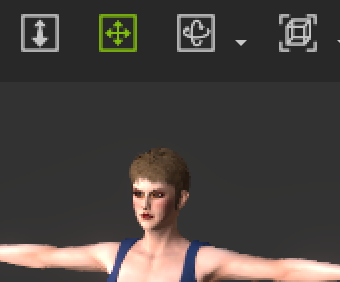 Hi After update to 7.2 version, screen is not scaled right in 4k screen ( first picture). Character creator (second picture) and 3DXchange looks sharp. Screen looks like scaled up from 1k screen. I can't find way to fix it. Is there way to fix it?  Jarmo
|
|
|
|
|
thedirector1974
|
thedirector1974
Posted 8 Years Ago
|
|
Group: Forum Members
Last Active: Last Year
Posts: 783,
Visits: 5.2K
|
Really? But it was possible in previous versions of iClone! I worked with that tool and I am pretty sure it was showing the results instantly. Otherwise it will be a pain in the a... to work like that ...
|
|
|
|
|
TonyDPrime
|
TonyDPrime
Posted 8 Years Ago
|
|
Group: Forum Members
Last Active: 2 Years Ago
Posts: 3.4K,
Visits: 12.4K
|
Rampa (1/5/2018)
rogwen (1/5/2018)
I cannot use 7.2 patch. Direct puppet is the tool I have used most. Now its useless. The following happens on my Laptop AND stationary PC (wich is brand new and has just Iclone installed) So this is clearly not a PC issue. When I record a clip with direct puppet the first time everythings ok. but when I try to animate other limbs on same clip with more recordings,the strangest things happens. You can see it here: https://youtu.be/TDqsNVuNRHc Are you using identical mouse movements for each arm? Moving the mouse vertically rotates one axis, and horizontally another. When I move my mouse vertically for each arm, I am getting what I expect. When I move the mouse horizontally for one arm, it looks like your video example. I will confirm what rogwen and mark reported in this thread. I am experiencing that if I use more than 1 direction puppet movement on a character, the character then 'jumps' to another location in the scene, and the original recorded, or 1st, direction puppet movement is gone! This is a really bad one. I agree with rogwen's sentiment here...It makes direction puppet unusable, UNLESS you only use one movement. I tried closing down scene and reloading to see if I could add another, but no luck. Tried linking to a dummy prop to 'lock' character location in scene - no luck Will attempt further workaround tests. This one SUUUUUUUXXXXXXXX. :(
|
|
|
|
|
TonyDPrime
|
TonyDPrime
Posted 8 Years Ago
|
|
Group: Forum Members
Last Active: 2 Years Ago
Posts: 3.4K,
Visits: 12.4K
|
Update -
Direction Puppet issue can be reproduced with any avatar. Limit # is 3 before issue arises. So, you can safely record 2 as it turns out.
TEST:
Create scene, add avatar.
Use direction puppet, starting from 0 for each recording.
Record 3 separate direction puppet movements. (ie 3 limbs)...can be any time length.
RESULT:
After 3rd movement recording is stopped, avatar will 'jump' position, and some of recorded direction puppet is gone.
Use preview cam with some distance to view the behavior.
*NOTE - iClone 'remembers' how many that you have used, so you can only safely record 2, that's it.
No matter what you do, you cannot add a 3rd. As no workaround has been identified....
YET! :smooooth:
|
|
|
|
|
thedirector1974
|
thedirector1974
Posted 8 Years Ago
|
|
Group: Forum Members
Last Active: Last Year
Posts: 783,
Visits: 5.2K
|
Just noticed, that the DOF mask is corrupted again, after updateing from 7.1 to 7.2. Look at this ... 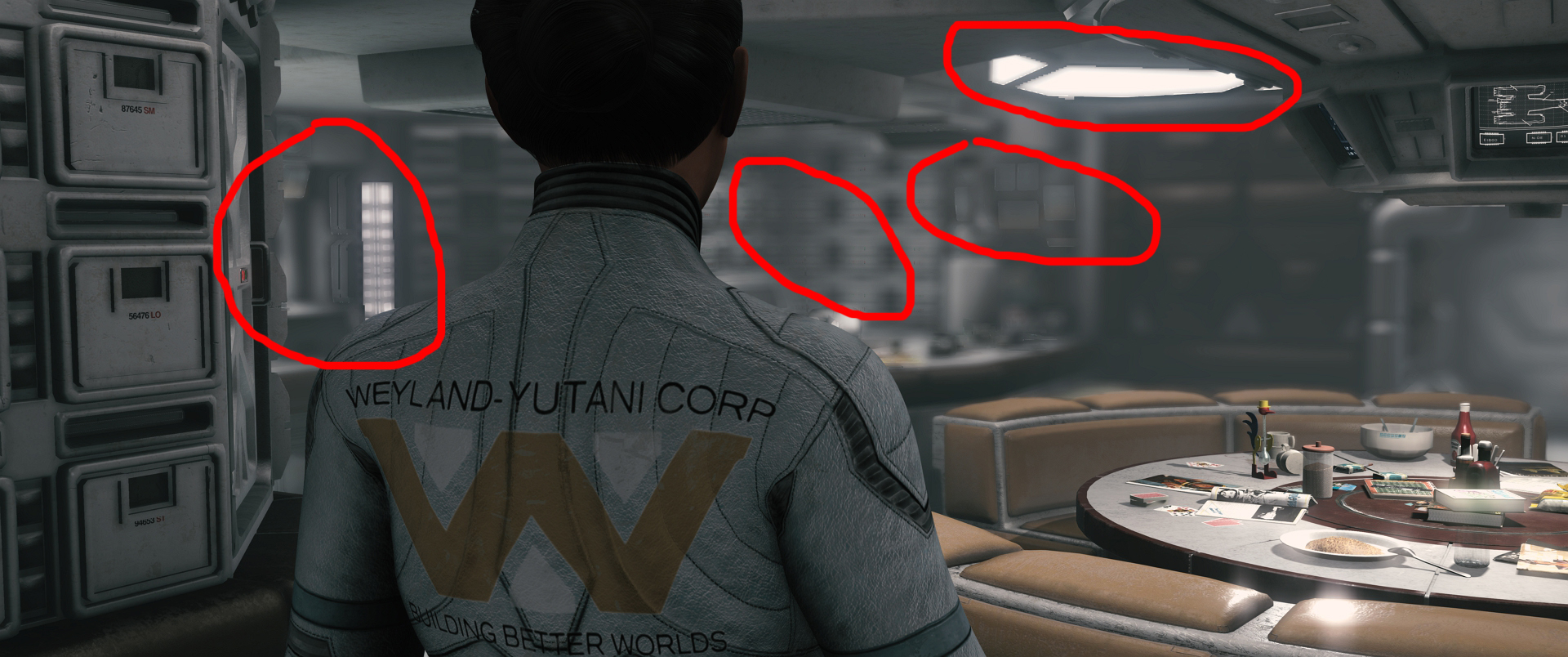 Sigh ... I will stop any work on my movie until this is fixed, sorry ... Direx
|
|
|
|
|
TonyDPrime
|
TonyDPrime
Posted 8 Years Ago
|
|
Group: Forum Members
Last Active: 2 Years Ago
Posts: 3.4K,
Visits: 12.4K
|
thedirector1974 (1/21/2018)
Just noticed, that the DOF mask is corrupted again, after updateing from 7.1 to 7.2. Look at this ... Sigh ... I will stop any work on my movie until this is fixed, sorry ... Direx Just a wild guess, wondering if this is a conflict involving the new HDR Bloom/Glow. If you turn all Bloom effect down on this frame, any change?
|
|
|
|