|
MatCreator
|
MatCreator
Posted 5 Years Ago
|
|
Group: Forum Members
Last Active: Last Year
Posts: 71,
Visits: 244
|
Ive been getting into Blender recently, many thanks to the CC3>Blender add-on. Doing great so far with exporting/importing the figures, but I dont know Blender enough to know how to edit and adjust poses and facial expressions for simple still imagery. I know its a Blender thing, but if anyone can point me in the right direction I would be very appreciative...
How do we pose CC3 figures in Blender?!?
|
|
4u2ges
|
4u2ges
Posted 5 Years Ago
|
|
Group: Forum Members
Last Active: Last Month
Posts: 5.3K,
Visits: 16.8K
|
There probably a way, rigging and stuff, but having iClone (if you do) I do not see the point of animating in Blender. Animate in iClone send character to Blender with animation. It is a pipeline. Already sent character? Then animation can be transferred from one character to the other with couple of clicks in Blender. AutoDidact here knows more about it.
|
|
AutoDidact
|
AutoDidact
Posted 5 Years Ago
|
|
Group: Forum Members
Last Active: 3 Months Ago
Posts: 2.1K,
Visits: 13.6K
|
Hi As 4u2ges Suggested, it is best to send your characters to Blender with the animation already attached. I have a video (using an older version of CC3) that details that process.
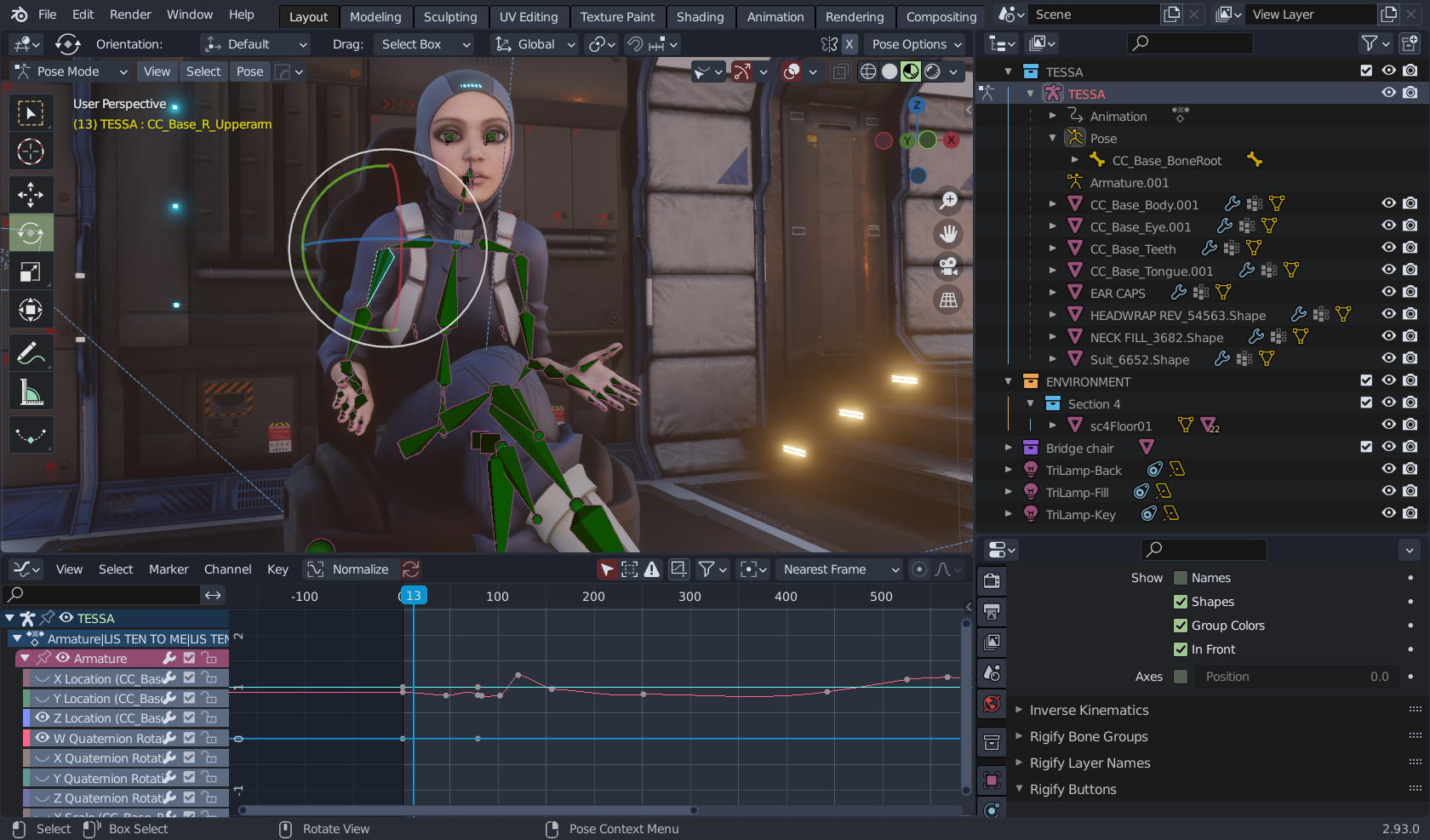
Now on the matter manually posing posing a CC3 Character on blender it is worthwhile to learn to do this as you may want/need to adjust an animation or a still pose for a single image render. To do this you must first select the CC3 rig in the blnder outliner and switch blender to "Pose mode" you have to then select the actual bone and use the viewport gizmo to rotate them manually as you would in iclone.
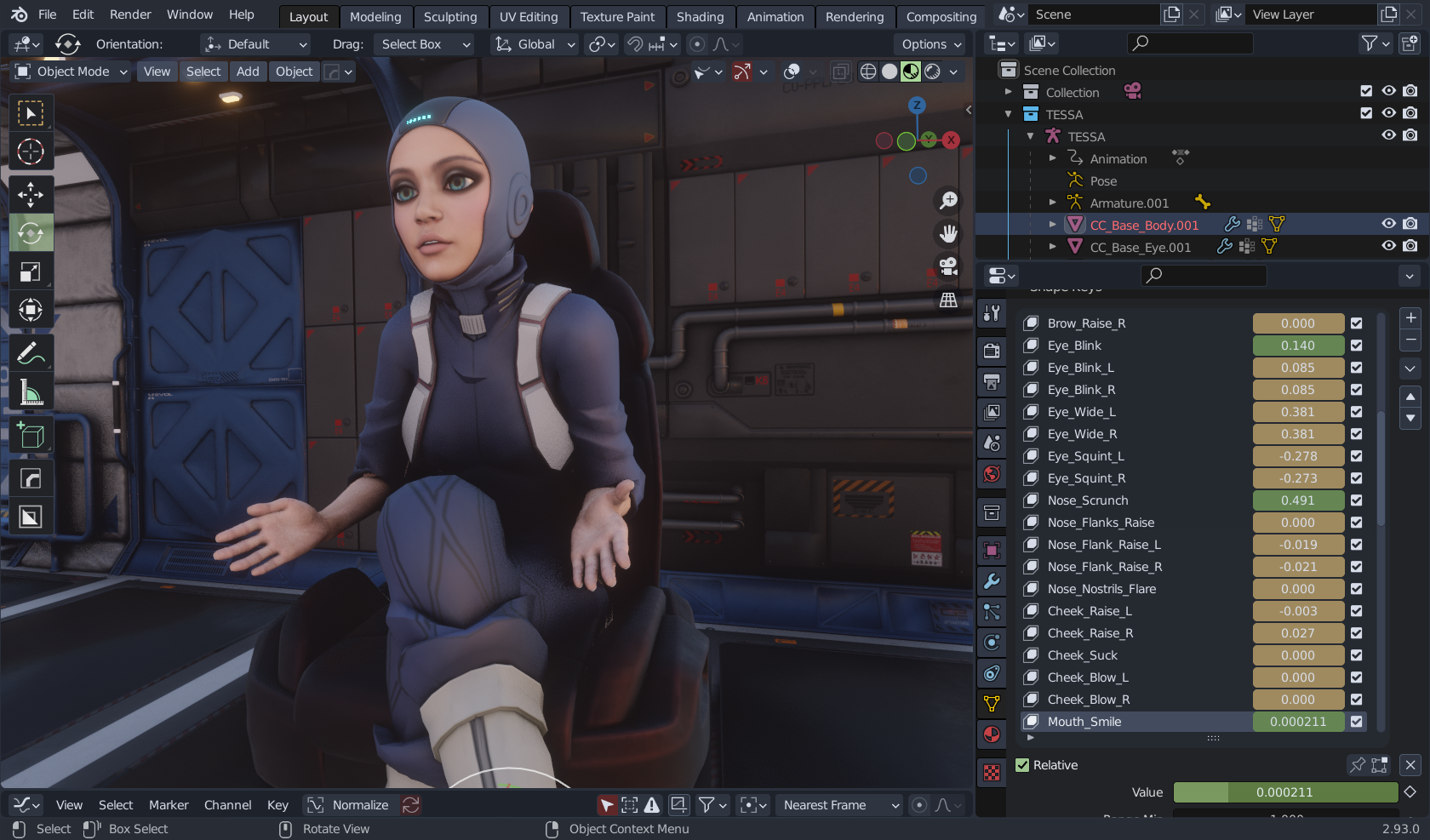
you can access the facial expressions of your imported CC3 figure by selecting the base mesh
Blenders graph editor is far more advanced than Iclones and thus worth learning also.
|
|
MatCreator
|
MatCreator
Posted 5 Years Ago
|
|
Group: Forum Members
Last Active: Last Year
Posts: 71,
Visits: 244
|
Sorry for the delay in responding, and many thanks for the advice =)
Im actually just doing still imagery, and sometimes (often) I find I need to adjust the characters pose, for example, tighten the hand grasp on an object, move the foot out the floor, turn a head slightly to the left.... As you see how your characters pose interacts with other scene elements, slight touch ups become necessary. Im sure youve been there... So once in Blender, and admittedly I'm not experienced with it, Id rather adjust the pose as opposed to going back to CC3, adjusting, and checking the "interaction" with other scene stuff hoping its ok.
I tried as suggested, and the process works, but when I render the image, even though I see the adjusted pose, it renders the unadjusted pose??? Im left to assume I did something wrong.
|
|
MatCreator
|
MatCreator
Posted 5 Years Ago
|
|
Group: Forum Members
Last Active: Last Year
Posts: 71,
Visits: 244
|
I hit the autokey button and that got it to render as expected. I was checking my renders (f11?), I closed the window, and then the adjusted pose snapped away? That got me to thinking it was an animation thing, so I played with the slider, not that it brought my pose back but I accidentally stumbled on the auto keyframe option and turned it on, made sense? But is that the correct way? Even if I am just doing stills do I need to have it on to adjust poses for still imagery?
Too early for me to get into animation, Ive always only done stills, the most basic of knowledge when it comes to animation.
|