Hi,
In the process of continuing to work on our characters we've been taking a closer look at the Skeleton and the Mesh weighting to clean things up and we noticed something very interesting about the exported UE4 Skeleton. I'm providing a picture as a reference to differences between the standard UE4 Skeleton and the one that gets generated for UE4 from CC3. There are really two issues which I think are important mention and in the hopes they will be addressed sometime in the future.
1. The Spine2 bone is compacted, and the Clavicle is much larger then it should be, while the weighting is correct the alignment of the bones for the spine are way off, and if you chose to import your character unto an existing UE4 Skeleton it appears to modify the structure when it adds the additional bones, also it makes applying other UE4 animations which have the proper spine distort the character badly. This would just take a bunch of additional work to clean up and I'll likely have to reskin any characters made with CC3 in the near future with a correct rig before importing or doing animation work.
2. Additional bones have been added to the structure, meanwhile existing UE4 bones which serve the same purpose are unused. As seen in the attached image the UE4 upperarm_l is being replaced with cc_base_l_upperarmtwist02 and has itself no weights. It would be much better if to just use the existing bone in the structure. Is there a reason why a new bone was introduced instead?
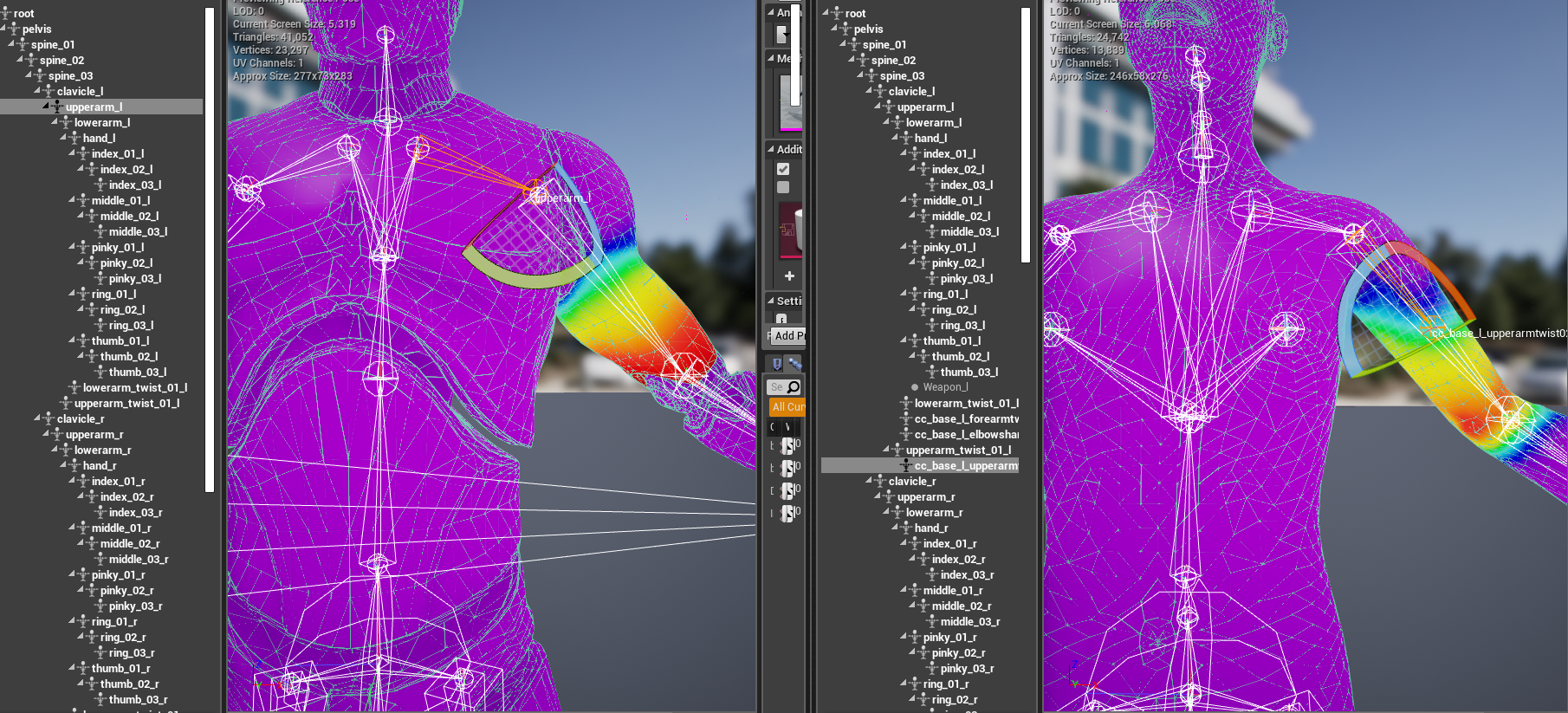
Is this something you are aware of at Reallusion?
Also if I were to also make a suggestion it is pretty important to be able to limit the max influence to a certain number of bones, there really isn't a way to see how many there are and no easy way to correct this inside of CC3. For clothing to have cloth physics enabled it can not have more then 4 bone influences and most of the clothes I've played with from CC3 have had 5 or more on them.
Thanks for your time