|
Author
|
Message
|
|
mtakerkart
|
mtakerkart
Posted 2 Years Ago
|
|
Group: Forum Members
Last Active: 2 days ago
Posts: 3.2K,
Visits: 29.2K
|
|
|
|
|
|
animagic
|
animagic
Posted 2 Years Ago
|
|
Group: Forum Members
Last Active: 4 Months Ago
Posts: 15.8K,
Visits: 31.4K
|
Time to move the status to "Assigned" given the seriousness of the problem.
|
|
|
|
|
mr_vidius
|
mr_vidius
Posted 2 Years Ago
|
|
Group: Forum Members
Last Active: 2 days ago
Posts: 433,
Visits: 6.1K
|
Oh yeah. this does need to be fixed. and fixed ASAP! now many of my projects are on hold now due to this.
vidius.
|
|
|
|
|
animagic
|
animagic
Posted 2 Years Ago
|
|
Group: Forum Members
Last Active: 4 Months Ago
Posts: 15.8K,
Visits: 31.4K
|
A new problem has popped up with an existing project, where various items suddenly cause watermarks, including the "Infinite plane" which is built-in content. "Activate purchased items" has no effect. So I uninstalled and reinstalled the Props pack that contains the Infinate plane and while doing so had to agree to an updated license agreement, which resolved the problem. If the updated license is indeed the cause of the watermark then that is not a very user-friendly way of going about things...:angry: :crazy:
|
|
|
|
|
K_Digital
|
K_Digital
Posted 2 Years Ago
|
|
Group: Forum Members
Last Active: Last Year
Posts: 327,
Visits: 1.4K
|
Not shure where to post this, i assume the follwing still counts for IC8,4. (FB Issue = Active) using Fog on a sky "Fog influence" makes the sky completely dark. I would expext a slider or something that can determine how much the fog has influence on the sky.Wonder if this is normal. https://www.reallusion.com/FeedBackTracker/Issue/Fog-only-on-or-off-Bug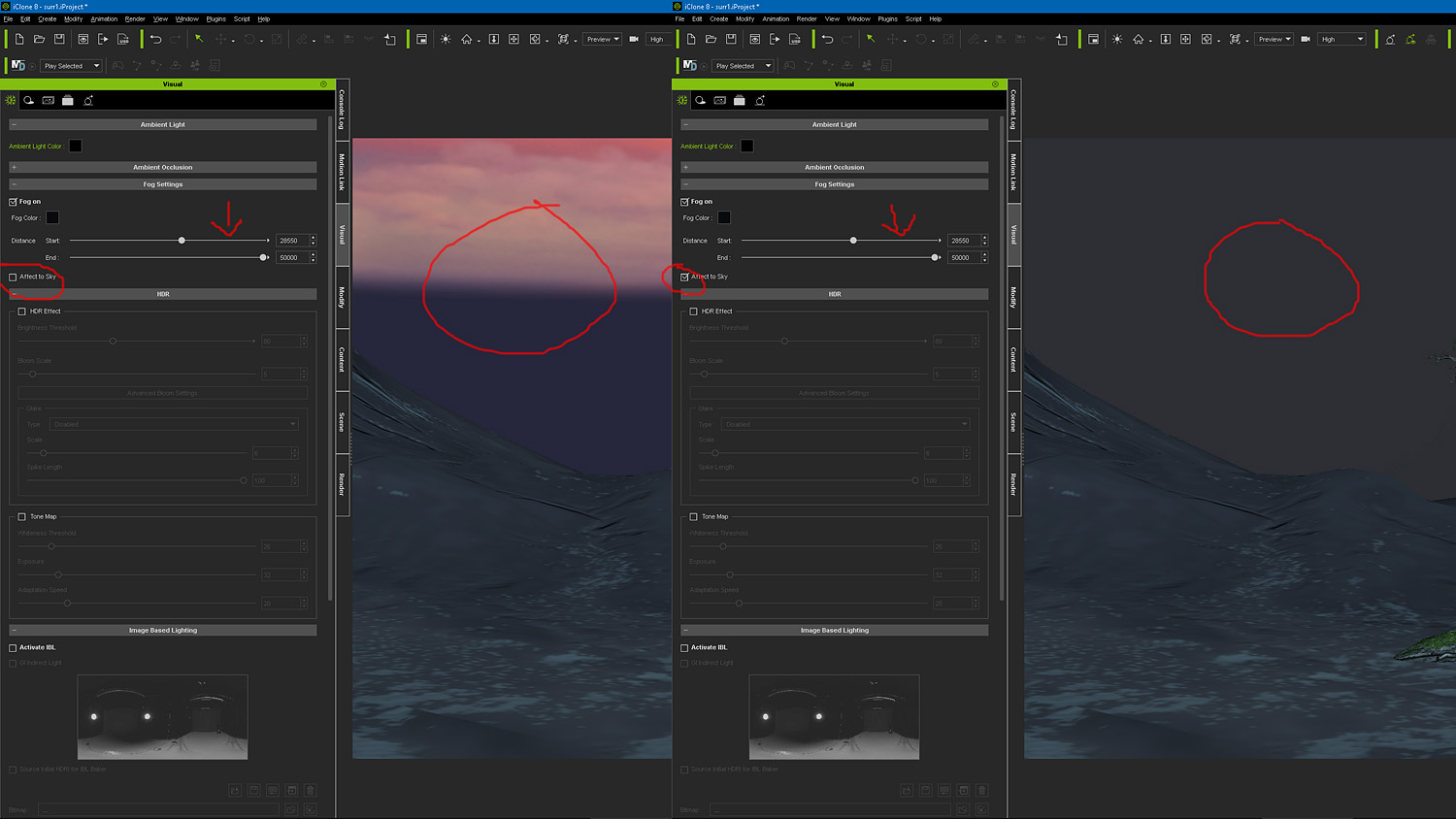
|
|
|
|
|
4u2ges
|
4u2ges
Posted 2 Years Ago
|
|
Group: Forum Members
Last Active: 2 Weeks Ago
Posts: 5.3K,
Visits: 16.8K
|
using Fog on a sky "Fog influence" makes the sky completely dark
It all comes down to sky scaling. By default it's scaled to 1000 (a huge sphere which stretches beyond fog end distance).
You may set the sky scale to 100 and then go up as necessary to accommodate for distant shots and at the same time to be within the reasonable distance "inside" the fog.
|
|
|
|
|
K_Digital
|
K_Digital
Posted 2 Years Ago
|
|
Group: Forum Members
Last Active: Last Year
Posts: 327,
Visits: 1.4K
|
Thanks for the answer, but this doesnt seem to work. The fog covers the center of the sky dome only. So if i make the sky smaller/larger only the centered (dark) fog area changes but not the thickness of the fog, which i would have expected to become thinner/thicker. So in all i wont be able to make the sky shine through, not even when readjusting the fog sliders . Hope i am not understanding this feature the wrong way. 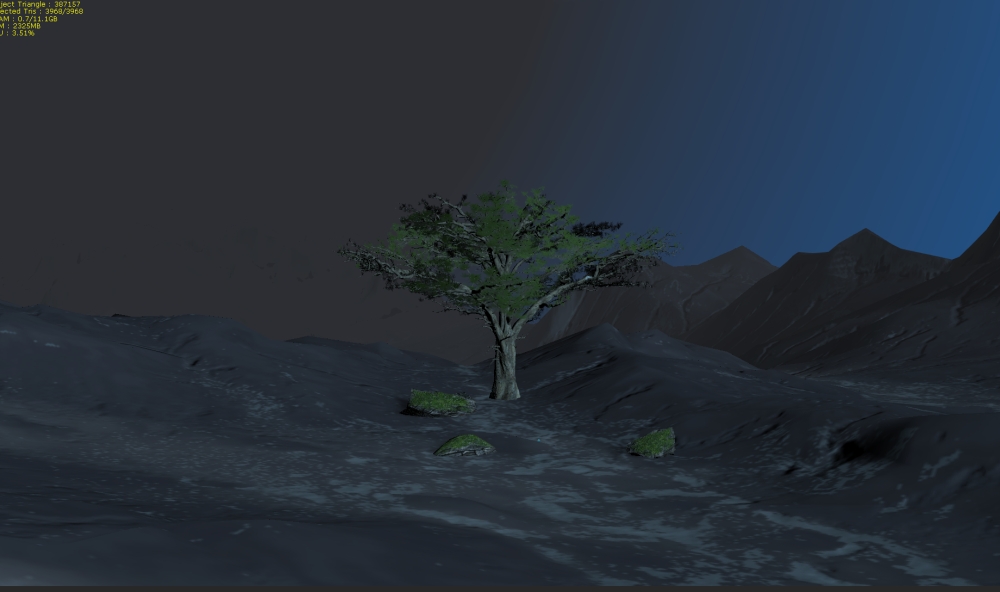 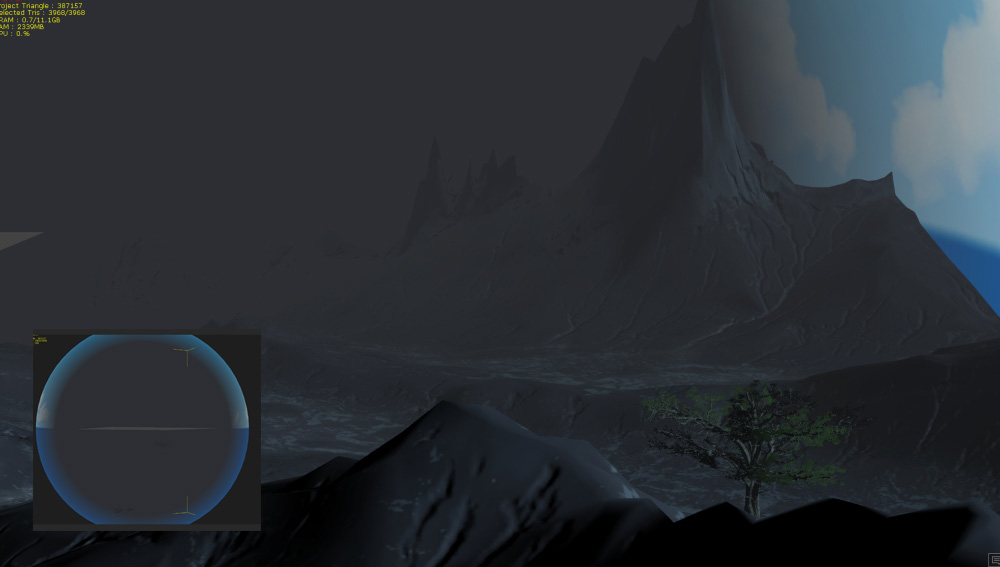
|
|
|
|
|
animagic
|
animagic
Posted 2 Years Ago
|
|
Group: Forum Members
Last Active: 4 Months Ago
Posts: 15.8K,
Visits: 31.4K
|
What I do instead of using the Sky element (.iSky) is to use the built-in Sky dome prop and map the sky texture on that. You can play with the scale and depending on the setting the fog will partially hide the sky. The color of the fog also play a role. It's not perfect, but adequate in my case. Without fog:  With fog: 
|
|
|
|
|
Matheus Carvalho
|
Matheus Carvalho
Posted 2 Years Ago
|
|
Group: Forum Members
Last Active: 2 Years Ago
Posts: 1,
Visits: 33
|
Could someone please help me, as soon as I open the iclone it starts to move on its own on the x axis from left to right without stopping.
|
|
|
|
|
K_Digital
|
K_Digital
Posted 2 Years Ago
|
|
Group: Forum Members
Last Active: Last Year
Posts: 327,
Visits: 1.4K
|
Interesting ill try that !
|
|
|
|