|
antoniojosecastilla
|
antoniojosecastilla
Posted 4 Years Ago
|
|
Group: Forum Members
Last Active: 2 Years Ago
Posts: 22,
Visits: 114
|
Kelleytoons (8/12/2021)
I just a video showing how I bring Arlene's hair in and if it doesn't work right for you using those procedures then you should delete CC3 Pipeline and reinstall completely.
I just uninstall with the reallusion hub both character creator and character creator pipeline and i still have the same issue. Maybe the problem is the daz export options?? 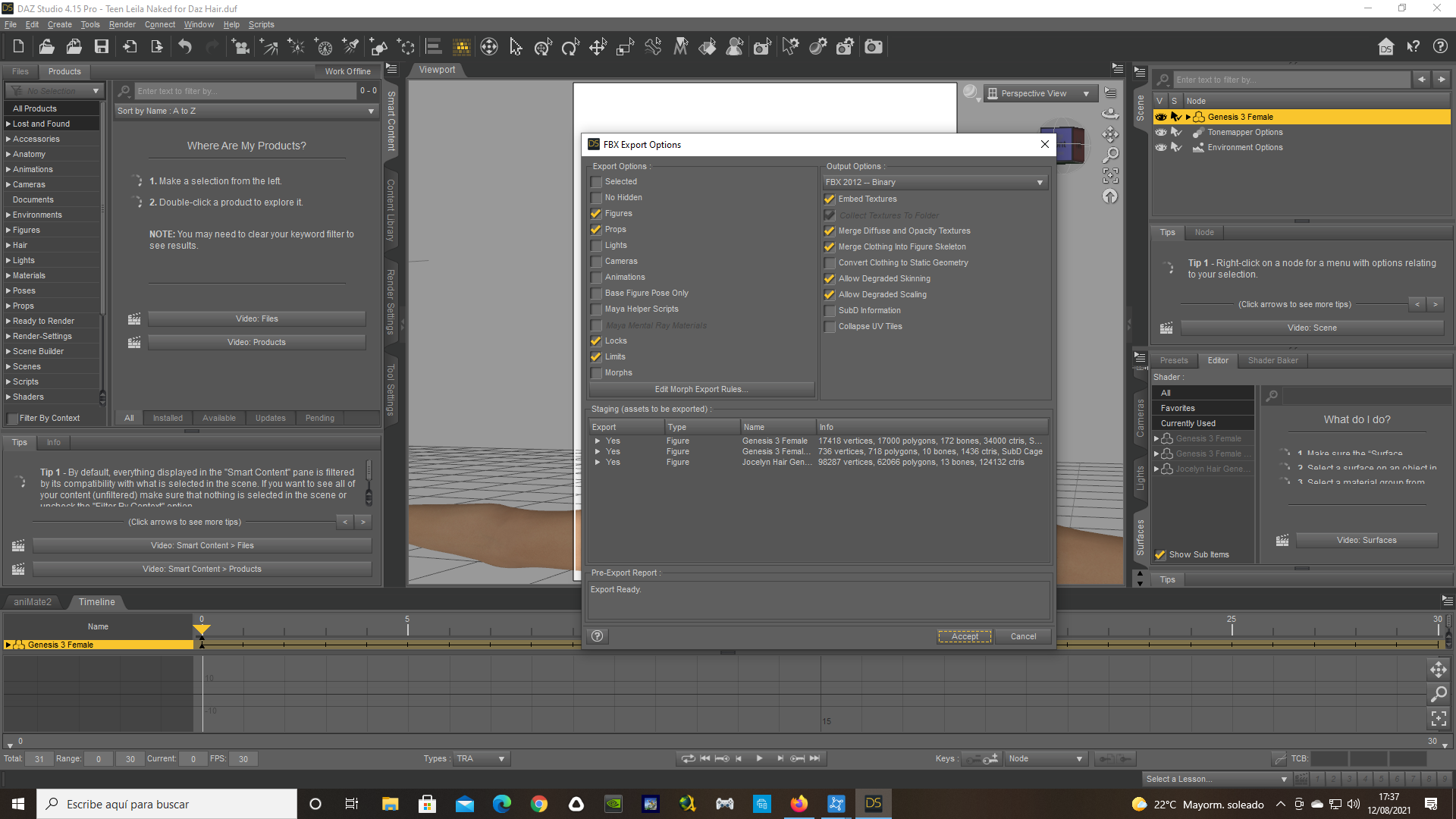
|
|
antoniojosecastilla
|
antoniojosecastilla
Posted 4 Years Ago
|
|
Group: Forum Members
Last Active: 2 Years Ago
Posts: 22,
Visits: 114
|
Finally! It was the daz export options. I don't know why i had merge diffuse and opacity. Now the hair is working. Thanks a lot!!
Now i go for the other step. To make animation with them.
Let's see if i can with your video!
Thanks!
|
|
antoniojosecastilla
|
antoniojosecastilla
Posted 4 Years Ago
|
|
Group: Forum Members
Last Active: 2 Years Ago
Posts: 22,
Visits: 114
|
Kelleytoons (8/12/2021)
I just a video showing how I bring Arlene's hair in and if it doesn't work right for you using those procedures then you should delete CC3 Pipeline and reinstall completely.
Hi friend. Everything is working perfect. Thanks a lot for your videos. There are amazing. Now i am animating, but i have another problem with the eyes. I see the eyes in iclone when the character close the eyes. In character creator i correct eye blinks and it looks fine there, but in iclone, look how the closed eyes look: 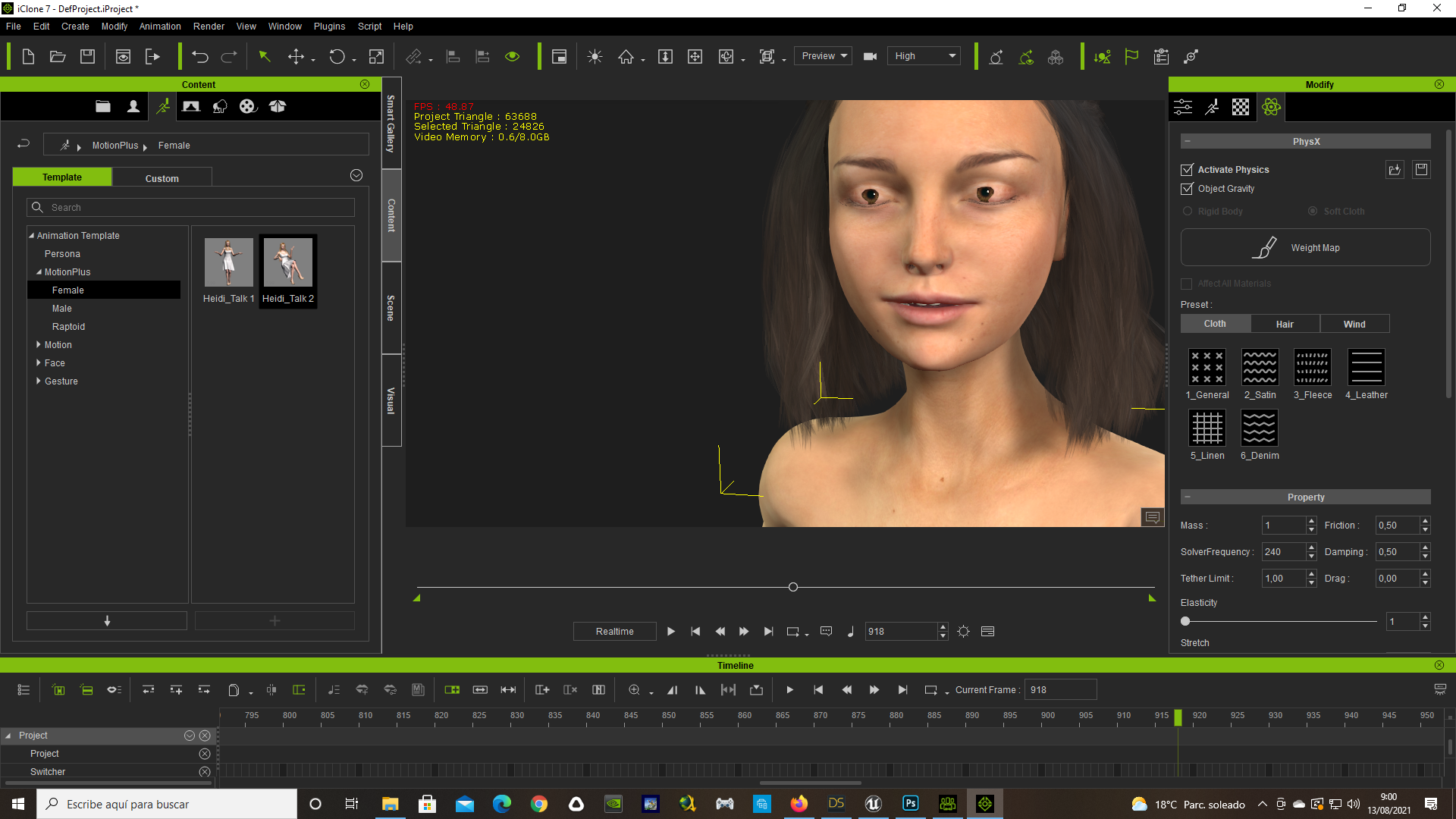 Maybe you can help me too with this issue. I aprecciate it a lot.
|
|
Kelleytoons
|
Kelleytoons
Posted 4 Years Ago
|
|
Group: Forum Members
Last Active: Last Year
Posts: 9.2K,
Visits: 22.1K
|
There's a couple of things. First and foremost, if you are using a Daz character brought over I highly recommend replacing the eyes with some of the CC3 eyes, particularly the more advanced ones. This will often solve all eye problems. Otherwise you can use the various morphs to adjust the depth of the eyes - I do believe "Eye Depth" is the one you want. Bringing the eyes backwards should fix that problem but if not tell me exactly the Daz character you were using so I can try it out.
Alienware Aurora R16, Win 11, i9-149000KF, 3.20GHz CPU, 64GB RAM, RTX 4090 (24GB), Samsung 870 Pro 8TB, Gen3 MVNe M-2 SSD, 4TBx2, 39" Alienware Widescreen Monitor
Mike "ex-genius" Kelley
|
|
antoniojosecastilla
|
antoniojosecastilla
Posted 4 Years Ago
|
|
Group: Forum Members
Last Active: 2 Years Ago
Posts: 22,
Visits: 114
|
Kelleytoons (8/13/2021)
There's a couple of things.
First and foremost, if you are using a Daz character brought over I highly recommend replacing the eyes with some of the CC3 eyes, particularly the more advanced ones. This will often solve all eye problems.
Otherwise you can use the various morphs to adjust the depth of the eyes - I do believe "Eye Depth" is the one you want. Bringing the eyes backwards should fix that problem but if not tell me exactly the Daz character you were using so I can try it out.Hi friend. The eyes are the one from CC3, (Eyes_08.cc). The model is Teen Leila. The Eye depht worked. It changes a little how the eyes look, but it solves the blink animation problem. Thanks again! :)
|