|
By antoniojosecastilla - 5 Years Ago
|
Hi to everybody. I tried different daz hairs with the cc3 + transformer in CC3, and i always get the picture result. Does anybody know why?
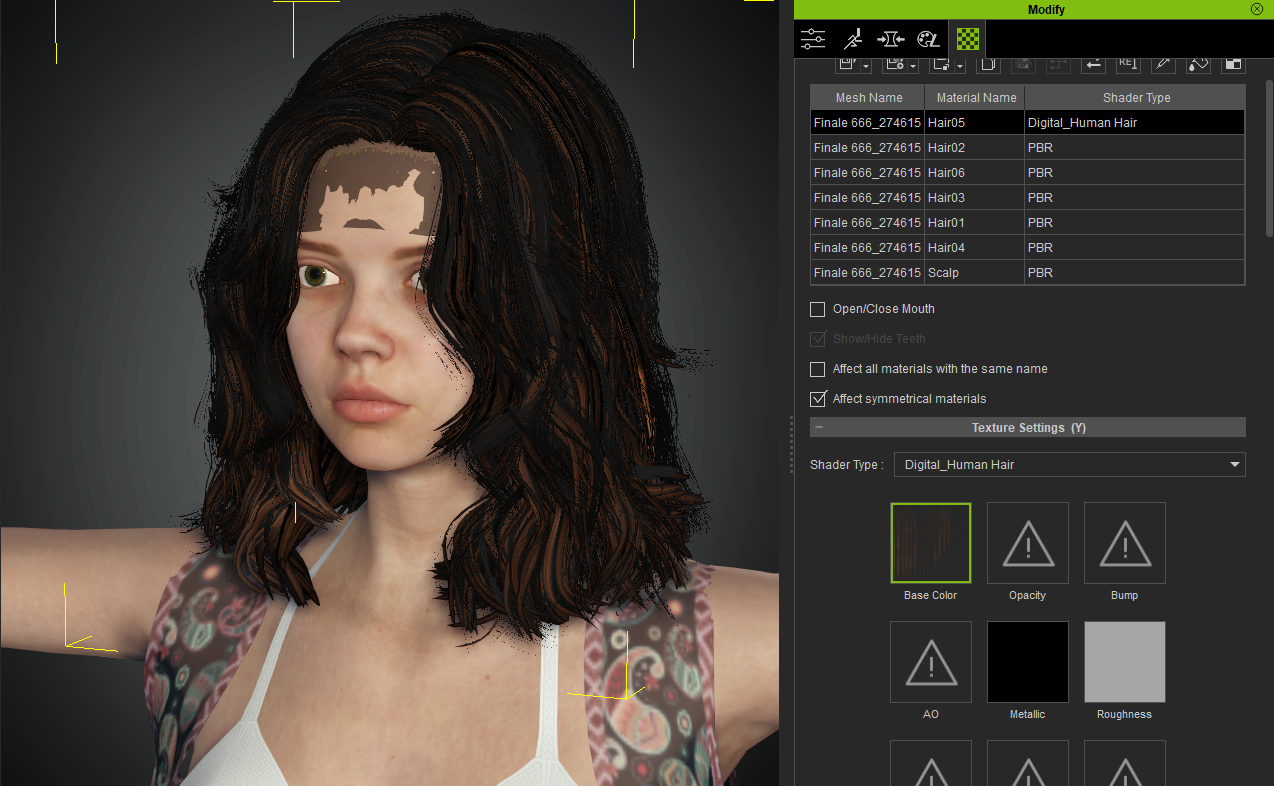
https://i.ibb.co/cyW8s4d/hair-daz.png
|
|
By vidi - 5 Years Ago
|
|
I think, the scalp mesh has missing alpha texture.
select scalp, select opacity and import the alpha map
|
|
By Kelleytoons - 5 Years Ago
|
What hair is this, exactly?
It might just need to be resized a bit.
|
|
By antoniojosecastilla - 5 Years Ago
|
vidi (8/12/2021)
I think, the scalp mesh has missing alpha texture.
select scalp, select opacity and import the alpha map Yes, with that you can correct the forehead, but look the hair textures.
Kelleytoons (8/12/2021)
What hair is this, exactly?
It might just need to be resized a bit.It is Annabelle hair. I have the same problem with Arlene hair. Those are the two hairs that i am trying. The hair is like black and brown. Very ugly.
|
|
By Kelleytoons - 5 Years Ago
|
Okay, neither hair is suitable for the RL universe.
They are both VERY FINE mesh hairs - you want polygonal hair. If you have ANY questions about ANY hair before you buy, just ask me (either her or in email) and I'll be glad to both tell you and show you how it works in CC3.
|
|
By antoniojosecastilla - 5 Years Ago
|
|
Kelleytoons (8/12/2021)
Okay, neither hair is suitable for the RL universe.
They are both VERY FINE mesh hairs - you want polygonal hair. If you have ANY questions about ANY hair before you buy, just ask me (either her or in email) and I'll be glad to both tell you and show you how it works in CC3.So there is no solution for both of them?
|
|
By Kelleytoons - 5 Years Ago
|
Actually, I take it back - sorry, but I spoke based on the description. Annabelle hair comes in fine using Transformer:
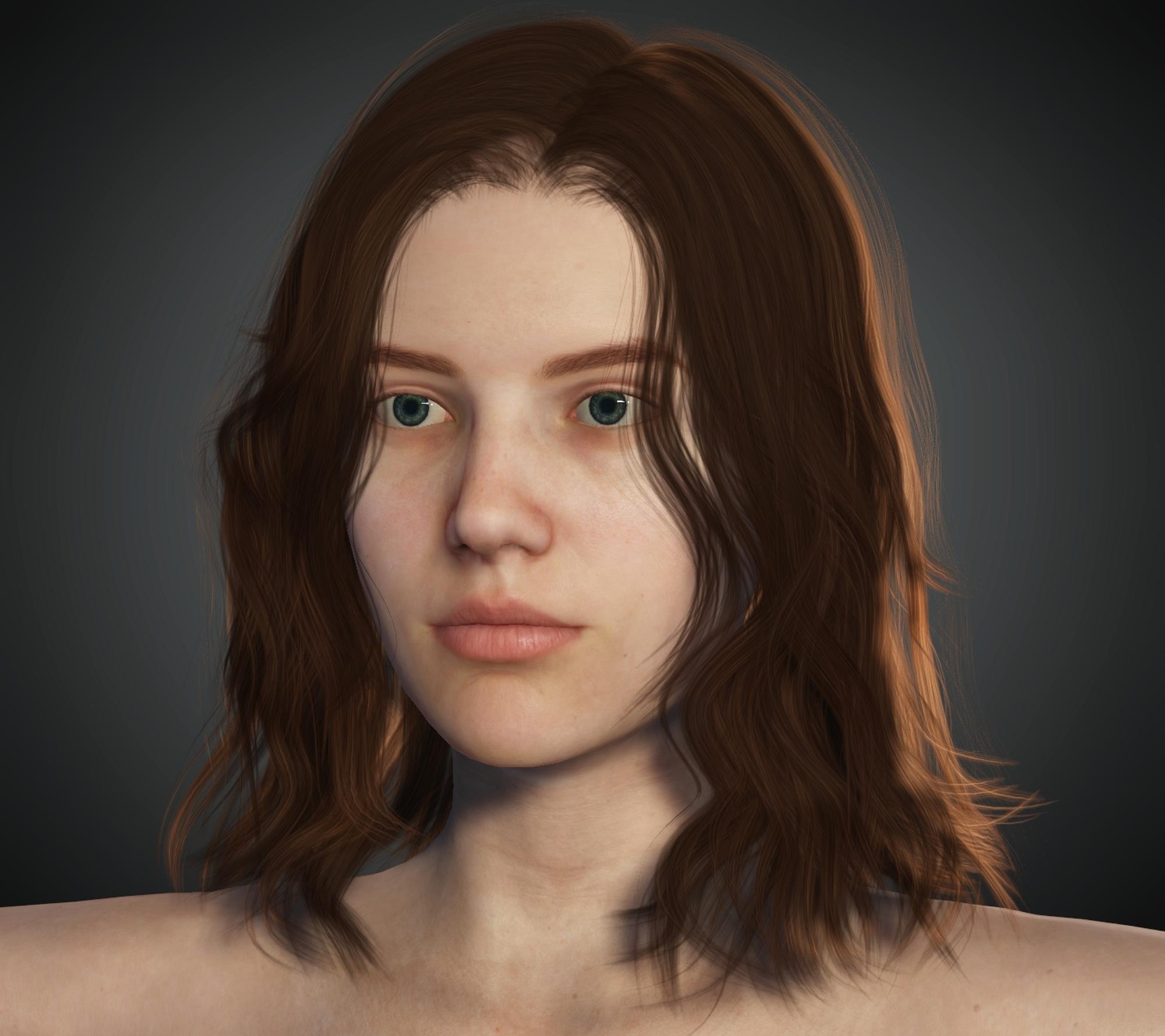
Now, this is a bit too heavy for good animation, but running polygonal reduction on an object gives a great reduction and a decent result:
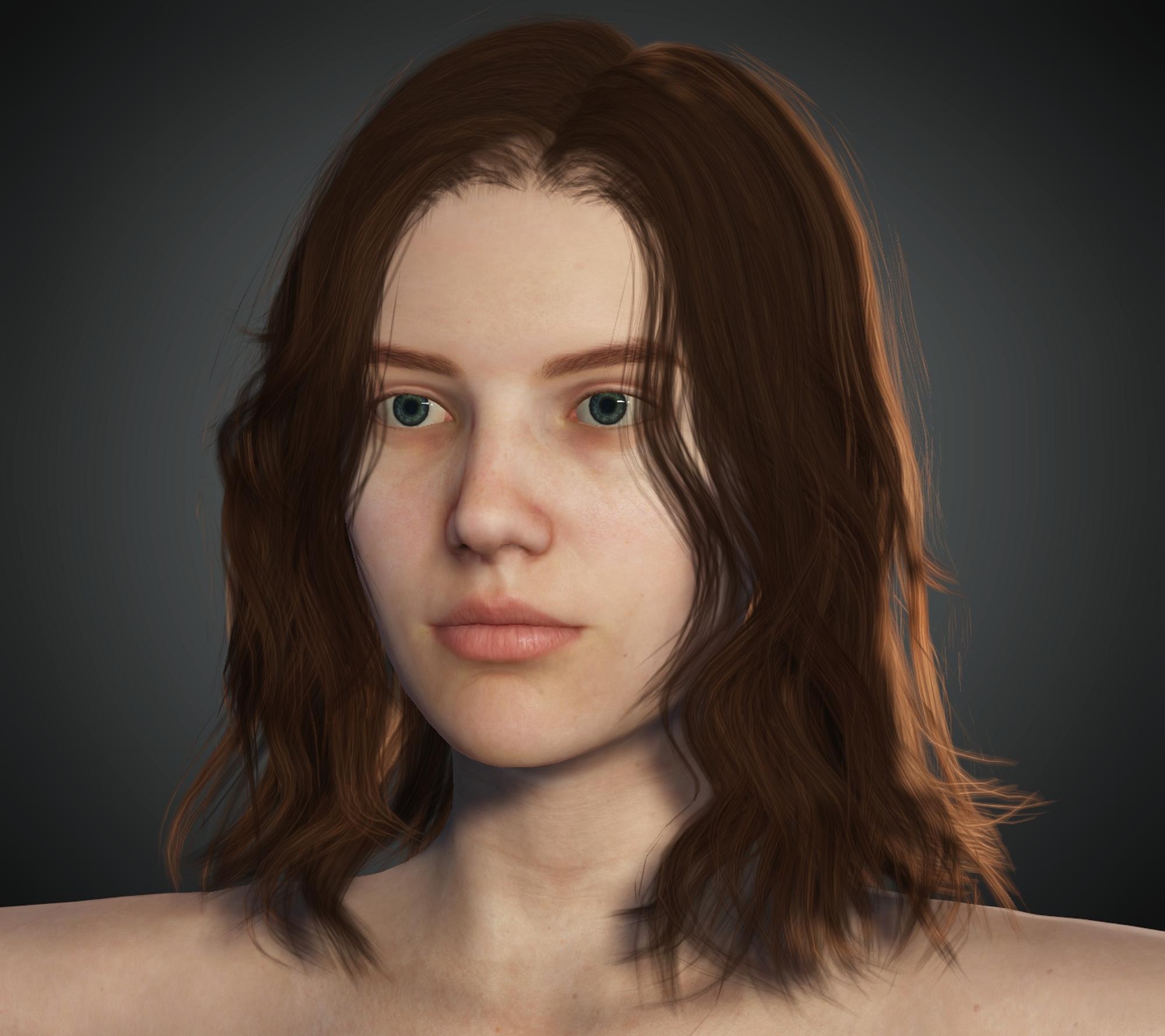
So this all begs the question - how the heck did you import the hair? While it shouldn't make any difference as to how it looks, you should not that any hair that comes over the shoulders like this should be imported as an accessory in Transformer, and then changed into hair (it will weight properly then).
|
|
By antoniojosecastilla - 5 Years Ago
|
|
Kelleytoons (8/12/2021)
Actually, I take it back - sorry, but I spoke based on the description. Annabelle hair comes in fine using Transformer:
Now, this is a bit too heavy for good animation, but running polygonal reduction on an object gives a great reduction and a decent result:
So this all begs the question - how the heck did you import the hair? While it shouldn't make any difference as to how it looks, you should not that any hair that comes over the shoulders like this should be imported as an accessory in Transformer, and then changed into hair (it will weight properly then).
I try all the ways. importing the hair as hair, or as accessory, and i never see the textures like in your pictures. Neither in basic or in advance, or in all the sizes. I always get the same result. Here is Delphi hair, and again the same. I can correct the forehead with the opacity map, but not the textures.
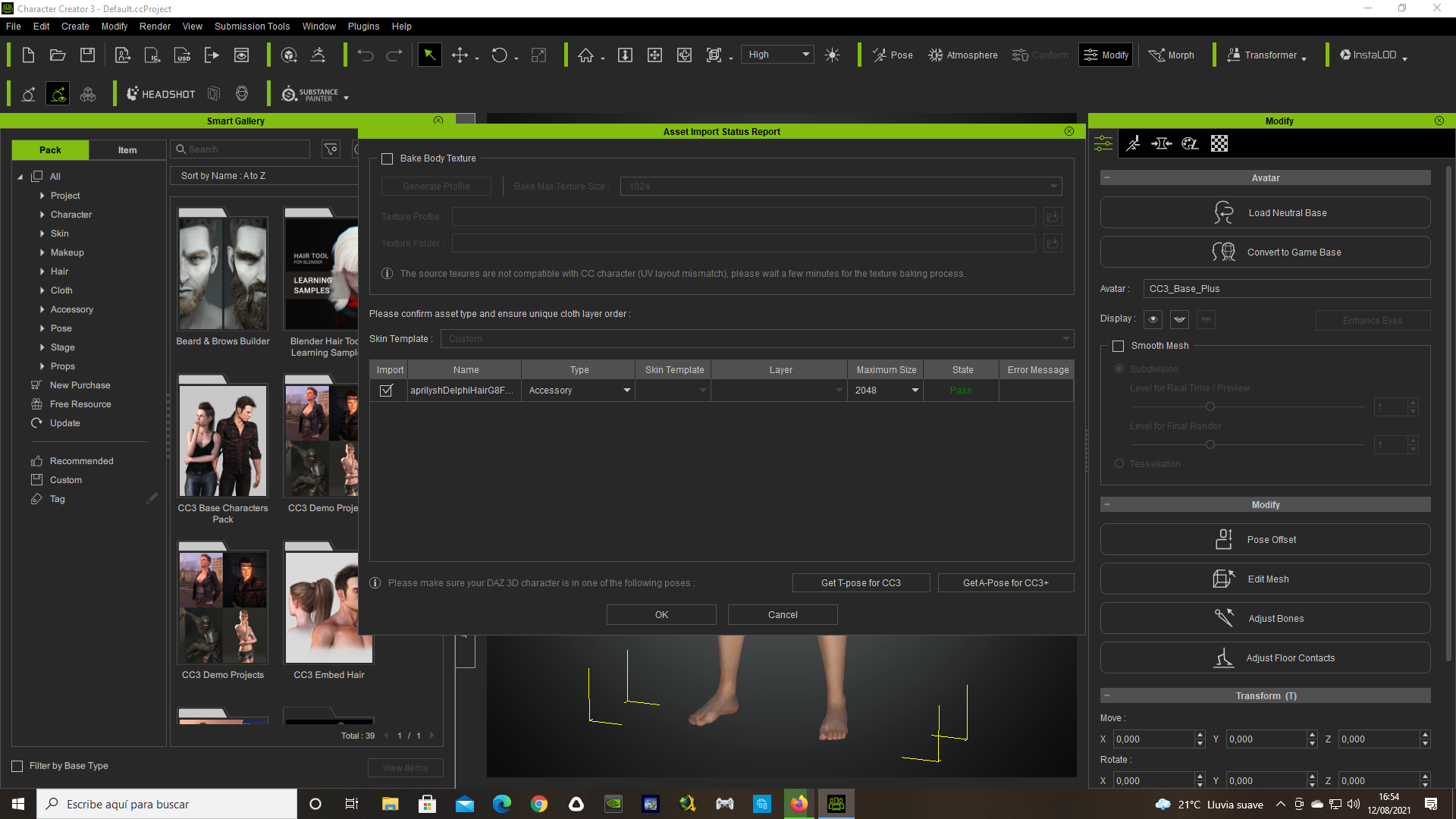 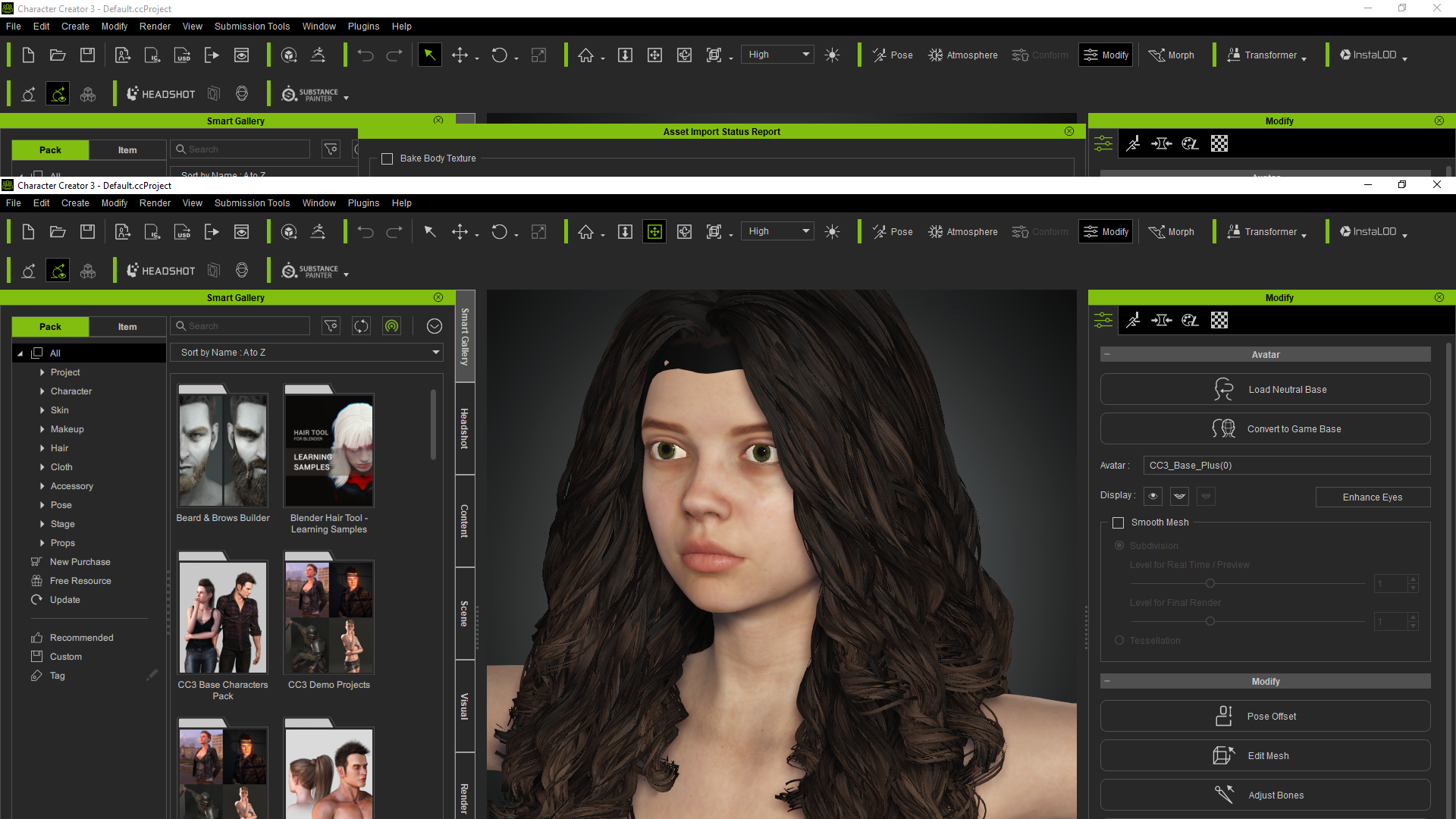
That was imported as an accesory. But i have the same result if i import it like hair, and then convert to an accesory. I have always the same result with the hairs.
|
|
By Kelleytoons - 5 Years Ago
|
I just a video showing how I bring Arlene's hair in and if it doesn't work right for you using those procedures then you should delete CC3 Pipeline and reinstall completely.
|
|
By antoniojosecastilla - 5 Years Ago
|
Hey, thanks for the video. I am doing all exactly like your videos. I always watch your videos, but there should be an import problem, because it happens with all the hairs and all the characters. Here is another one.
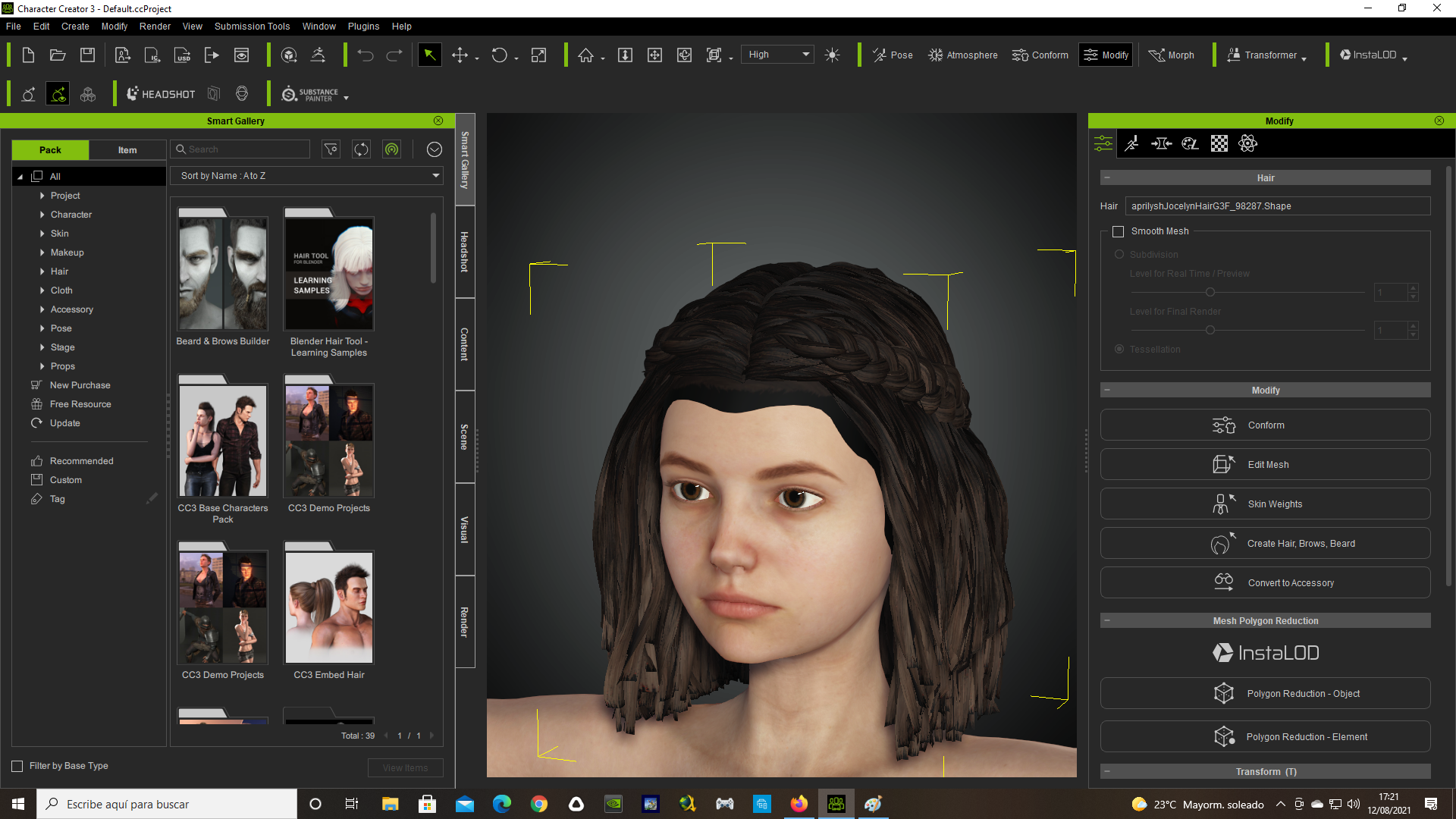 I am going to do what you say, and try to reinstall character pipeline. I will tell you if it worked. I am going to do what you say, and try to reinstall character pipeline. I will tell you if it worked.
Thanks a lot!!!
|
|
By antoniojosecastilla - 5 Years Ago
|
|
Kelleytoons (8/12/2021)
I just a video showing how I bring Arlene's hair in and if it doesn't work right for you using those procedures then you should delete CC3 Pipeline and reinstall completely.
I just uninstall with the reallusion hub both character creator and character creator pipeline and i still have the same issue.
Maybe the problem is the daz export options??
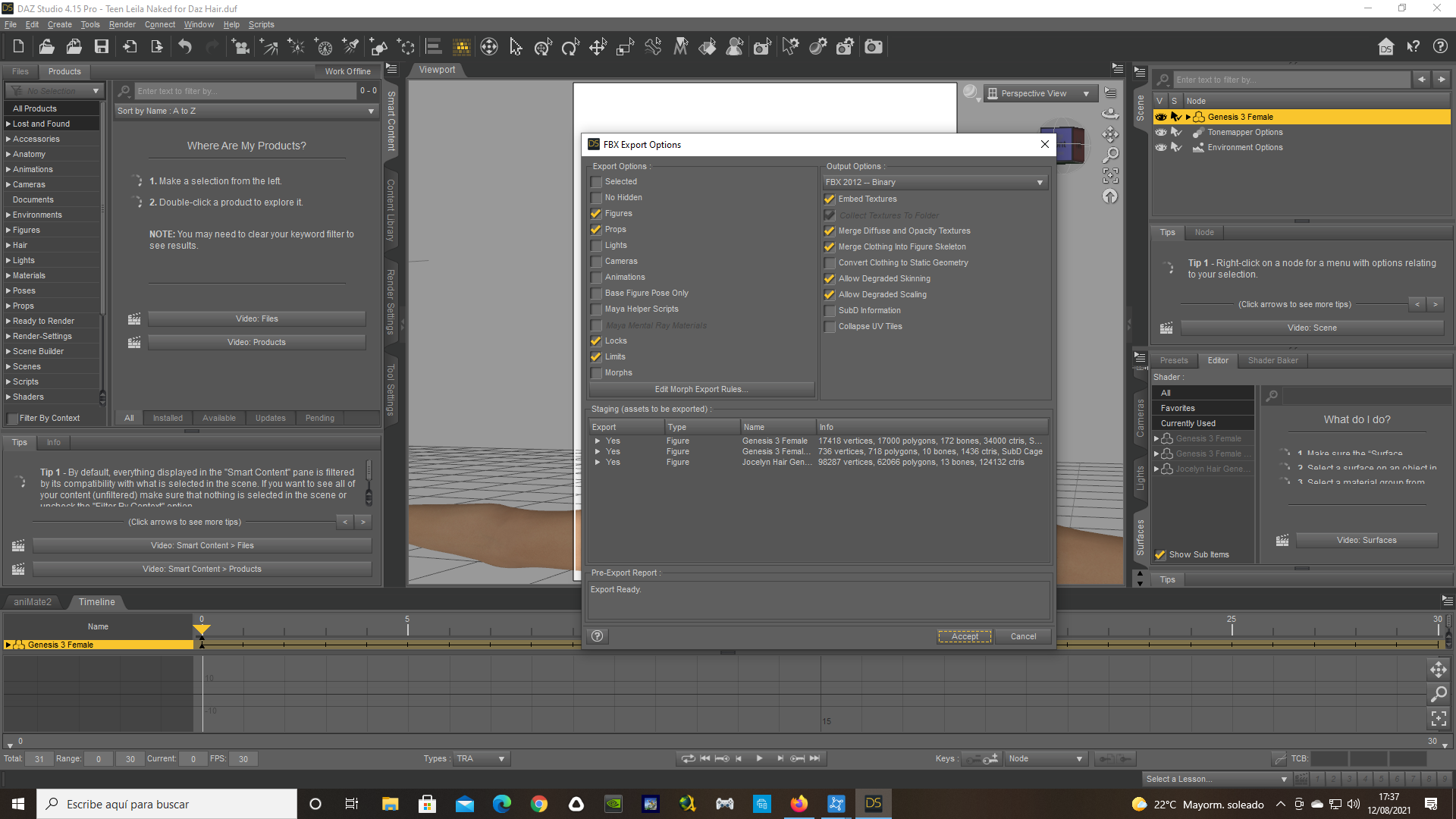
|
|
By antoniojosecastilla - 5 Years Ago
|
Finally! It was the daz export options. I don't know why i had merge diffuse and opacity. Now the hair is working. Thanks a lot!!
Now i go for the other step. To make animation with them.
Let's see if i can with your video!
Thanks!
|
|
By antoniojosecastilla - 5 Years Ago
|
|
Kelleytoons (8/12/2021)
I just a video showing how I bring Arlene's hair in and if it doesn't work right for you using those procedures then you should delete CC3 Pipeline and reinstall completely.
Hi friend. Everything is working perfect. Thanks a lot for your videos. There are amazing. Now i am animating, but i have another problem with the eyes. I see the eyes in iclone when the character close the eyes. In character creator i correct eye blinks and it looks fine there, but in iclone, look how the closed eyes look:
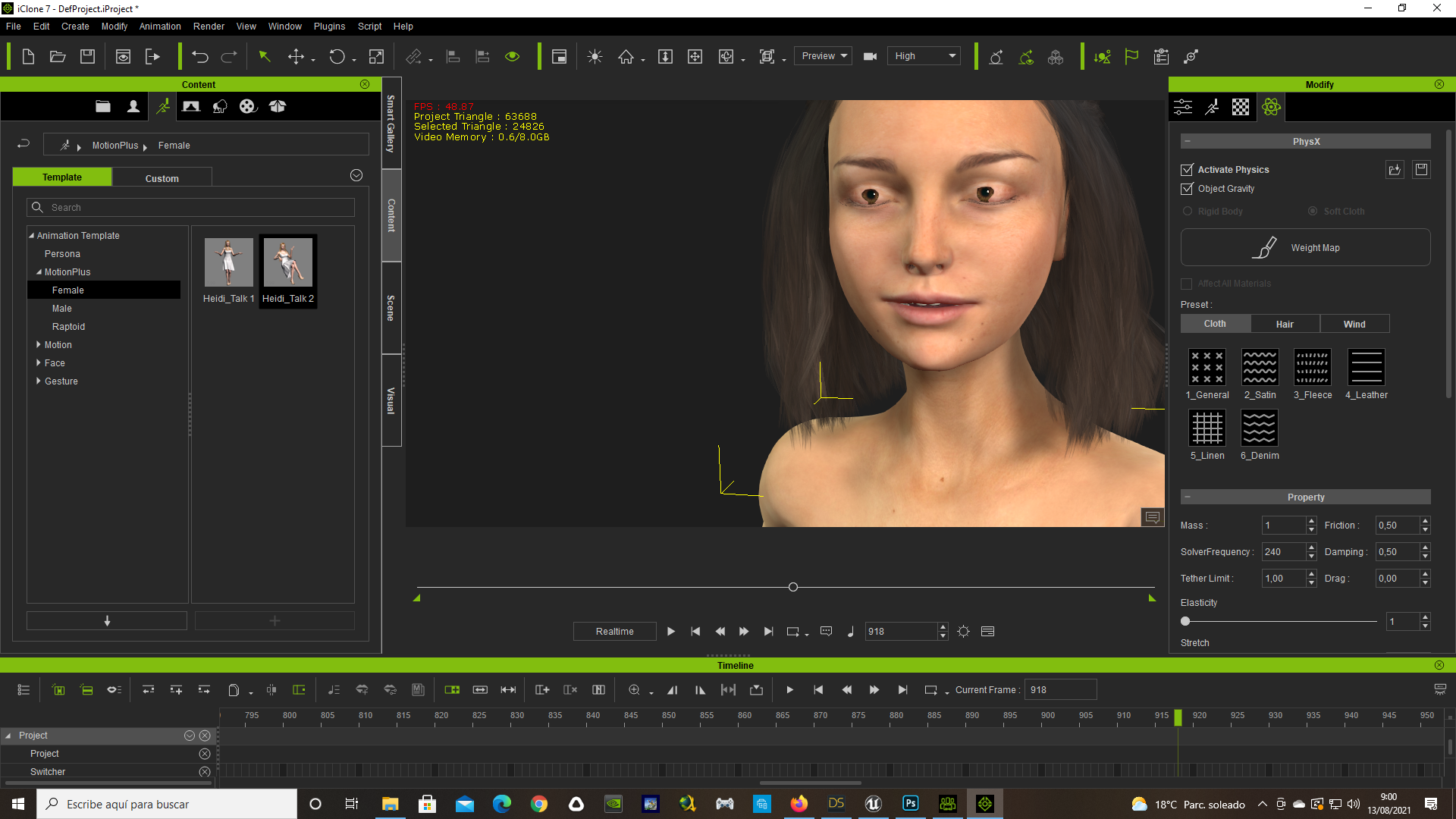
Maybe you can help me too with this issue. I aprecciate it a lot.
|
|
By Kelleytoons - 5 Years Ago
|
There's a couple of things.
First and foremost, if you are using a Daz character brought over I highly recommend replacing the eyes with some of the CC3 eyes, particularly the more advanced ones. This will often solve all eye problems.
Otherwise you can use the various morphs to adjust the depth of the eyes - I do believe "Eye Depth" is the one you want. Bringing the eyes backwards should fix that problem but if not tell me exactly the Daz character you were using so I can try it out.
|
|
By antoniojosecastilla - 5 Years Ago
|
|
Kelleytoons (8/13/2021)
There's a couple of things.
First and foremost, if you are using a Daz character brought over I highly recommend replacing the eyes with some of the CC3 eyes, particularly the more advanced ones. This will often solve all eye problems.
Otherwise you can use the various morphs to adjust the depth of the eyes - I do believe "Eye Depth" is the one you want. Bringing the eyes backwards should fix that problem but if not tell me exactly the Daz character you were using so I can try it out.
Hi friend. The eyes are the one from CC3, (Eyes_08.cc). The model is Teen Leila. The Eye depht worked. It changes a little how the eyes look, but it solves the blink animation problem. Thanks again! :)
|