|
helielfilmz
|
helielfilmz
Posted 5 Years Ago
|
|
Group: Forum Members
Last Active: 2 Years Ago
Posts: 55,
Visits: 383
|
It's not Daz's brows i want to keep them, but it's the CC3 brows that i want to get rid of how do i get rid of the CC3 brows like once import my character from daz using the transformer the CC3 version appears on my characters face. I have seen others use transformer on Youtube, and they never had nothing like this on their characters it gots to be something i'm doing wrong for it to happen
What you know today will be obsolete tomorrow
|
|
Snarp Farkle
|
Snarp Farkle
Posted 5 Years Ago
|
|
Group: Forum Members
Last Active: 2 Years Ago
Posts: 770,
Visits: 3.6K
|
I've come across this issue before also, I first tried to move the generated eyebrows to hide the DAZ ones but failed to get them to line up without distortion, also trying to paint them out on the original face pic didn't look so good either, I'm not so savoy of a painter. DAZ has a " remove brows" script for sale that removes eyebrows on any DAZ character, it can be found here.
Dell XPS 8900, Intel(R) Core(TM) i7-6700 CPU @ 3.40GHz, 3408 Mhz, 4 Core(s), 8 Logical Processor(s), 16 GB RAM, - 4 GB GeForce GTX 745, NVIDIA compatible.
Acer Aspire V Nitro Laptop, 2.5GHz Intel Core i5-7300HQ processor with 6MB cache, 256GB solid state drive, 16GB Ram, 4 GB NVIDIA GeForce GTX 1050 Ti graphics.
|
|
helielfilmz
|
helielfilmz
Posted 5 Years Ago
|
|
Group: Forum Members
Last Active: 2 Years Ago
Posts: 55,
Visits: 383
|
I need help in trying to fix this eyebrow problem, the originals are from being exported from Daz, and the new ones embedded underneath the original eyebrows on my character once i activated the skin editor in CC3. Here are some photos of how they look one is from Iclone and the other is from CC3, I have no idea why it does this, but i'm trying to fix this so i can continue on making a film can someone help me 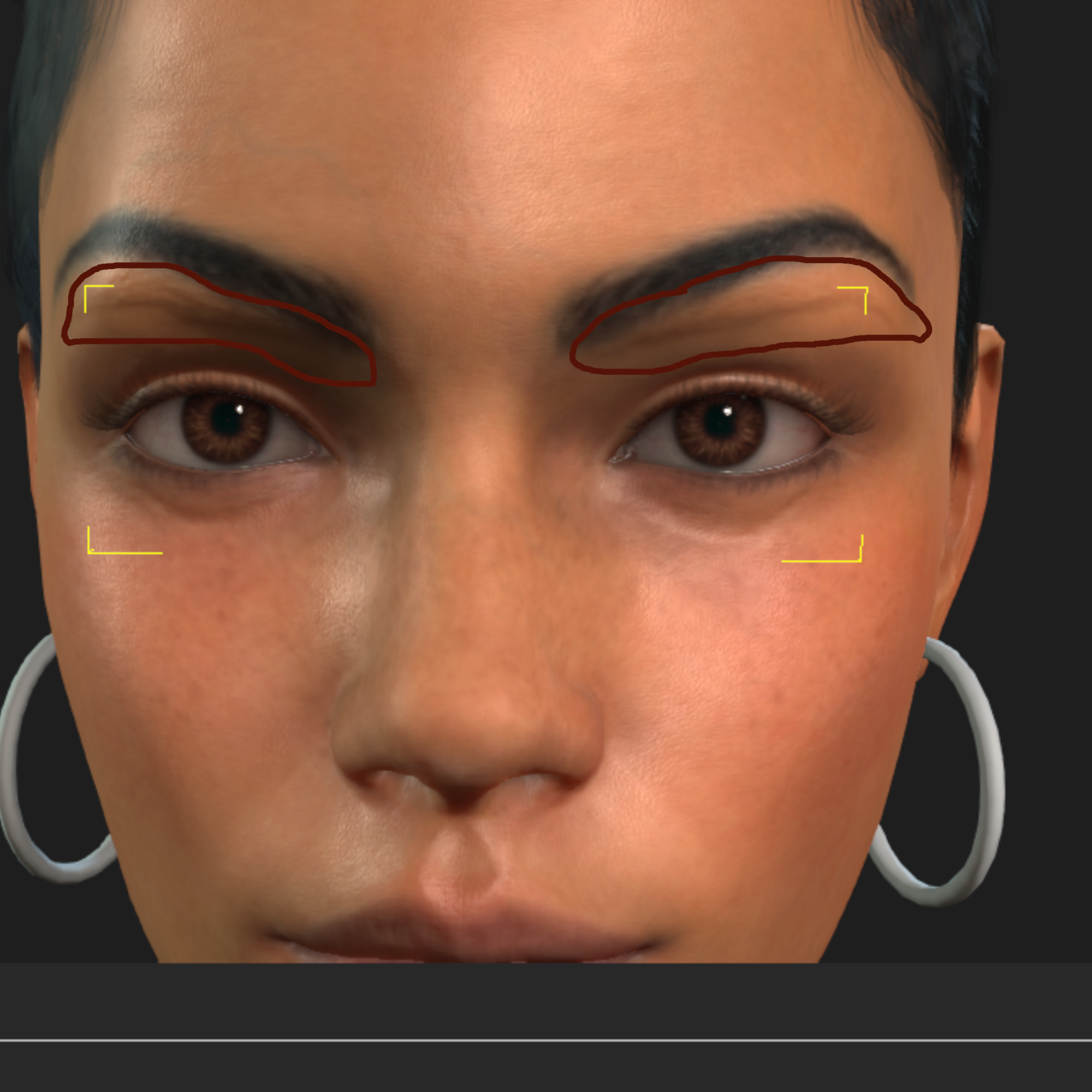 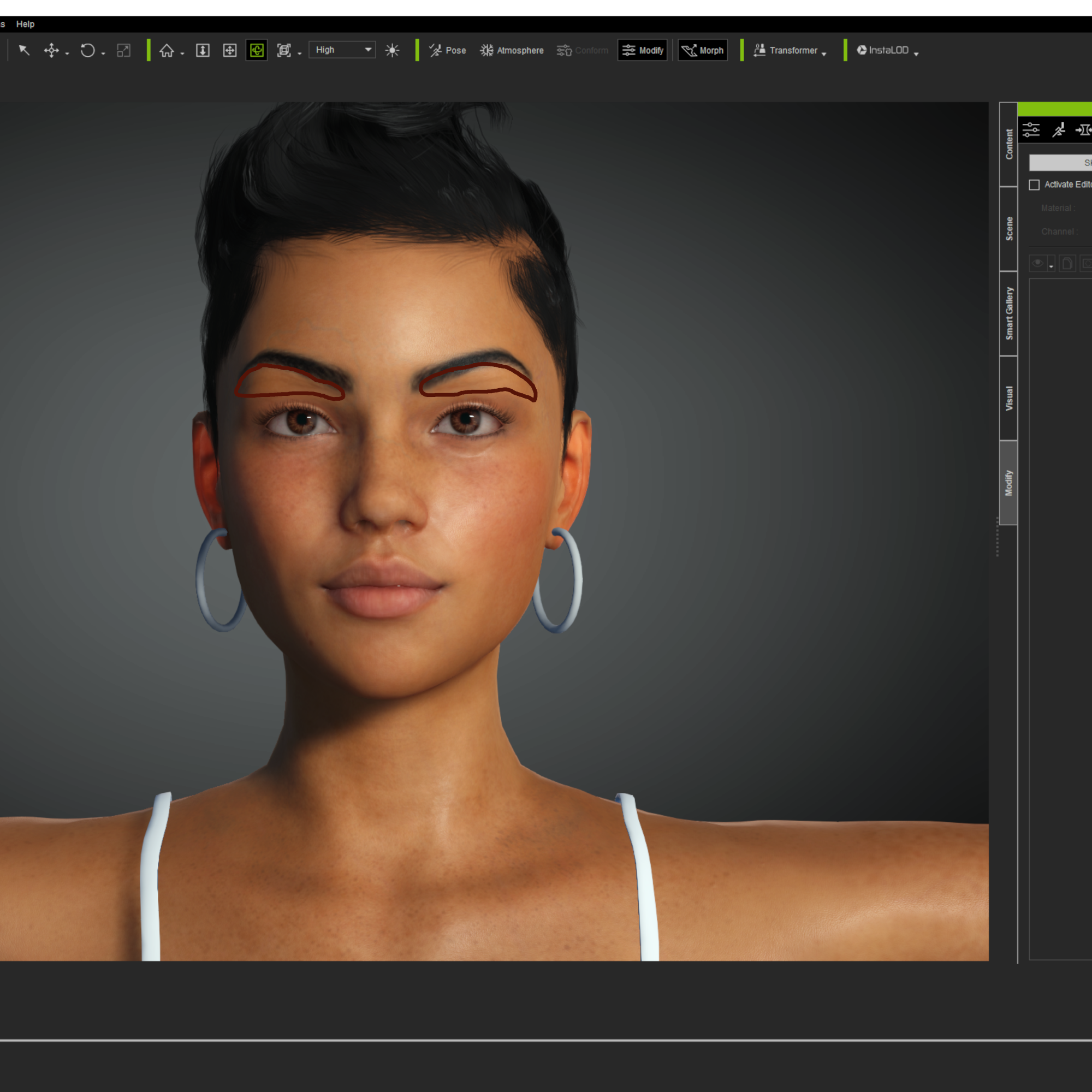 What you know today will be obsolete tomorrow
|