|
Author
|
Message
|
|
micabreen
|
micabreen
Posted 7 Years Ago
|
|
Group: Forum Members
Last Active: 3 Years Ago
Posts: 17,
Visits: 318
|
hello there i have been trying to play with decals but for some reason i have a grey box around my decal i have tried messing with color settings etc even after apperence editer is unloaded thi texture remains with this box of grey around the decal.. another note. even disabling the decal this grey box remains and remains after i unload app editor? 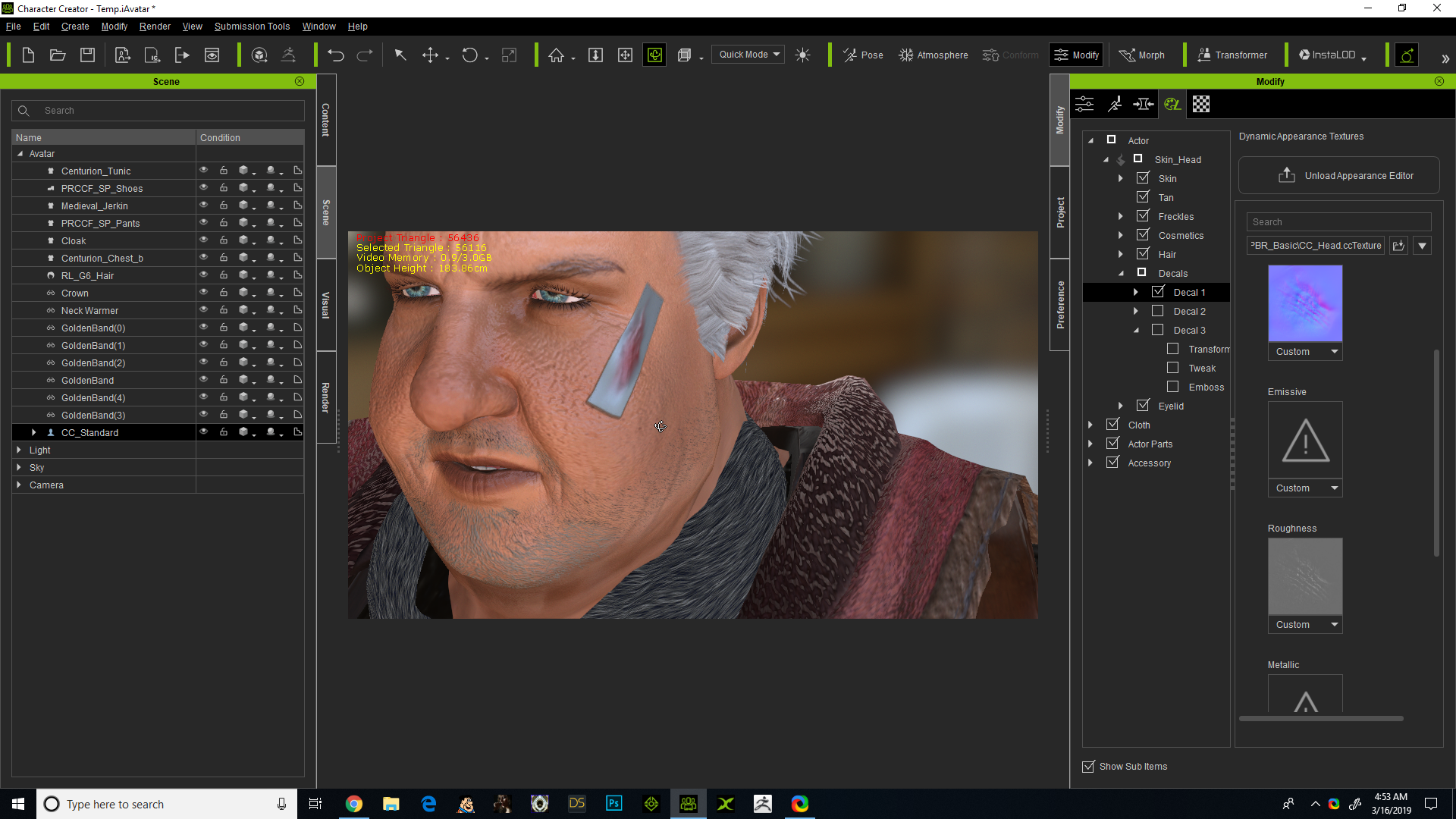
|
|
|
|
|
animagic
|
animagic
Posted 7 Years Ago
|
|
Group: Forum Members
Last Active: 4 Months Ago
Posts: 15.8K,
Visits: 31.4K
|
Is that a custom decal? What it looks like is that it is missing the opacity information that will hide the grey part.
|
|
|
|
|
Zastrow
|
Zastrow
Posted 7 Years Ago
|
|
Group: Forum Members
Last Active: 6 Years Ago
Posts: 1,
Visits: 26
|
I have the same problem. I was following along with the CC2 Learning resources on decals and as soon as I activated a decal, it was grayed out.
I used the same decal as they did in the video. Anybody else have this issue?
|
|
|
|
|
micabreen
|
micabreen
Posted 7 Years Ago
|
|
Group: Forum Members
Last Active: 3 Years Ago
Posts: 17,
Visits: 318
|
so noone has had this problem except me and this other person.. and none seems to answer our question like i just gave up on the damn decals thinking it was a bug that may be fixed 6 months later no answers here still same damn thing.. how about a dev help people with these terrible problems.this is annoying i spend over 1600 so far on software to not be able to make a damn decal work.. and this is a decal from the iclone resource pack not a custom decal. as soon as i add the image to (use to be diffuse that is in outdated video) to the (now named base image....not updated in videos) i see the decal and a fkn square of greay around it like the alpha channel is coming in grey.. someone please help me
or help me spam this post so someone who can help me sees it.. this is bs
actualy before i even add a image i see the damn grey box :(((
|
|
|
|
|
animagic
|
animagic
Posted 7 Years Ago
|
|
Group: Forum Members
Last Active: 4 Months Ago
Posts: 15.8K,
Visits: 31.4K
|
I tried this with one of the CC1 characters (the Appearance Editor is not yet compatible with CC3 characters) and was able to apply a decal to the head: 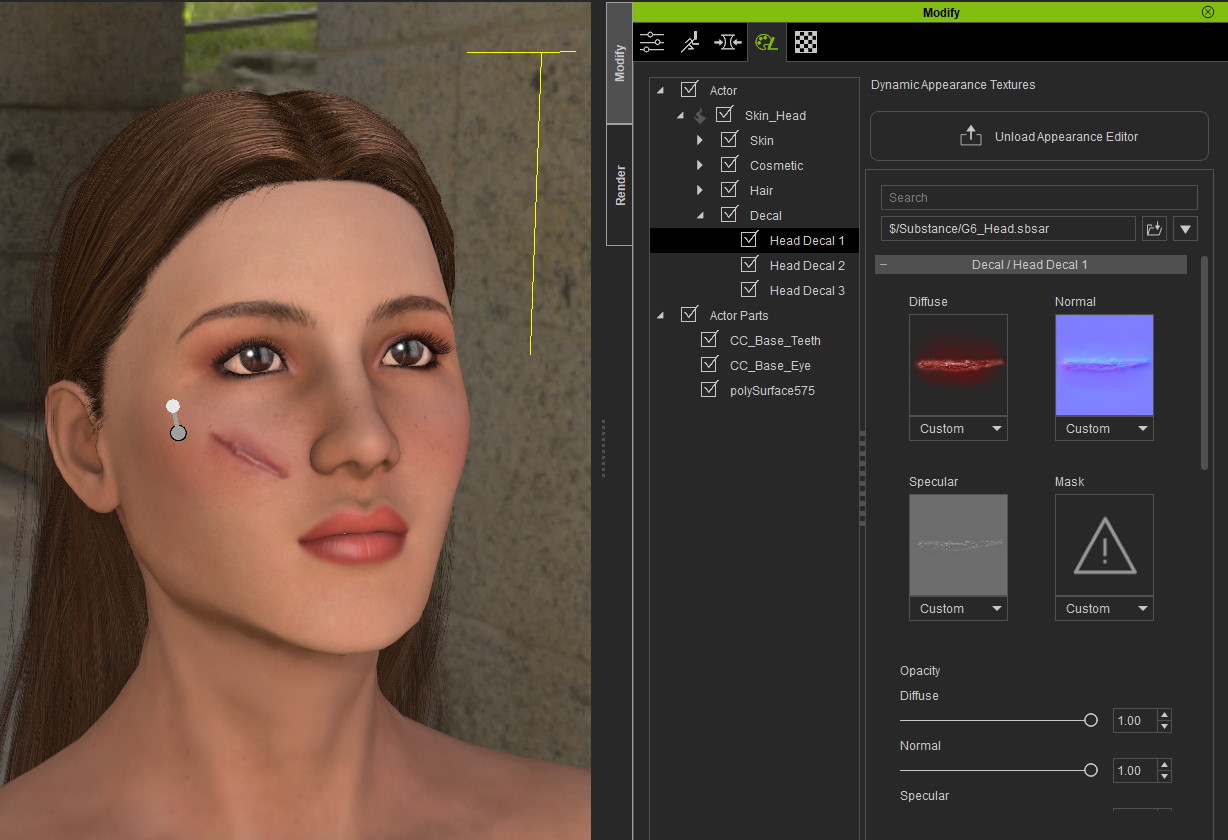 I used a scar from ...\Reallusion\Resources\3. CC Essential Morphs & Skin - Custom Texture\Decal\Scar. For each scar there are three textures: Diffuse, Normal (_N) and Specular (_S). I loaded the textures into the Diffuse, Normal, and Specular channels, and then adjusted the position and the scale to make it fit the way I wanted. Here is another example: 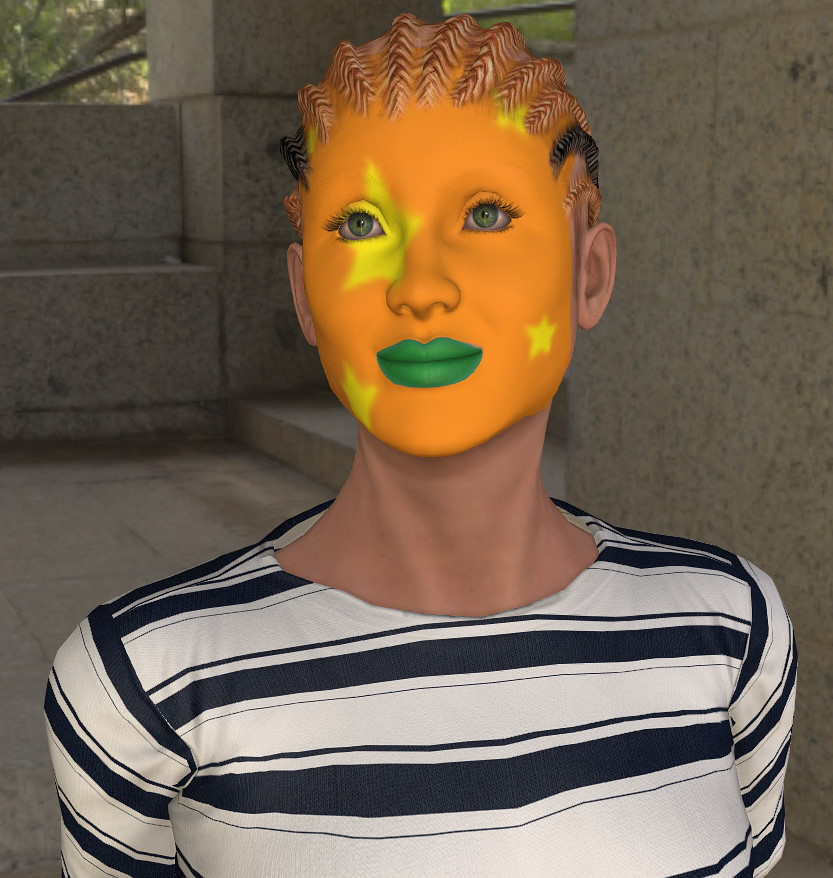
|
|
|
|
|
micabreen
|
micabreen
Posted 7 Years Ago
|
|
Group: Forum Members
Last Active: 3 Years Ago
Posts: 17,
Visits: 318
|
i did it on a cc1 character and the decal is grey the decal is being applied but not displaying correctly
|
|
|
|
|
Rampa
|
|
|
Group: Forum Members
Last Active: Last Week
Posts: 8.2K,
Visits: 62.6K
|
If you are importing your own image, you may need to add a mask. A JPG will not have transparency, for instance.
|
|
|
|
|
micabreen
|
micabreen
Posted 7 Years Ago
|
|
Group: Forum Members
Last Active: 3 Years Ago
Posts: 17,
Visits: 318
|
i am useing the same files as the tutorial video the 3 files that are in the resource pack and nothing works to make the grey go away.as soon as i place a decal the grey box is there
when i put image to the base color the image does show up on model but the grey is still on the edges.. adding the alpha does not change this
|
|
|
|
|
micabreen
|
micabreen
Posted 7 Years Ago
|
|
Group: Forum Members
Last Active: 3 Years Ago
Posts: 17,
Visits: 318
|
i am useing the same files as the tutorial video the 3 files that are in the resource pack and nothing works to make the grey go away.as soon as i place a decal the grey box is there
when i put image to the base color the image does show up on model but the grey is still on the edges.. adding the alpha does not change this
|
|
|
|
|
animagic
|
animagic
Posted 7 Years Ago
|
|
Group: Forum Members
Last Active: 4 Months Ago
Posts: 15.8K,
Visits: 31.4K
|
It's the CC1 Substance version of the characters that cause trouble. I could repeat the issue by loading one of those characters. As soon as you select enable for the decal, you get a grey strip, In my earlier example, I used one of the characters under Base/Essential Morphs. These are from the older CC1 Essential Morph pack. I selected the Asian Woman. This version has no Enable checkbox for the decal. You can load in the maps directly, as shown in the screen capture in my previous post.
|
|
|
|