|
Author
|
Message
|
|
jlittle
|
jlittle
Posted 7 Years Ago
|
|
Group: Forum Members
Last Active: Last Year
Posts: 1.9K,
Visits: 17.3K
|
You can create individual .png images for each sprite and angle and import/replace that angle with those images. Use any paint or drawing program that creates .png files to create the sprite. Jeff
Get my Plugin Manager and TaskNotes plugins for iClone.
Check out EZColors and Other products for CTA/CA. EZColors: the easy way to change Render Styled (RS) colors!
See my CTA Tutorials on the YouTube channel CTAStepByStep
|
|
|
|
|
gvraju.666
|
gvraju.666
Posted 7 Years Ago
|
|
Group: Forum Members
Last Active: 6 Years Ago
Posts: 16,
Visits: 65
|
HELLO SIR
THANK U
LAST 6 DAY S AGO U HAVE GIVEN A ANSWER FOR MY ISSUE IT WAS CLEARED ..BUT WE HAVE A ANOTHER ISSUE IN MIRROR
1-- WE START MIRROR IN 0 ANGLE IT IS WORKING 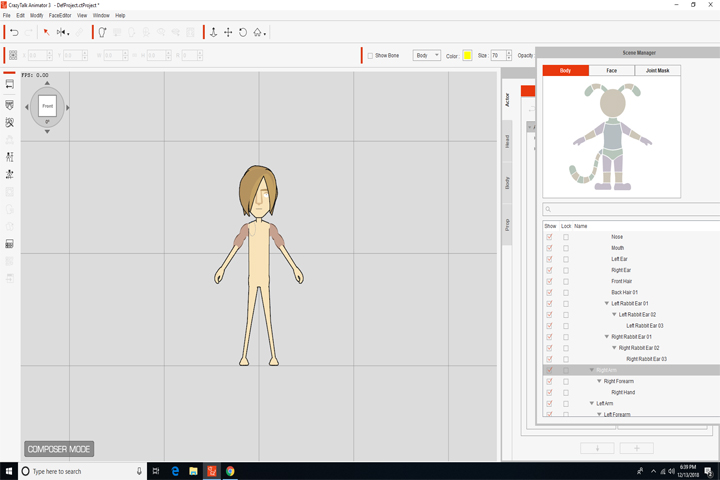
2-- IN 270 ANGLE THE LEFT UPPER HAND SPRITE ..WHEN WE MIRROR IT .. RIGHT UPPER HAND SPRITE WHICH WAS MIRRORED IS NOT VISIBLE IN 270 ANGLE IN COMPOSER MODE AND STAGE MODE 3 -- IT APPEARS IN 90 ANGLE RIGHT
THIS IS OUR PROBLEM PLS GIVE A VALUABLE ANSWER TO RECOVER ...THAT PROBLEM SIR PLS HELP US SIR
WE R WAITING FOR U R ANSWER SIR ...AS EARLY AS POSSIBLE
|
|
|
|
|
jlittle
|
jlittle
Posted 7 Years Ago
|
|
Group: Forum Members
Last Active: Last Year
Posts: 1.9K,
Visits: 17.3K
|
Without using/opening a copy of your character I would guess that the arm part is rotated to another angle thus showing a different sprite. In Composer Mode, to check that the sprite is in the correct position, select the body part then open the Sprite editor and click on the Full Angles button. This will show the sprites for each angle for just that body part.  To check if the right sprite is showing in Stage Mode, select your character, rotate to position, then open the Runtime Composer. Select the body part from the Runtime Composer character model and check that the angle showing matches the characters rotation angle and that the sprite showing is correct.  If the correct sprite is NOT showing, then use the 3D Motion Editor to rotate the arm to the correct position as I showed previously. Jeff
Get my Plugin Manager and TaskNotes plugins for iClone.
Check out EZColors and Other products for CTA/CA. EZColors: the easy way to change Render Styled (RS) colors!
See my CTA Tutorials on the YouTube channel CTAStepByStep
|
|
|
|
|
gvraju.666
|
gvraju.666
Posted 7 Years Ago
|
|
Group: Forum Members
Last Active: 6 Years Ago
Posts: 16,
Visits: 65
|
hello sir thank u sir
we r not getting this pls send a video file to us pls sir
|
|
|
|
|
gvraju.666
|
gvraju.666
Posted 7 Years Ago
|
|
Group: Forum Members
Last Active: 6 Years Ago
Posts: 16,
Visits: 65
|
sir we r getting mirror problem sir in 270 when add a sprite to left it is not mirror at right..in 270 angle but it shows in 90 angle right this main problem yesterday we posted sir
pls give video file to recover this problem sir
|
|
|
|
|
gvraju.666
|
gvraju.666
Posted 7 Years Ago
|
|
Group: Forum Members
Last Active: 6 Years Ago
Posts: 16,
Visits: 65
|
CRAZY TALK ANIMATOR G2 DUMMY CHARACTER 270 ANGLE MIRROR SPRITE PROBLEM HELLO SIR
WE HAVE A ISSUE IN 270 ANGLE 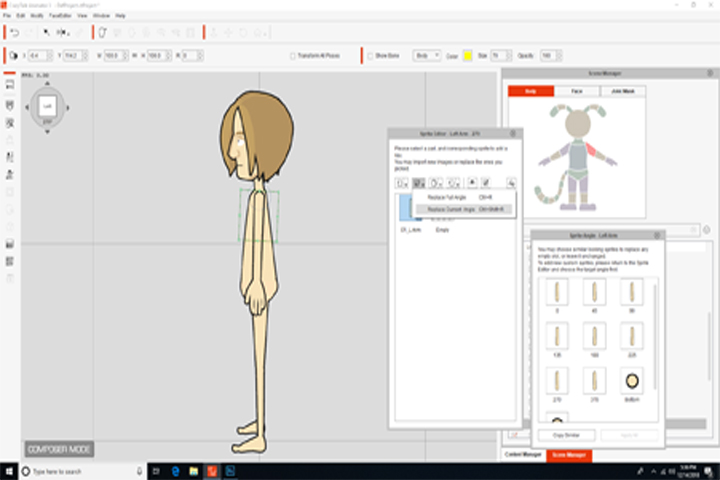 AFTER THE LEFT UPPER HAND SPRITE IN LEFT SIDE 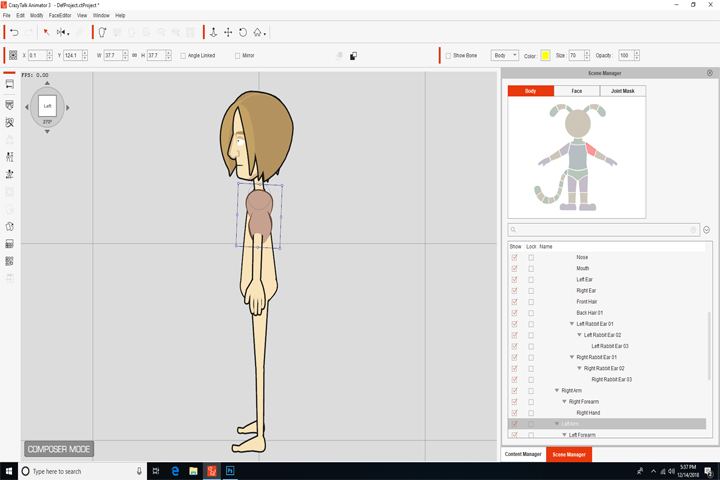 WHEN WE MIRROR TO RIGHT WHEN WE MIRROR TO RIGHT 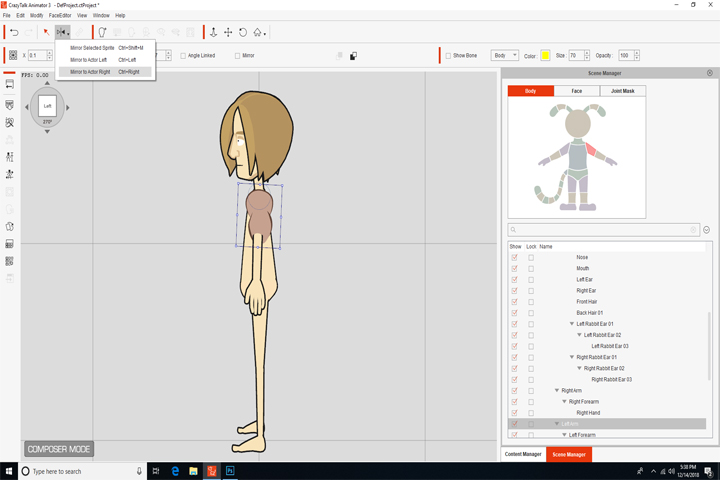 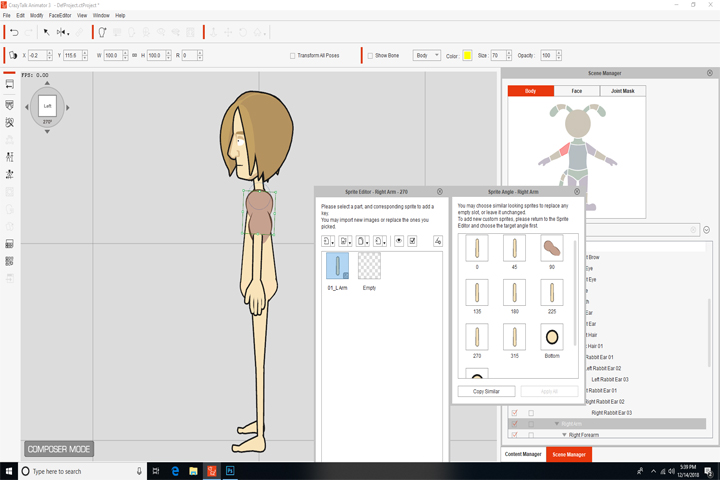 WE OR NOT GETTING THE SPRITE WHICH IS MIRROR TO RIGHT SIDE BUT IT WAS SHOWING IN 90 ANGLE 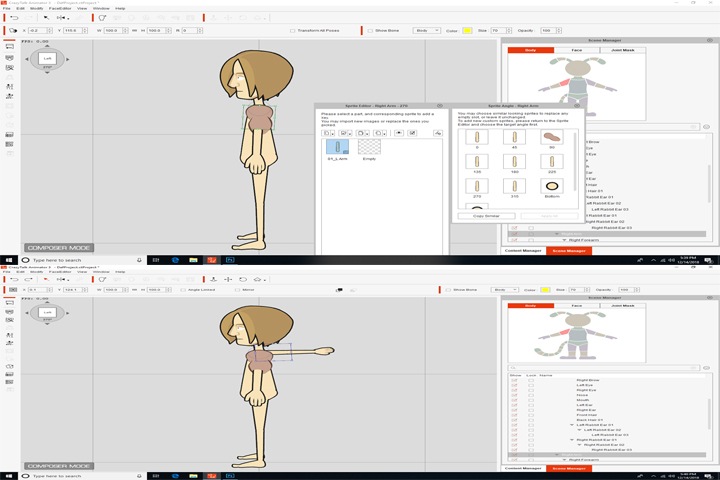 SIR WE REQUEST U TO TELL US HOW TO RIG IN 270 ANGLE ,PLS SEND US A VIDEO FILE. WE ALREADY SEEN THE CRAZY TALK TUTORIAL THE SPRITE REPLACEMENT IN 0 ANGLE PLS SEND US 270 ANGLE RIG VIDEO IN CRAZY TALK ANIMATOR 3 G2 CHARACTER AND {{{ IN STEP BY STEP CRAZY TUTORIAL WE R NOT GETTING PROPER TUTORIAL PLS SEND US WITH URL YOUTUBE LINK}}}
|
|
|
|
|
gvraju.666
|
gvraju.666
Posted 7 Years Ago
|
|
Group: Forum Members
Last Active: 6 Years Ago
Posts: 16,
Visits: 65
|
crazy talk animator 3.3.3007.1 mirror problem in 270 angle as we posted last week pls help us we r eagerly waiting for u r answer .. 270 mirror ..we need video tutorial with URL link of youtube
|
|
|
|
|
jlittle
|
jlittle
Posted 7 Years Ago
|
|
Group: Forum Members
Last Active: Last Year
Posts: 1.9K,
Visits: 17.3K
|
Attach the character with the issue here and I will look at it. Jeff
Get my Plugin Manager and TaskNotes plugins for iClone.
Check out EZColors and Other products for CTA/CA. EZColors: the easy way to change Render Styled (RS) colors!
See my CTA Tutorials on the YouTube channel CTAStepByStep
|
|
|
|
|
gvraju.666
|
gvraju.666
Posted 7 Years Ago
|
|
Group: Forum Members
Last Active: 6 Years Ago
Posts: 16,
Visits: 65
|
sir the the problem in 270 angle mirror issue
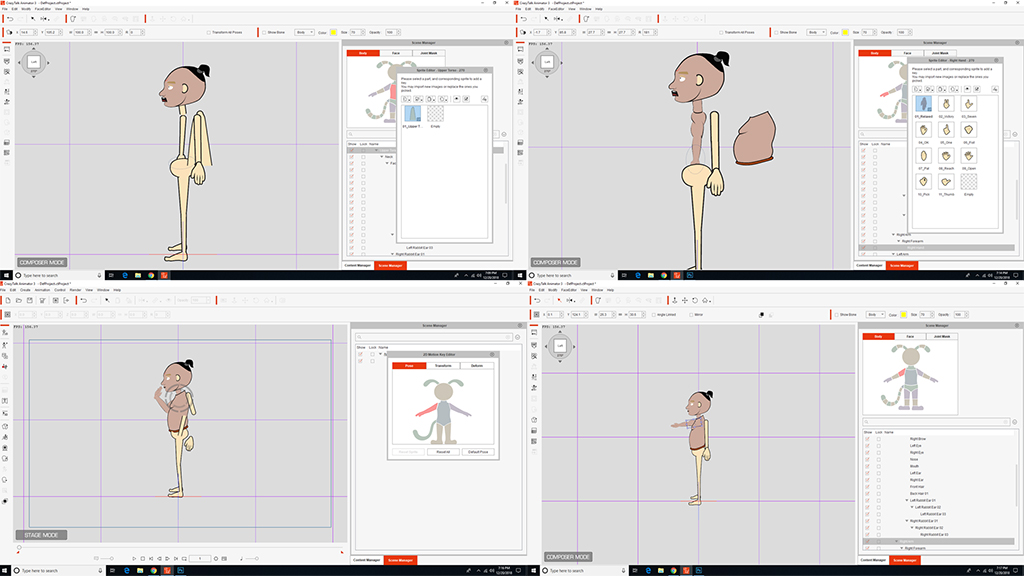 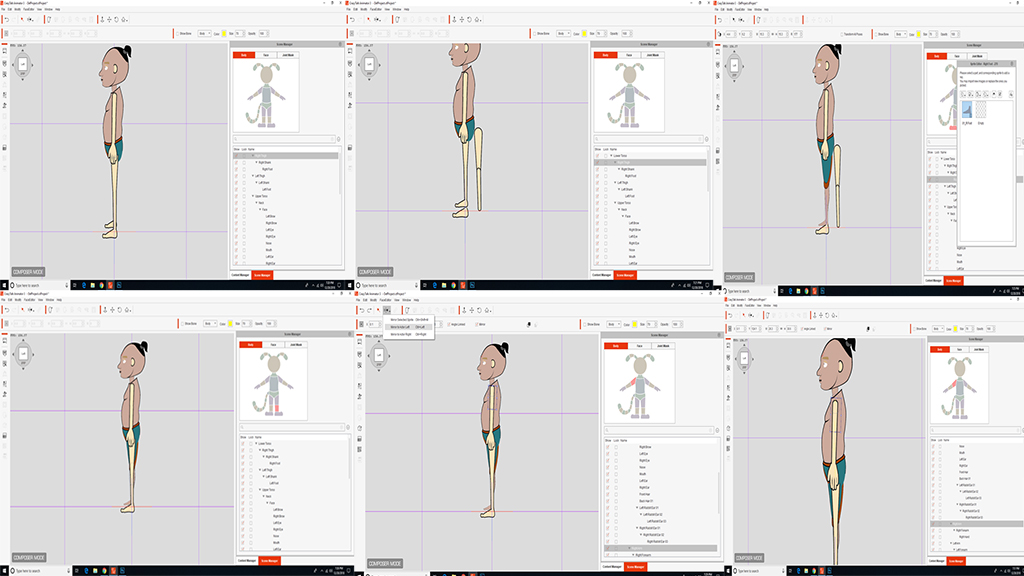 it is not mirroring sir pls send us a reliable answer ..with video tutorial ...pls we requesting u ...pls solve our problem attached file sir we r trying to attached file file...but file is not uploading in this reallusion forum ..tell that space problem how to recover it and how to send the file
|
|
|
|
|
jlittle
|
jlittle
Posted 7 Years Ago
|
|
Group: Forum Members
Last Active: Last Year
Posts: 1.9K,
Visits: 17.3K
|
Go to your profile page. On the left at the bottom there is a section called "Options"  Click on the "Edit Attachments". Select and Delete attachments until you have room. Jeff
Get my Plugin Manager and TaskNotes plugins for iClone.
Check out EZColors and Other products for CTA/CA. EZColors: the easy way to change Render Styled (RS) colors!
See my CTA Tutorials on the YouTube channel CTAStepByStep
|
|
|
|