|
Author
|
Message
|
|
xalidfetah
|
xalidfetah
Posted 7 Years Ago
|
|
Group: Forum Members
Last Active: 5 Years Ago
Posts: 36,
Visits: 659
|
|
|
|
|
|
Peter (RL)
|
Peter (RL)
Posted 7 Years Ago
|
|
Group: Administrators
Last Active: 2 Years Ago
Posts: 23.1K,
Visits: 36.6K
|
animagic (9/13/2019)
I have commented on this elsewhere but would like a response from RL.
When I do an FBX export from iClone of a G6 character dressed in other than the standard clothing, I get a message that an Export license is required.
I understand that this is needed for exports to be used in external 3D applications, but since I'm using this to "loop back" into CC (via Transformer), I wonder if an export option could be added (for CC use only) that doesn't require export licenses.UPDATE Unfortunately the problem is that the Transformer only supports FBX import and with this comes the export license issue. The only way around this would be to update the Transformer to support .iAvatar format but this would require large scale changes to the Transformer. Sadly at the present time this isn't a planned option. I'm sorry I can't bring you better news.
Peter
Forum Administrator www.reallusion.com
|
|
|
|
|
sibi_naayagam
|
sibi_naayagam
Posted 7 Years Ago
|
|
Group: Forum Members
Last Active: 3 Years Ago
Posts: 28,
Visits: 259
|
Miranda (RL) (9/25/2019)
Thanks a lot, Miranda! Hi sibi_naayagam, The video clips were extracted from part of our internal experiment videos, so might not be able to share them to you directly. The tutorial explains how the animation retargeting works in UE4. Hope you find this useful. (This is how we learned it as well :P)
|
|
|
|
|
Miranda (RL)
|
Miranda (RL)
Posted 7 Years Ago
|
|
Group: Administrators
Last Active: 4 Years Ago
Posts: 1.8K,
Visits: 11.2K
|
Hi sibi_naayagam, The video clips were extracted from part of our internal experiment videos, so might not be able to share them to you directly. The tutorial explains how the animation retargeting works in UE4. Hope you find this useful. (This is how we learned it as well :P)
|
|
|
|
|
sibi_naayagam
|
sibi_naayagam
Posted 7 Years Ago
|
|
Group: Forum Members
Last Active: 3 Years Ago
Posts: 28,
Visits: 259
|
Miranda (RL) (9/23/2019)
sibi_naayagam (9/21/2019)
Hi Miranda,
Would it be possible to share the youtube links to the Unreal Live Training Videos that talk about the Animation Retargeting Blueprint & the Locomotion Tool from which you have included clips from in the video above?
Thanks a lot!Hello sibi_naayagam, We have no plan in making tutorials about how to utilize UE4 IK bone. May you specify which part you'd like to explore more? We may be able to find some tutorial or document regarding to it. Thanks! Hi Miranda, I meant these two things: https://youtu.be/k_QxePvdJh8?t=75
https://youtu.be/k_QxePvdJh8?t=223
It looks like they are from a different video. I'm wondering if you would know where I can find them?
|
|
|
|
|
Miranda (RL)
|
Miranda (RL)
Posted 7 Years Ago
|
|
Group: Administrators
Last Active: 4 Years Ago
Posts: 1.8K,
Visits: 11.2K
|
sibi_naayagam (9/21/2019)
Hi Miranda,
Would it be possible to share the youtube links to the Unreal Live Training Videos that talk about the Animation Retargeting Blueprint & the Locomotion Tool from which you have included clips from in the video above?
Thanks a lot!Hello sibi_naayagam, We have no plan in making tutorials about how to utilize UE4 IK bone. May you specify which part you'd like to explore more? We may be able to find some tutorial or document regarding to it. Thanks!
|
|
|
|
|
sibi_naayagam
|
sibi_naayagam
Posted 7 Years Ago
|
|
Group: Forum Members
Last Active: 3 Years Ago
Posts: 28,
Visits: 259
|
Miranda (RL) (8/29/2019)
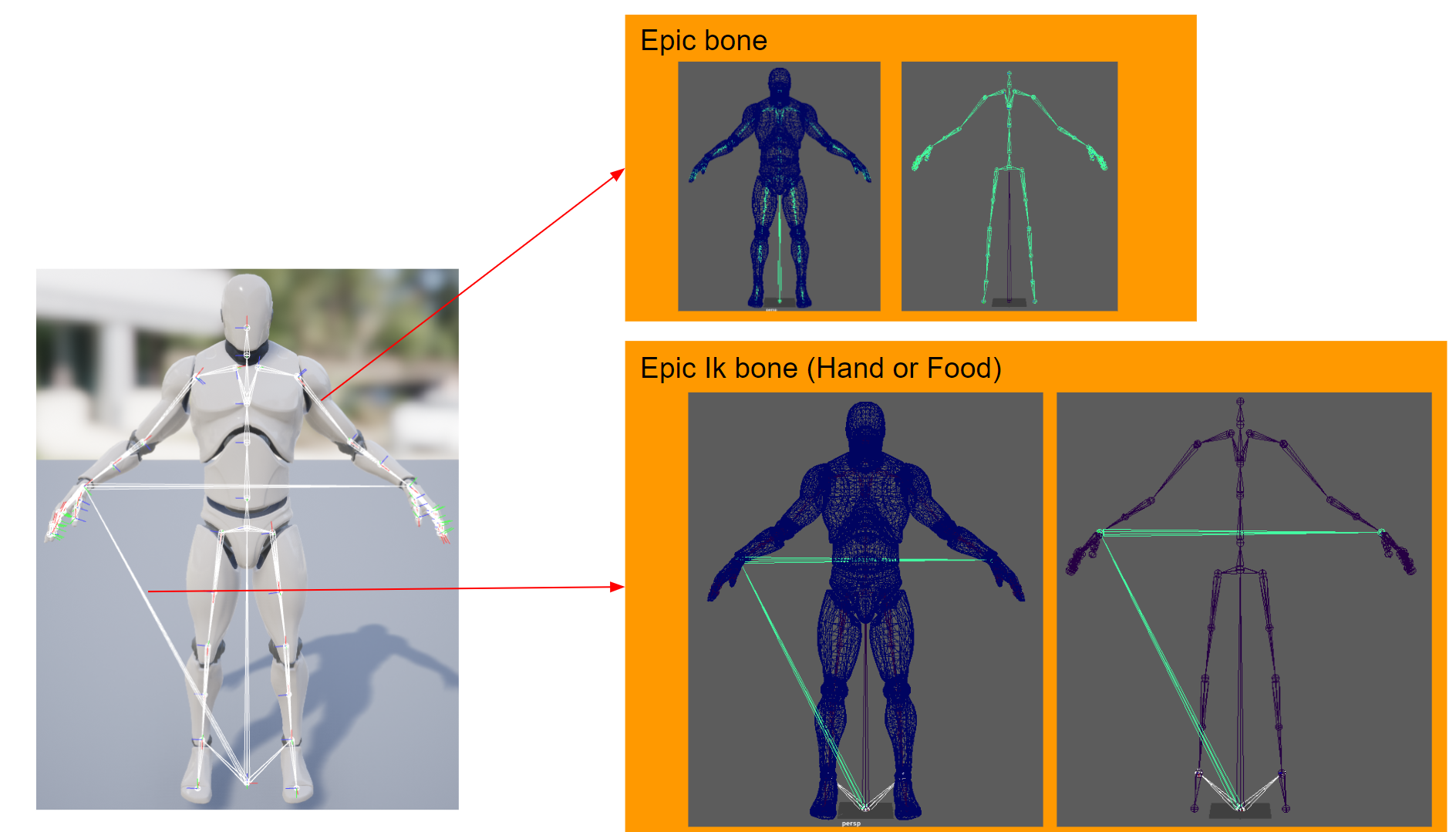
Export UE4 Characters with Epic IK-boneCC 3.1 allows users to export UE4 rigged characters with UE hand and foot IK bone setup, which then can be used to: - Keep a character's feet planted on uneven ground, and in other ways to produce believable interactions with the world.
- Make CC characters compatible with motion files sold in the Unreal Marketplace.
- Make iClone generated motion files or motions sold in Reallusion Store be compatible with all UE4 rigged characters.
 Example: The blue man (with Hand IK) holds the gun at the right hand positions, while the orange man (without Hand IK) doesn't. 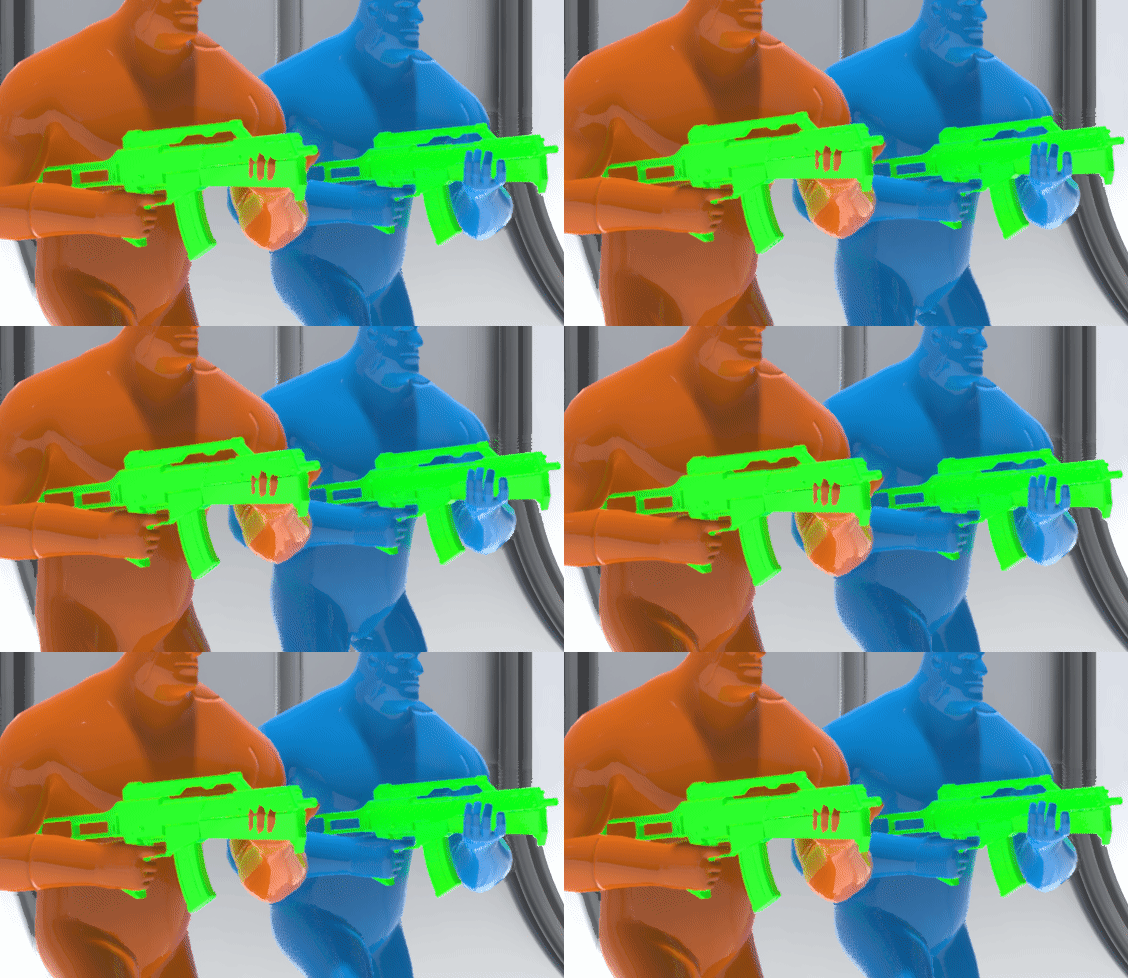 Hi Miranda, Would it be possible to share the youtube links to the Unreal Live Training Videos that talk about the Animation Retargeting Blueprint & the Locomotion Tool from which you have included clips from in the video above? Thanks a lot!
|
|
|
|
|
Peter (RL)
|
Peter (RL)
Posted 7 Years Ago
|
|
Group: Administrators
Last Active: 2 Years Ago
Posts: 23.1K,
Visits: 36.6K
|
anthony.fernadez (9/14/2019)
your new update ruin my shoes work now the shoes i made from zbrush and import in CC3 dont feet anymore thank you very much ithink i gonna unistall this software too many limits on it polygon count, fbx import dont work, seriously blender work better i regreat buy this software so much. when i made clothes for iclone 7 and CC3 i create a character i export it as fbx, i import it to Zbrush i dont modif the character i use it to make clothes who perfectly feet on it. when i finish low polygon clothes who feet perfect on the character in zbrush i export it as .obj with an ID map go to substance painter making texture for it... after launch CC3 load the character i used to make clothes and create new clothes by importing my 3D mesh .obj . the 3D mesh apear already in place on the character body perfectly feet on it normal i did all the job before in zbrush. i choose weigth transfert select shoes for my shoes and !!!!! tadam shoes dont fett anymore they moved to their original place so i use comfort and tadam !!!! UGLY UGLY thank for this stupid update. i return to zbrush re export the shoes and retry it and ...... no it definitivly ruin my work ...
Sorry to hear you are frustrated with the latest update. I'm not fully understanding the issue so perhaps you could capture a video showing what is happening and submit it in the Feedback Tracker. The dev team will then try and reproduce the problem and give you feedback there. https://www.reallusion.com/FeedBackTracker/product/Character-Creator-3
Peter
Forum Administrator www.reallusion.com
|
|
|
|
|
Peter (RL)
|
Peter (RL)
Posted 7 Years Ago
|
|
Group: Administrators
Last Active: 2 Years Ago
Posts: 23.1K,
Visits: 36.6K
|
animagic (9/13/2019)
I have commented on this elsewhere but would like a response from RL.
When I do an FBX export from iClone of a G6 character dressed in other than the standard clothing, I get a message that an Export license is required.
I understand that this is needed for exports to be used in external 3D applications, but since I'm using this to "loop back" into CC (via Transformer), I wonder if an export option could be added (for CC use only) that doesn't require export licenses.Thanks for bringing this to our attention. We will see if there is a way around the problem. I'll update again when I know more.
Peter
Forum Administrator www.reallusion.com
|
|
|
|
|
4u2ges
|
4u2ges
Posted 7 Years Ago
|
|
Group: Forum Members
Last Active: Last Month
Posts: 5.3K,
Visits: 16.8K
|
animagic (9/13/2019)
I have commented on this elsewhere but would like a response from RL.
When I do an FBX export from iClone of a G6 character dressed in other than the standard clothing, I get a message that an Export license is required.
I understand that this is needed for exports to be used in external 3D applications, but since I'm using this to "loop back" into CC (via Transformer), I wonder if an export option could be added (for CC use only) that doesn't require export licenses.+1 This feature was developed without customers in mind and is practically useless. Anything you wish to transfer (except the base) requires Export license. Not to mention customers who do not own 3DX pipeline. Total shame! I suggest taking it out in the next release, or indeed make an internal *loop* transfer so that everyone who owns iClone and CC can take an advantage of it.
|
|
|
|