|
Author
|
Message
|
|
larryjbiz
|
larryjbiz
Posted 5 Years Ago
|
|
Group: Forum Members
Last Active: 4 days ago
Posts: 342,
Visits: 6.3K
|
Missing Normal map 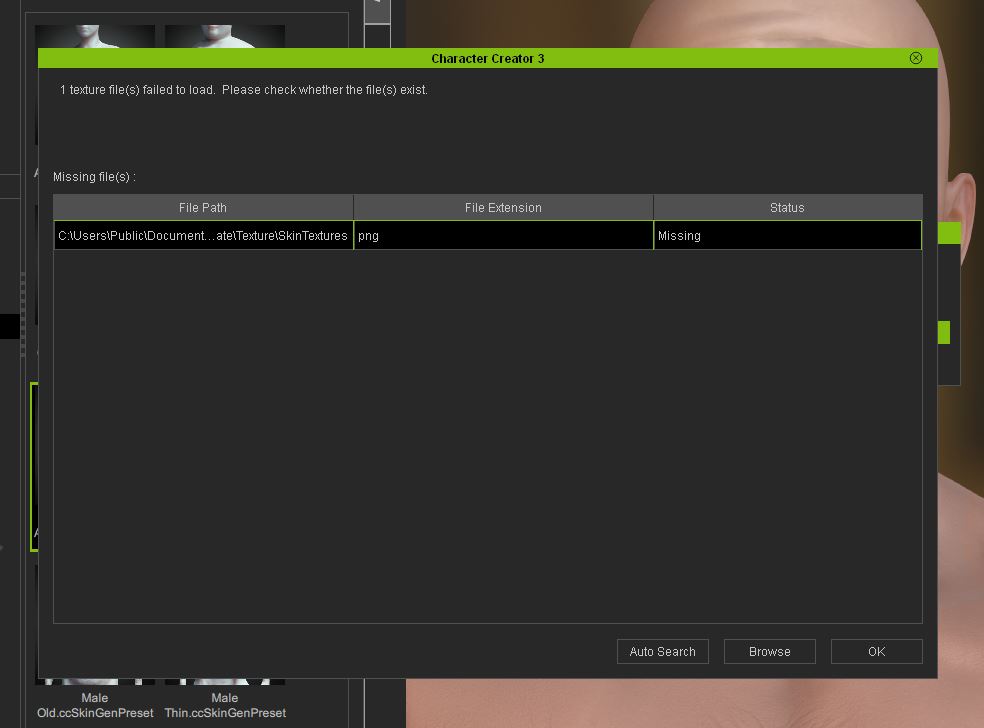 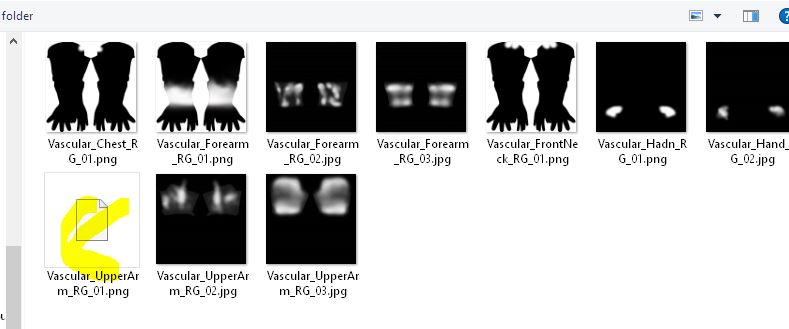
|
|
|
|
|
operator_930413
|
operator_930413
Posted 5 Years Ago
|
|
Group: Forum Members
Last Active: 5 Years Ago
Posts: 4,
Visits: 19
|
redacted
|
|
|
|
|
animatedbeing
|
animatedbeing
Posted 5 Years Ago
|
|
Group: Forum Members
Last Active: 2 Weeks Ago
Posts: 114,
Visits: 1.8K
|
Peter (RL) (7/24/2020)
Mikay² (7/24/2020)
I just imported hair from DAZ, but I cannot select the hair shader in CC. 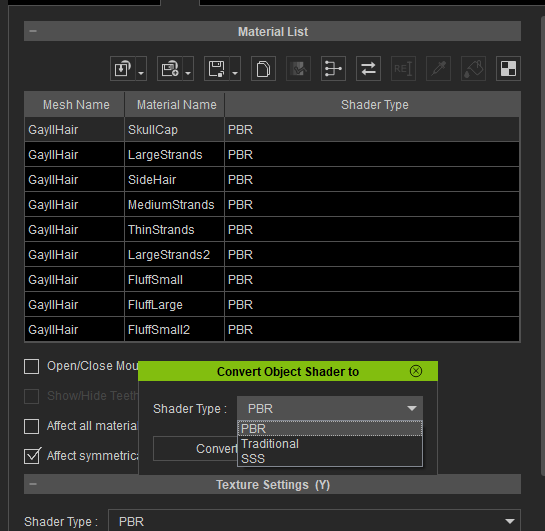 Can you let us know which Daz Hair this is and also which import method you used (Transformer or Create > Accessory). Thanks. The transform does not always determine the imported hair is a hair object. Check if the hair was imported as cloth or accessory. You can fix it by using "Transfer Skin Weights" https://manual.reallusion.com/Character_Creator_3/ENU/3/Content/Character_Creator_3/3/08_Creating_Custom_Assets/Creating_Custom_Hair_OBJ.htm
|
|
|
|
|
Peter (RL)
|
Peter (RL)
Posted 5 Years Ago
|
|
Group: Administrators
Last Active: Last Year
Posts: 23.1K,
Visits: 36.6K
|
meaculpapix (7/24/2020)
Hopefully I'm just missing something here, but when I try to edit cloth textures in the appearance editor I am told that this functionality is available with the SkinGen plugin. I already have the CC Essential Clothing and Fabric- in fact I have already uninstalled it, reinstalled it, and reactivated my purchased content. I am sure that you are not asking me to pay for functionality that I have already paid for, so what do you think my next step should be? Thanks in advance for any light you can shed,
BrianFor clothing you use the Appearance Editor just the same as you did in Character Creator 3.2. SkinGen is only for skin and makeup. So just select an item of clothing in Scene Manager and then click the "Appearance" tab in Modify Panel. Now you can then click "Activate Appearance Editor" to begin editing the clothes.
Peter
Forum Administrator www.reallusion.com
|
|
|
|
|
ptrefall
|
ptrefall
Posted 5 Years Ago
|
|
Group: Forum Members
Last Active: 3 Years Ago
Posts: 16,
Visits: 221
|
Hi, the application hangs on the Content Update modal for me after I updated to v3.3. Event Viewer: The program CharacterCreator.exe version 3.30.3122.1 stopped interacting with Windows and was closed. To see if more information about the problem is available, check the problem history in the Security and Maintenance control panel. Process ID: 13ed0 Start Time: 01d6636c37ca7ef6 Termination Time: 13 Application Path: C:\Program Files\Reallusion\Character Creator 3\Bin64\CharacterCreator.exe Report Id: af888372-358d-47d1-a341-3063aeb23ccd Faulting package full name: Faulting package-relative application ID: Hang type: Unknown
I tried both updating to latest Nvidia Studio drivers and Game drivers, and reinstall CC3, but this did not resolve the issue. After I've left it hanging for a while, this happens: 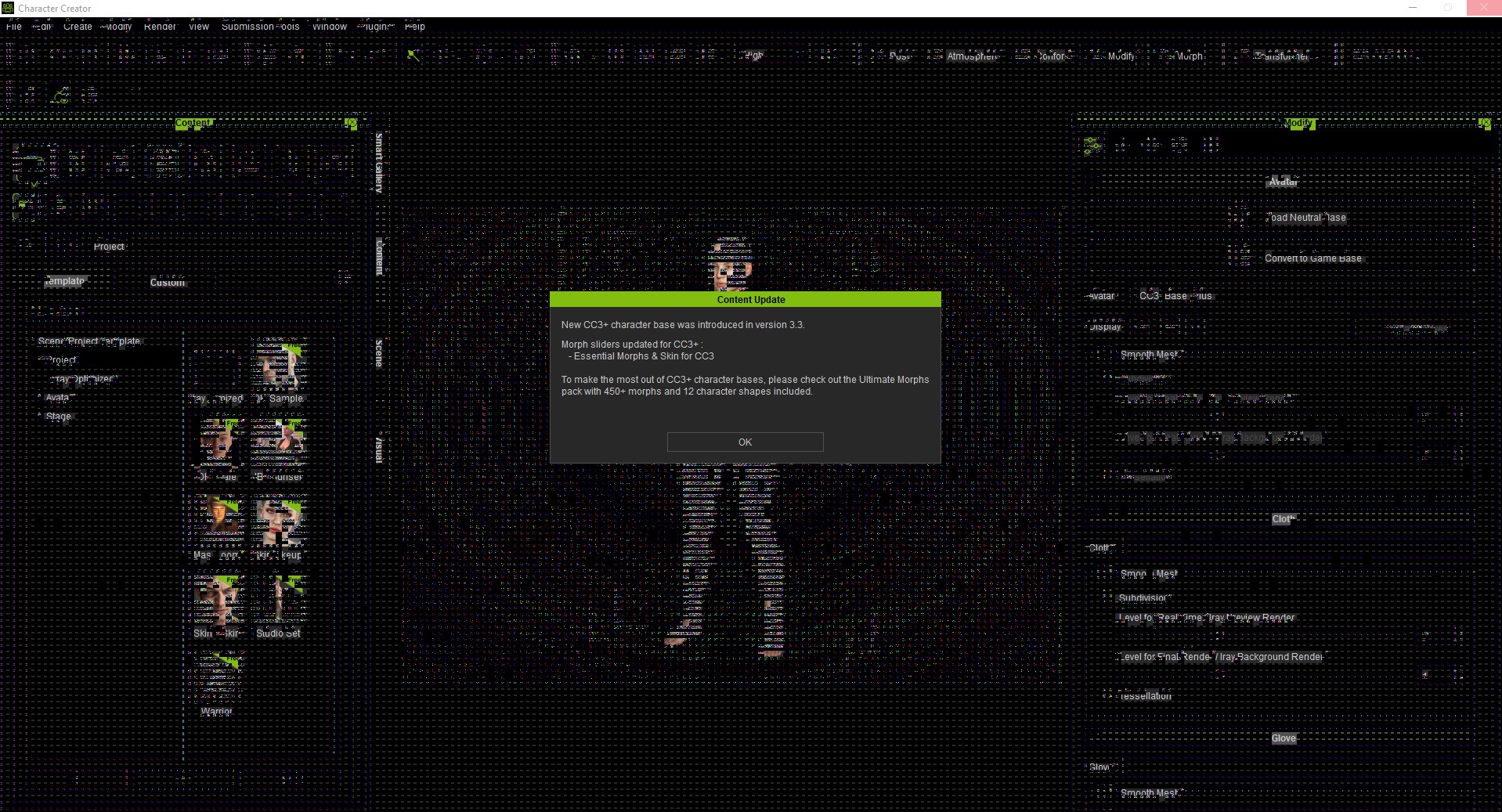 I'm on an RTX 2080, Intel Core I9 8th gen, 32GB ram. I've failed to locate an log file that might help hint at what the issue is?
|
|
|
|
|
mauetzki
|
mauetzki
Posted 5 Years Ago
|
|
Group: Forum Members
Last Active: 2 Years Ago
Posts: 1,
Visits: 218
|
Hi, i have a problem with the "FBX Export" window, its simply too high. There should be a scrollbar on the side. No matter what i do i cant reach the OK button in the bottom left corner. I tried to change the resolution, change the text size, shift the window with Alt+blank, disable window alignment and more. 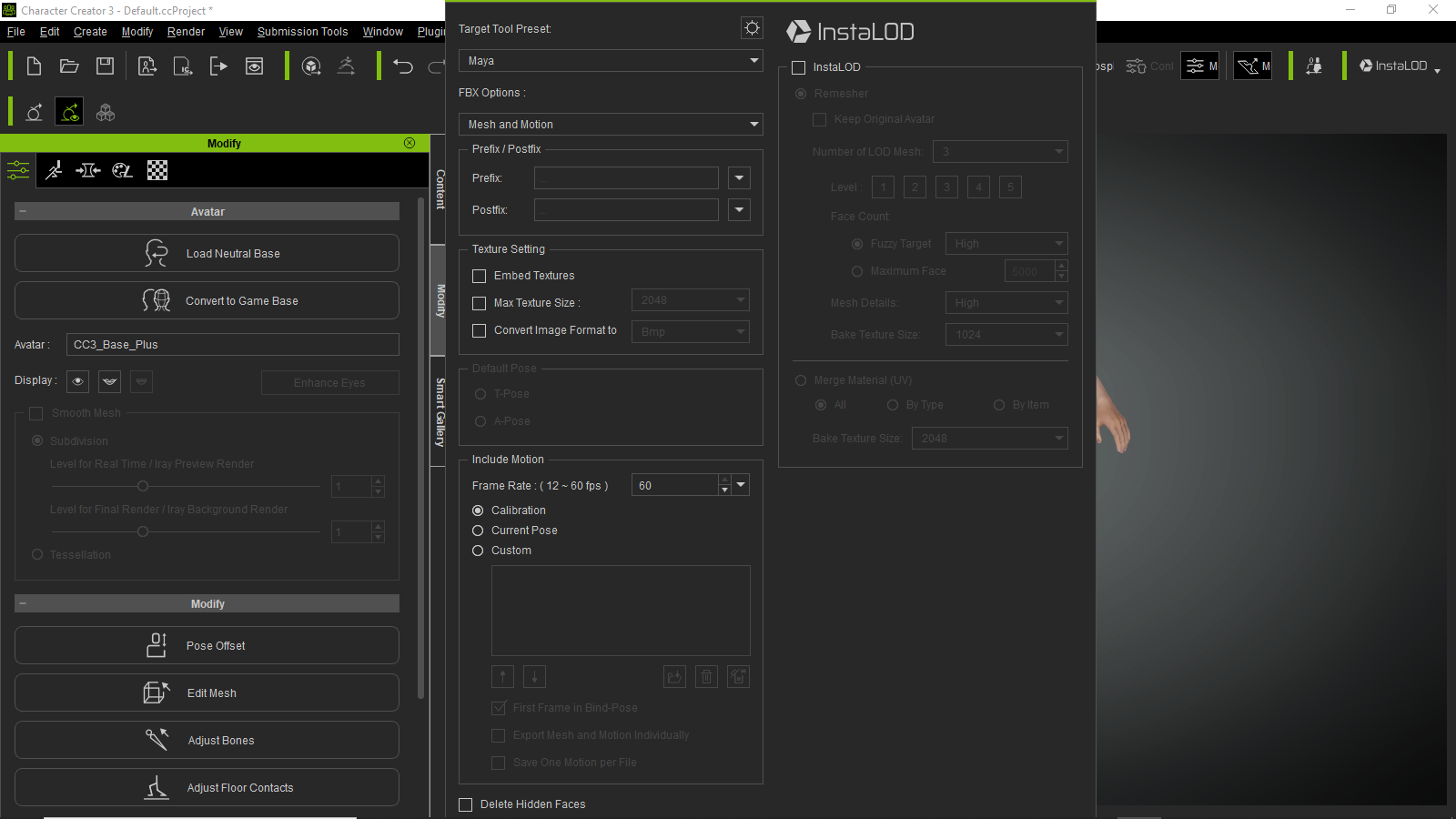 My desktop resolution is 1600 x 900 on Windows 10. I know the OK button is down there, secretly mokking me.
|
|
|
|
|
Peter (RL)
|
Peter (RL)
Posted 5 Years Ago
|
|
Group: Administrators
Last Active: Last Year
Posts: 23.1K,
Visits: 36.6K
|
Thank you all for the feedback. We are sorry to hear that some of you are experiencing issues since the update. The Character Creator team is monitoring this thread but please remember for critical issues which are seriously affecting your use of CC3 you can contact Technical Support for assistance. And for non-critical issues, please report them in the Feedback Tracker. They will then get checked and any relevant feedback will be given there. Thank you.
Peter
Forum Administrator www.reallusion.com
|
|
|
|
|
operator_930413
|
operator_930413
Posted 5 Years Ago
|
|
Group: Forum Members
Last Active: 5 Years Ago
Posts: 4,
Visits: 19
|
redacted
|
|
|
|
|
Elyssa
|
Elyssa
Posted 5 Years Ago
|
|
Group: Forum Members
Last Active: Last Year
Posts: 33,
Visits: 148
|
1. Hello, I converted my cc3 characters into cc3+. And all the characters became blurry. I tried it in 3 ways( original size, 2k, 4k) and all of them have the same issue. 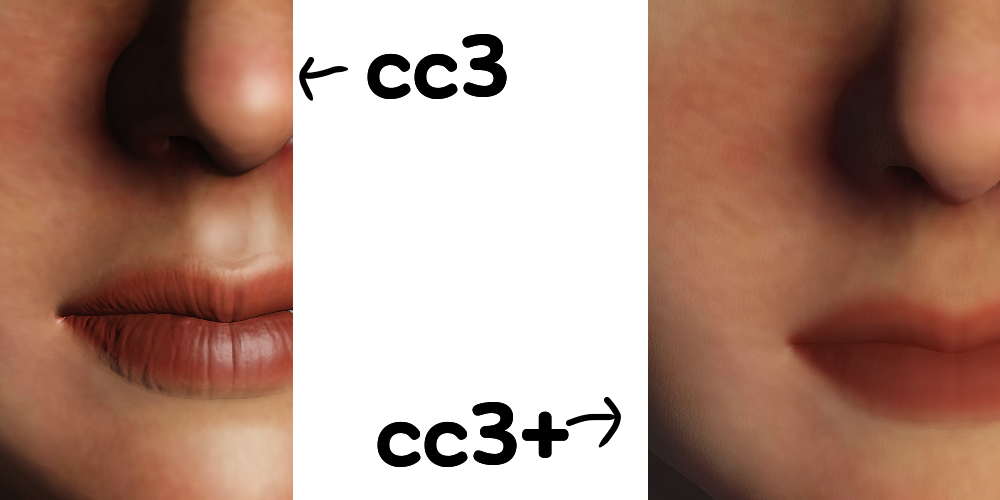 2. I also have a question about "skin base" in cc3+ . (content > skin template > skin base) I need to make young teenager boys. But cc3+ has only 2 male skin bases which have mustache, beard and eye wrinkles. (default male , default male clean) Does anyone know how to remove these adult things? Previously, I can do this in Appearance Editor. But I can't find this function in cc3+ . If I purchase "skin gen premium" , can I remove this? Thank you.
|
|
|
|
|
animatedbeing
|
animatedbeing
Posted 5 Years Ago
|
|
Group: Forum Members
Last Active: 2 Weeks Ago
Posts: 114,
Visits: 1.8K
|
Elyssa (7/27/2020)
1. Hello, I converted my cc3 characters into cc3+. And all the characters became blurry. I tried it in 3 ways( original size, 2k, 4k) and all of them have the same issue.
CC3 seems to be ignoring the bump maps when converting either from an my previously imported CC3 characters, or when importing a new character in CC3 or CC3+ mode. It adds its own strange normal map which sometimes sets to 100%. In the example below. I imported using an ini file which had the correct bump map entered. 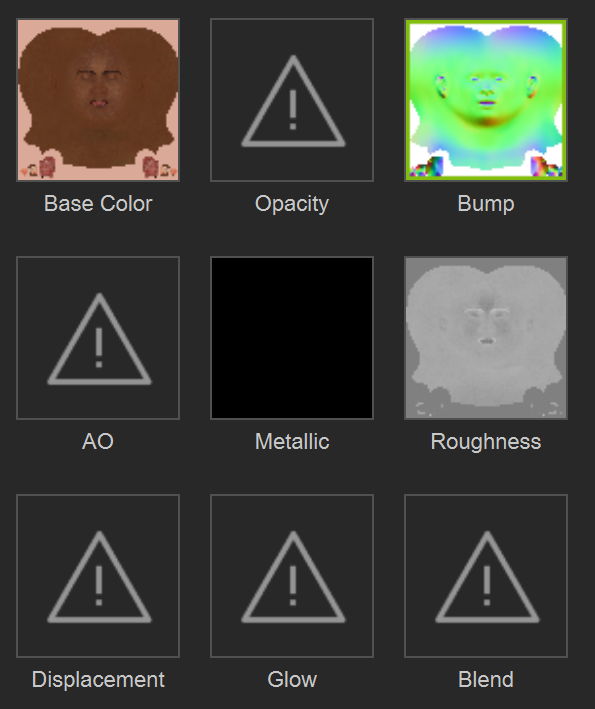  With the bump set to 10% 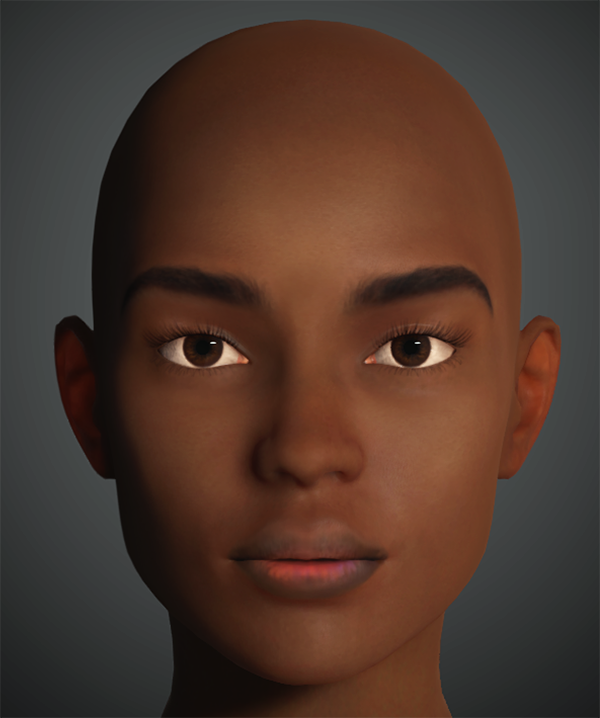 The DAZ iRay render of the original 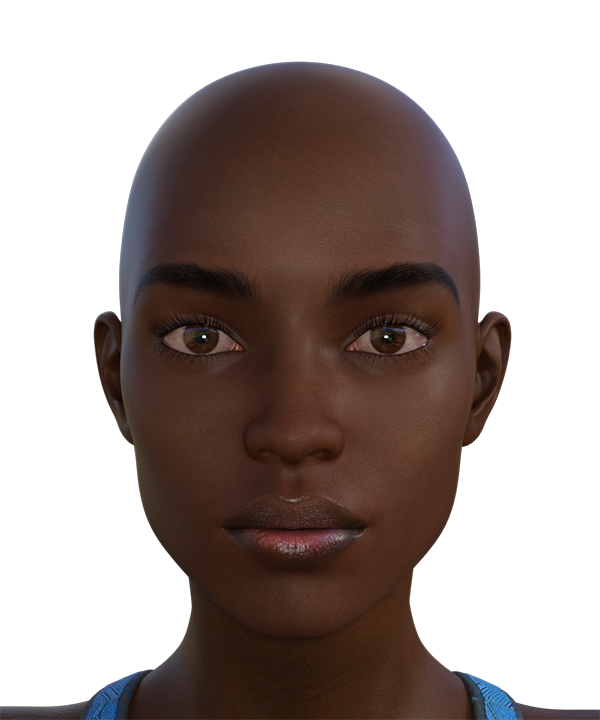
|
|
|
|