|
Author
|
Message
|
|
TheOldBuffer
|
TheOldBuffer
Posted 8 Years Ago
|
|
Group: Forum Members
Last Active: 2 Years Ago
Posts: 429,
Visits: 6.4K
|
I also think it would be a good idea to find out who else has this problem but also which cpu people with the problem are using. Seems that those having big problems aren't using Intel chips. wires (4/23/2018)
My screen shots were taken just before I made my post, and are from 7.21.
I can't add any more information as to why your system isn't showing the tracks correctly. It would be interesting to know if other users are having this issue or not, unfortunately there are only a few users who take time to reply to such posts.
Homebuilt computer - Windoze 10, INTEL i9 9900 k @ 5.1 GHz, EVGA RTX 2080 TI XC ULTRA, 16GB 3100 MHz RAM, Asus Maximus Hero XI motherboard, Sound blaster Z series. iClone6 & 7 Pipeline, Crazytalk 8, Crazytalk Animator 2, Facefilter, Pop video 3, Hitfilm 4Pro, Cubase 8.5 Pro,
|
|
|
|
|
Postfrosch
|
Postfrosch
Posted 8 Years Ago
|
|
Group: Forum Members
Last Active: 3 Years Ago
Posts: 6.9K,
Visits: 18.4K
|
In the timeline there is supposed to be a morph track available for props that have morphs created in the morph editor. There isnt an option to select such a track.
So for me "Morph" is displayed in the timeline.
(if I sent the morphed file back to IC "send / replace to Iclone"
Of course, if I only have Morph Editro (without sending / replacing to Iclone), Morph will not appear in the timeline
I have an I7 processor
Greets from Germany
Postfrosch
--------------------------------------------------------------

|
|
|
|
|
TonyDPrime
|
TonyDPrime
Posted 8 Years Ago
|
|
Group: Forum Members
Last Active: 2 Years Ago
Posts: 3.4K,
Visits: 12.4K
|
justaviking (4/23/2018)
TonyDPrime (4/22/2018)
I'll put this in the Feedback Tracker, but here is a video showing effects of viewport size on overlapping opacity textures, in this case the Daz hair.
The vids are not identical, I used a different lighting for the one I got working.
And you would say, "Well, then just make it mini...", right? But, when you do, lighting you will experience a loss of lighting fidelity (becomes pixelated with artifacts).
Gaaaahhh!!!! It angers and offends me that the preview window has any effect on the render results!!!! If I was the product manager, I'd lock all the develoopers in the building until it gets fixed. I'd buy Mt. Dew, Monster drinks, and pizza, but nobody goes home until something that dumb is solved. Gaaaahhhh!!!!!! :angry: :crazy: If you order, get 2x the # of pepperoni pies you were thinking of, because everyone goes for those first, and you regret not getting more. The resizing is like a giant 'Render Fidelity' slider! You can bias it towards opacity texture accuracy, or lighting smoothness.
|
|
|
|
|
sonic7
|
sonic7
Posted 8 Years Ago
|
|
Group: Forum Members
Last Active: 3 Years Ago
Posts: 1.7K,
Visits: 19.4K
|
Tony! .... You must be (I'm discovering), the resident 'comic relief artist'! :) and I just love your humor !!! Steve.
--------------------------------------------------------------------------------------------------------------------------------------------------------
Please be patient with me ..... I don't always 'get it' the first time 'round - not even the 2nd time! :( - yikes! ... ● MSI GT72VR Laptop, i7 7700HQ 4-Core 3.8 GHz 16GB RAM; Nvidia 1070, 8GB Vram ● iClone-7.93 ● 3DXChange Pipeline 7.81 ● CC-3 Pipeline 3.44 ● Live Face ● HeadShot ● Brekel Pro-Body ● Popcorn FX ● iRAY ● Kinect V2 ● DaVinci Resolve17 ● Mixcraft 8.1
|
|
|
|
|
Bezzer
|
Bezzer
Posted 8 Years Ago
|
|
Group: Forum Members
Last Active: 6 Years Ago
Posts: 132,
Visits: 264
|
raxel_67 (4/12/2018)
My issue with undo not working still persists, also speedtrees keep disappearing still, (solution: delete temp files, works like a charm still).Same issue with speedtrees, but deleting temp files doesn't work for me either :-(
|
|
|
|
|
TonyDPrime
|
TonyDPrime
Posted 8 Years Ago
|
|
Group: Forum Members
Last Active: 2 Years Ago
Posts: 3.4K,
Visits: 12.4K
|
sonic7 (4/23/2018)
Tony! .... You must be (I'm discovering), the resident 'comic relief artist'! :) and I just love your humor !!!
Steve.Thanks, Steve. I actually received my comic degree in the Octane forums, and completed my Residency here in the RL forums. Now I am a fully licensed Comic Relief Senior Analyst, with a Series 69 Registration.
|
|
|
|
|
toystorylab
|
toystorylab
Posted 8 Years Ago
|
|
Group: Forum Members
Last Active: Last Week
Posts: 4.6K,
Visits: 29.9K
|
TheOldBuffer (4/23/2018)
I also think it would be a good idea to find out who else has this problem but also which cpu people with the problem are using. Seems that those having big problems aren't using Intel chips. wires (4/23/2018)
My screen shots were taken just before I made my post, and are from 7.21
I can't add any more information as to why your system isn't showing the tracks correctly. It would be interesting to know if other users are having this issue or not, unfortunately there are only a few users who take time to reply to such posts.
I have a bag from DAZ with Morphs, and the morphs are visible in the timeline: 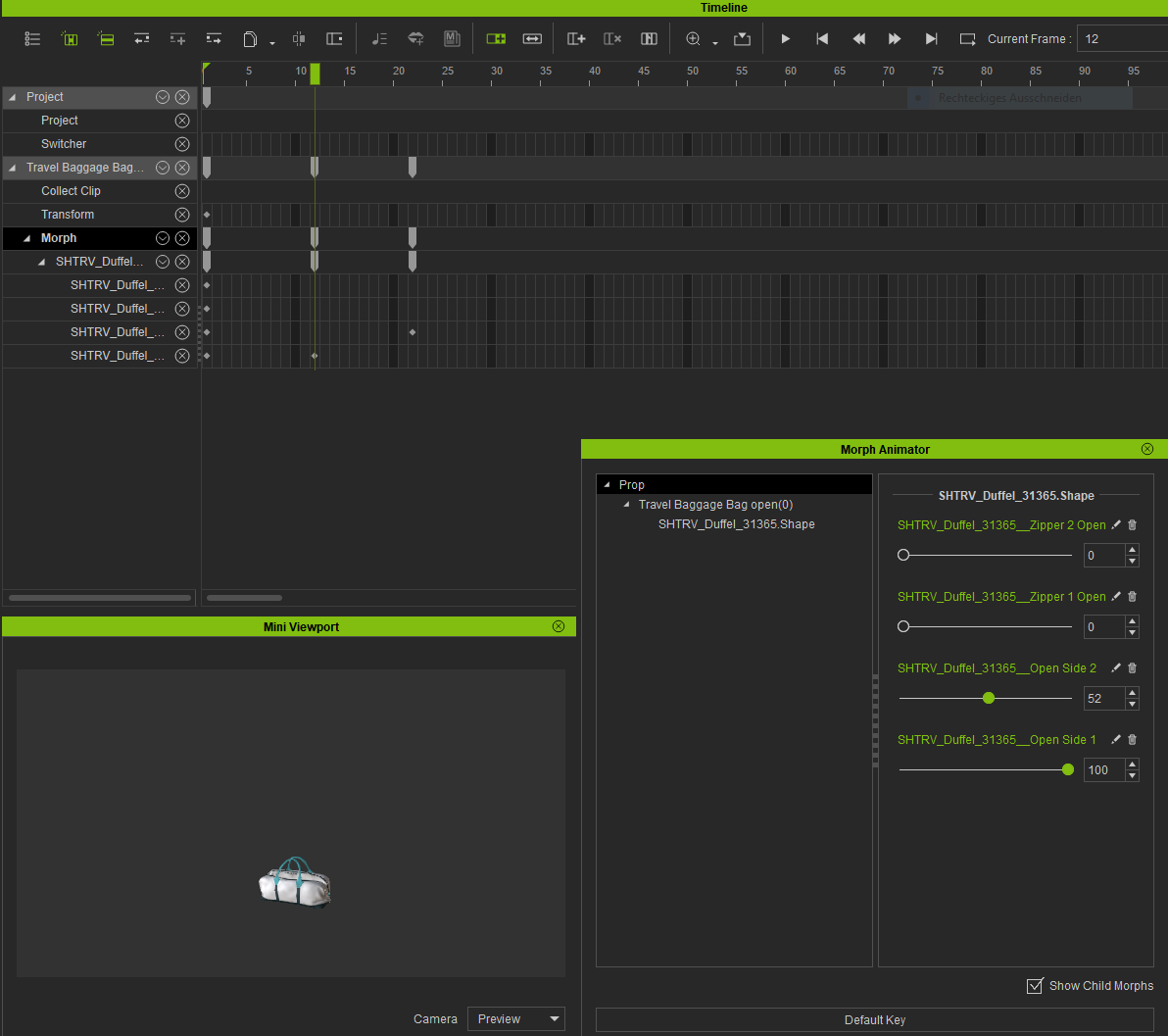 And i use Intel: 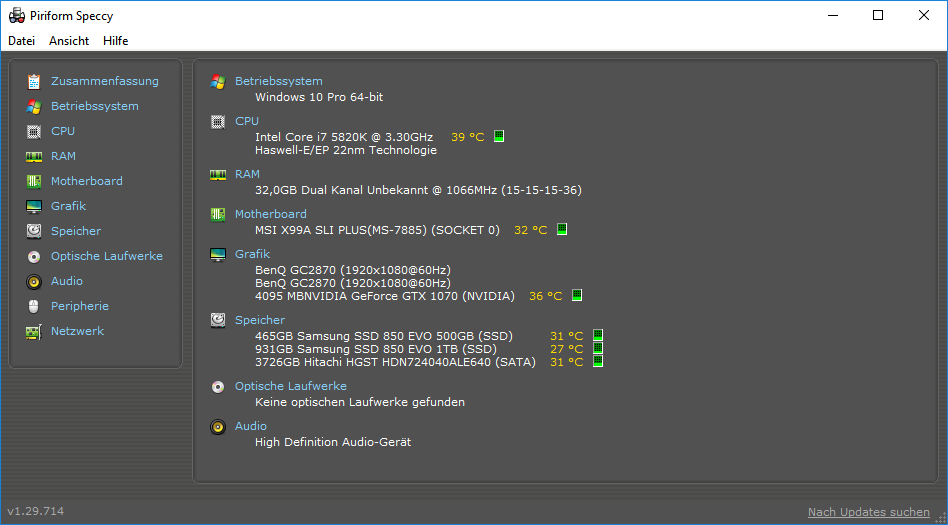 Toystorylab on Vimeo :
  Crassitudes (my "Alter Ego") on Youtube: Crassitudes (my "Alter Ego") on Youtube: 
|
|
|
|
|
TonyDPrime
|
TonyDPrime
Posted 8 Years Ago
|
|
Group: Forum Members
Last Active: 2 Years Ago
Posts: 3.4K,
Visits: 12.4K
|
The thing with screen resizing to help with overlapping opacity mapped textures, happens with Daz hair: 3885Get Out And Rock The Vote in Feedback Tracker! Otherwise we will have this. And Square-Hair ISN'T Cool. 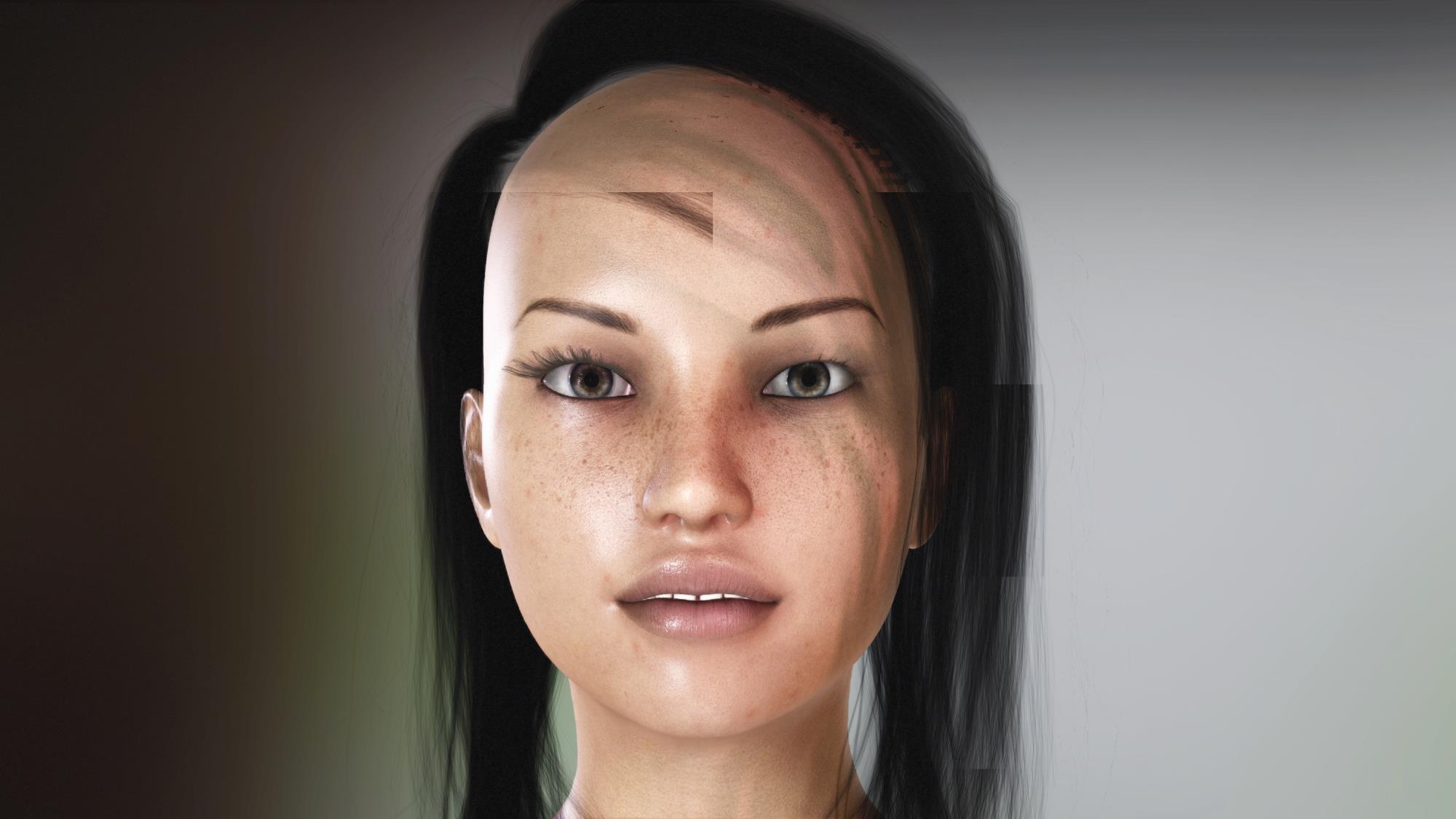
|
|
|
|
|
Kelleytoons
|
Kelleytoons
Posted 8 Years Ago
|
|
Group: Forum Members
Last Active: 2 Years Ago
Posts: 9.2K,
Visits: 22.1K
|
This isn't the same blue hair you couldn't get working, is it? If not, let me know what hair it is and let me see if I can fix it like I fixed the other hair (and I assume you saw my video on that).
Alienware Aurora R16, Win 11, i9-149000KF, 3.20GHz CPU, 64GB RAM, RTX 4090 (24GB), Samsung 870 Pro 8TB, Gen3 MVNe M-2 SSD, 4TBx2, 39" Alienware Widescreen Monitor
Mike "ex-genius" Kelley
|
|
|
|
|
TonyDPrime
|
TonyDPrime
Posted 8 Years Ago
|
|
Group: Forum Members
Last Active: 2 Years Ago
Posts: 3.4K,
Visits: 12.4K
|
Kelleytoons (4/26/2018)
This isn't the same blue hair you couldn't get working, is it? If not, let me know what hair it is and let me see if I can fix it like I fixed the other hair (and I assume you saw my video on that).KT, thanks. I actually still got artifacts even after bringing it down to 2 texture maps. Wondering if this might actually be driver related... If you straight imported the Samira Hair, without doing the Blender routine, did you see it flickering when you brought it in to iClone? Curious what you would see with a 'typical' import, having the 9 texture maps.... (Daz to 3DXchange)
|
|
|
|