Hello,
Whenever I try and apply a picture of a texture to an object, I run into problems.
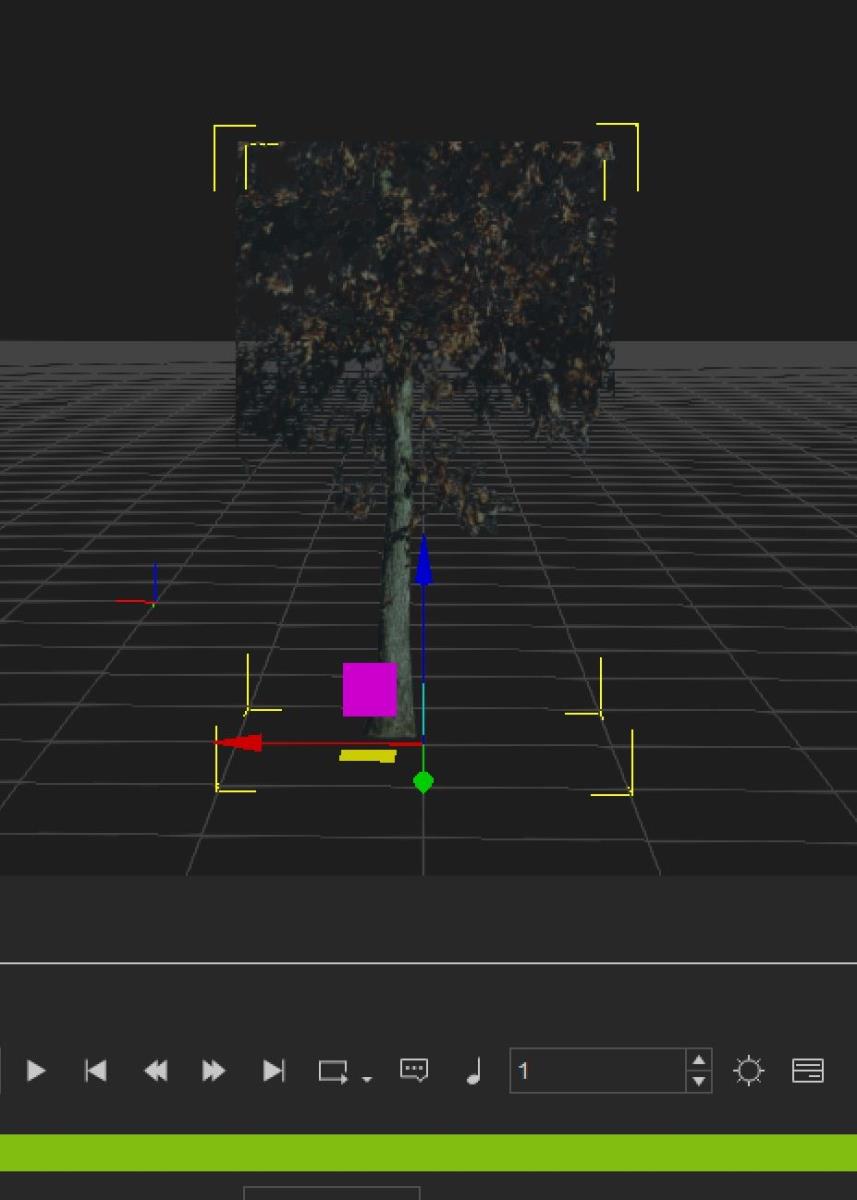
In this example, I tried applying a pic of a tree to a simple selfmade object.
I tried it first with an object of 1x1 dimensions.
Top of the tree disappeared from the object. (it is in the reference picture)
Then I tried adapting the size of the picture to the object. (and UV unwrapped it before applying to iClone)
That didnt work either. I tried the UV offset in iC7 "modify" but that didnt work either. i could slide the image to right and left, but not scale it so that it would fit an 1x1 (UV unwrapped) object.
Is there a general rule I need to follow? I am intending to fill a garden with plants, using basic planes on which I want to project the Png's.
I've been running into this problem many times.
Hoping for someone to help me out. This must be a simple thing I am overlooking.
Grateful for you help.
including a screenshot.