Profile Picture

Character in iClone looks great but looks bad in Unreal... Why?

Posted By bernierao 5 Years Ago
You don't have permission to rate!

Character in iClone looks great but looks bad in Unreal... Why?

Author
Message
bernierao
Problem.png
bernierao
Posted 5 Years Ago
View Quick Profile
Senior Member

Senior Member (416 reputation)Senior Member (416 reputation)Senior Member (416 reputation)Senior Member (416 reputation)Senior Member (416 reputation)Senior Member (416 reputation)Senior Member (416 reputation)Senior Member (416 reputation)Senior Member (416 reputation)

Group: Forum Members
Last Active: 2 Years Ago
Posts: 19, Visits: 370
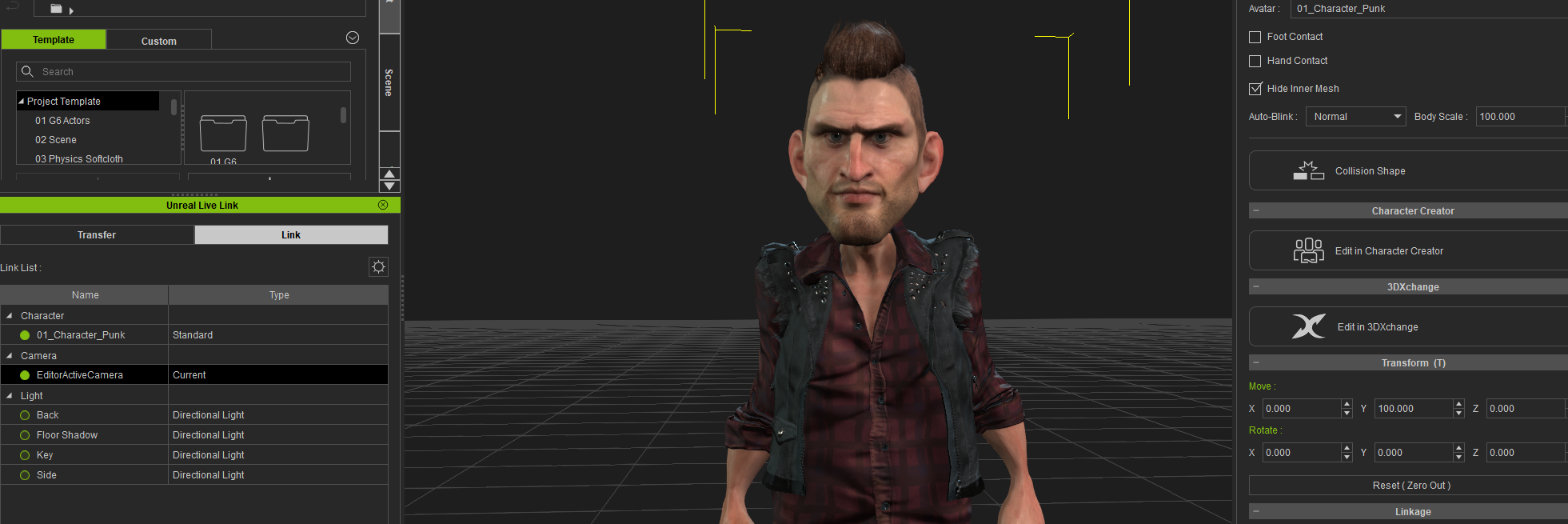
When I export a character from iClone (made in CC) to Unreal via link, the Character loses most of the amazing detail I see in iClone. Does anyone know how to conform the character to eventually look the same? The hair detail is gone and gets all funky. There is some detail on the face and I guess clothes are okayish but I really wish that it could look the same in Unreal as it looks in iClone. I'm using the CC setup, Cinematic quality/Production Lighting in Unreal and followed all the tuts on YouTube... Probably I'm missing something. Thanks everyone! (images below)
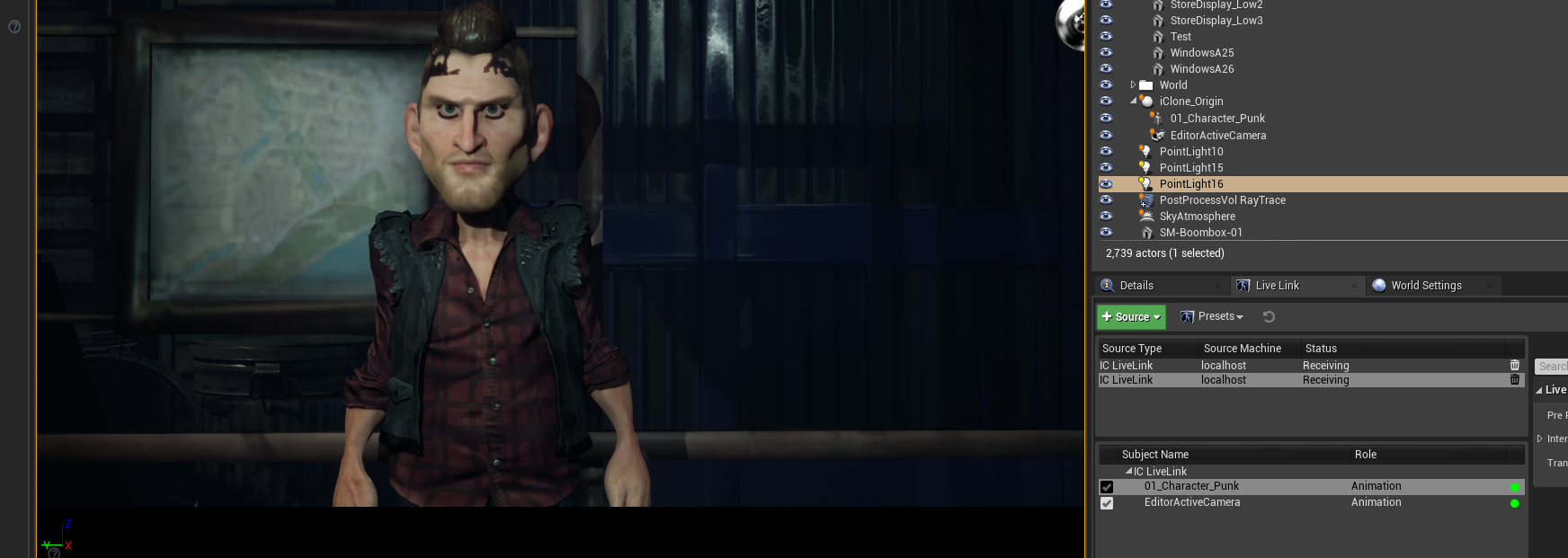
https://forum.reallusion.com/uploads/images/f147ff8a-e1af-46eb-825b-68a3.png

https://forum.reallusion.com/uploads/images/d32c2841-20df-4987-a959-f029.png


Check Out the New Zealand Horror Comedy - Killer Sofa Directed by Bernie Rao
TRAILER Killer Sofa
www.bernierao.com

Bernardo Rao (Bernie Rao)
Film Producer | Cinematographer | Director
https://vimeo.com/bernieraoMAD KIWI PRODUCTIONS: Wellington 6011, New Zealand
+64 278317788
bernierao@hotmail.com | bernardo.rao@gmail.com


Threaded View

Threaded View
Forum Post Character in iClone looks great but looks bad in Unreal... Why? By bernierao ( 5 Years Ago )
Forum Post 1. Deactivate Raytracing Shadows in your light sources By StyleMarshal ( 5 Years Ago )
Forum Post That was it, thanks so much for your help! :) By bernierao ( 5 Years Ago )
Forum Post Hi, I somewhat have a similar issue. Please look at the attached... By cinemyscope ( 5 Years Ago )
Forum Post 1. Tick your Character in the Content Folder (pink one) and then tick... By StyleMarshal ( 5 Years Ago )
Forum Post Thank you! I just came back to report that the character looks a lot... By cinemyscope ( 5 Years Ago )
Forum Post Tip : Raytracing looks great especially for hair and reflections ,... By StyleMarshal ( 5 Years Ago )
Forum Post [quote][b]Bassline303 (6/28/2020)[/b][hr]1. Tick your Character in the... By oisilener1982 ( 5 Years Ago )
Forum Post Hi, I am also having similar issues with my character: As you... By georgekirby86 ( 5 Years Ago )
Forum Post Did you try to set the tessellation level to 1 for your armor ? By StyleMarshal ( 5 Years Ago )
Forum Post Just tried it but it had no effect :( By georgekirby86 ( 5 Years Ago )
Forum Post Please take a look if tessellation is activated for your Armor. 1.... By StyleMarshal ( 5 Years Ago )
Forum Post Yep looks the same as yours. By georgekirby86 ( 5 Years Ago )
Forum Post Hmm , can you show a picture of IClone with the Armor without... By StyleMarshal ( 5 Years Ago )
Forum Post Also do a wireframe check if tessellation is working right. (from Lit... By StyleMarshal ( 5 Years Ago )
Forum Post Iclone no tessellation/subdivision: CC3 no... By georgekirby86 ( 5 Years Ago )
Forum Post where is that amor from , daz or any other source? (over 700.000... By StyleMarshal ( 5 Years Ago )
Forum Post The tessellation is working when viewed in wire frame. I modeled the... By georgekirby86 ( 5 Years Ago )
Forum Post That's the entire character poly count. The armor is around 65,000. By georgekirby86 ( 5 Years Ago )
Forum Post Thats absolute ok...I had the same problem long time ago with cloth... By StyleMarshal ( 5 Years Ago )


Reading This Topic