|
By bernierao - 5 Years Ago
|
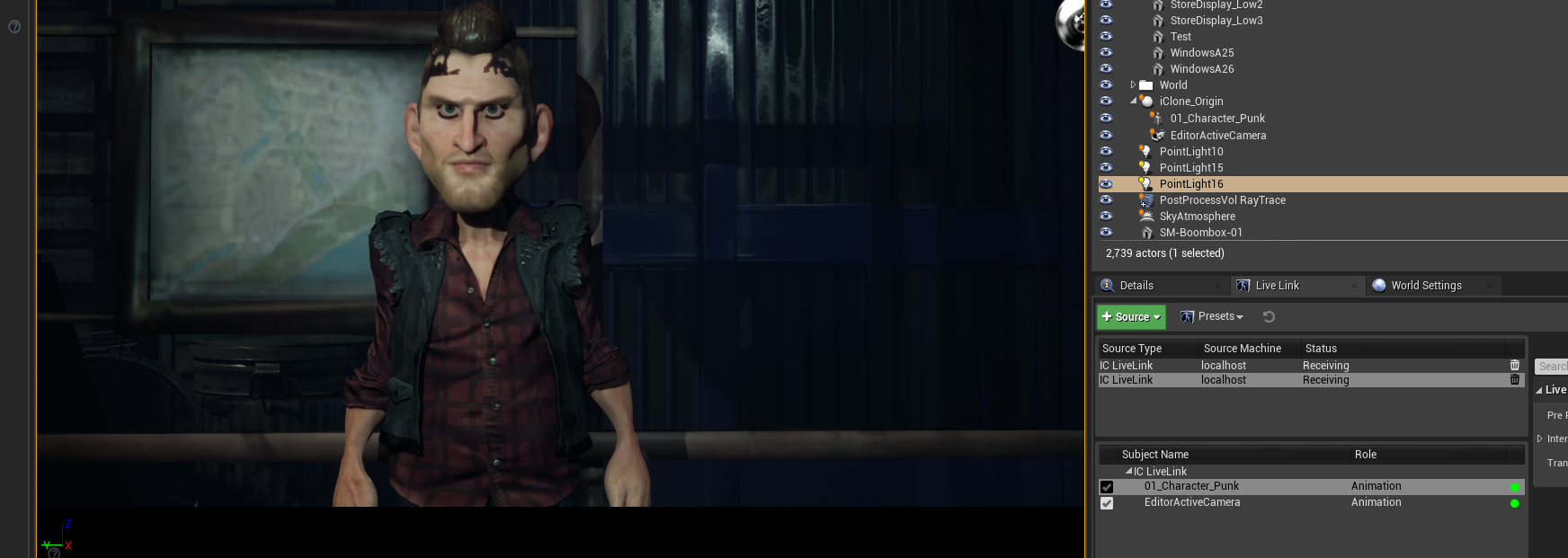
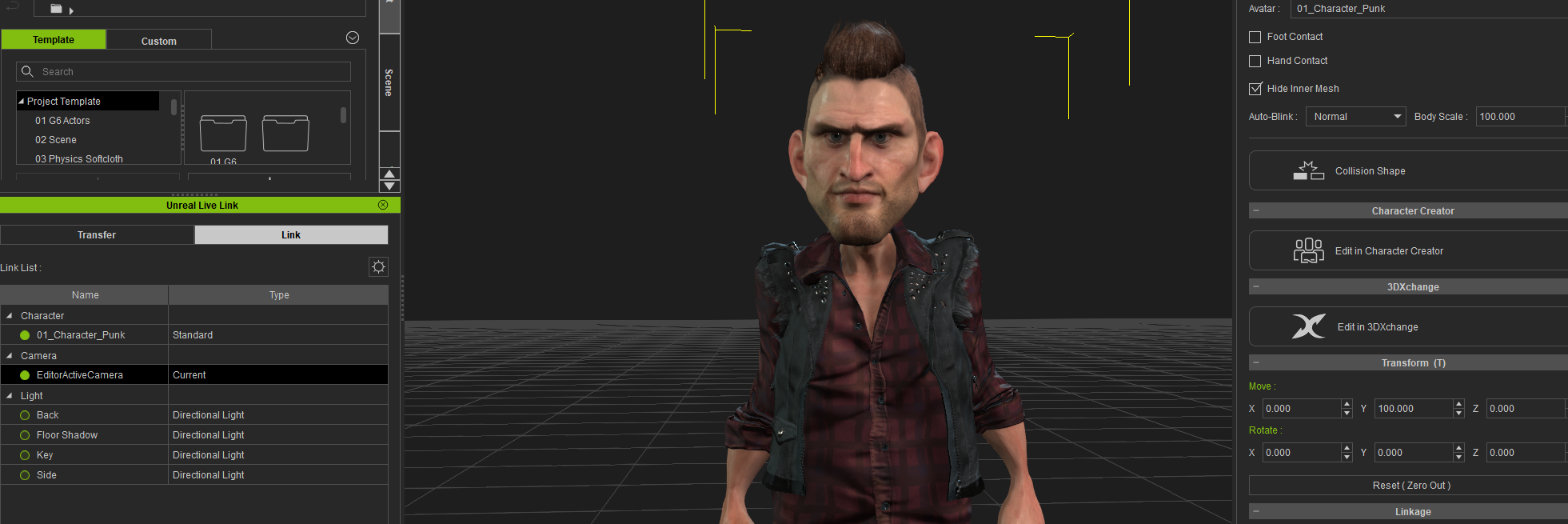
When I export a character from iClone (made in CC) to Unreal via link, the Character loses most of the amazing detail I see in iClone. Does anyone know how to conform the character to eventually look the same? The hair detail is gone and gets all funky. There is some detail on the face and I guess clothes are okayish but I really wish that it could look the same in Unreal as it looks in iClone. I'm using the CC setup, Cinematic quality/Production Lighting in Unreal and followed all the tuts on YouTube... Probably I'm missing something. Thanks everyone! (images below)
|
|
By StyleMarshal - 5 Years Ago
|
|
1. Deactivate Raytracing Shadows in your light sources
|
|
By bernierao - 5 Years Ago
|
|
That was it, thanks so much for your help! :)
|
|
By cinemyscope - 5 Years Ago
|
Hi,
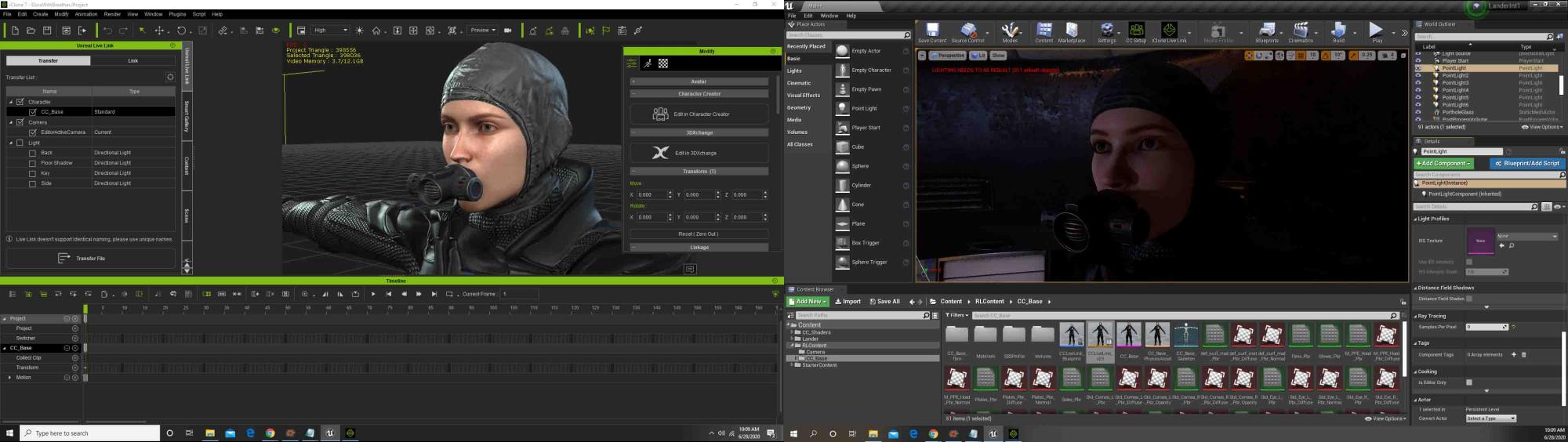
I somewhat have a similar issue. Please look at the attached image. I realize the lighting is different but the skin translucency and the eye translucency looks vastly different between iClone and Unreal. When you mean turn off the Raytracing, do you mean switching Raytracing for each light to "0"?
Also I'm surprised I seem to be the only one whose character imports with an odd eyelash shadow. I've posted about this shadow before and another member did find somewhat of a solution but I find it odd that no one else seems to have this problem. Any help to make the face look somewhat as good as it looks in iClone would be greatly appreciated!
|
|
By StyleMarshal - 5 Years Ago
|
1. Tick your Character in the Content Folder (pink one) and then tick CC_Setup in the menu above, you haven't converted the shaders to CC_Shaders. After Live-Link import you always have to do that step. (for clean up too , but do a "Save All" before)
2. The Eyelashes problem is that you have Raytracing Shadows on , under your light source(s) settings go and search for Shadow and untick Raytracing Shadows. (for every light that lights up your character)
Unreal has problems with Translucency Raytraced Shadows (it is a limitation). The Eyelashes have a Translucency Shader.
Don't set Raytracing to 0 , let it on 1.
|
|
By cinemyscope - 5 Years Ago
|
|
Thank you! I just came back to report that the character looks a lot better after turning off Raytracing inside the Project settings all together. I'll follow your instructions and see how it compares. THANK YOU!!!!!
|
|
By StyleMarshal - 5 Years Ago
|
|
Tip : Raytracing looks great especially for hair and reflections , also the shadows are much softer . To avoid the Eyelashes problem with raytracing you can change the Eyelashes shader from translucency to masked (very down in the Eyelashes material settings) and tweak a little bit the opacity.
|
|
By oisilener1982 - 5 Years Ago
|
|
Bassline303 (6/28/2020)
1. Tick your Character in the Content Folder (pink one) and then tick CC_Setup in the menu above, you haven't converted the shaders to CC_Shaders. After Live-Link import you always have to do that step. (for clean up too , but do a "Save All" before)
2. The Eyelashes problem is that you have Raytracing Shadows on , under your light source(s) settings go and search for Shadow and untick Raytracing Shadows. (for every light that lights up your character)
Unreal has problems with Translucency Raytraced Shadows (it is a limitation). The Eyelashes have a Translucency Shader.
Don't set Raytracing to 0 , let it on 1.
Did Reallusion Mention this in the official tutorials?
|
|
By georgekirby86 - 5 Years Ago
|
Hi, I am also having similar issues with my character:
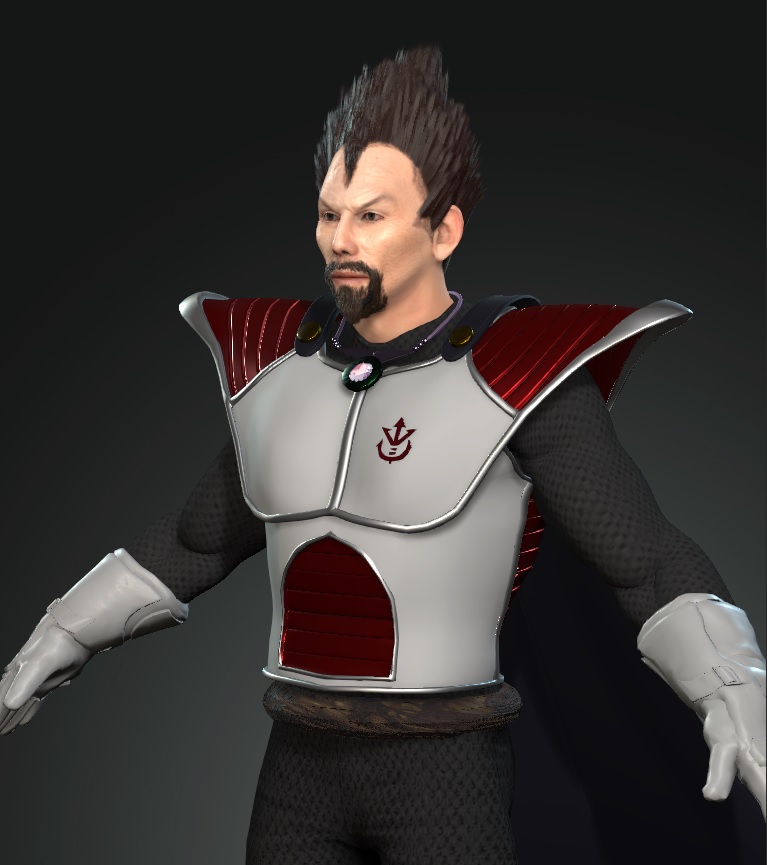
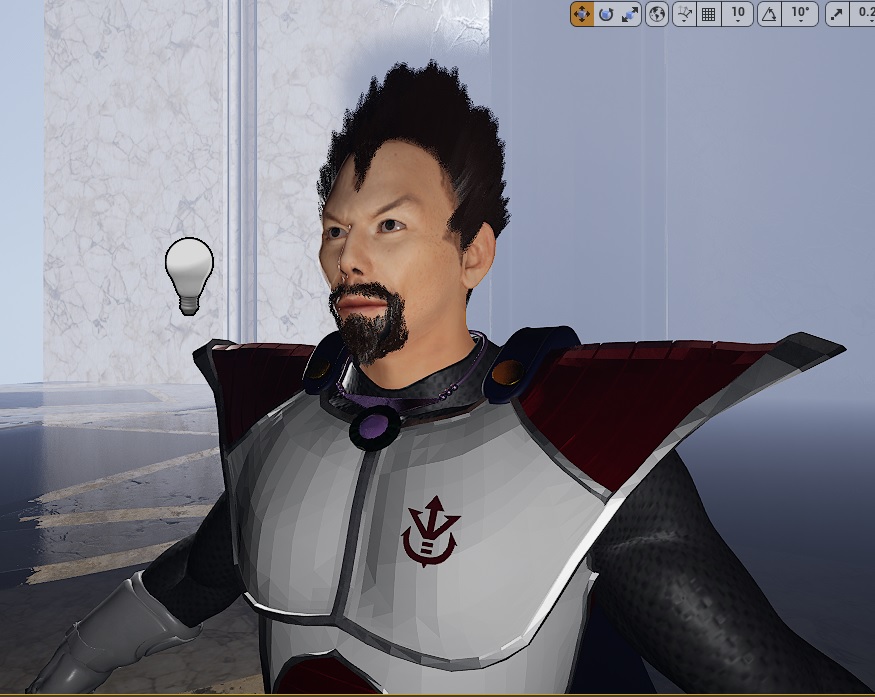
As you can see from the images, once i import the character into UE4 (4.25) via live link, it loses the mesh smoothing on the armor and the shaders are very different. I know i can create new materials in the shader editor inside UE4 but it would be great if the live link auto created the shaders to match the look inside CC3/iclone. Once imported, i used the auto setup and selected the HQ shaders but this is the result. Is there a way to fix this?
thanks
|
|
By StyleMarshal - 5 Years Ago
|
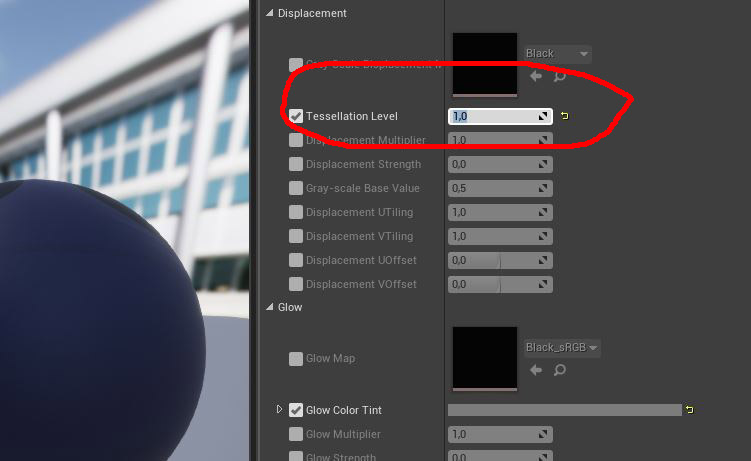
Did you try to set the tessellation level to 1 for your armor ?
|
|
By georgekirby86 - 5 Years Ago
|
Just tried it but it had no effect :(
|
|
By StyleMarshal - 5 Years Ago
|
Please take a look if tessellation is activated for your Armor.
1.

2.

|
|
By georgekirby86 - 5 Years Ago
|
|
Yep looks the same as yours.
|
|
By StyleMarshal - 5 Years Ago
|
|
Hmm , can you show a picture of IClone with the Armor without Subdivision or Tessellation ?
|
|
By StyleMarshal - 5 Years Ago
|
Also do a wireframe check if tessellation is working right. (from Lit mode to Brush Wireframe)
1. No Tessellation

2. Tessellation 1 ... you also can go higher... do you see a difference in the wireframe?

|
|
By georgekirby86 - 5 Years Ago
|
Iclone no tessellation/subdivision:

CC3 no tessellation/subdivision

|
|
By StyleMarshal - 5 Years Ago
|
where is that amor from , daz or any other source? (over 700.000 Triangles) why so much , is it the cloth or the hair?
What you also can test , is to import the Character via FBX , maybe it is a normal problem , import it with " Normal Import Method" = "Compute Normals" ... and also try "Import Normals and Tangents" how does it look then?
|
|
By georgekirby86 - 5 Years Ago
|
The tessellation is working when viewed in wire frame.
I modeled the armor myself in blender, imported into CC3 to conform and weight etc. I made it as low poly as possible as I knew i could smooth it in CC3.
Will try the FBX export. Thanks
|
|
By georgekirby86 - 5 Years Ago
|
|
That's the entire character poly count. The armor is around 65,000.
|
|
By StyleMarshal - 5 Years Ago
|
Thats absolute ok...I had the same problem long time ago with cloth ... but I don't know anymore what the issue was... ;-) maybe it was a "normals" problem.
You can send me the Armor only and I can do some tests here , looks like only the Armor has the polygon problem , right?
|