|
Author
|
Message
|
|
jarretttowe
|
jarretttowe
Posted 8 Years Ago
|
|
Group: Forum Members
Last Active: 4 Years Ago
Posts: 560,
Visits: 3.0K
|
I realize those are artifacts, but MAN! It looks like you are on a ringed planet and that makes it look kind of awesome!
|
|
|
|
|
3dtester
|
3dtester
Posted 8 Years Ago
|
|
Group: Forum Members
Last Active: Last Year
Posts: 999,
Visits: 2.2K
|
I found something very interesting. There is an option called 'sync sky' in the visual tab. I am not quiet sure about the exact purpose of the 'image' checkbox there. But it has a substantial effect. I would say it is the root cause of that issue. Here's an image with the 'sync sky / image' option checked: 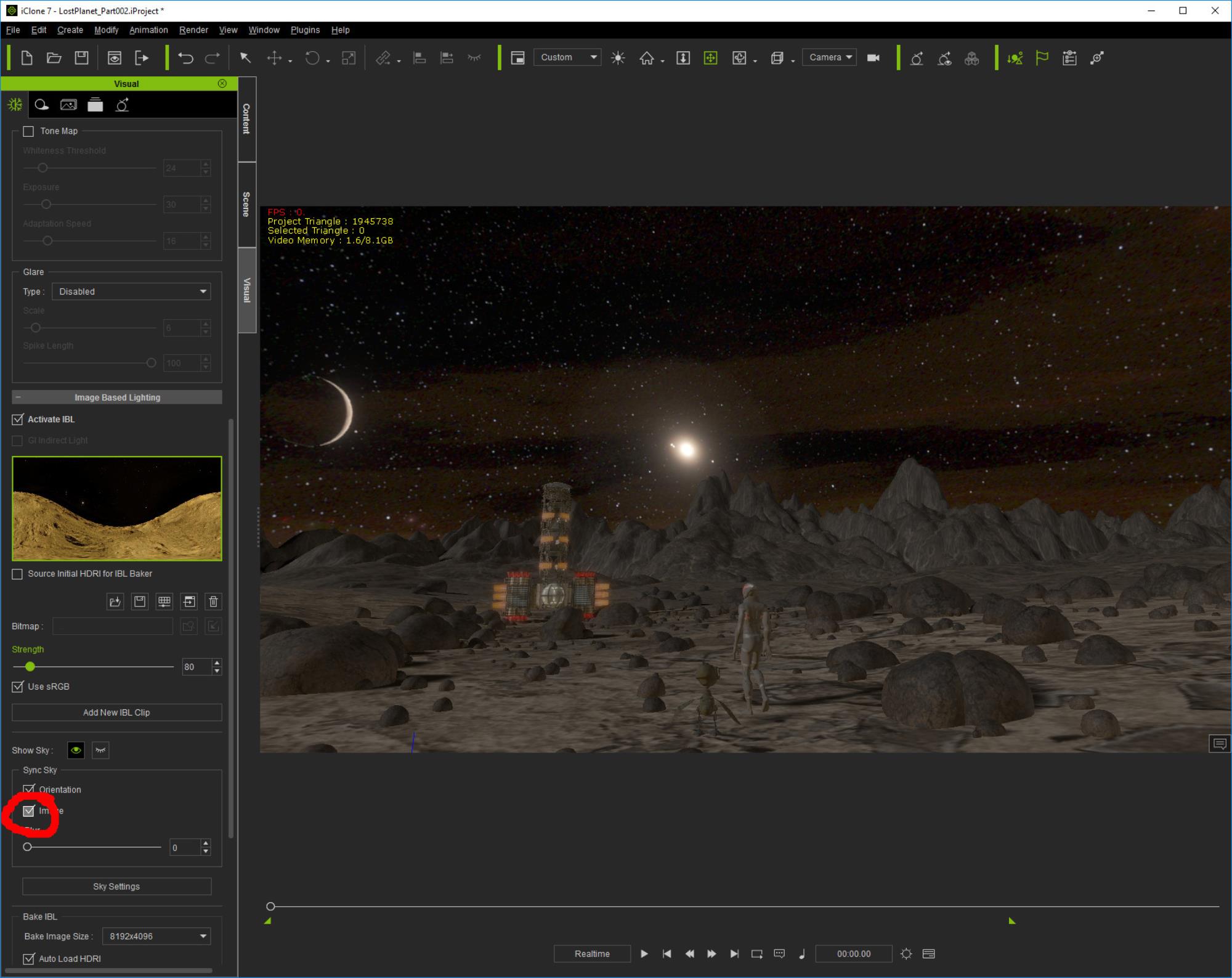 You can see the color artifacts. And here is the result of unchecking that option: 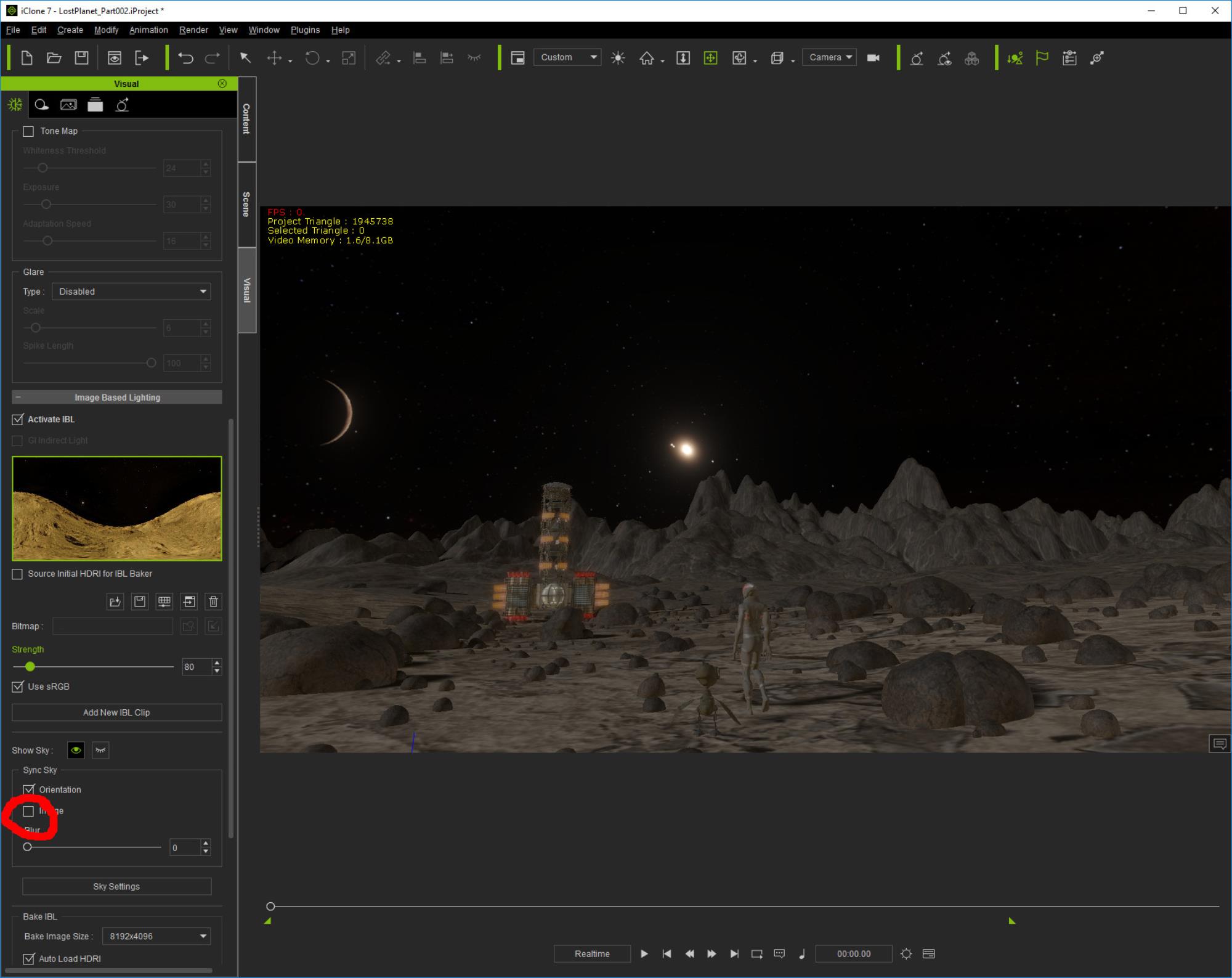 It seems that some details get lost / invisible), but also the color gradients / artifacts.
|
|
|
|
|
pedrosura
|
pedrosura
Posted 8 Years Ago
|
|
Group: Forum Members
Last Active: 2 Years Ago
Posts: 220,
Visits: 5.7K
|
3dtester (11/16/2018)
pedrosura (11/14/2018)
jarretttowe (11/14/2018)
I can't wait to give this a shot!
I have not been able to get the same quality from the cylindrical projection vs. the skybox. Maybe you will get better luck... i've experienced the same thing. The skybox method looks obviously better, but there's also an issue with how it is displayed in iClone. Unfortunately i can't explain this because my english is too bad. Maybe i'll post a screenshot later. However, what i can definitely say is that either images don't look as good in iClone as they do on my desktop. When i open it in GIMP, it looks perfect and i can zoom in without seeing the same color artifacts. I want to know why this happens. I think that the issue is not ICLONE but how Space Engine creates the images for the Skybox. I have a program called VUE and it can create different image formats including HDR. When I import this image to Iclone, the image is very sharp. Look at the image below which the background is 360 deg HDR and even if you use a 105 mm lens, it still looks good. I am going to use the Skybox output or a regular video screen until I can figure how to make the cylindrical version look sharp. 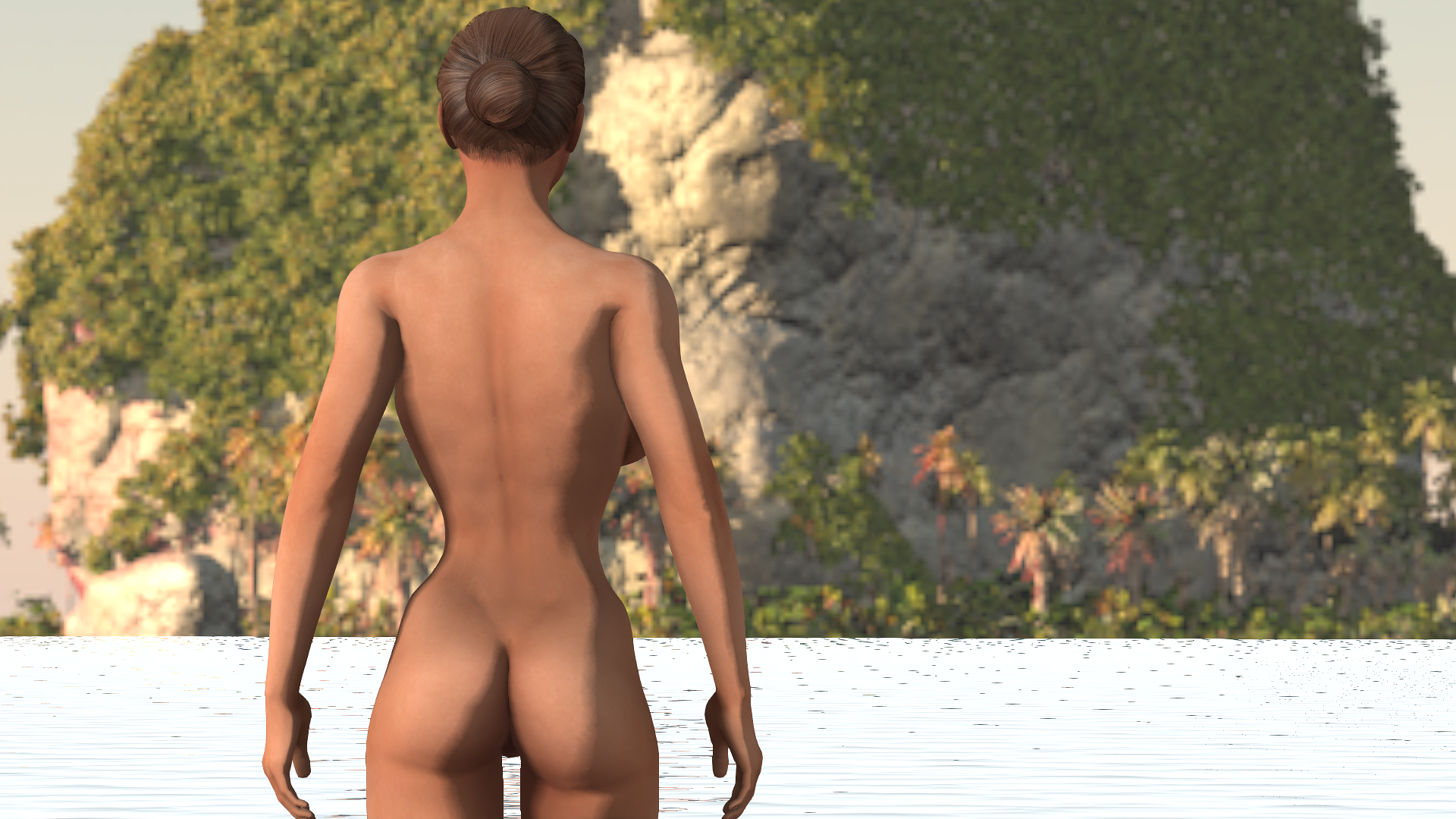 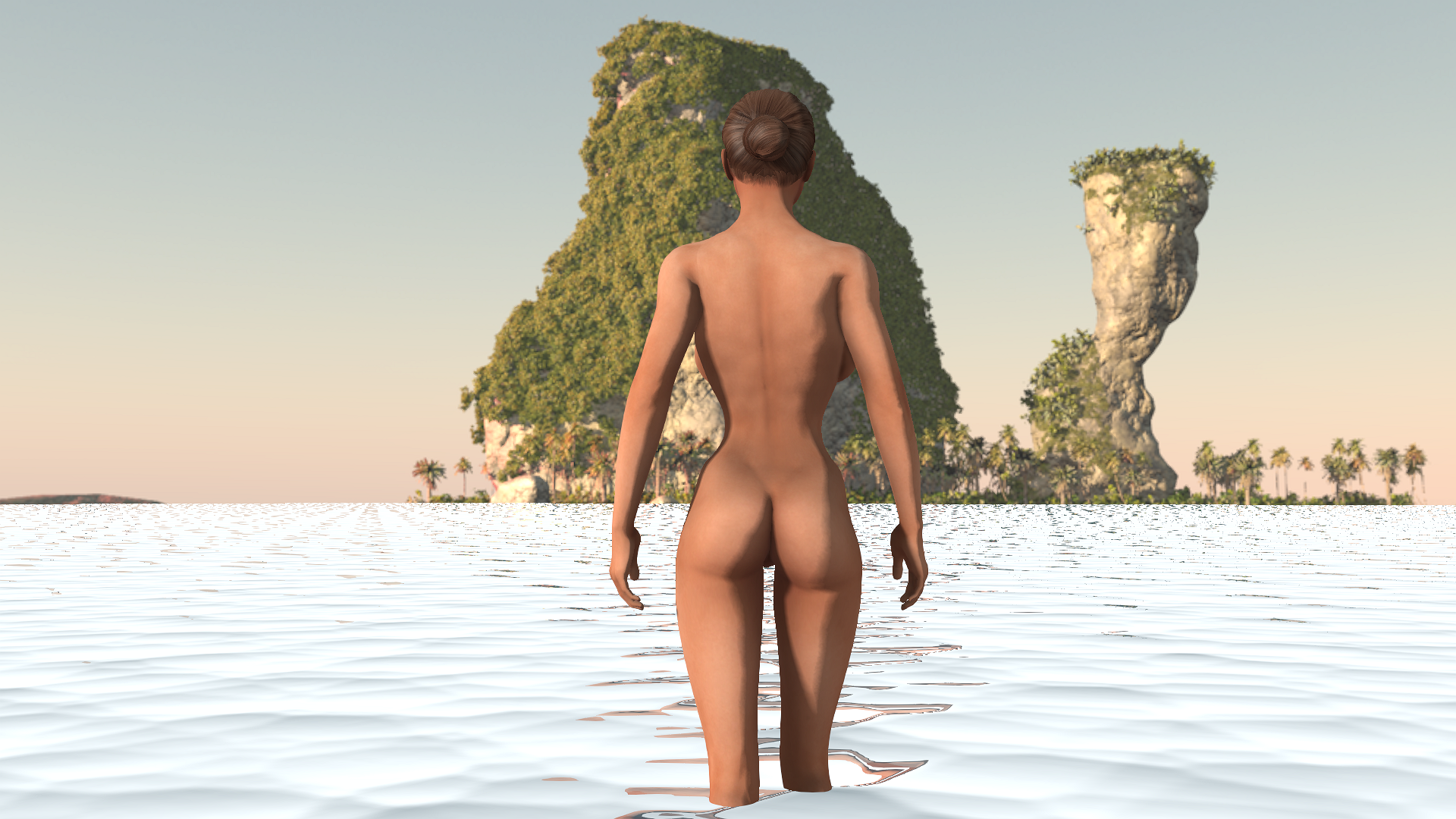
|
|
|
|
|
3dtester
|
3dtester
Posted 8 Years Ago
|
|
Group: Forum Members
Last Active: Last Year
Posts: 999,
Visits: 2.2K
|
pedrosura (11/14/2018)
jarretttowe (11/14/2018)
I can't wait to give this a shot!
I have not been able to get the same quality from the cylindrical projection vs. the skybox. Maybe you will get better luck... i've experienced the same thing. The skybox method looks obviously better, but there's also an issue with how it is displayed in iClone. Unfortunately i can't explain this because my english is too bad. Maybe i'll post a screenshot later. However, what i can definitely say is that either images don't look as good in iClone as they do on my desktop. When i open it in GIMP, it looks perfect and i can zoom in without seeing the same color artifacts. I want to know why this happens.
|
|
|
|
|
pedrosura
|
pedrosura
Posted 8 Years Ago
|
|
Group: Forum Members
Last Active: 2 Years Ago
Posts: 220,
Visits: 5.7K
|
jarretttowe (11/14/2018)
I can't wait to give this a shot!
I have not been able to get the same quality from the cylindrical projection vs. the skybox. Maybe you will get better luck...
|
|
|
|
|
jarretttowe
|
jarretttowe
Posted 8 Years Ago
|
|
Group: Forum Members
Last Active: 4 Years Ago
Posts: 560,
Visits: 3.0K
|
I can't wait to give this a shot!
|
|
|
|
|
Alolu
|
|
|
Group: Forum Members
Last Active: 4 days ago
Posts: 126,
Visits: 6.5K
|
This is very useful. Thanks so much!
|
|
|
|
|
3dtester
|
3dtester
Posted 8 Years Ago
|
|
Group: Forum Members
Last Active: Last Year
Posts: 999,
Visits: 2.2K
|
It looks pretty good when adjusting the tone map in iClone. The whiteness and exposure settings reduce these artifacts. They get visible when zoomed in, even if using 4k or 8k (!).   It must have something to do with the way iClone displays the image. I've compared them to regular HDRIs but can't see any difference in bit depth and such. However, this is still awesome and the possibilites are endless!!
|
|
|
|
|
3dtester
|
3dtester
Posted 8 Years Ago
|
|
Group: Forum Members
Last Active: Last Year
Posts: 999,
Visits: 2.2K
|
Kipster (11/11/2018)
3dtester (11/11/2018)
Kipster (11/11/2018)
if you have AE 2018 you can really make this stuff "pop"
using the built in vr tools and 16 or 32 bit
and use the output to drive your PBR/GI in iclone
Unfortunately i don't have AE. But i would love to know what has to be done to get the best out of it using free tools. I find that the generated images look a bit fuzzy inside iClone (i don't mean the blurness slider). a few things can be done inside space engine to make it look better in the bottom right there is a hidden menu for controls for exposure of assets there are also overall quality settings and the script in my video can be altered to 4k output with notepad also in iclone the tone map can improve things if played with enough and you want to use 35mm or below camera Thanks! I will do that and report back.
|
|
|
|
|
pedrosura
|
pedrosura
Posted 8 Years Ago
|
|
Group: Forum Members
Last Active: 2 Years Ago
Posts: 220,
Visits: 5.7K
|
Kipster (11/11/2018)
pedrosura (11/11/2018)
Kipster (11/11/2018)
open the console with the tilde key ~ and type set landlod 2
this can put some pressure on your vid card though
you can also edit a planet's parameters
to have more interesting features
but not the ones in our solar system
which all look flat no matter what
page up and page down will also act
like wide to narrow lens but not in the projection modes
My point is that it looks great in Space Engine, very detailed but if I use cylindrical projection to import to Iclone I lose a lot of resolution. Probably OK for a DOF shot but not for a background shot. are you exporting them as 2 to 4k in a 2:1 format? anything less than 2k isnt going to look good I exported them as 2048. Could you explain 4k 2:1 format?
|
|
|
|