|
By pedrosura - 8 Years Ago
|
Hello Friends,
This is a quick tutorial on how to create the background for a Space Shot using the great Space Engine software.
Space Engine is a simulator of the ENTIRE UNIVERSE. Yes, 200 Billion Galaxies and trillions of comets, asteroids, planets etc... The objects we know about are simulated and the ones we think are there but have'nt been discovered are simulated. It is the greatest piece of software I have ever played with and it's free. Please make a small donation if you use it. The developer (one guy) deserves it.
Thie process goes as follows: go to Space Engine and place the camera where you want to create the Skycube, Create the Skycube. The you have to modify 2 sides of the Skycube, then you have to use software to convert the six images that are the sides of the Skycube into a single 360 panoramic picture, then you take this picture as an IBL image in Iclone 7 and you are done.
STEP 1
Get Space Engine from en.spaceengine.org Install it and learn to move the camera and do the basics. Search Youtube for "Space Engine tutorials"
STEP 2
In Space Engine, find the place where you want to create your Skybox size 2048 and PNG, it could be in space, on a Moon, Asteroid, etc.. I used for this demo Kepler 452 b Terra which you can access by going to Space Engine, Planetarrium, Keyboard shortcut "F6" select it from the list and hit "GO TO"
STEP 3
Create Skybox by hitting escape key "ESC", click on "EDITOR", click on "EXPORT SKYBOX"
STEP 4
STEP 3 created six files located in C:\SpaceEngine\export named:
sky_neg_z.png
sky_pos_z.png
sky_neg_x.png
sky_pos_x.png
sky_neg_y.png
sky_pos_y.png
STEP 5
Go to Youtube and search "How to Convert a Cubemap To a 360° Image (Panorama) Tutorial"
There is a standalone utility called cubemap get there or here:
https://www.dropbox.com/s/5luc6qvwg4ztx0l/CubemapTo360-64bit.exe?dl=0
Here is an image containing the input to Cubemap utility (look at the window where it says "360Tech":
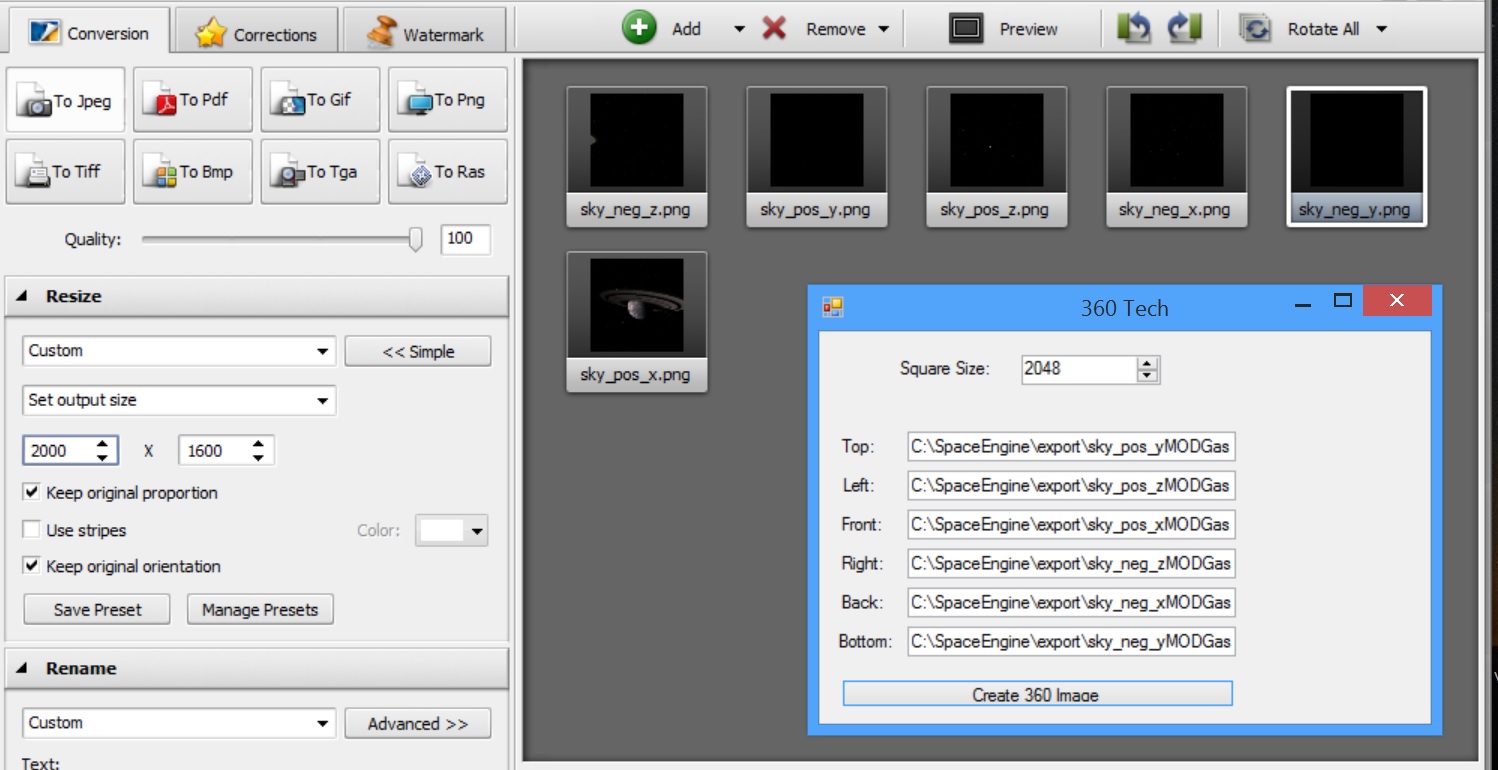
In Space Engine the skybox is 2048, in Cubemap I also make it 2048
The input to Cubemap
Top=sky_pos_y (Rotate image 90 deg Clockwise)
Bottom=sky_neg_y (Rotate image 90 deg CounterClockwise)
Left =sky_pos_z
Right=sky_neg_z
Front=sky_pos_x
Back=sky_neg_x
Now, here is an important step. Two of these images have to be rotated 90 degrees Clockwise and Counterclockwise respectively.
I use a program called "Image Converter" from AVS..
Free version here.. https://www.avs4you.com/es/avs-image-converter.aspx
This program is a great tool for converting images from one to another. Remember, two of the images have to be rotated. The other ones were just converted from PNG to JPG
You have to provide the full path to the file on the input to Cubemap. in my case:
TOP C:\SpaceEngine\export\sky_pos_yMODGas.jpg
In my case I started with file C:\SpaceEngine\export\sky_pos_y.png , rotated the file 90 degrees CLOCKWISE and created file sky_pos_yMODGas.jpg
Once all sides files are filled in click on "Create 360 degree image"
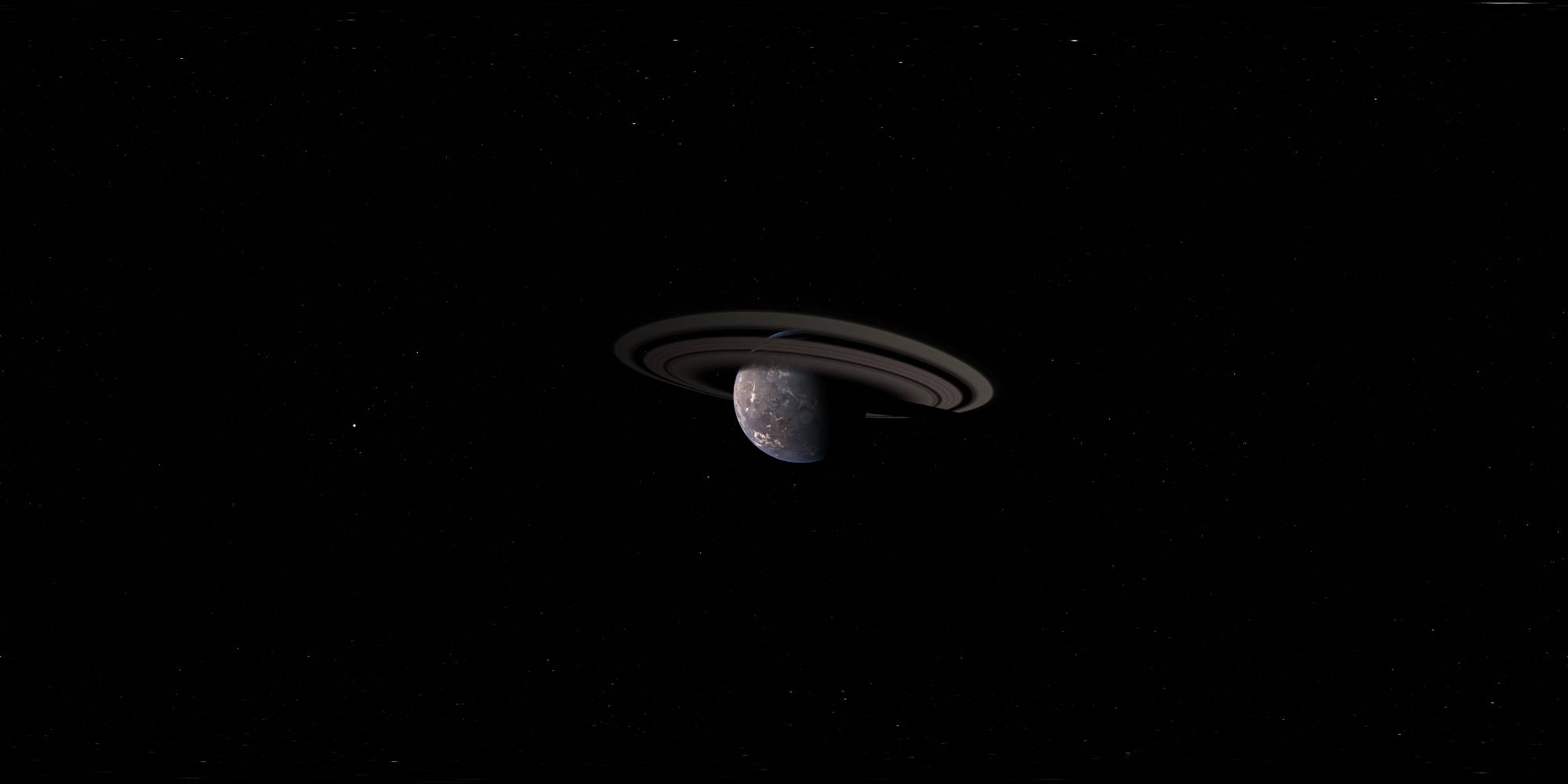
Give it a name and Cubemap will create a bitmap file, in my case...360GasGiant.bmp
Gas Giant 360 degree Image
https://www.dropbox.com/s/pd3o8widgdegj9c/360GasGiant.bmp?dl=0
STEP 6
Go to Iclone 7, visual tab and drop the "360GasGiant.bmp" image in the IBL image slot.
I suggest making this skybox large from 70 to 9999
Then you could add spaceships, lighting etc... Once done add sound effects, music etc.. and use it in your movies, like this:
Space Engine can create not only images in Space but from the surface of planets and Moons. Some of these terrains are created using fractals so they can be very detailed and incredibly impressive.
Another use is to create moving video as you move through space. This movie can be used as the video for a PRIM in Iclone. This movie can be "played" on the windshield of a cockpit, etc...
That is all folks. Comment for questions, opinions...
|
|
By sonic7 - 8 Years Ago
|
Fantastic pedro !
This is a *must keep* reference for sure !
I love sci-fi .... and a sci-fi project may not be out of the realms of possibility once I'm done with the current (earthly) project.
This opens up amazing possibilities !
thnx heaps for sharing this ... :)
|
|
By Skuzzlebutt - 8 Years Ago
|
why not just use the cylindrical projection
and avoid all this extra work?
also works for quick animated 360
|
|
By pedrosura - 8 Years Ago
|
Great video @kipster.. I am sure there are many ways of doing it. I guess depending on what shot you are doing you can use different projections. How does the cylindrical display at the poles?? I thought the the cubemap was the best no matter in what direction you looked. I am going to try this method.
Have you porjected a 360 degree video on a 360 prim and used it as an image background. I would be interested in doing this. I am sure that there will be memory issues but I wonder what kind of resolution would be possible.
Thank you for posting.
|
|
By pedrosura - 8 Years Ago
|
|
sonic7 (11/11/2018)
Fantastic pedro !
This is a *must keep* reference for sure !
I love sci-fi .... and a sci-fi project may not be out of the realms of possibility once I'm done with the current (earthly) project.
This opens up amazing possibilities !
thnx heaps for sharing this ... :)
You are welcomed. Read the post below for a different approach. Agreed, Space Engine is a must for syfy..
|
|
By Skuzzlebutt - 8 Years Ago
|
there are no stitching errors with the poles
and i have used the animated versions in iclone as skies
without any issues (wmv) on a modest system.
also, you may want to setup a gamepad for flight control
when doing the animated stuff
|
|
By pedrosura - 8 Years Ago
|
|
Kipster (11/11/2018)
there are no stitching errors with the poles
and i have used the animated versions in iclone as skies
without any issues (wmv) on a modest system.
also, you may want to setup a gamepad for flight control
when doing the animated stuff
Interested in finding out how you setup yours. I haven't done a lot of recording while flying around but it could be very interesting..
|
|
By Skuzzlebutt - 8 Years Ago
|
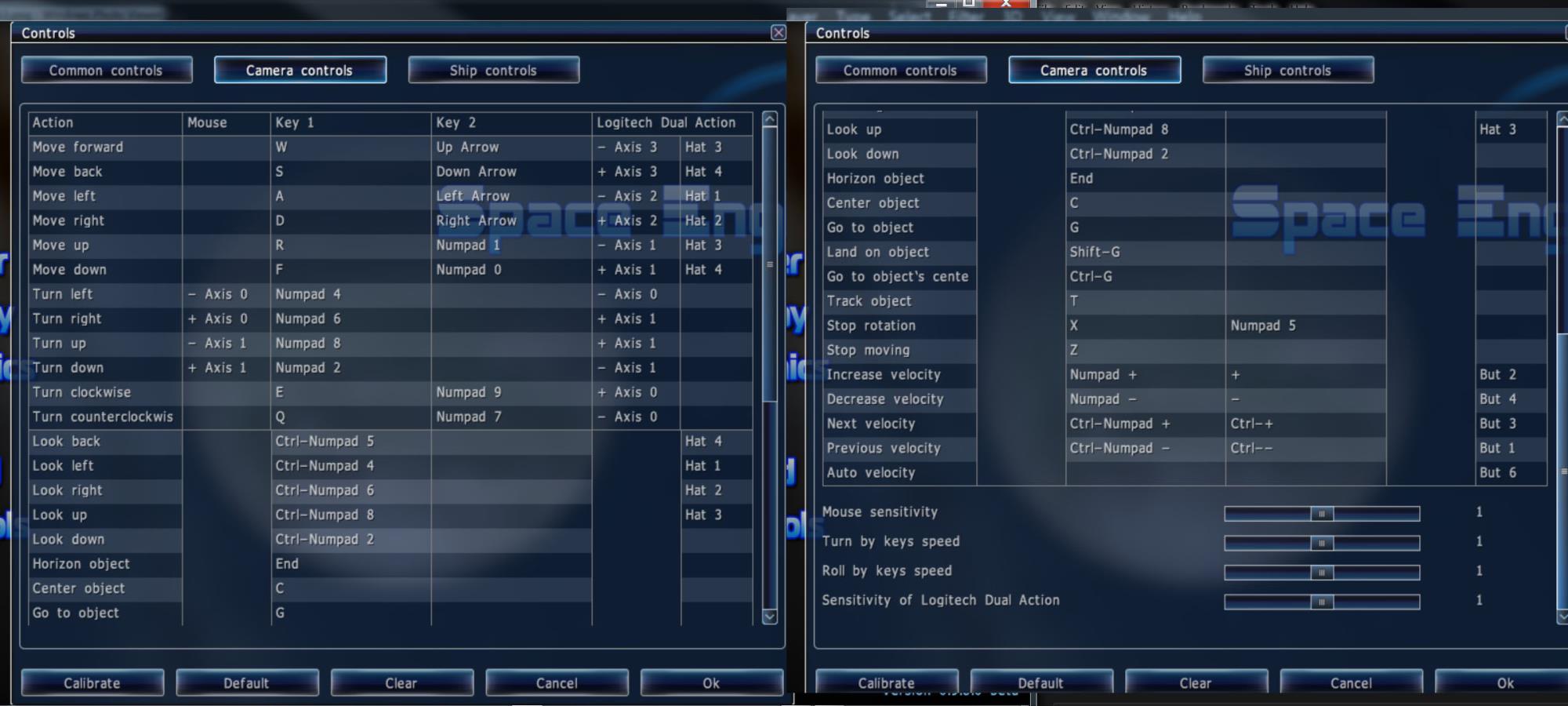
i use the camera controls, not the ships
and its a pretty basic setup with inverted controls for up and down
since its natural to steer that way
|
|
By pedrosura - 8 Years Ago
|
Kipster (11/11/2018)
i use the camera controls, not the ships and its a pretty basic setup with inverted controls for up and down since its natural to steer that way
Awesome.... Thank you...
|
|
By Skuzzlebutt - 8 Years Ago
|
the ship editor is also pretty cool
it can export to obj
|
|
By animagic - 8 Years Ago
|
|
@pedrosura, Kipster: Thanks for posting. I needed some inspiration and this is really cool!
|
|
By 3dtester - 8 Years Ago
|
Wow, some very useful information here!
I like the idea of creating sky HDRIs and i already have a project where i can use this :)
Not to mention that i instantly had to try this, and it worked in both ways.
Though, the second one was a bit easier ;)
Thanks so much for sharing this, guys!!
|
|
By Skuzzlebutt - 8 Years Ago
|
if you have AE 2018 you can really make this stuff "pop"
using the built in vr tools and 16 or 32 bit
and use the output to drive your PBR/GI in iclone
|
|
By 3dtester - 8 Years Ago
|
|
Kipster (11/11/2018)
if you have AE 2018 you can really make this stuff "pop"
using the built in vr tools and 16 or 32 bit
and use the output to drive your PBR/GI in iclone
Unfortunately i don't have AE. But i would love to know what has to be done to get the best out of it using free tools.
I find that the generated images look a bit fuzzy inside iClone (i don't mean the blurness slider).
|
|
By pedrosura - 8 Years Ago
|
|
Kipster (11/11/2018)
the ship editor is also pretty cool
it can export to obj
Looking forward to SE .990 I have not played with the ship editor. Just creating a movie is a daunting task enough...
|
|
By pedrosura - 8 Years Ago
|
|
animagic (11/11/2018)
@pedrosura, Kipster: Thanks for posting. I needed some inspiration and this is really cool!
Cool, I have been posting things that I have used, frankly, hoping that some other folks will use it and do things I haven't tried. Great way to get ideas..
|
|
By Skuzzlebutt - 8 Years Ago
|
3dtester (11/11/2018)
Kipster (11/11/2018)
if you have AE 2018 you can really make this stuff "pop"
using the built in vr tools and 16 or 32 bit
and use the output to drive your PBR/GI in iclone
Unfortunately i don't have AE. But i would love to know what has to be done to get the best out of it using free tools. I find that the generated images look a bit fuzzy inside iClone (i don't mean the blurness slider).
a few things can be done inside space engine to make it look better
in the bottom right there is a hidden menu for controls for exposure of assets
there are also overall quality settings and the script in my video
can be altered to 4k output with notepad
also in iclone the tone map can improve things if played with enough
and you want to use 35mm or below camera
|
|
By pedrosura - 8 Years Ago
|
[/quote]
a few things can be done inside space engine to make it look better
[/quote]
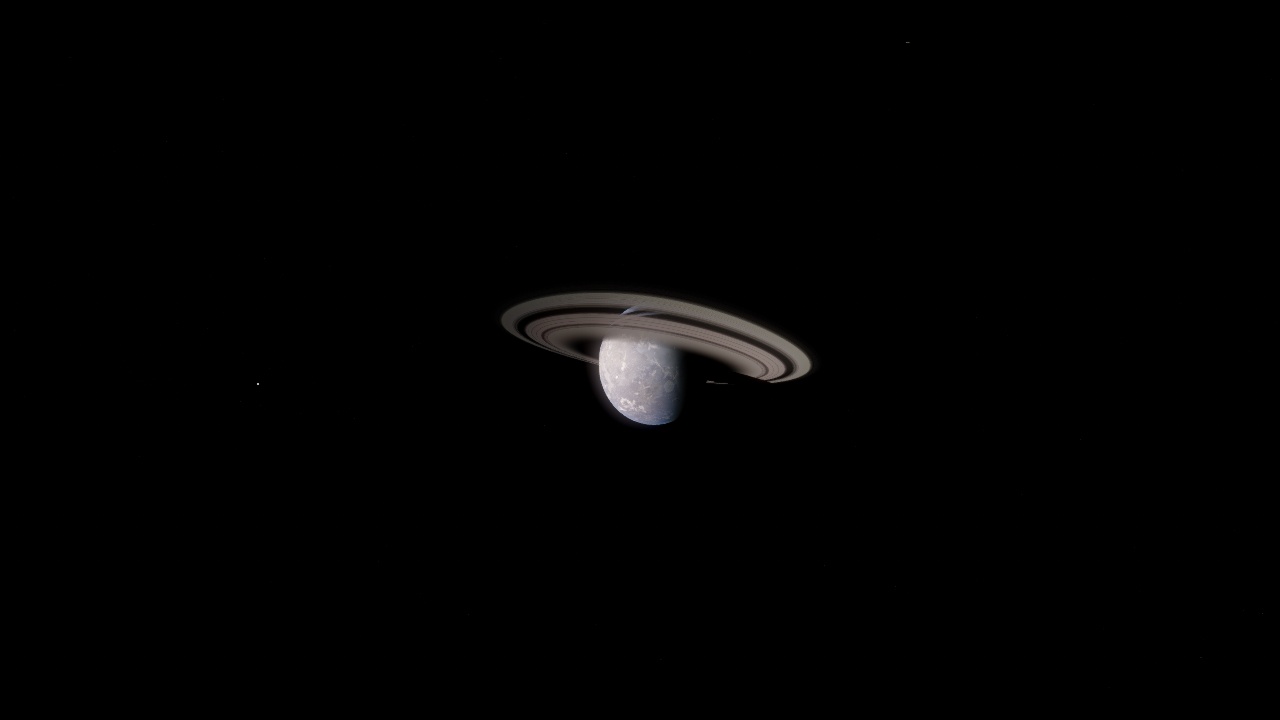
Cylindrical
Cubemap Skybox
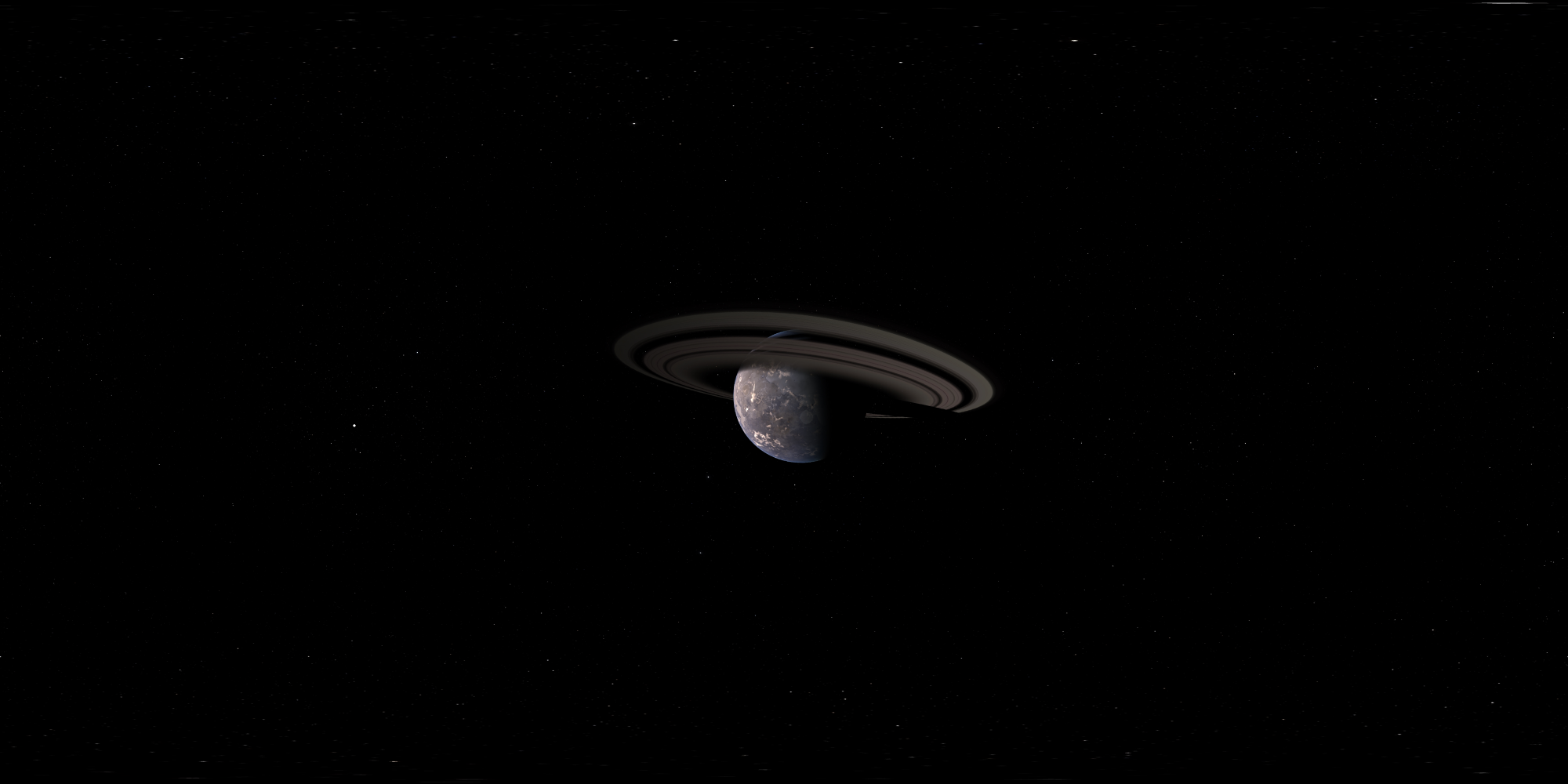
These two pictures looks very similar, but I find a noticible difference in the quality of the shot. So, I am wondering what I could do to the cylindrical method to make it as good as the Cubemap..
|
|
By Skuzzlebutt - 8 Years Ago
|
the planet exposure needs to be lowered in the first one
this setting resets everytime you open the program
lower right hidden menu
|
|
By pedrosura - 8 Years Ago
|
|
Kipster (11/11/2018)
the planet exposure needs to be lowered in the first one
this setting resets everytime you open the program
lower right hidden menu
I will keep experimenting. I just did a shot from the surfacr of a planet with very nice detailed mountains but it does not look sharp enough for a shot.
|
|
By Skuzzlebutt - 8 Years Ago
|
open the console with the tilde key ~ and type set landlod 2
this can put some pressure on your vid card though
you can also edit a planet's parameters
to have more interesting features
but not the ones in our solar system
which all look flat no matter what
page up and page down will also act
like wide to narrow lens but not in the projection modes
|
|
By pedrosura - 8 Years Ago
|
|
Kipster (11/11/2018)
open the console with the tilde key ~ and type set landlod 2
this can put some pressure on your vid card though
you can also edit a planet's parameters
to have more interesting features
but not the ones in our solar system
which all look flat no matter what
page up and page down will also act
like wide to narrow lens but not in the projection modes
My point is that it looks great in Space Engine, very detailed but if I use cylindrical projection to import to Iclone I lose a lot of resolution. Probably OK for a DOF shot but not for a background shot.
|
|
By Skuzzlebutt - 8 Years Ago
|
pedrosura (11/11/2018)
Kipster (11/11/2018)
open the console with the tilde key ~ and type set landlod 2
this can put some pressure on your vid card though
you can also edit a planet's parameters
to have more interesting features
but not the ones in our solar system
which all look flat no matter what
page up and page down will also act
like wide to narrow lens but not in the projection modes
My point is that it looks great in Space Engine, very detailed but if I use cylindrical projection to import to Iclone I lose a lot of resolution. Probably OK for a DOF shot but not for a background shot.
are you exporting them as 2 to 4k in a 2:1 format?
anything less than 2k isnt going to look good
|
|
By pedrosura - 8 Years Ago
|
Kipster (11/11/2018)
pedrosura (11/11/2018)
Kipster (11/11/2018)
open the console with the tilde key ~ and type set landlod 2
this can put some pressure on your vid card though
you can also edit a planet's parameters
to have more interesting features
but not the ones in our solar system
which all look flat no matter what
page up and page down will also act
like wide to narrow lens but not in the projection modes
My point is that it looks great in Space Engine, very detailed but if I use cylindrical projection to import to Iclone I lose a lot of resolution. Probably OK for a DOF shot but not for a background shot. are you exporting them as 2 to 4k in a 2:1 format? anything less than 2k isnt going to look good
I exported them as 2048. Could you explain 4k 2:1 format?
|
|
By 3dtester - 8 Years Ago
|
Kipster (11/11/2018)
3dtester (11/11/2018)
Kipster (11/11/2018)
if you have AE 2018 you can really make this stuff "pop"
using the built in vr tools and 16 or 32 bit
and use the output to drive your PBR/GI in iclone
Unfortunately i don't have AE. But i would love to know what has to be done to get the best out of it using free tools. I find that the generated images look a bit fuzzy inside iClone (i don't mean the blurness slider). a few things can be done inside space engine to make it look better in the bottom right there is a hidden menu for controls for exposure of assets there are also overall quality settings and the script in my video can be altered to 4k output with notepad also in iclone the tone map can improve things if played with enough and you want to use 35mm or below camera
Thanks! I will do that and report back.
|
|
By 3dtester - 8 Years Ago
|
It looks pretty good when adjusting the tone map in iClone.
The whiteness and exposure settings reduce these artifacts.
They get visible when zoomed in, even if using 4k or 8k (!).


It must have something to do with the way iClone displays the image.
I've compared them to regular HDRIs but can't see any difference in bit depth and such.
However, this is still awesome and the possibilites are endless!!
|
|
By Alolu - 8 Years Ago
|
|
This is very useful. Thanks so much!
|
|
By jarretttowe - 8 Years Ago
|
I can't wait to give this a shot!
|
|
By pedrosura - 8 Years Ago
|
|
jarretttowe (11/14/2018)
I can't wait to give this a shot!
I have not been able to get the same quality from the cylindrical projection vs. the skybox. Maybe you will get better luck...
|
|
By 3dtester - 8 Years Ago
|
pedrosura (11/14/2018)
jarretttowe (11/14/2018)
I can't wait to give this a shot!
I have not been able to get the same quality from the cylindrical projection vs. the skybox. Maybe you will get better luck...
i've experienced the same thing. The skybox method looks obviously better, but there's also an issue with how it is displayed in iClone.
Unfortunately i can't explain this because my english is too bad. Maybe i'll post a screenshot later.
However, what i can definitely say is that either images don't look as good in iClone as they do on my desktop.
When i open it in GIMP, it looks perfect and i can zoom in without seeing the same color artifacts.
I want to know why this happens.
|
|
By pedrosura - 8 Years Ago
|
3dtester (11/16/2018)
pedrosura (11/14/2018)
jarretttowe (11/14/2018)
I can't wait to give this a shot!
I have not been able to get the same quality from the cylindrical projection vs. the skybox. Maybe you will get better luck... i've experienced the same thing. The skybox method looks obviously better, but there's also an issue with how it is displayed in iClone. Unfortunately i can't explain this because my english is too bad. Maybe i'll post a screenshot later. However, what i can definitely say is that either images don't look as good in iClone as they do on my desktop. When i open it in GIMP, it looks perfect and i can zoom in without seeing the same color artifacts. I want to know why this happens.
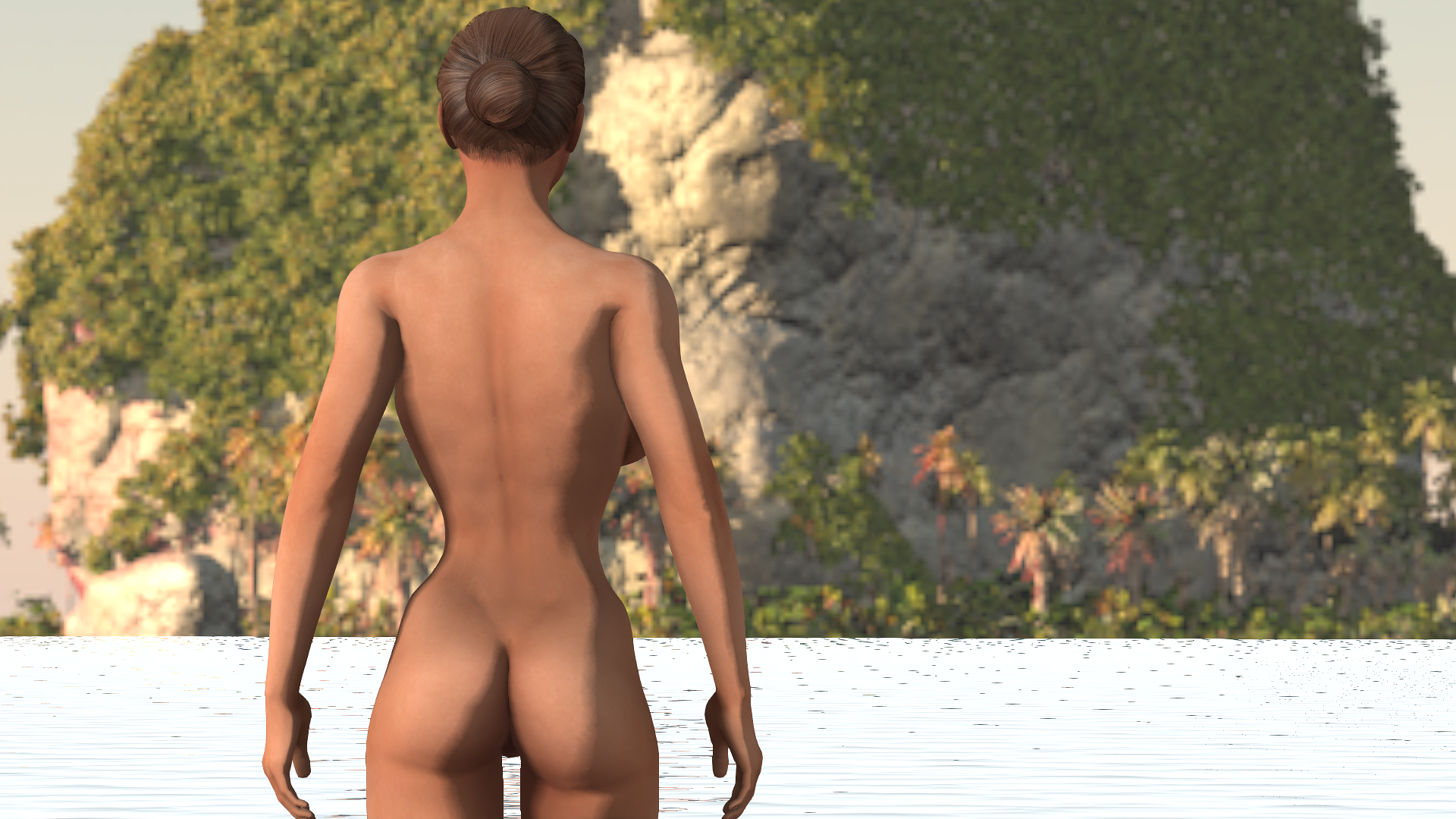
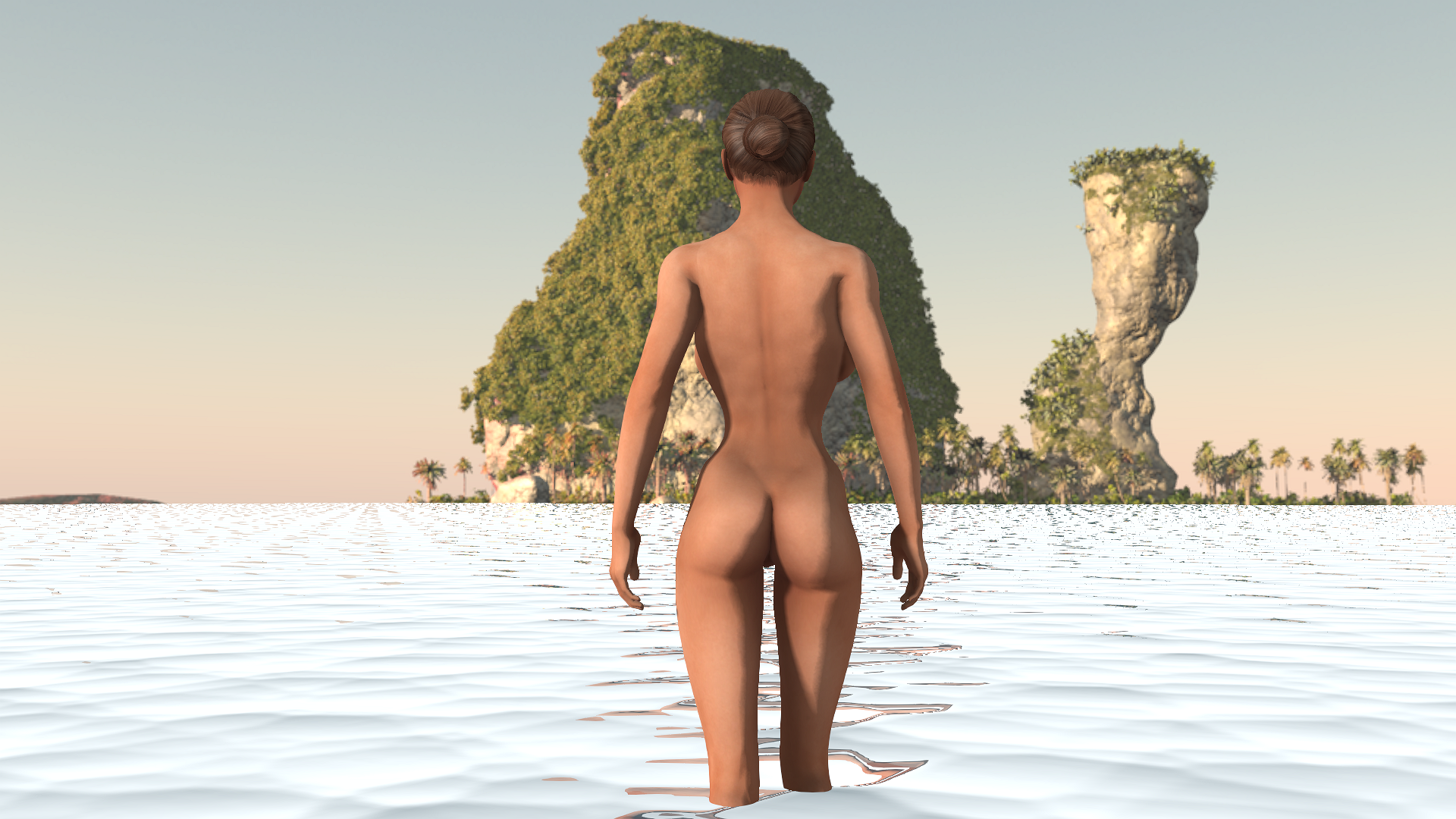
I think that the issue is not ICLONE but how Space Engine creates the images for the Skybox. I have a program called VUE and it can create different image formats including HDR. When I import this image to Iclone, the image is very sharp. Look at the image below which the background is 360 deg HDR and even if you use a 105 mm lens, it still looks good. I am going to use the Skybox output or a regular video screen until I can figure how to make the cylindrical version look sharp.
|
|
By 3dtester - 8 Years Ago
|
I found something very interesting.
There is an option called 'sync sky' in the visual tab.
I am not quiet sure about the exact purpose of the 'image' checkbox there.
But it has a substantial effect.
I would say it is the root cause of that issue.
Here's an image with the 'sync sky / image' option checked:
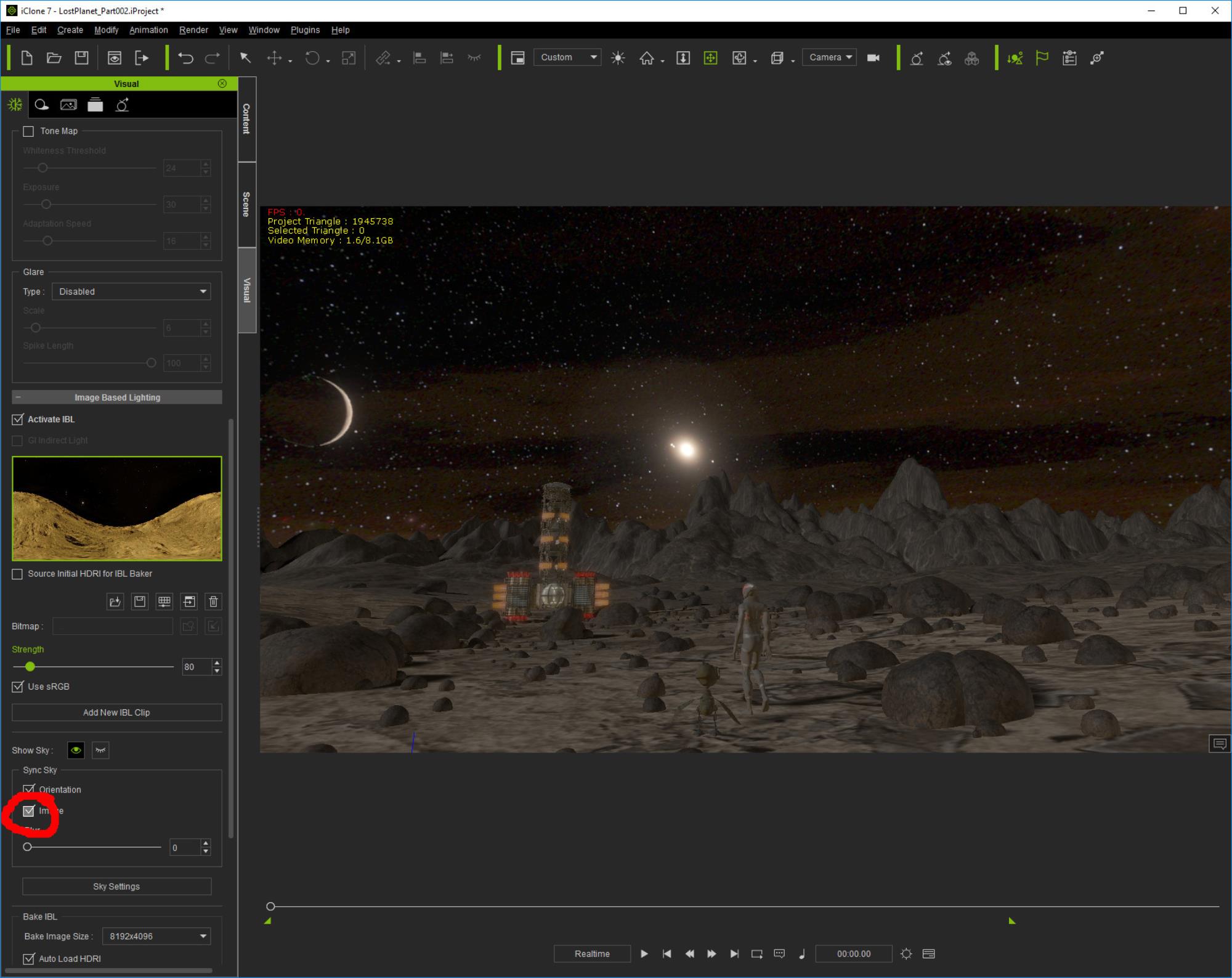
You can see the color artifacts.
And here is the result of unchecking that option:
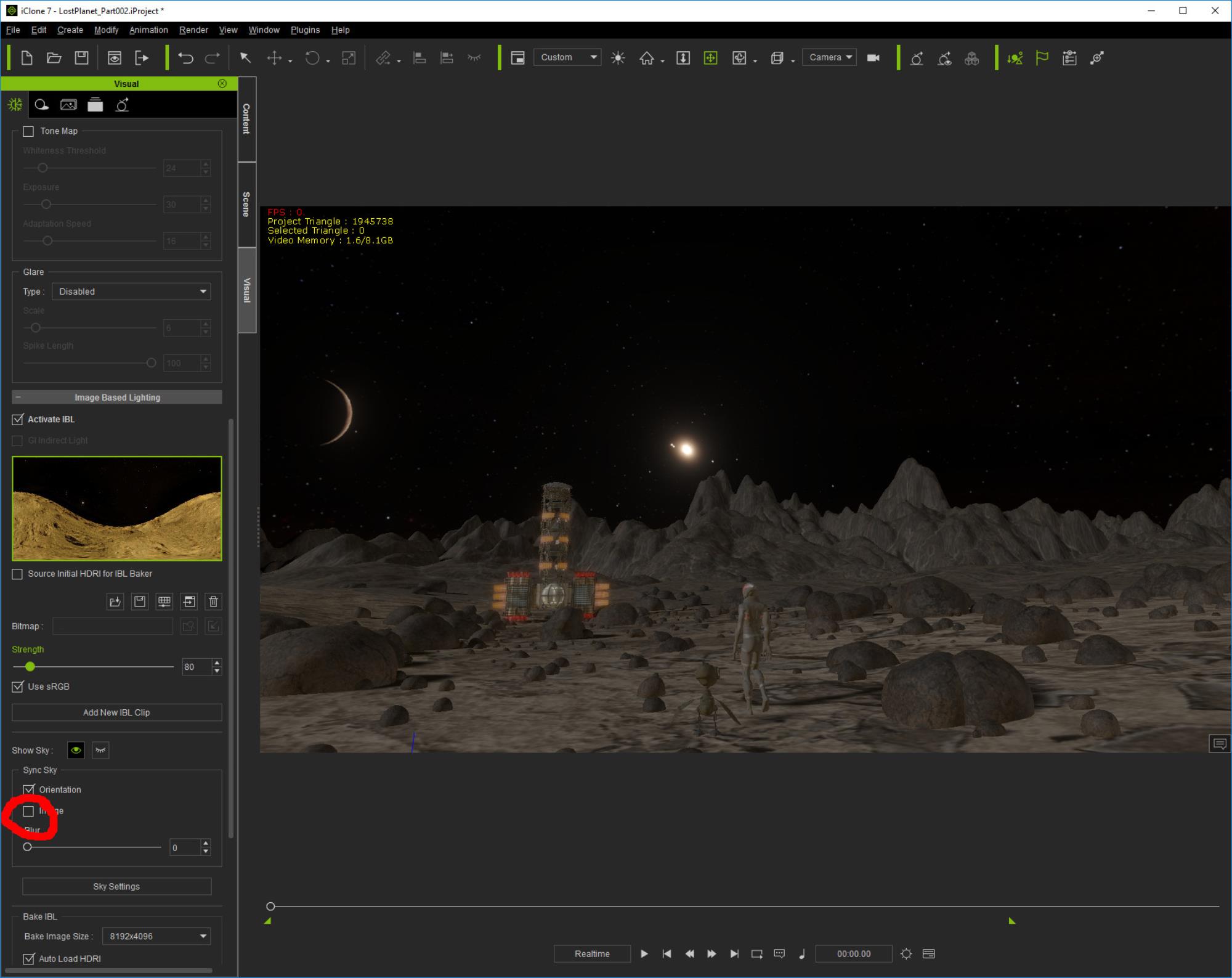
It seems that some details get lost / invisible), but also the color gradients / artifacts.
|
|
By jarretttowe - 8 Years Ago
|
I realize those are artifacts, but MAN! It looks like you are on a ringed planet and that makes it look kind of awesome!
|