|
Author
|
Message
|
|
vepop
|
|
|
Group: Forum Members
Last Active: Last Year
Posts: 1.0K,
Visits: 9.9K
|
Watch this to get a better understanding of how it works:-

YouTube Tutorials Here
|
|
|
|
|
Peter (RL)
|
Peter (RL)
Posted 5 Years Ago
|
|
Group: Administrators
Last Active: Last Year
Posts: 23.1K,
Visits: 36.6K
|
samaay.nasto (1/27/2020)
I have done my rigging but when i tried to make an animation in crazy talk it seems broken legs and unusual .can you please help me outHi... Do make sure that each body part is overlapping so that bone nub goes through both parts as if you were pinning them together. The best way to do this is to round off the ends of each part. For example in the image below you will see the top of the arm is rounded off. This then overlaps the shoulder with the bone nub (the red circle) pinning the two parts together. This will stop them from coming apart. 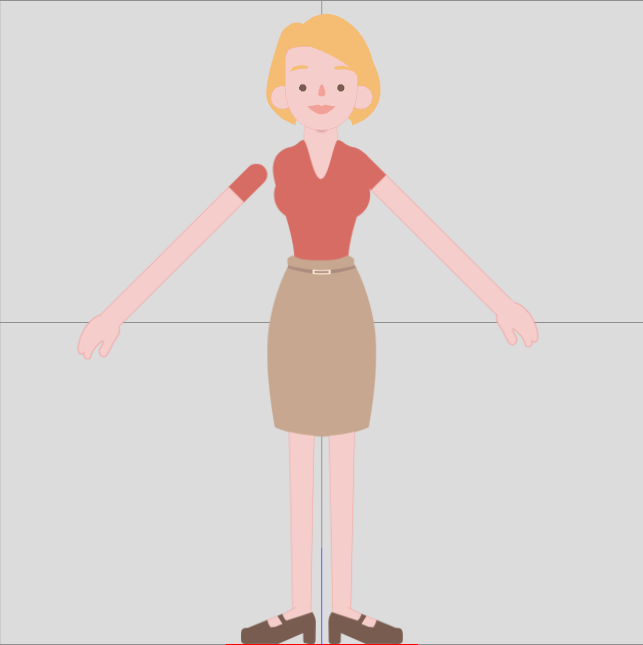 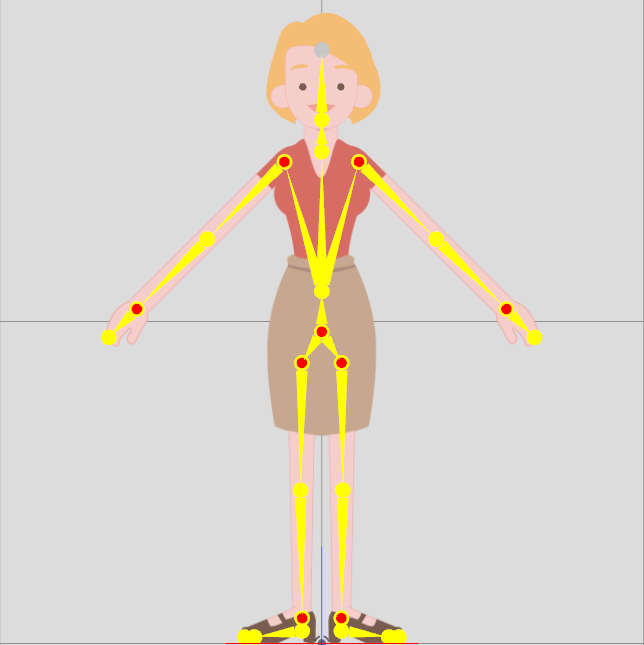
Peter
Forum Administrator www.reallusion.com
|
|
|
|
|
samaay.nasto
|
samaay.nasto
Posted 5 Years Ago
|
|
Group: Forum Members
Last Active: 5 Years Ago
Posts: 1,
Visits: 10
|
I have done my rigging but when i tried to make an animation in crazy talk it seems broken legs and unusual .can you please help me out
|
|
|
|
|
parisgranville
|
parisgranville
Posted 8 Years Ago
|
|
Group: Forum Members
Last Active: 2 Years Ago
Posts: 35,
Visits: 283
|
Thanks, I got it to work. Character looks great now.
|
|
|
|
|
parisgranville
|
parisgranville
Posted 8 Years Ago
|
|
Group: Forum Members
Last Active: 2 Years Ago
Posts: 35,
Visits: 283
|
I think this is what is going on. But I'm too much of a newbie to understand it. Will you say more?
|
|
|
|
|
AriToons
|
AriToons
Posted 8 Years Ago
|
|
Group: Forum Members
Last Active: 8 Months Ago
Posts: 9,
Visits: 364
|
Thanks
|
|
|
|
|
kylelee
|
kylelee
Posted 8 Years Ago
|
|
Group: Forum Members
Last Active: 3 Years Ago
Posts: 462,
Visits: 4.2K
|
Hi, I guess that your character could not double bind the left-hand and the left forearm.
Please check bone the left-hand and the left forearm. I think that this issue has two situations. 1.) The sprite position incorrect in compose mode. 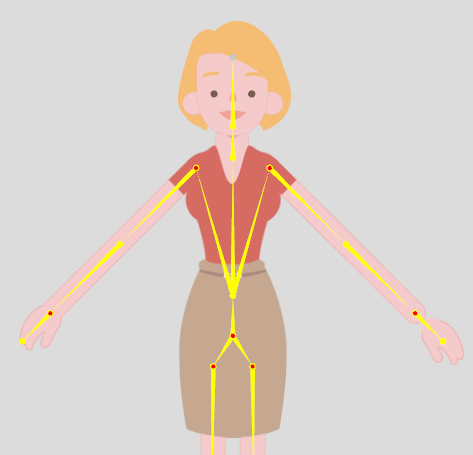  2.) The bone does not have rigged double bind two sprites. 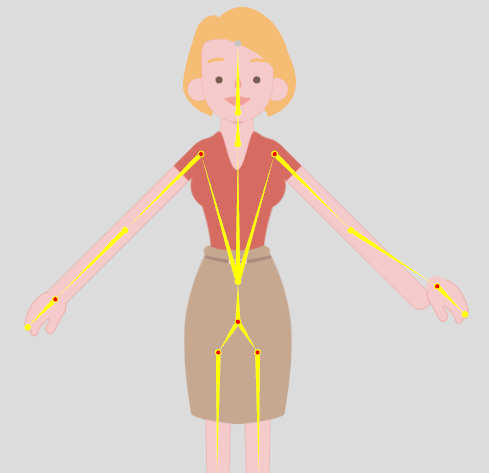 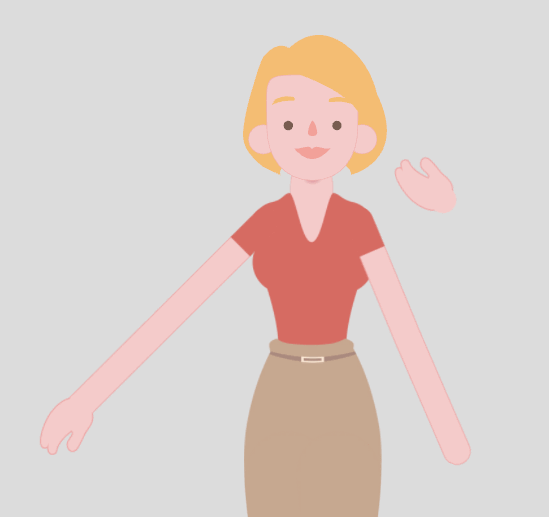 |
|
|
|
|
parisgranville
|
parisgranville
Posted 8 Years Ago
|
|
Group: Forum Members
Last Active: 2 Years Ago
Posts: 35,
Visits: 283
|
Hello, Kyle. It looks like the problem is that the original character doesn't have straight arms. Do you know a way that I can rig it with bent arms. 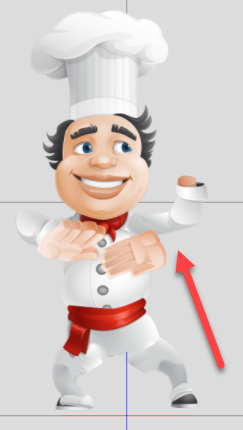 
|
|
|
|
|
kylelee
|
kylelee
Posted 8 Years Ago
|
|
Group: Forum Members
Last Active: 3 Years Ago
Posts: 462,
Visits: 4.2K
|
parisgranville (4/15/2017)
I set up a G3 character in photoshop, but the left hand floats widely during animation. The bones are at the base of the hand and the hand nub is at the longest point of the hand. The other hand does not do this. Any ideas
Hi, Could you try to adjust sprite via Transform Sprite mode in Composer Mode? This issue could be incorrect location of the element, you can check your element via Spirit Editor in Composer Mode. If it still happened, please attached the screenshot, I will try to solve your issue.
|
|
|
|
|
kylelee
|
kylelee
Posted 8 Years Ago
|
|
Group: Forum Members
Last Active: 3 Years Ago
Posts: 462,
Visits: 4.2K
|
ElAriel (4/14/2017)
Hi. I see two issues. When I import a G3 character to the scene, the eyes disappear. Also collapsed the software and closed.
Bye.
Hello, I want to reply your issues. 1.) I also have happened the eyes disappear issue, but this issue has workaround when I replace the character via the same one. => You can refer this issue: https://www.reallusion.com/FeedBackTracker/Issue/Eyes-move-1-report-2-separate-cases2.) About the crashed issue, you can report your situation to technical support. https://reallusion.com/CustomerSupport/user/FAQList.aspx
|
|
|
|