|
Author
|
Message
|
|
urbanlamb
|
urbanlamb
Posted 10 Years Ago
|
|
Group: Forum Members
Last Active: 2 Years Ago
Posts: 1.2K,
Visits: 3.5K
|
send in one of your crashing sets to support they can try to see what is the cause.
~~~~~~~~~~~~~~~~~~~~~~~~~~~~~~~~~~~~~~~~~~~~~~~~~~~~~~~~
"You have brains in your head. You have feet in your shoes. You can steer yourself in any direction you choose. You're on your own, and you know what you know. And you are the guy who'll decide where to go."
Dr. Seuss
|
|
|
|
|
planetstardragon
|
planetstardragon
Posted 10 Years Ago
|
|
Group: Forum Members
Last Active: Last Year
Posts: 11.5K,
Visits: 46.0K
|
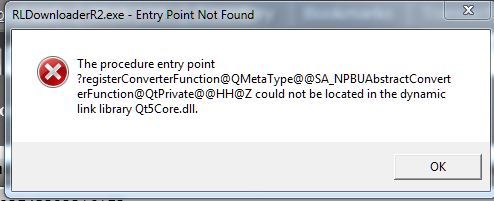 note - I just ran an sfc scan now to make sure my files are not damaged, I passed without errors. unrelated - to this but to my prior post - my video card has the latest driver - did a clean install to make sure i had no bad files.
☯🐉 "To define Tao is to defile it" - Lao Tzu
|
|
|
|
|
ksrisley_20110505002911432...
|
ksrisley_20110505002911432...
Posted 10 Years Ago
|
|
Group: Forum Members
Last Active: 2 Years Ago
Posts: 15,
Visits: 120
|
Upon closer inspection, I've noted that the program crashes in about 5 to 10 minutes, render or not. And only with certain project. Others are stable. This is new with the latest release. Wondering about the "clean install". I just downloaded the entire program. Up to know I have just done patches. Is a "clean install" easy to do? Any chance of it wiping out my templates and custom folders? - Ken
|
|
|
|
|
planetstardragon
|
planetstardragon
Posted 10 Years Ago
|
|
Group: Forum Members
Last Active: Last Year
Posts: 11.5K,
Visits: 46.0K
|
ya, i think i have to do the same thing, maybe somewhere along the line a patch went bad - uninstalling is relatively safe IF, 1 - you are online so their servers can register the uninstall, 2 - you use their uninstaller ....don't use 3rd party uninstallers because those will delete the extras. It's always good to have a backup also, which gets harder to do over time as your library grows. - it's a fairly straightforward, safe, and simple procedure despite the skeery'ness of losing allll your work! lol :)
☯🐉 "To define Tao is to defile it" - Lao Tzu
|
|
|
|
|
planetstardragon
|
planetstardragon
Posted 10 Years Ago
|
|
Group: Forum Members
Last Active: Last Year
Posts: 11.5K,
Visits: 46.0K
|
ok, i did my uninstall, and found an issue... I ran cc cleaner to see what was left behind by the uninstaller in the registry....if by chance my errors were caused by a bad registry entry....re-installing may not fix it if the bad registry entry was left behind to run again with the new installation. 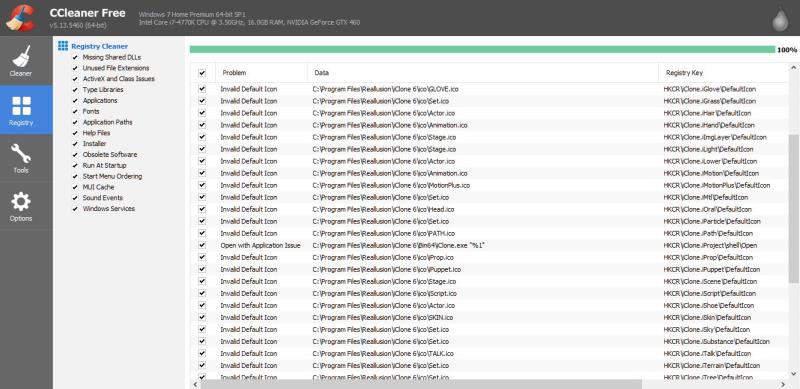 update - i ran ccleaner a 2nd time, and there was more - further iclone 5 was removed from my system almost a year ago because it was causing conflicts - it caused 3DX6 to not function properly, I was having trouble with making 3DX6 my default program for opening skp and obj files and the system would default to 3DX5. - so this is in an issue. 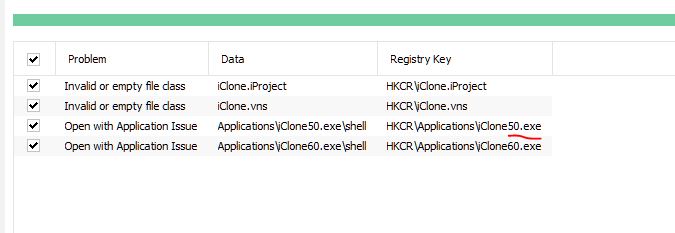
☯🐉 "To define Tao is to defile it" - Lao Tzu
|
|
|
|
|
lpatter
|
lpatter
Posted 10 Years Ago
|
|
Group: Forum Members
Last Active: 10 Years Ago
Posts: 145,
Visits: 898
|
I posted my issue elsewhere before finding this.
I have the same error downloading IC64 and 3DXchange6 but did not bother with CC.
"The signature of IC640_Enu_full_Patch.exe is corrupt or invalid".
So I deleted it and did not try to install. It has occurred 2 days in a row.
I am installing by going through the "Check for Updates" after opening the program.
Thanks for your help
|
|
|
|
|
planetstardragon
|
planetstardragon
Posted 10 Years Ago
|
|
Group: Forum Members
Last Active: Last Year
Posts: 11.5K,
Visits: 46.0K
|
on first fresh start up - the first time, nothing happened on clicking the start icon, the 2nd time iclone crashed. - and I also got the security prompt from windows asking me if it's ok to let an "unknown" publisher make changes to my computer. - fresh install, clean registry, updated video drivers - no false flags from anti-virus. 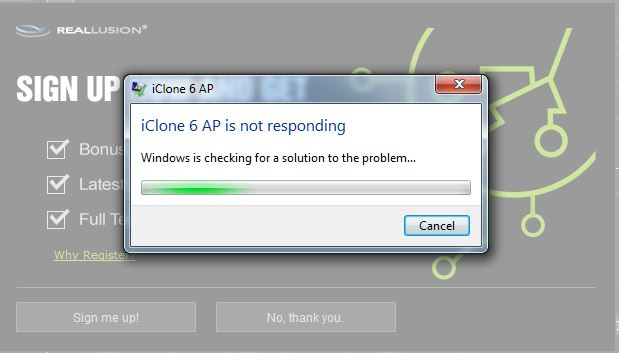 I ran the compatibility test, in an attempt to circumvent the possible "unknown" publisher permissions issue - it simply added run as administrator. 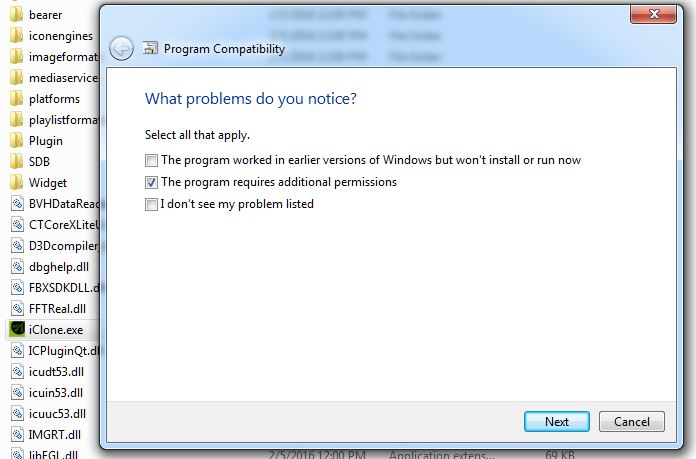 then it ran further tests and gave me this - 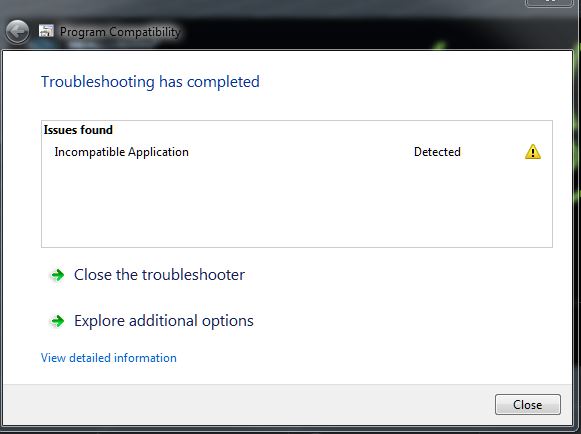
☯🐉 "To define Tao is to defile it" - Lao Tzu
|
|
|
|
|
planetstardragon
|
planetstardragon
Posted 10 Years Ago
|
|
Group: Forum Members
Last Active: Last Year
Posts: 11.5K,
Visits: 46.0K
|
and i got the same error on the fresh install - could it be that iclone needs a windows 7, 8 version and a separate windows 10 version ? 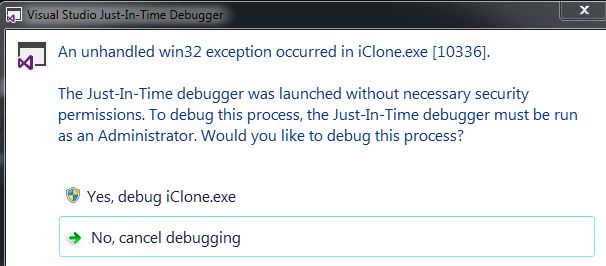
☯🐉 "To define Tao is to defile it" - Lao Tzu
|
|
|
|
|
planetstardragon
|
planetstardragon
Posted 10 Years Ago
|
|
Group: Forum Members
Last Active: Last Year
Posts: 11.5K,
Visits: 46.0K
|
and this is what the crash looks like on the video card. you can see when i started iclone and when it stopped. My MSI Mpower max motherboard is handling the video card overclocking. 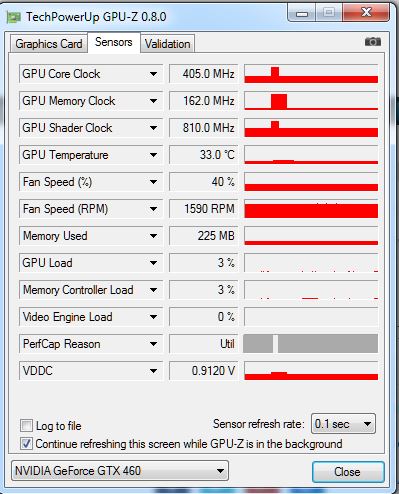
☯🐉 "To define Tao is to defile it" - Lao Tzu
|
|
|
|
|
urbanlamb
|
urbanlamb
Posted 10 Years Ago
|
|
Group: Forum Members
Last Active: 2 Years Ago
Posts: 1.2K,
Visits: 3.5K
|
I keep getting this and I have checked 5 million times and the character has no spring effect turned on the button is "off" LOL so this is an eroneaous message nothing much just annoying because i get to see it everytime I open up the edit motion layer stuff. Seems to me since I didnt turn it on .. I should not be having to turn if off :) 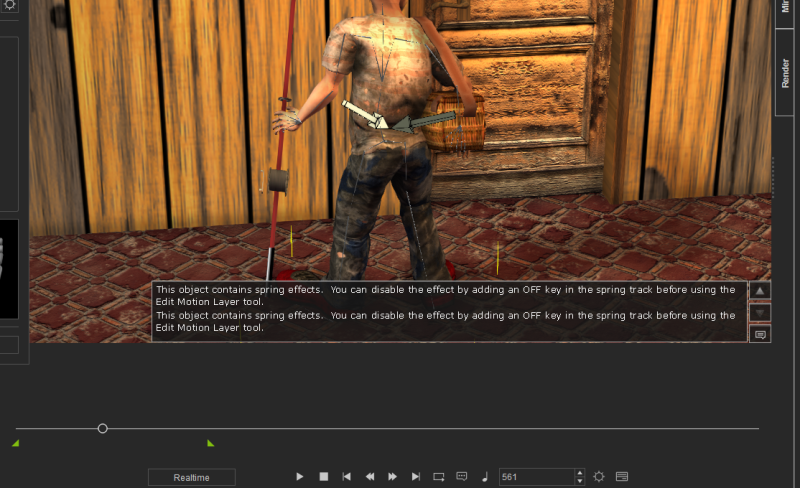 ~~~~~~~~~~~~~~~~~~~~~~~~~~~~~~~~~~~~~~~~~~~~~~~~~~~~~~~~
"You have brains in your head. You have feet in your shoes. You can steer yourself in any direction you choose. You're on your own, and you know what you know. And you are the guy who'll decide where to go."
Dr. Seuss
|
|
|
|