|
Author
|
Message
|
|
AutoDidact
|
AutoDidact
Posted 4 Years Ago
|
|
Group: Forum Members
Last Active: 2 Months Ago
Posts: 2.1K,
Visits: 13.6K
|
Glad to hear its all sorted.
|
|
|
|
|
Brucek5
|
Brucek5
Posted 4 Years Ago
|
|
Group: Forum Members
Last Active: 2 Years Ago
Posts: 25,
Visits: 154
|
Good news!
Now that I have a non-iClone character imported and converted by CC4, all I have to do is select this existing character in my iClone scene, apply animation, and export as FBX. The exported FBX maintains my original non-iClone character rig, bone names, up-vectors and rotations that I can directly import into Cinema-4D as a motion source without doing anything else. It's now my fastest means of creating animation. I might look at what the iClone scripting provides to possibly make it a "one-click" operation.
Thanks for everyone that helped especially AutoDidact that spent much of his personal time driving to help find a solution!
Now I can share this with the Cinema-4D community.
Case closed.
Bruce Kingsley
|
|
|
|
|
AutoDidact
|
AutoDidact
Posted 4 Years Ago
|
|
Group: Forum Members
Last Active: 2 Months Ago
Posts: 2.1K,
Visits: 13.6K
|
Hi AutoDidact, I'm sorry if my response sounded negative in light with all the time you've spent helping me. I'll see if I can edit it out of my posting.
No worries mate.:D if i had known you had access to CC4 I would have simply referred you to a recent video of the current DAZ format BVH export process like the one Rampa posted.
3DXchange is an old 32 bit app that has now passed it’s operational lifespan as far as Reallusion is concerned.
I am still using IC7/CC3 yet even I no longer use 3DX anymore for retargeting as my blender ARP rigs support CC3 motion exports directly
|
|
|
|
|
Brucek5
|
Brucek5
Posted 4 Years Ago
|
|
Group: Forum Members
Last Active: 2 Years Ago
Posts: 25,
Visits: 154
|
Hi AutoDidact,
I'm sorry if my response sounded negative in light with all the time you've spent helping me. :( I'll see if I can edit it out of my posting.
Though as I stated in my last posting, I submitted a customer support ticket to Reallusion on this topic months ago, and if they never replied to my ticket where they could have directed me to tutorial videos or documentation. This is why I posted this question to this forum. They didn't reply, they just closed the ticket as "no solution" and would be very disappointed if they did his because they assumed something. As a paying customer, I felt I did my best to get an answer from the app supplier before hitting up other customers on a forum.
Maxon has lost a bunch of existing customers (mostly hobbyist people like myself) for multiple reasons, but have gained others. I don't think 3D characters and animation is their product target. But what ever their customer targets are, they have enough cash to buy other companies such as Redshift, Red Giant, and Z-Brush in just the last two years (stock holders don't like cash spent without growth). But I don't want to go down the path of who makes the best 3D software which is like debating who makes the best truck. They all have their pros and cons, hence why I have, and paid for so many 3D apps including Reallusion (I paid more to Reallusion this year than Maxon and my plug-ins products combined). FYI - 3D is just one of my personal hobbies for stress relief of being a 45 year senior aerospace engineer/manager creating software (some that is AI) that performs aircraft components and weapon actuation control emulation for qualification. Though this background helped me write my custom scripts.
Thanks again for your help and I'll post later what I find on limiting the export steps.
Bruce Kingsley.
|
|
|
|
|
AutoDidact
|
AutoDidact
Posted 4 Years Ago
|
|
Group: Forum Members
Last Active: 2 Months Ago
Posts: 2.1K,
Visits: 13.6K
|
your short DAZ video didn't show how the character got into 3Dxchange and what was done to make it convert it to a DAZ figure. At the end, 3Dxchange exported the same messed up rig. I couldn't find any DAZ worded presets nor could find any mention in the 3Dxchange documentation. Well since you seem to have upgraded to CC4then use Rampa’s method to export Daz formatted BVH file for C4D But FWIW ,this is how we have done it for over decade with 3DXchange. well documented on the Reallusion youtube channel in the past as well. I hadn't found anything in the Cinema-4D Maxon (licensed users with maintenance access only) forums and support on using iClone at all, but I do find a bunch on using Blender, Motion-Builder (which is really costly) and Cascadeur. As I noted before. Reallusion seems to reasonably assume you have some modern means to retarget in your receiving app. During my years ,as a C4D user, from version RDLX7 -R21,I have witnessed a mass exodus from the user base
and ALL of them were Character animators & or VFX artist who left for Autodesk and SideFX and more recently Blender since the UI overhaul back with version 2.8x.
|
|
|
|
|
Brucek5
|
Brucek5
Posted 4 Years Ago
|
|
Group: Forum Members
Last Active: 2 Years Ago
Posts: 25,
Visits: 154
|
All,
I actually made some progress!
AutoDidact: I spent some time looking at your videos and helped me look deeper into the different Reallusion apps and versions of them and how they now perform differently than the pervious versions before iClone 8 and CC4 that I tried before.
Rampe: I watched your video again and decided to try it, even though my perception was CC4 was just going to convert the DAZ figure to a iClone figure as it has done in the past. When I looked at the BVH file it created, I noticed it had the DAZ bone names, so I imported it into DAZ and it successfully re-targeted.
4u2ges: I found out why the limits need to be turned off. My first import the hip followed correctly, but after about 100 frames the figured started to "float" in the air. I looked at the animation data and noticed once the hip rotated over 180 deg., the key frames in only that axis stopped. I tried it a second time wit the limits off and that problem stopped. I export a FBX from DAZ and my Cinema-4D Python re-targeting code worked perfectly.
Tomorrow I'm going to try skipping that DAZ import part, because now that I have the character already converted by CC4, I want to see if I can directly import into Cinema-4D. I also want to see what the FBX file format iClone now creates. Odd that it's the animation editing app, but doesn't export animation BVH files like CC4 does which isn't designed for animation. I'm hoping I don't have edit in iClone, export to CC4, export to DAZ, and finally import into Cinema-4D.
I'm surprised Reallusion hasn't made a tutorial or have anything in their documentation on how to do what you guys helped me accomplish over the last couple of days. I hadn't found anything in the Cinema-4D Maxon (licensed users with maintenance access only) forums and support on using iClone at all, but I do find a bunch on using Blender, Motion-Builder (which is really costly) and Cascadeur. I used to also have have Maya and 3DS-Max which is stronger in character animation than Cinema-4D that I have, but I had to dropped the others when Autodesk bought them and they didn't allow the software uses without the subscription. Cinema-4D is now going this route as well as Insydium (X-Particles) and Redshift that I have, but if I drop the maintenance, I can still use the versions that bought when they had puerperal licenses. Maxon also provides me the best support than any application I have where I get an expert reply within hours. I placed a ticket with Reallusion a couple of months ago on this subject you guys helped me with and have yet to hear back even after paying almost $1,000 on software updates.
I'll add a final posting on this topic tomorrow when I find out if I can skip the multiple exporting steps.
Thanks again for your help!
Bruce Kingsley.
|
|
|
|
|
AutoDidact
|
AutoDidact
Posted 4 Years Ago
|
|
Group: Forum Members
Last Active: 2 Months Ago
Posts: 2.1K,
Visits: 13.6K
|
4u2ges (10/12/2022)
Just do not forget to set "Limits Off" for the entire bones hierarchy in DAZ before importing BVH.
Otherwise some motions would not behave as expected.
Great point sir!! I actually have a daz script that turns of all limits, that I give to all of my commercial clients, from the Daz community. But for those importing bespoke BVH from Iclone to Daz here is what 4U2ges is describing.
|
|
|
|
|
4u2ges
|
4u2ges
Posted 4 Years Ago
|
|
Group: Forum Members
Last Active: 2 Weeks Ago
Posts: 5.3K,
Visits: 16.8K
|
Just do not forget to set "Limits Off" for the entire bones hierarchy in DAZ before importing BVH. Otherwise some motions would not behave as expected.
|
|
|
|
|
AutoDidact
|
AutoDidact
Posted 4 Years Ago
|
|
Group: Forum Members
Last Active: 2 Months Ago
Posts: 2.1K,
Visits: 13.6K
|
Hi in this old video where I create an animation in iclone and retarget it to a genesis figure and export the BVH It does not show me importing and using it in Daz studio but such results be seen in the “Combat motions” video at the beginning of this thread. this was my method to retarget imotion to Daz studio for many years . I'm only looking at using iClone for producing animations the same way I've been able to use Mixamo, DAZ and most recently Cascadeur. All I want is the animated bones, and I remove all the mesh objects,, their morphs and materials Yes this is all I use Iclone,Mixamo for as well, as My meshes are from Daz and sketch fab and re-rigged with ARP. If I can get 3Dxchange 7 Pipeline to convert an iClone character animation to a rig similar to DAZ or Mixamo, I would be pleased. 3Dxchange pipeline exports a BVH that has the Daz genesis hierarchy base on whatever version of genesis you first imported into 3DX as FBX (1,2,3,8) This is something I imagine you would have tried already as you already have 3DX pipeline.
That is the only way it works back in Daz studio.
I have sold commercial motion files to the Daz community using Iclone and 3DX
On an unrelated yet positive note, the latest iClone AccuLips-AI does a descent job of speech animation. I wrote a Cinema-4D script that will import an iClone FBX file and extract the animated face morphs used for speech, and transfer them to my Cinema-4D character with extra code to smooth the transitions and apply additional face morphs for added realism. . Awesome!! it is quite the shame that, all these years later, Maxon is still leaving these important features to be cobbled by the end users or shoved off to commercial third parties like Insydium but I digress.
|
|
|
|
|
Brucek5
|
Brucek5
Posted 4 Years Ago
|
|
Group: Forum Members
Last Active: 2 Years Ago
Posts: 25,
Visits: 154
|
Hi AutoDidact, I was unable to find a video on your channel where you used 3Dxchange to convert an iClone motion rig to a DAZ rig. Can you point me to one of your videos that is closest to this subject where the rig is corrected? BTW - I do have 3Dxchange 7 Pipeline. To clarify, I do not have an iClone character nor plan on making one. I'm only looking at using iClone for producing animations the same way I've been able to use Mixamo, DAZ and most recently Cascadeur. All I want is the animated bones, and I remove all the mesh objects,, their morphs and materials. I don't have any problem importing iClone into Cinema-4D. The iClone character will animate and look the same in Cinema-4D just as it did in iClone, it's just the bone rig is so difficult to retarget it from. If I can get 3Dxchange 7 Pipeline to convert an iClone character animation to a rig similar to DAZ or Mixamo, I would be pleased. On an unrelated yet positive note, the latest iClone AccuLips-AI does a descent job of speech animation. I wrote a Cinema-4D script that will import an iClone FBX file and extract the animated face morphs used for speech, and transfer them to my Cinema-4D character with extra code to smooth the transitions and apply additional face morphs for added realism.  This is a low resolution render of one of my characters that I created and animate. 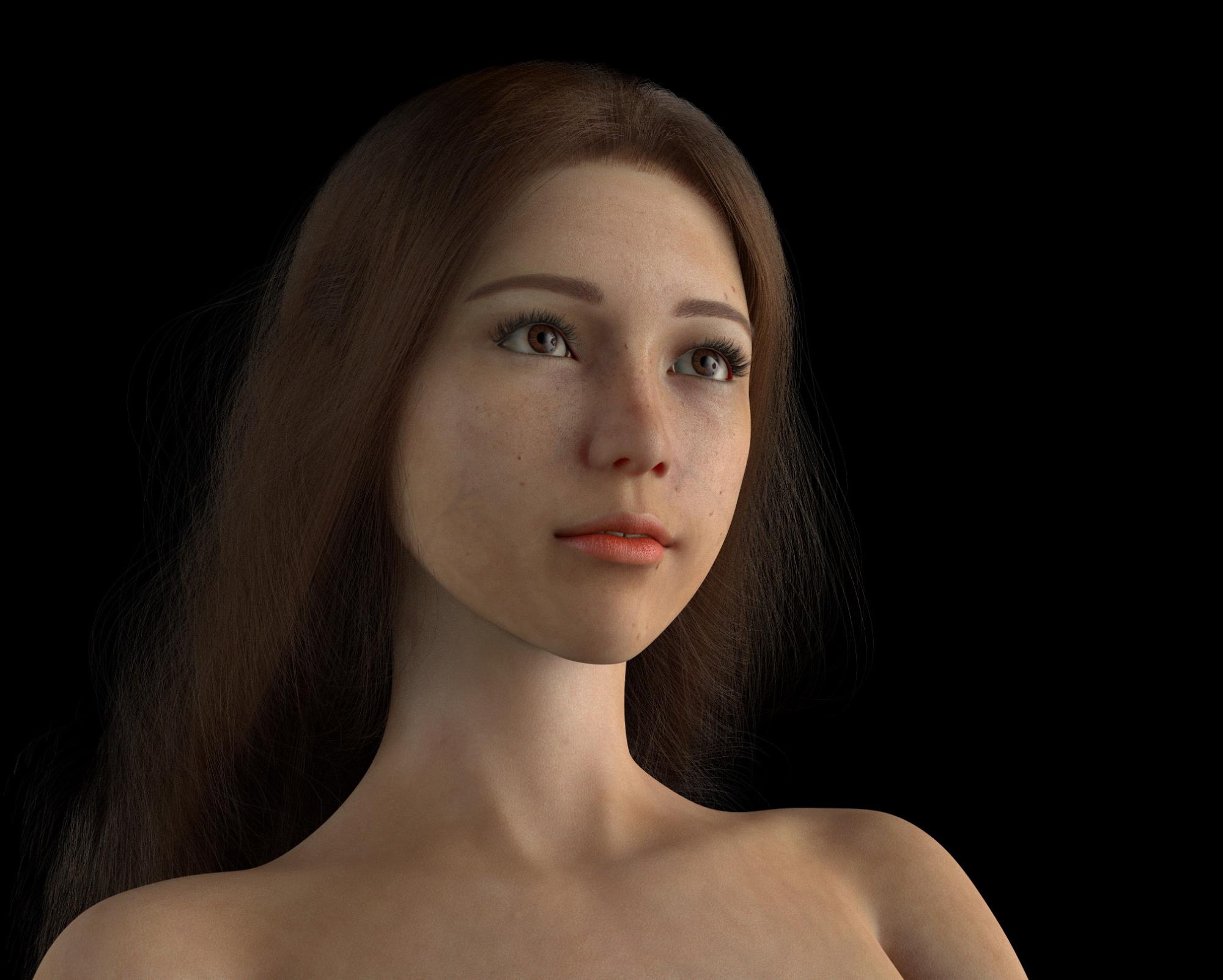
|
|
|
|