Profile Picture

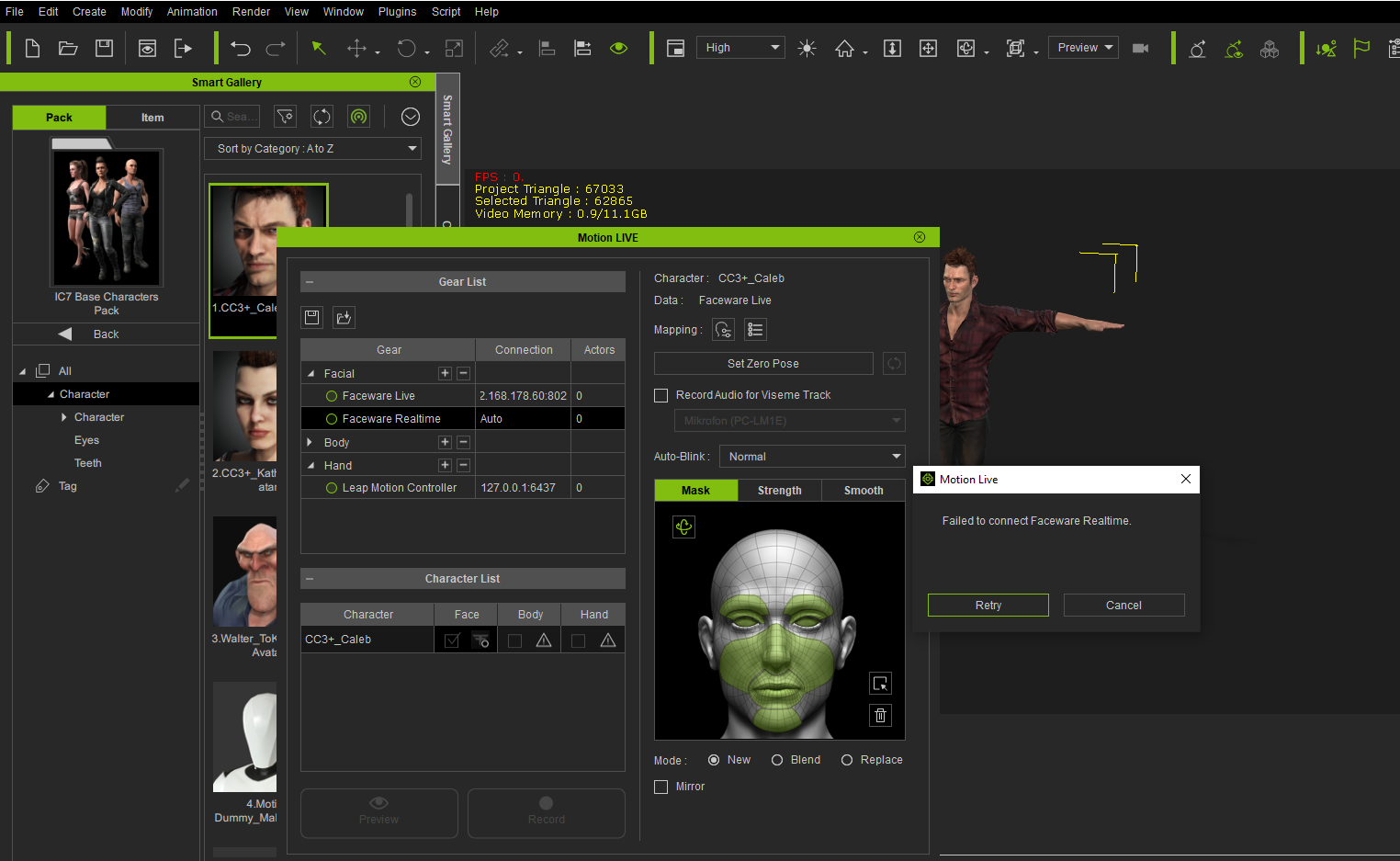
Failed to connect to Faceware Realtime

Posted By klaus.jahn 4 Years Ago
You don't have permission to rate!
Author
Message
klaus.jahn
klaus.jahn
Posted 4 Years Ago
View Quick Profile
Junior Member

Junior Member (137 reputation)Junior Member (137 reputation)Junior Member (137 reputation)Junior Member (137 reputation)Junior Member (137 reputation)Junior Member (137 reputation)Junior Member (137 reputation)Junior Member (137 reputation)Junior Member (137 reputation)

Group: Forum Members
Last Active: 4 Years Ago
Posts: 2, Visits: 6
Hi,
I bought Faceware Realtime to hopefully scan face movements from a recorded video of my face. I also own Motion Live.

Unfortunately, after having all installed and checking that Faceware Realtime is listed within IClone 7's Motion Live dialog in the column "Gears", clicking on the green dot always produces always the error message "Failed to connect to Faceware Realtime". I already checked the forum and others seem to solve that problem. I already saw that video showing the connection that can be found here in the forum. Does not work for me. Perhaps you may have an idea what I could be done wrong... Thanks in advance for any help.
https://forum.reallusion.com/uploads/images/7dae41a7-c5cd-472c-ba43-cbbb.png


Reading This Topic