|
Author
|
Message
|
|
Victor.Soupday
|
Victor.Soupday
Posted 5 Years Ago
|
|
Group: Forum Members
Last Active: 2 Months Ago
Posts: 569,
Visits: 9.0K
|
Ok, it's not a bug, I know what it is now. Some clothing items selectively hide the faces underneath with the "Hide Body Mesh Tool", when you convert them to accessories or export them to Blender, that information doesn't carry across, unless you tick the "Delete Hidden Faces" in the exporter. 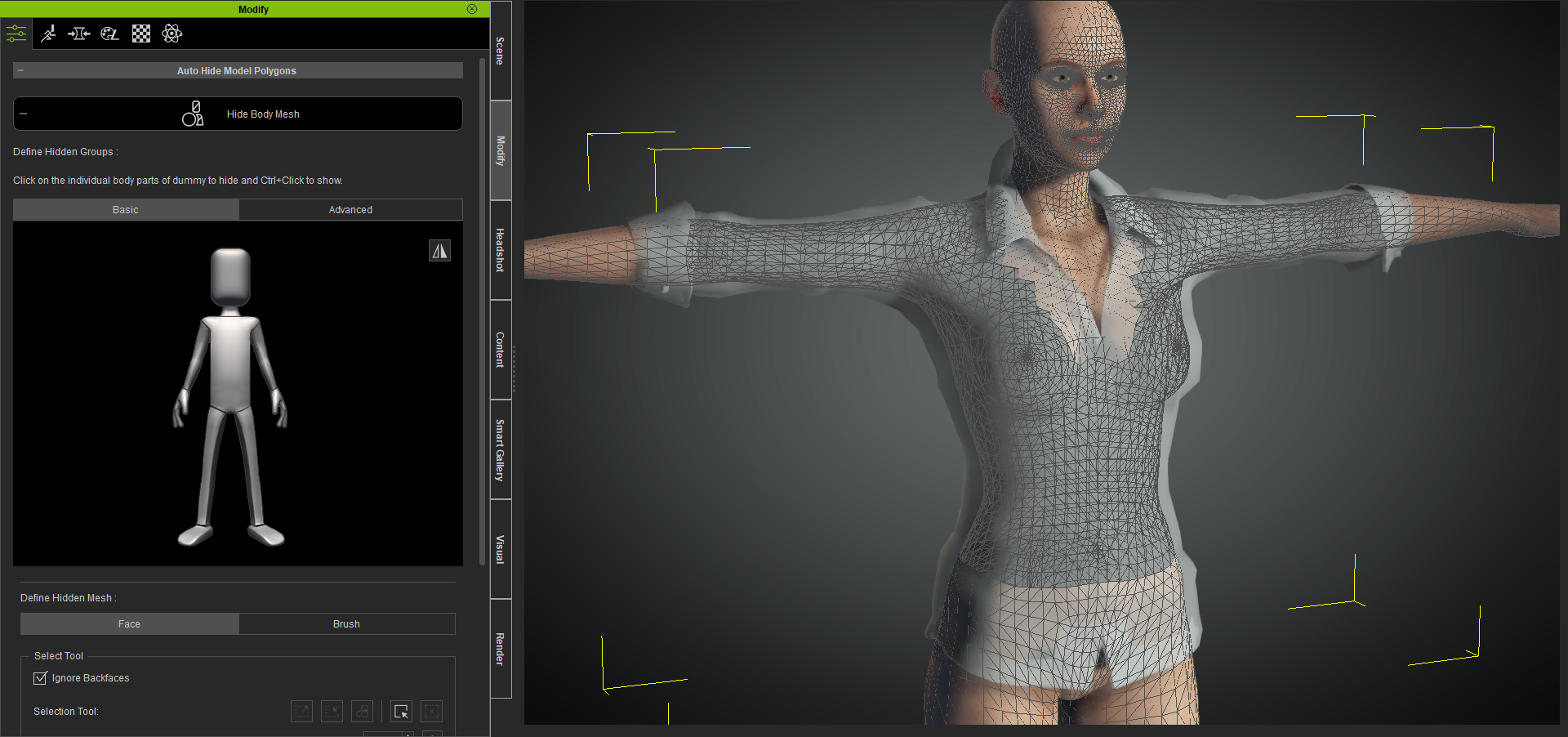  I really should read the instructions some day.
|
|
|
|
|
4u2ges
|
4u2ges
Posted 5 Years Ago
|
|
Group: Forum Members
Last Active: Last Month
Posts: 5.3K,
Visits: 16.8K
|
For some cloth items you have to do it more than once :Whistling:
Do exactly the same thing twice and for all cloth items and it would be alright. :w00t:
2 passes of the same routine:
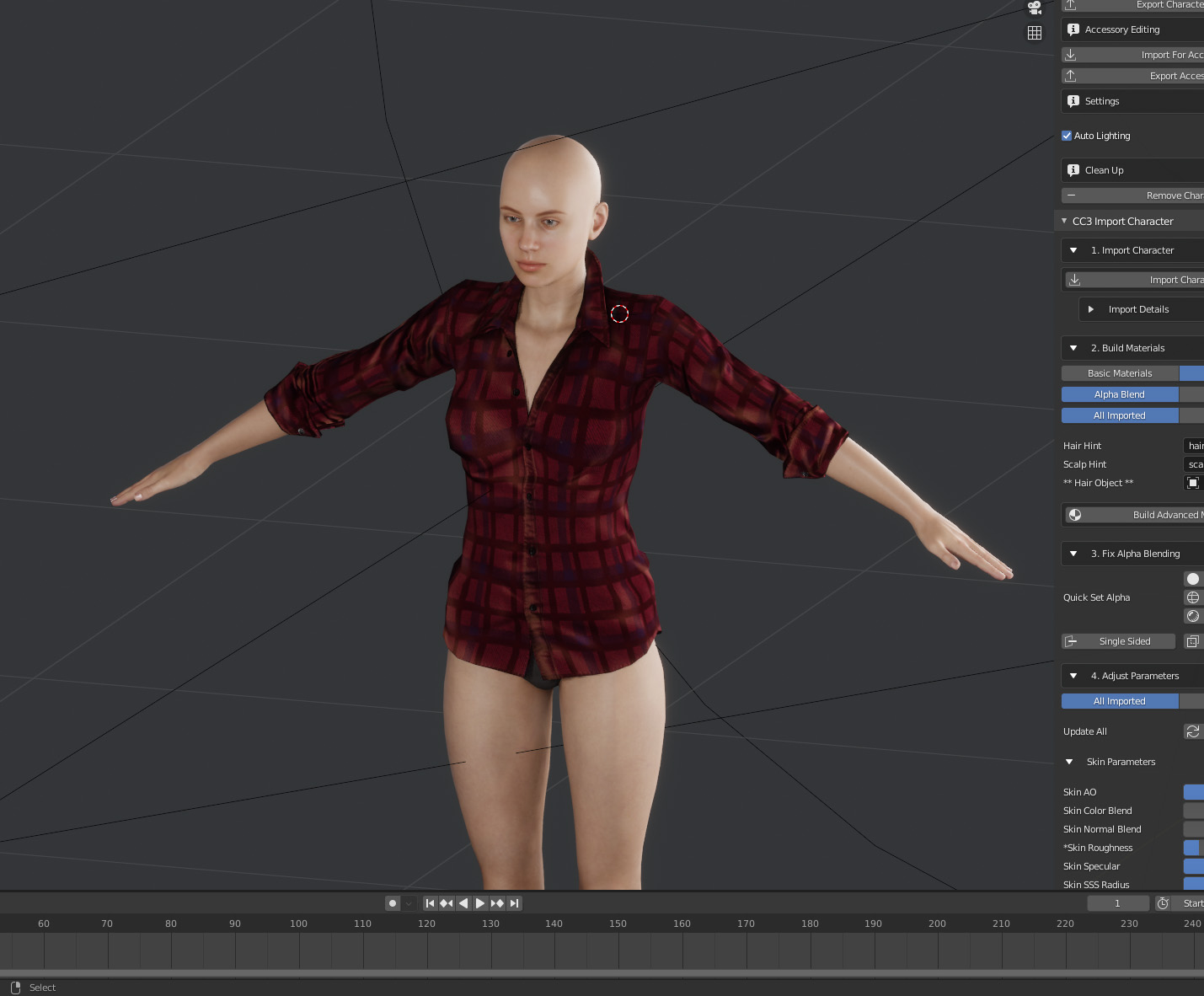
Still manual tweaking is necessary even in CC for various poses until all is OK
|
|
|
|
|
Victor.Soupday
|
Victor.Soupday
Posted 5 Years Ago
|
|
Group: Forum Members
Last Active: 2 Months Ago
Posts: 569,
Visits: 9.0K
|
2. This is most likely the cause. You might need to reapply skin weights. Here's how I fix it:
After everything is conformed and looks good in CC:
* Disable Conforming for each cloth item.
* Convert cloth to accessory while selecting "Bake Current Shape".
* Transfer Skin Weight for each item.
Curiously enough, baking the current shape causes exactly the same to occur in CC3. And I do mean exactly the same: The problem in Blender: 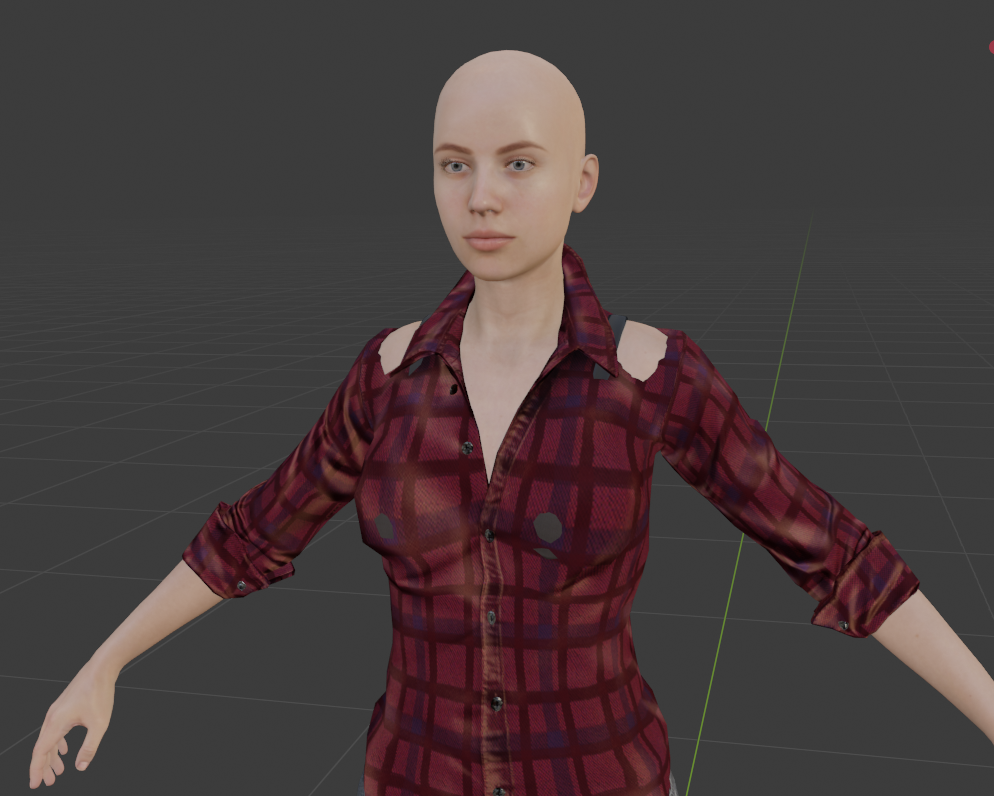 and the result of convert to accessory->bake current shape in CC3: 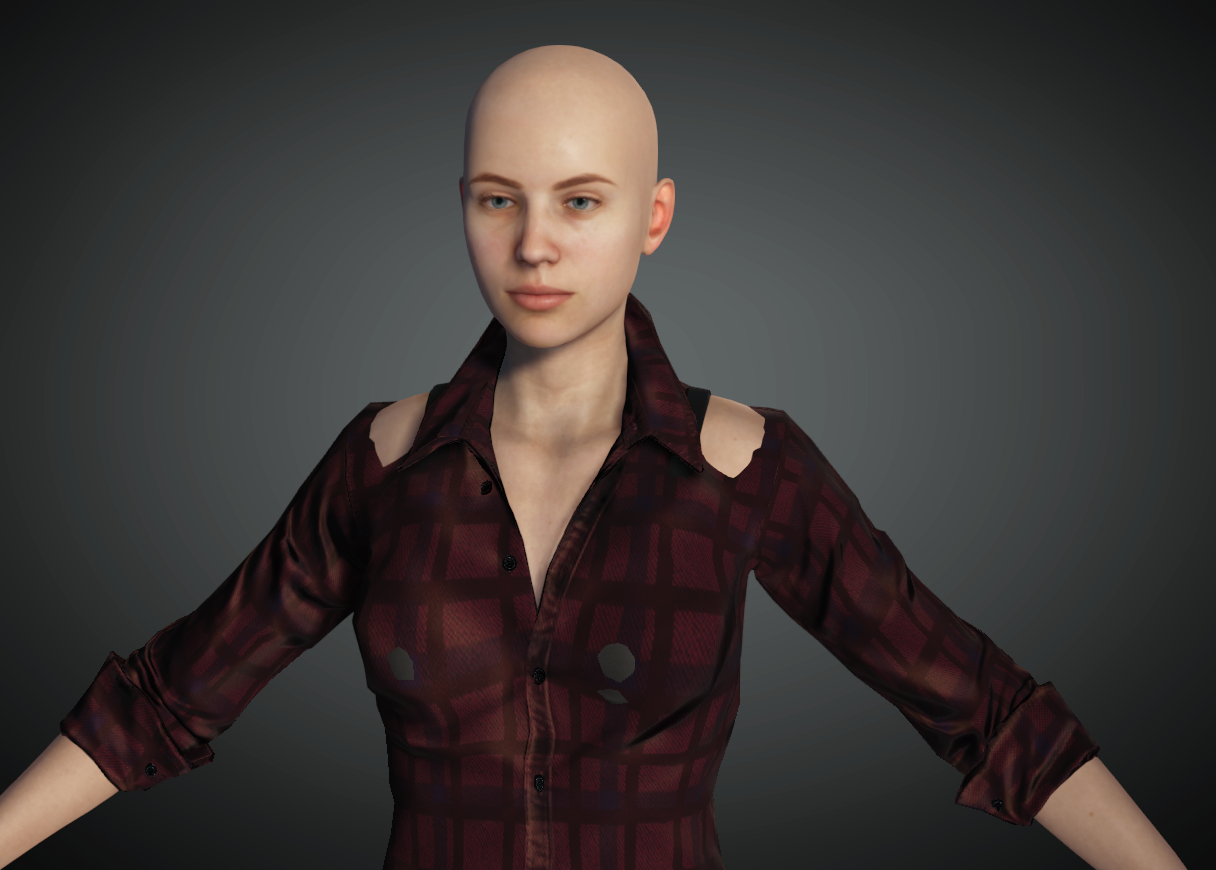 The problem is identical. I believe the export process from CC3 bakes the shapes of all the clothing objects, to bake in all the clothing layers conformity and collision into the FBX, but clearly something is going wrong with that. I'm calling this a bug in CC3. Edit: it's just the hidden faces showing through, see post below...
In Blender I fix these problems with the sculpt tool. The 'Elastic Deform' sculpt tool works wonders.
|
|
|
|
|
4u2ges
|
4u2ges
Posted 5 Years Ago
|
|
Group: Forum Members
Last Active: Last Month
Posts: 5.3K,
Visits: 16.8K
|
hkhaneveer (3/17/2021)
I just installed this in Blender, and it looks great! I'm new to both CC3 and Blender, though, so I'm not sure how to solve certain issues I'm having.
The first is that in exporting an FBX to Blender and then importing it with CC3tools, the clothing seems to shrink slightly, and there is poke-through where there was none in CC3. Is there an import or export setting I should use to prevent this?
The other is that, while everything seems to render pretty well in eevee, if I switch to cycles, shadows take on hard edges along the quad edges. I'm pretty sure I'm just missing something obvious here, but in Blender nothing is obvious...It is one of 2 things. 1. Your character might have body subdivided in CC (this smooths and shrinks it a little bit). But while exporting subdivision is disregarded so the skin might poke through. Make sure to fit cloth on the Original body - without Subdivision, nor Tessellation. 2. This is most likely the cause. You might need to reapply skin weights. Here's how I fix it: After everything is conformed and looks good in CC: * Disable Conforming for each cloth item. * Convert cloth to accessory while selecting "Bake Current Shape". * Transfer Skin Weight for each item. If there is still minor pocks in Blender, you should be able to fix it easily by editing the mesh.
|
|
|
|
|
hkhaneveer
|
hkhaneveer
Posted 5 Years Ago
|
|
Group: Forum Members
Last Active: 5 Years Ago
Posts: 76,
Visits: 121
|
I just installed this in Blender, and it looks great! I'm new to both CC3 and Blender, though, so I'm not sure how to solve certain issues I'm having.
The first is that in exporting an FBX to Blender and then importing it with CC3tools, the clothing seems to shrink slightly, and there is poke-through where there was none in CC3. Is there an import or export setting I should use to prevent this?
The other is that, while everything seems to render pretty well in eevee, if I switch to cycles, shadows take on hard edges along the quad edges. I'm pretty sure I'm just missing something obvious here, but in Blender nothing is obvious...
|
|
|
|
|
Victor.Soupday
|
Victor.Soupday
Posted 5 Years Ago
|
|
Group: Forum Members
Last Active: 2 Months Ago
Posts: 569,
Visits: 9.0K
|
So actually we are able right now tu use PhysX for clothing from ICLONE to Blender... Damn good work man. You can if you get the current main branch from Github, which is the work in progress and is at version 0.2.1 at the moment. I cannot 100% guarantee everything will work with the current branch as it's WIP so keep that in mind. The current stable release is still version 0.1.0. I'm currently testing 0.2.1 in preparation for an 'official' release.
|
|
|
|
|
snatolukas32
|
snatolukas32
Posted 5 Years Ago
|
|
Group: Forum Members
Last Active: 4 Years Ago
Posts: 85,
Visits: 1.3K
|
short body motion
Render: Eevee
time for frame: 4 secs.
any Physcis: off
character: CC3
This is my sub Youtube account. I cant upload in my main Youtube account for 3 days still.
So actually we are able right now tu use PhysX for clothing from ICLONE to Blender... Damn good work man.
|
|
|
|
|
rosuckmedia
|
rosuckmedia
Posted 5 Years Ago
|
|
Group: Forum Members
Last Active: Last Year
Posts: 3.2K,
Visits: 4.8K
|
@Victor Soupday Your Blender addon is great,:):) It would be great if you could do a tutorial as well. Cloth Physik) You are the man for it. short and understandable.
Greetings rosuckmedia
|
|
|
|
|
Victor.Soupday
|
Victor.Soupday
Posted 5 Years Ago
|
|
Group: Forum Members
Last Active: 2 Months Ago
Posts: 569,
Visits: 9.0K
|
Putting it all together, here is a test animation using the cloth physics set up from the imported PhysX weight maps:
This is the Katherine sample character with the Heidi: 'Graceful dance' sequence, exported from iClone.
I'm just using the basic Silk preset settings for both the hair and the dress, but to better hold the original shape of the dress while it moves with the character, I have ramped up the Bending Stiffness to 20. This way it holds itself together better and there are a lot less tearing and clipping issues.
Edit: This 560 frame sequence took 2 minutes to bake the physics, and then 9 minutes to render the animation.
|
|
|
|
|
4u2ges
|
4u2ges
Posted 5 Years Ago
|
|
Group: Forum Members
Last Active: Last Month
Posts: 5.3K,
Visits: 16.8K
|
+1 Thanks. Great stuff. Modifier then. Never knew. :)
|
|
|
|