Profile Picture

PopcornFX God Ray

Posted By lvanvalk 6 Years Ago
You don't have permission to rate!
Author
Message
lvanvalk
lvanvalk
Posted 6 Years Ago
View Quick Profile
Distinguished Member

Distinguished Member (2.1K reputation)Distinguished Member (2.1K reputation)Distinguished Member (2.1K reputation)Distinguished Member (2.1K reputation)Distinguished Member (2.1K reputation)Distinguished Member (2.1K reputation)Distinguished Member (2.1K reputation)Distinguished Member (2.1K reputation)Distinguished Member (2.1K reputation)

Group: Forum Members
Last Active: 2 Years Ago
Posts: 75, Visits: 141
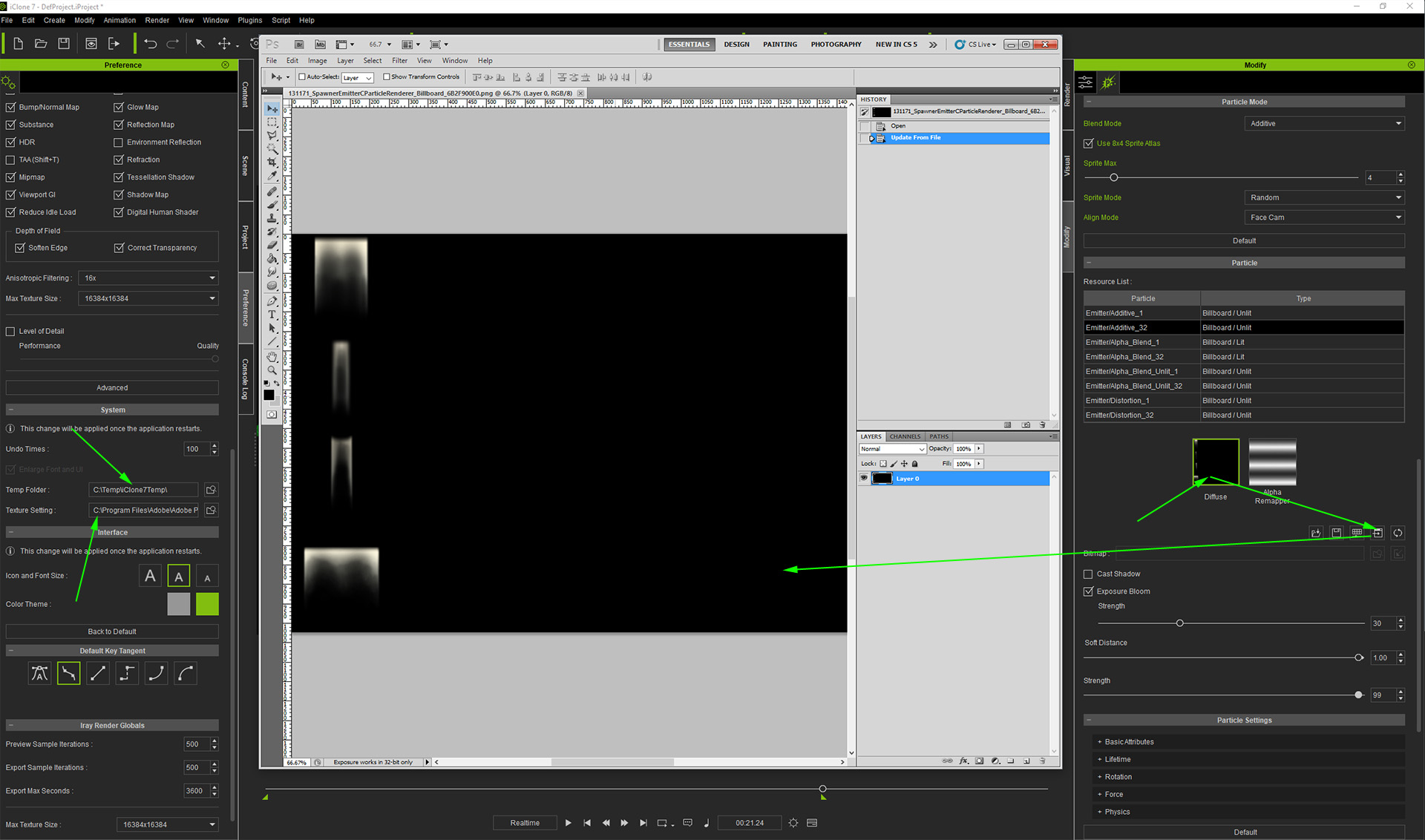
I was following the tutorial in creating God Rays but when it came to replacing the emitter/alpha 32 diffuse letters with the Diffuse Ray photo I can't find it in the texture/diffuse popcorn folder or anywhere when I ran a search on my hard drive. I then tried using the sample God Ray but it will only activate outside the room and it won't let me edit it to what I need. I then tried to copy and paste the sample diffuse photo into the tutorial I was using but I couldn't copy from the sample. Where do I get the God Ray photos I need to complete my project? I thought it was included with PopcornFX.

Thank you,
Lorraine

https://forum.reallusion.com/uploads/images/d4a7c728-44a9-4499-811e-c287.png


Reading This Topic