Profile Picture

Import-export error while launching Affinity Designer as a PSD Editor

Posted By nestergal 5 Years Ago
You don't have permission to rate!

Import-export error while launching Affinity Designer as a PSD Editor

Author
Message
nestergal
nestergal
Posted 5 Years Ago
View Quick Profile
Junior Member

Junior Member (115 reputation)Junior Member (115 reputation)Junior Member (115 reputation)Junior Member (115 reputation)Junior Member (115 reputation)Junior Member (115 reputation)Junior Member (115 reputation)Junior Member (115 reputation)Junior Member (115 reputation)

Group: Forum Members
Last Active: 5 Years Ago
Posts: 7, Visits: 161

Hello!

I want to point out an import-export error while launching Affinity Designer as a PSD Editor.

The problem is that it is impossible to synchronize different eye, mouth, or other sprites of a character.


Here are simple steps to reproduce this error :

1) add any G3 360 Human actor to a scene

2) right-click and launch PSD Editor (Affinity Designer)

3) Inside Affinity designer, you could change anything, or you could leave all the things as is and go to File - Export and save as a new PSD over the file that was automatically created during the launching process in  https://forum.reallusion.com/uploads/images/1e2baf7b-f804-4db6-9fa3-e0ff.png
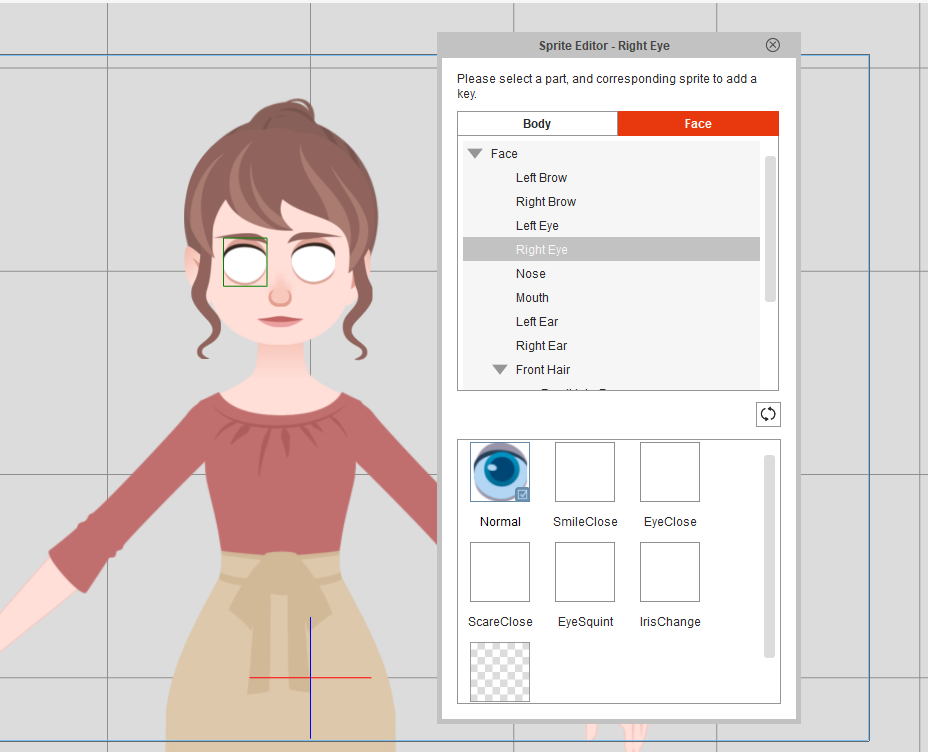
4) The character will be updated in CTA with flattened eyes, mouth, and nose. 


The question is, is there a solution?


Reading This Topic