|
Group: Forum Members
Last Active: 6 Years Ago
Posts: 220,
Visits: 2.5K
|
There are some problems using Transformer on very fat/muscled characters. I am primarily interested in workarounds at this time—your creative solutions are appreciated. In the first set of images, notice how the area between the shoulders/trapezius is deformed. 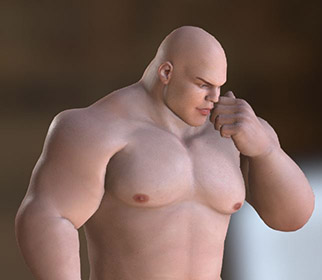   My current solution to this problem is to use the Essential Morphs Pack to decrease the trapezius and shoulder width/scale while increasing the shoulder tops. This works fairly well but can cause the bicep to intersect with the chest, and I have no bicep morph in CC3 (can be done in Daz). You may also encounter problems with the neck as below... 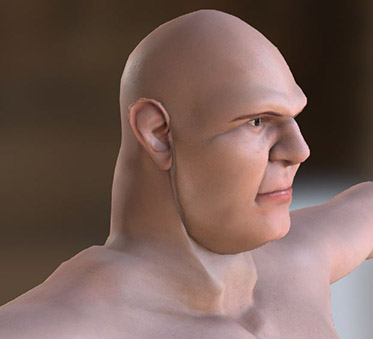 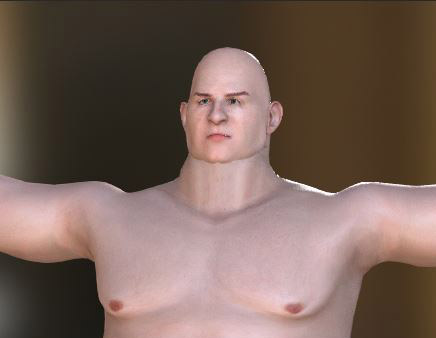 UPDATE: Potential Solution Here UPDATE: Potential Solution HereI consider this problem to be unfixable/not worth the effort—forget about using the George character, but this problem is not exclusive to George. In addition to the trapezius/shoulder area you should also be cautious working with the upper chest/neck. My suggestion is to avoid using Daz morphs in these areas as much as possible and build them up using the CC Essential Morphs instead. If you need to work with Daz morphs in these areas, do Transformer test-exports often. Boots can be another problem...
  If there is any mesh overlap is will result in a melded/ruined mesh when it gets to CC3. My current solution to this is not a good one—I am shrinking the calves to bring the boots in, saving them out as custom content, and then manually adjusting the fit (I am presently unfamiliar with CC3's Conform toolset but am looking into it). There are also Daz products which add morphs to clothing items which may be worth checking into. Update — I found a decent fix, though I cannot be sure if it will cause problems down the road (due to very minor bone twist), it looks promising...in Daz, after applying the T-pose, use the Translate Tool to drag the ankles apart to the distance shown below, then export. You can File > Save As > Pose Preset (current frame) for later use. By the way, love-note to Reallusion: I love this product. It is excellent. Not perfect—there are quite number of things that remain troublesome, but overall it is just great. Also, special thanks to Mr. Kelley for his video tutorials.
CC3 & Daz Tricks | CC3 to Unity workflow
|