|
Author
|
Message
|
|
hirospot
|
hirospot
Posted 7 Years Ago
|
|
Group: Forum Members
Last Active: 5 Years Ago
Posts: 241,
Visits: 5.9K
|
Groggy Characterize Best Effort -3 2019.4.30 Once Groggy is transfered to iClone, scale and T-pose become possible. Fig1.Groggy scale changed in iClone by 400%
Fig2.Groggy T-posed in iClone
Use Bone Edit Mode for T-pose To get a natural movement in the arms are difficult as groggy arm bone is different from iClone bone structure.
Thank you,Hiro
|
|
|
|
|
hirospot
|
hirospot
Posted 7 Years Ago
|
|
Group: Forum Members
Last Active: 5 Years Ago
Posts: 241,
Visits: 5.9K
|
Groggy Characterize Best Effort - 2 To solve the issue, eyes, upper/lower teeth, Eyebrow, Jaw and tongue are connected to the Head joint1. Fig1 max schematic view 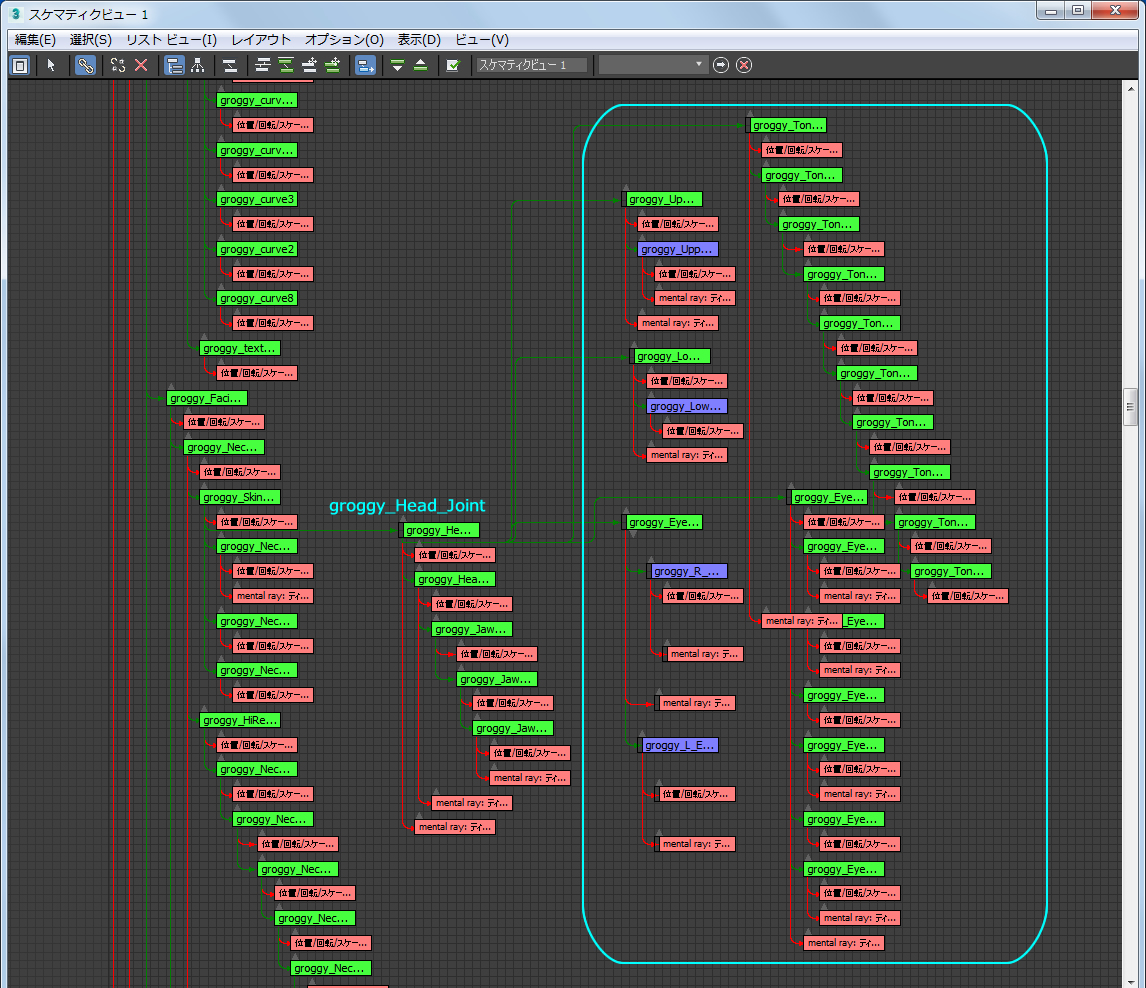
Fig2 groggy Characterization_2: Groggy_Eye_mod_fix3a
Fig3 Spine Mapping Table_2
Morphs in the Morph list do not become active yet.
My test iAvatar File can be shared, please let me know here for DL. Thank you, Hiro
|
|
|
|
|
hirospot
|
hirospot
Posted 7 Years Ago
|
|
Group: Forum Members
Last Active: 5 Years Ago
Posts: 241,
Visits: 5.9K
|
Groggy Chracterize Best Effort Please check the preview image and Spine Mapping Table.
Preview Image: 01_Head Calibration Eyes and tongue do not follow the head. Spine mapping Table

Need more Spine for the Groggy. Thank you, Hiro
|
|
|
|
|
håkonstein
|
håkonstein
Posted 7 Years Ago
|
|
Group: Forum Members
Last Active: 7 Years Ago
Posts: 5,
Visits: 22
|
Thank you Hero I can not understand how did they do it, official support did not solve it also. I think Iclone must record new tutorial for last verion of programs
|
|
|
|
|
hirospot
|
hirospot
Posted 7 Years Ago
|
|
Group: Forum Members
Last Active: 5 Years Ago
Posts: 241,
Visits: 5.9K
|
@ Peter When exporting the Groggy model from Maya without deleting extra contollers properly, lots of spline are shown at the bottom part of the model.
One click characterization is not done by Maya Human-IK. Scene tree has too many names and selecting the proper name is difficult.
Manual retarget can be done by selecting each splines one by one and use
「rotate object」 tool to confirm which part moves or not.
fig1: Groggy Characterize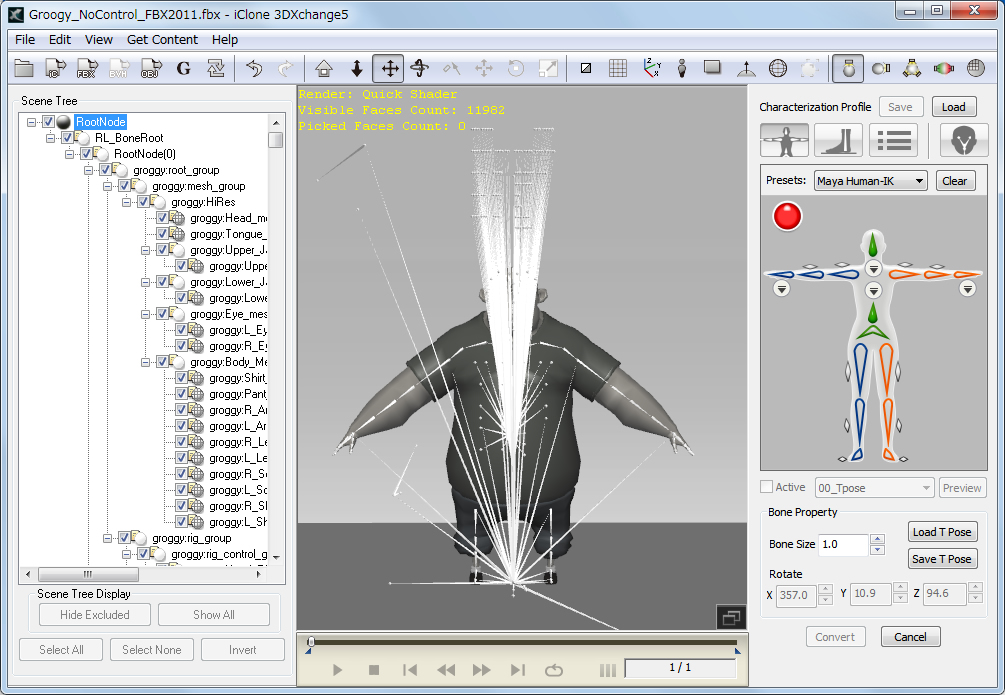 When Groggy model size is small, you can not size up properly. fig2&3: Groggy Size & Scale 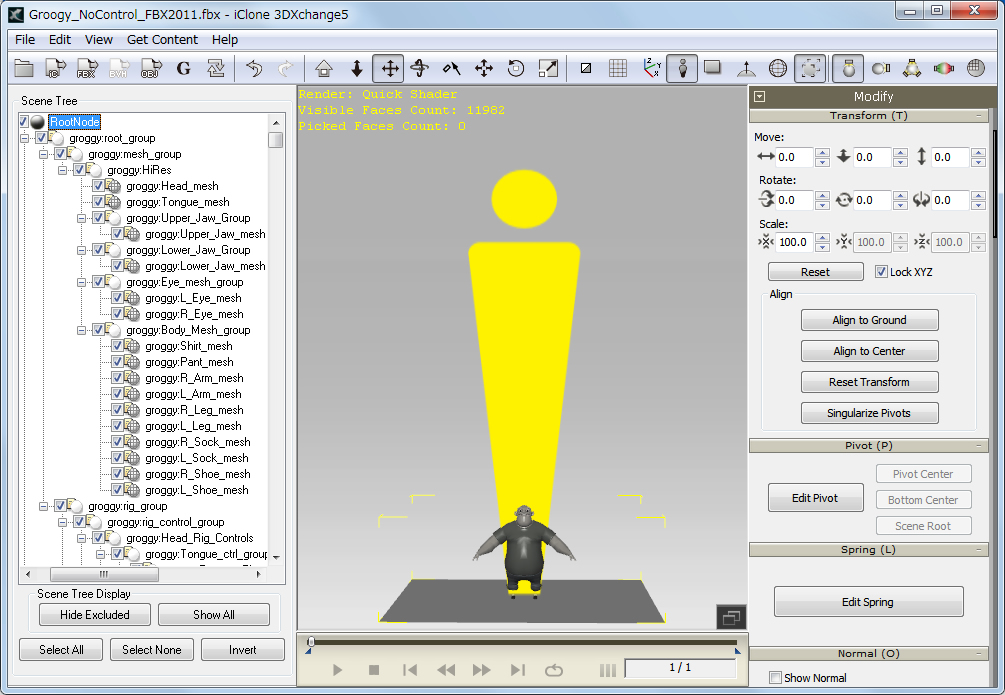 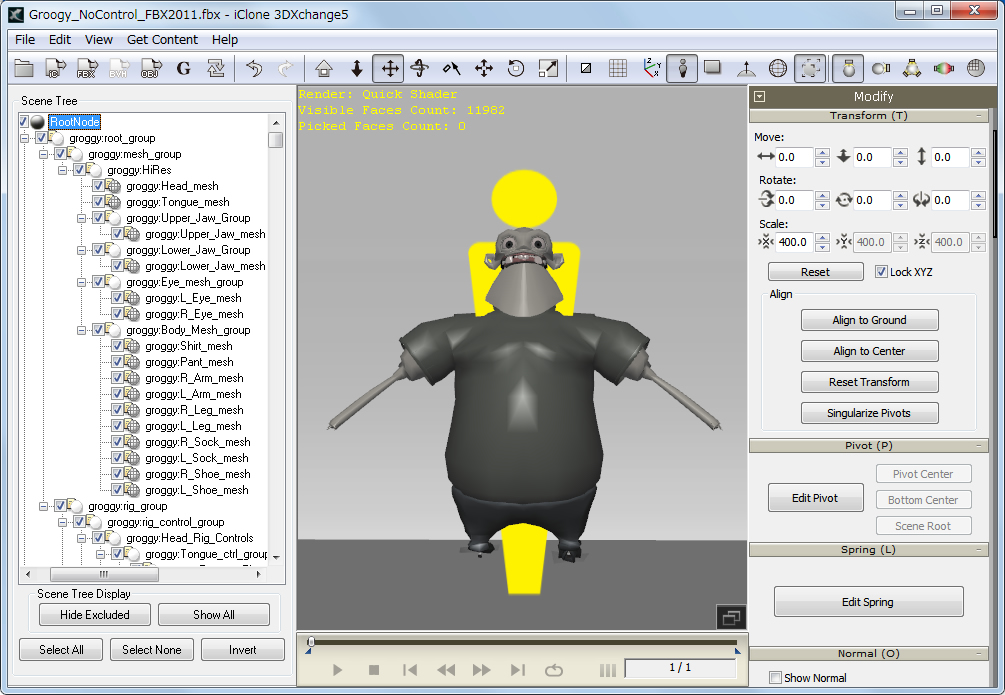
Bone Structure of Groggy head and food on the tutorial video are different.
fig4&5: Screen copy of the Tutorial Video
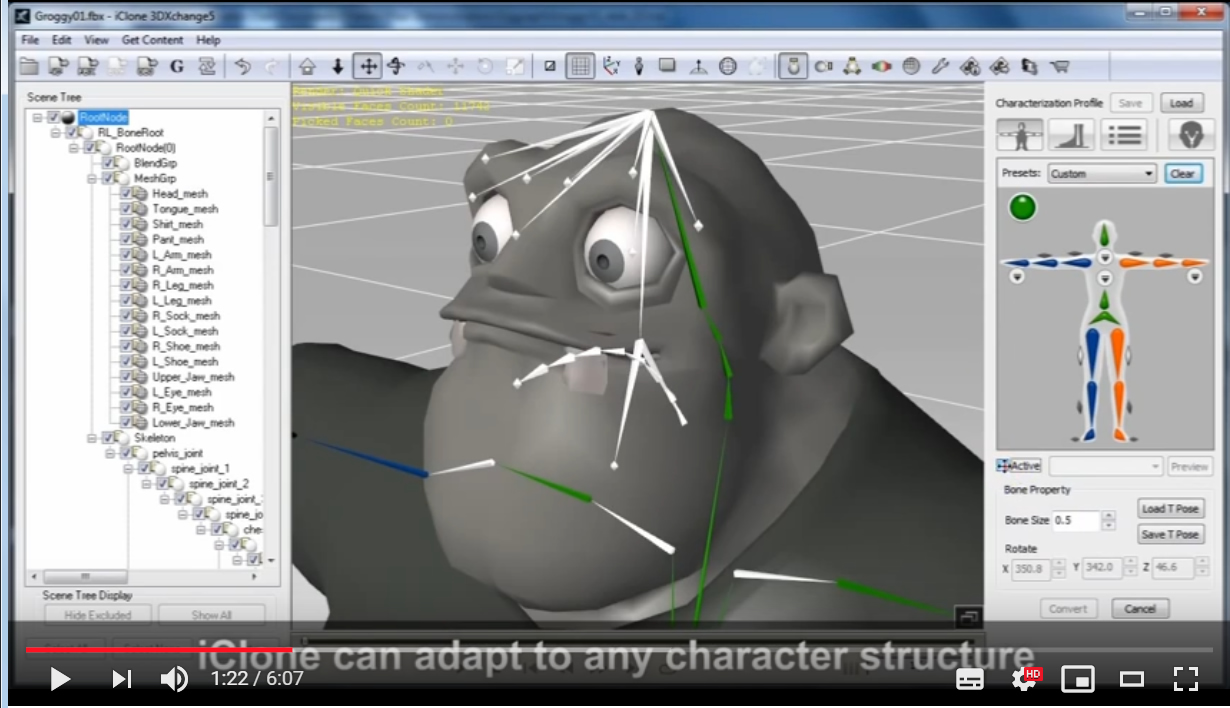
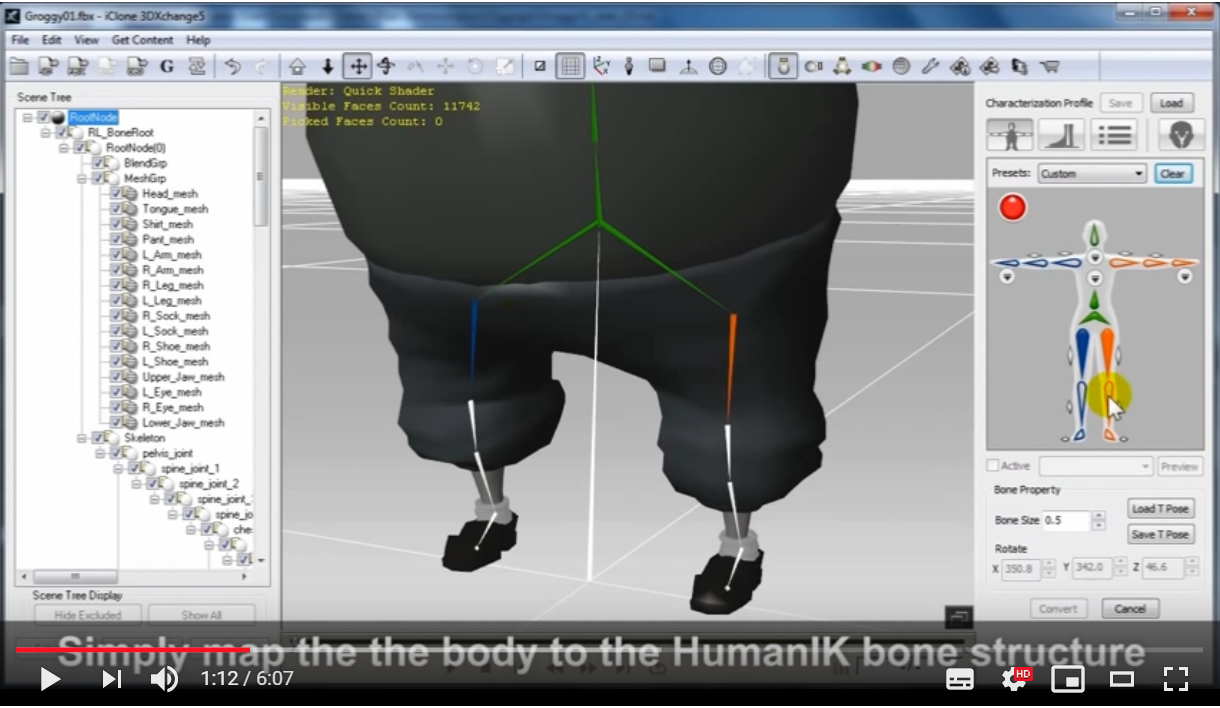
There must be some steps to be needed or different Groggy resource exists?
Thank you for your assistance,
Hiro
|
|
|
|
|
tripfreak
|
tripfreak
Posted 7 Years Ago
|
|
Group: Forum Members
Last Active: 4 Years Ago
Posts: 2.0K,
Visits: 2.8K
|
Anyone know the solution here?
RL knows.
Start watching from 4:17:
So, ask Peter ! :laugh:
--------------------------------------------------
|
|
|
|
|
hirospot
|
hirospot
Posted 7 Years Ago
|
|
Group: Forum Members
Last Active: 5 Years Ago
Posts: 241,
Visits: 5.9K
|
Re: Groggy issue Characterized in 3DXchange5 but not perfect yet.
1. Can not change the size because the Scale does not work,
2. Can not make T Pose because the arm and hand are separated.
3. Neck and head part are not following to the body naturally.
fig1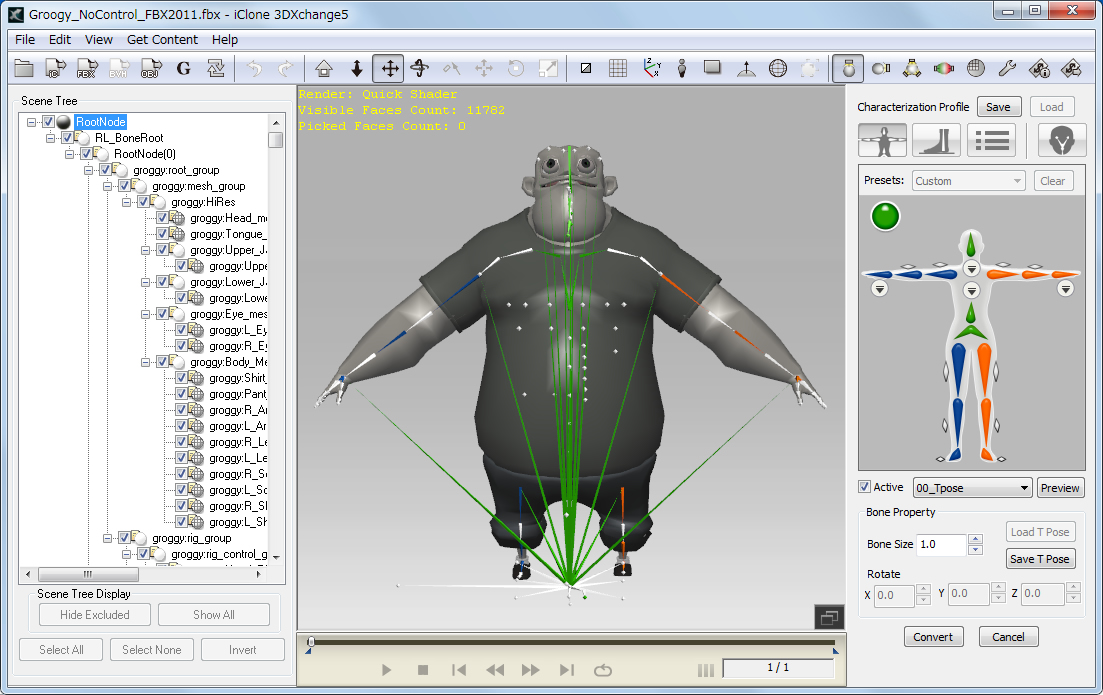
Bone structure is different from the tutorial and could not characterize by Maya Human IK.
Fig2
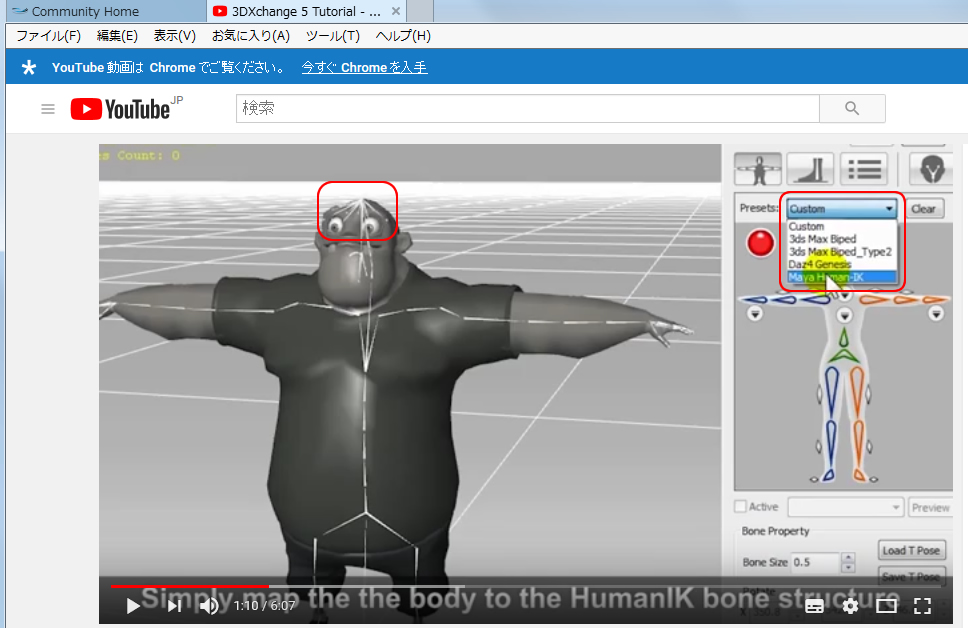
Thank you,
Hiro
|
|
|
|
|
hirospot
|
hirospot
Posted 7 Years Ago
|
|
Group: Forum Members
Last Active: 5 Years Ago
Posts: 241,
Visits: 5.9K
|
Thank you håkonstein,
I got my acccount from Highend3d.com for the download link today.
This groggy model is very different and difficult to understand.
Peggy Sue Rigged for Animation Peggy Sue Rigged for Animation, Maya Motion Builder format. FBX and Maya Format.
Peggy character has many facial morphs.
Thank you, Hiro
|
|
|
|
|
håkonstein
|
håkonstein
Posted 7 Years Ago
|
|
Group: Forum Members
Last Active: 7 Years Ago
Posts: 5,
Visits: 22
|
Hi Vidi The one of the big problem is waist bones. Waist bones is not what it must to be. If I retarget the bones, it has problematic motions. I wonder that is anyone succeeded this tutorial? Hi Herospot you can find the character here : https://www.highend3d.com/maya/downloads/character-rigs/c/groggy-rig-for-mayaIs this peggy character has facial expression? Where can I download? Thanks 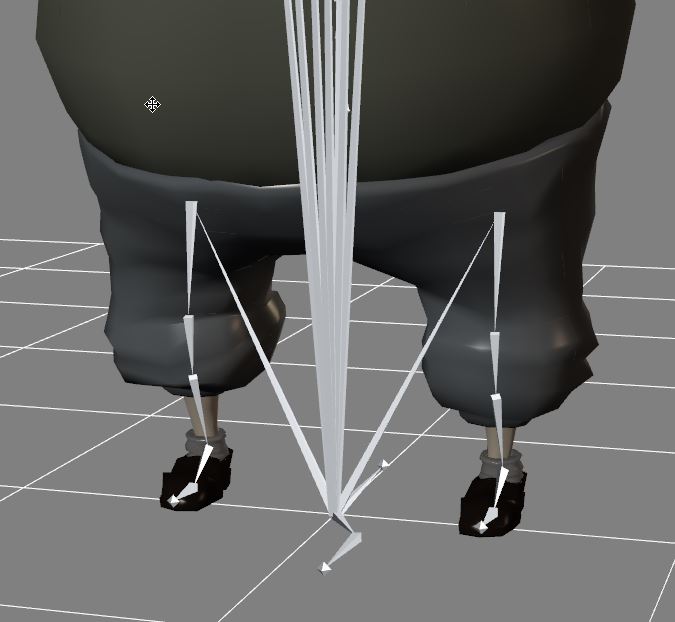
|
|
|
|
|
hirospot
|
hirospot
Posted 7 Years Ago
|
|
Group: Forum Members
Last Active: 5 Years Ago
Posts: 241,
Visits: 5.9K
|
Maya Model issue
I try to download the groggy model from the highend3d.com but could not get in the site. Please allow me for using other Maya model here.
1. Go to Characterization Profile and select Maya Human-IK first. 2. Open the Scene tree and observe the Node Name under the RootNode whether it is needed. 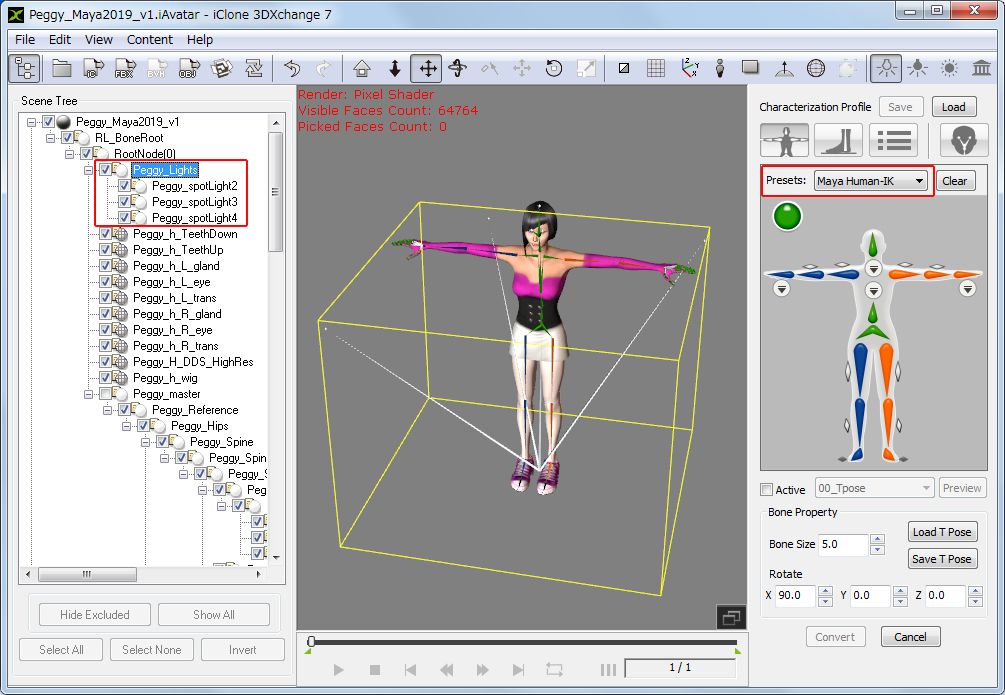 3. Uncheck the 'Lights Node' in this case, then check the view. 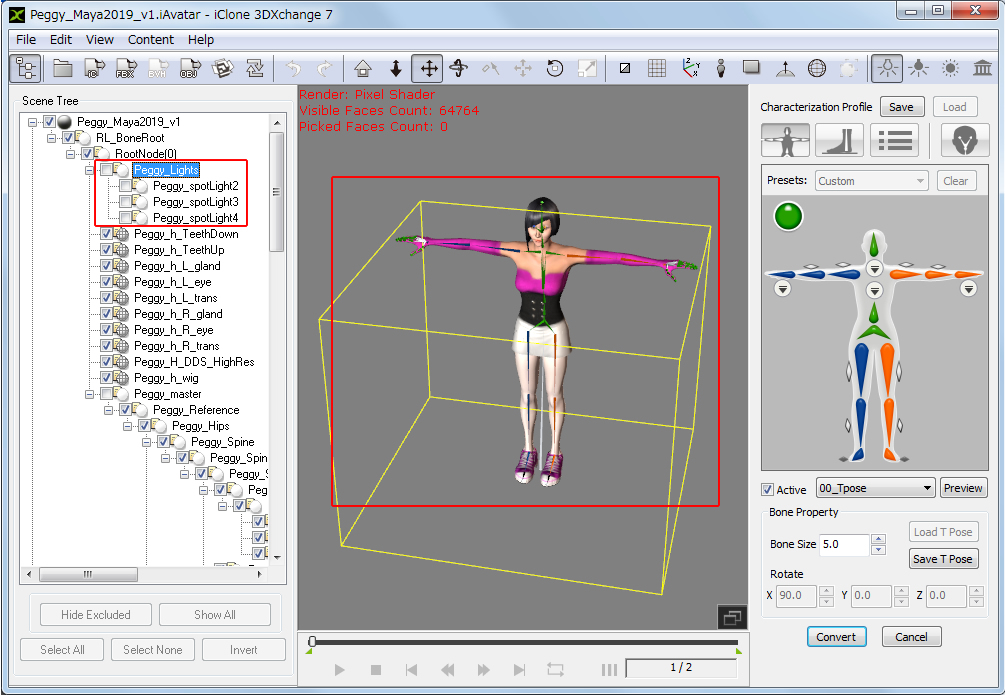 4. Continue the step 2 for the other Nodes.
Thank you, Hiro
|
|
|
|