|
Author
|
Message
|
|
tripfreak
|
tripfreak
Posted 8 Years Ago
|
|
Group: Forum Members
Last Active: 4 Years Ago
Posts: 2.0K,
Visits: 2.8K
|
It's still a "Prop" (look at your picture) ! You need to convert the file to a "Non-standard character" as is shown in the video:  If all bvh files share the same bone structure you can even import all other files afterwards:  So, there's no need to assign the bones of every single motion ! Then export them to iClone and don't forget to click "Export iMotion": 
--------------------------------------------------
|
|
|
|
|
EvilGenius
|
EvilGenius
Posted 8 Years Ago
|
|
Group: Forum Members
Last Active: 2 Years Ago
Posts: 255,
Visits: 1.1K
|
dogged2003 (8/3/2018)
Try use File - Export to iClone. Set mark on motion. I far away from the computer.
Send to IC work only for prop movements.I tried your suggestion and this is what I saw. 
======================================================
|
|
|
|
|
dogged2003
|
dogged2003
Posted 8 Years Ago
|
|
Group: Forum Members
Last Active: 3 Years Ago
Posts: 418,
Visits: 4.5K
|
|
|
|
|
|
dogged2003
|
dogged2003
Posted 8 Years Ago
|
|
Group: Forum Members
Last Active: 3 Years Ago
Posts: 418,
Visits: 4.5K
|
Try use File - Export to iClone. Set mark on motion. I far away from the computer. Send to IC work only for prop movements.
My YouTube channel.
|
|
|
|
|
EvilGenius
|
EvilGenius
Posted 8 Years Ago
|
|
Group: Forum Members
Last Active: 2 Years Ago
Posts: 255,
Visits: 1.1K
|
So if I export out of Blender as a .bvh and then import that into 3dXchange, this is what I see. It doesnt show the avatar like in @tripfreak screenshot. Which is cool and all, I dont want the avatar. Just the motion. The motion works when I press play in 3dxchange. However when I "send to iClone" the character is motionless. 
======================================================
|
|
|
|
|
dogged2003
|
dogged2003
Posted 8 Years Ago
|
|
Group: Forum Members
Last Active: 3 Years Ago
Posts: 418,
Visits: 4.5K
|
It's fine. Can anyone tell me if I have 6 and 7 3dx pipe line, do I need to buy a fifth? Or can I download it in my account? Because they didn't work as good as 5 3dx :) P.S. I tried to convert by Autodesk FBX Converter Archives, it issued an error. The blender worked. But knees were not correct.
My YouTube channel.
|
|
|
|
|
tripfreak
|
tripfreak
Posted 8 Years Ago
|
|
Group: Forum Members
Last Active: 4 Years Ago
Posts: 2.0K,
Visits: 2.8K
|
I have no idea why your 3DXChange makes problems ? :ermm:I just gave it a try, assigned all bones in 3DX 5 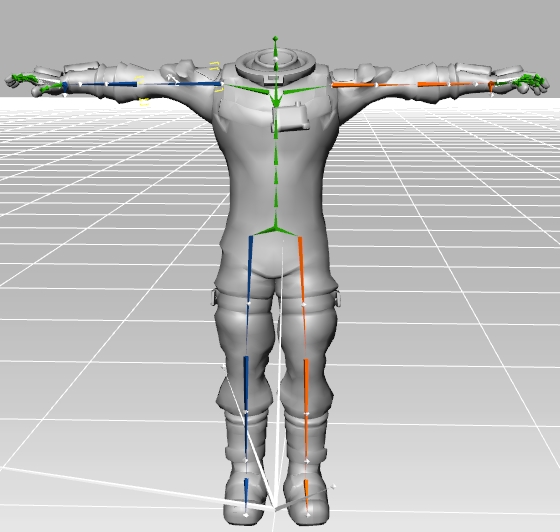 and converted the char including the motion: 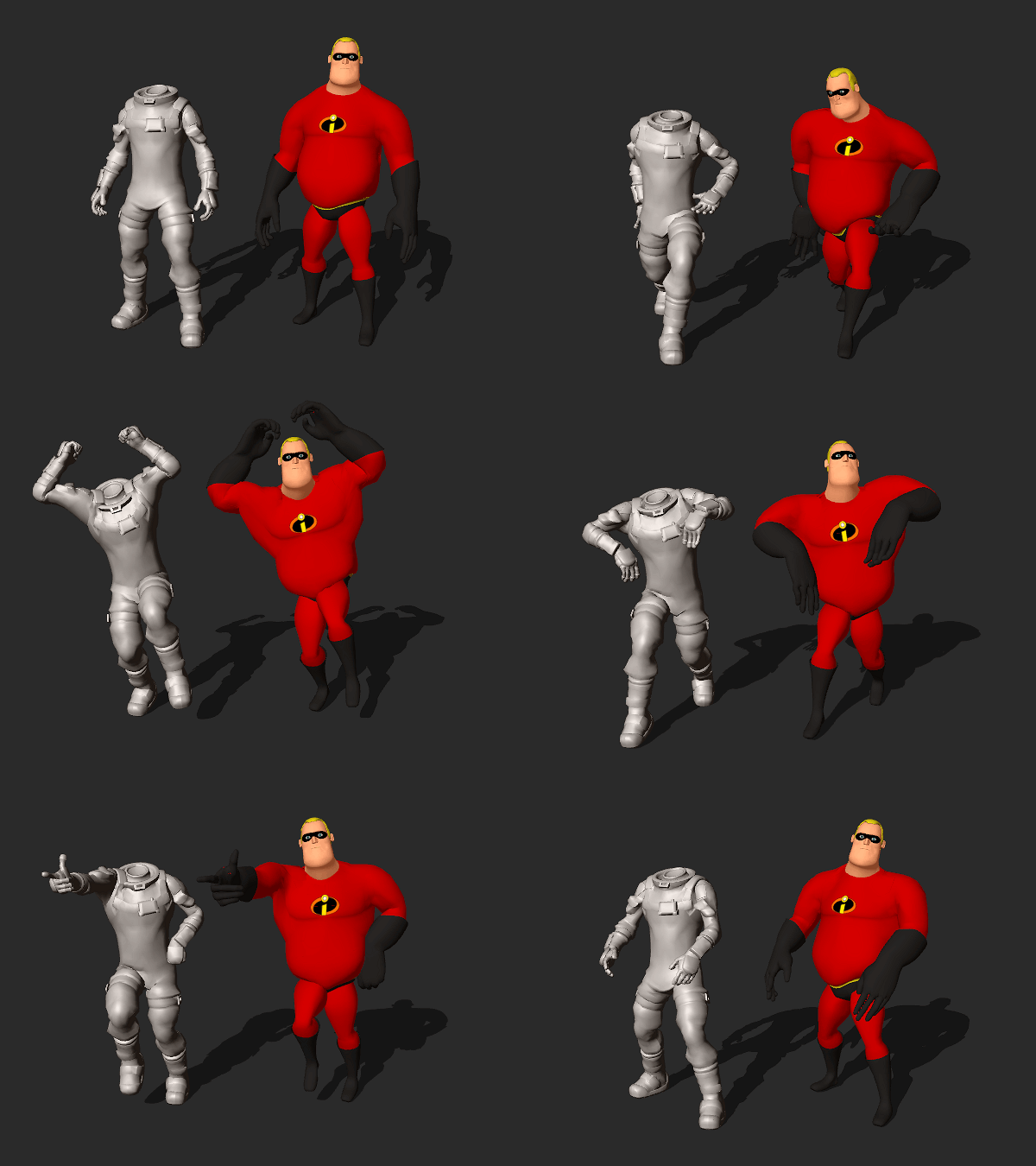 Right model by U-like (once free): LINKYou can find the motion and the 3DX profile: hereFingers not absolutely correct but I didn't spend too much time with it...
--------------------------------------------------
|
|
|
|
|
EvilGenius
|
EvilGenius
Posted 8 Years Ago
|
|
Group: Forum Members
Last Active: 2 Years Ago
Posts: 255,
Visits: 1.1K
|
UPDATE:
So I imported these FBX files into Blender and it recognized it. Someone on forum PM'd me and suggested I export out of Blender as a .bvh file then import into 3dxchange. That appeared to have worked. It loaded into 3dxchange. However if I send to iClone it loads but only the character, not the motion.
Suggestions?
======================================================
|
|
|
|
|
EvilGenius
|
EvilGenius
Posted 8 Years Ago
|
|
Group: Forum Members
Last Active: 2 Years Ago
Posts: 255,
Visits: 1.1K
|
I have a bunch of animations from the game Fortnight that I want to bring into iClone. They are in FBX format. However when I try and load them into 3dxchange they wont let me. I converted to non standard character but still, it wont allow me to do it. Can someone help me? I have over 50 of them but I need someone to tell me what settings to use in 3dxchange. Here is one of them as a example. THANKS!https://1drv.ms/u/s!AvUAhdROn95hgclqTpd7PDQgPpGFdQ
======================================================
|
|
|
|