|
Author
|
Message
|
|
justaviking
|
justaviking
Posted 7 Years Ago
|
|
Group: Forum Members
Last Active: Last Year
Posts: 8.2K,
Visits: 26.5K
|
animagic (1/31/2018)
IMO, a more serious defect preventing realism is that you can currently not have different materials for left and right eyes (you could in earlier iClone versions). I have an FT request for that: #3445, which could use some votes if people agree. Agreed. I have known a couple people with mismatched eye colors. But one bloodshot eye after being in a fight would be more common. I can think of many situations like that. I'll have to see if I have a vote available or a lower-priority one I can free up. (Hey! I found a vote, without having to un-vote for the mirror. :) )
iClone 7... Character Creator... Substance Designer/Painter... Blender... Audacity... Desktop (homebuilt) - Windows 10, Ryzen 9 3900x CPU, GTX 1080 GPU (8GB), 32GB RAM, Asus X570 Pro motherboard, 2TB SSD, terabytes of disk space, dual monitors. Laptop - Windows 10, MSI GS63VR STEALTH-252, 16GB RAM, GTX 1060 (6GB), 256GB SSD and 1TB HDD
|
|
|
|
|
animagic
|
animagic
Posted 7 Years Ago
|
|
Group: Forum Members
Last Active: Last Month
Posts: 15.8K,
Visits: 31.4K
|
argus1000 (1/27/2018)
After many, many trials and errors, I agree with Kellytoons. I've come to the conclusion that I prefer the traditional method as far as the eyes sparkle are concerned. Here, I have fluorescent lighting on the ceiling plus a spotlight on the head for the two examples. I set the cornea settings accordingly. Because of the reflection map, I may have more control in the traditional method. Pic 1 is the traditional method, pic 2 is the PBR method.   Of course, there is no right or wrong. A lot of it depends of how the set is lit and on how each individual adjusts his settings (sRGB, opacity, self-illumination, etc). The PBR material you show here is probably from CC and misses an AO map and has a less than ideal Roughness map. That's why I started using the iClone eyes, which have better materials, although they also need some tweaking. I never liked the reflection maps of the traditional material for the eyes. IMO, a more serious defect preventing realism is that you can currently not have different materials for left and right eyes (you could in earlier iClone versions). I have an FT request for that: #3445, which could use some votes if people agree.
|
|
|
|
|
Kelleytoons
|
Kelleytoons
Posted 7 Years Ago
|
|
Group: Forum Members
Last Active: Last Year
Posts: 9.2K,
Visits: 22.1K
|
Except to my point (which was the whole point of my own thread) -- you can't do this with one side (or both sides) of the face in darkness (that spot will illuminate the face). This is all I was trying to achieve and I can't see how you can do it in iClone well.
Alienware Aurora R16, Win 11, i9-149000KF, 3.20GHz CPU, 64GB RAM, RTX 4090 (24GB), Samsung 870 Pro 8TB, Gen3 MVNe M-2 SSD, 4TBx2, 39" Alienware Widescreen Monitor Mike "ex-genius" Kelley
|
|
|
|
|
argus1000
|
argus1000
Posted 7 Years Ago
|
|
Group: Forum Members
Last Active: 4 Months Ago
Posts: 606,
Visits: 11.6K
|
You don't even need a reflection map to work on the eyes the traditional way. Pic 1 shows the eyes WITHOUT the reflection map; it reflects the cafeteria (a table) around the character. Pic 2 shows the eyes WITH the reflection map. It adds a little something, maybe superfluous, to the left of the eyes. Nothing fake about the first pic for those concerned about absolute realism. The bright sparkle us solely created by the spotlight in front of the character. 
My latest movie THE GOLDEN MAN, and a few others: https://www.youtube.com/channel/UCIl1EqVCKitZzLqaNnLK0BA
|
|
|
|
|
mark
|
|
|
Group: Forum Members
Last Active: Last Year
Posts: 4.9K,
Visits: 16.7K
|
On the set sometime we use an "Obie" light (named after the actress Merle Oberon) on the camera. It gives off just enough light to cause a "catch-light" in the eyes but not negate the Key lights mood.
 Click here to go to my YouTube Channel filled with iClone Tutes and Silly Stuff
Visit ANIMATED PROJECTIONS Powered by iCLONE
Intel Core i7 3960X @ 3300MHz Overclocked to 4999.7 MHz Sandy Bridge 24.0GB DDR3 @ 833MHz Graphic Display HP ZR30w GeForce GTX 980Ti 6GB Microsoft Windows 7 Professional 64-bit SP1 ASUSTeK COMPUTER INC. P9X79 WS (LGA2011)
|
|
|
|
|
Kelleytoons
|
Kelleytoons
Posted 7 Years Ago
|
|
Group: Forum Members
Last Active: Last Year
Posts: 9.2K,
Visits: 22.1K
|
As was said earlier (and I agree 100%) this is all pretty subjective and what people want will vary greatly. I do appreciate the incredible work you go through for your own eyes, but truthfully, the image you posted doesn't even come close to what I'd like. The problem is this -- watch the light falling on her face. The eye catchlights don't look at all like they are coming from that light. Not only that, but they aren't nearly as bright and distinct as you see in a typical television or movie shot. Again, this isn't anyone but RL's fault here -- the tools we have with Real Life are juar not available to us. Here's more what I'm trying to get:  Those catchlights are drawn in (this isn't Real Life) but they are what hold your attention and they come directly at you, providing the "life" in the image. Note they are very large and somewhat diffuse around the edges. This certainly could be achieved with a map but that map isn't going to follow the lighting and so will only "work" at times. Using a light emitting surface is something I've also tried but as you point out, it can get in the way and I've also found it just illuminates the face too much. But I'm all on board with the idea of RL providing us with a better tool for this -- I did upvote the suggestion posting earlier, although I don't think that's the ultimate solution (it would help but I really think what would solve this would be a light that only affects certain materials -- you pick the object(s) in the light modifier).
Alienware Aurora R16, Win 11, i9-149000KF, 3.20GHz CPU, 64GB RAM, RTX 4090 (24GB), Samsung 870 Pro 8TB, Gen3 MVNe M-2 SSD, 4TBx2, 39" Alienware Widescreen Monitor Mike "ex-genius" Kelley
|
|
|
|
|
4u2ges
|
4u2ges
Posted 7 Years Ago
|
|
Group: Forum Members
Last Active: Last Month
Posts: 5.3K,
Visits: 16.8K
|
I actually utilize best of both (given that we do not a have a better alternative) - PBR and Traditional. For the "eye" material I use "traditional" setting, remove bump map (does not belong there), add a reflection map with small random bright dots/objects on dark background. For the "Cornea" material I set PBR and use IBL reflection. Some additional material tweaking for the best result. Then I bring the "Cornea" opacity to about 70-80 %, so that "eye" reflection map also becomes visible.  Sometimes I use a very distant bright emissive plain and link it to the head. It does not illuminate the character but reflects fairly well in eyes. This is for very specific setup since some other objects may get in a way of the emissive rays. Also it is not possible to make it sharp. But even in complete darkness the dots are still there. Thought I generally agree. RL should come up with better way to sparkle eyes... Maybe when they make a "true" reflective surface it would help adding more realism to eyes.
|
|
|
|
|
Kelleytoons
|
Kelleytoons
Posted 7 Years Ago
|
|
Group: Forum Members
Last Active: Last Year
Posts: 9.2K,
Visits: 22.1K
|
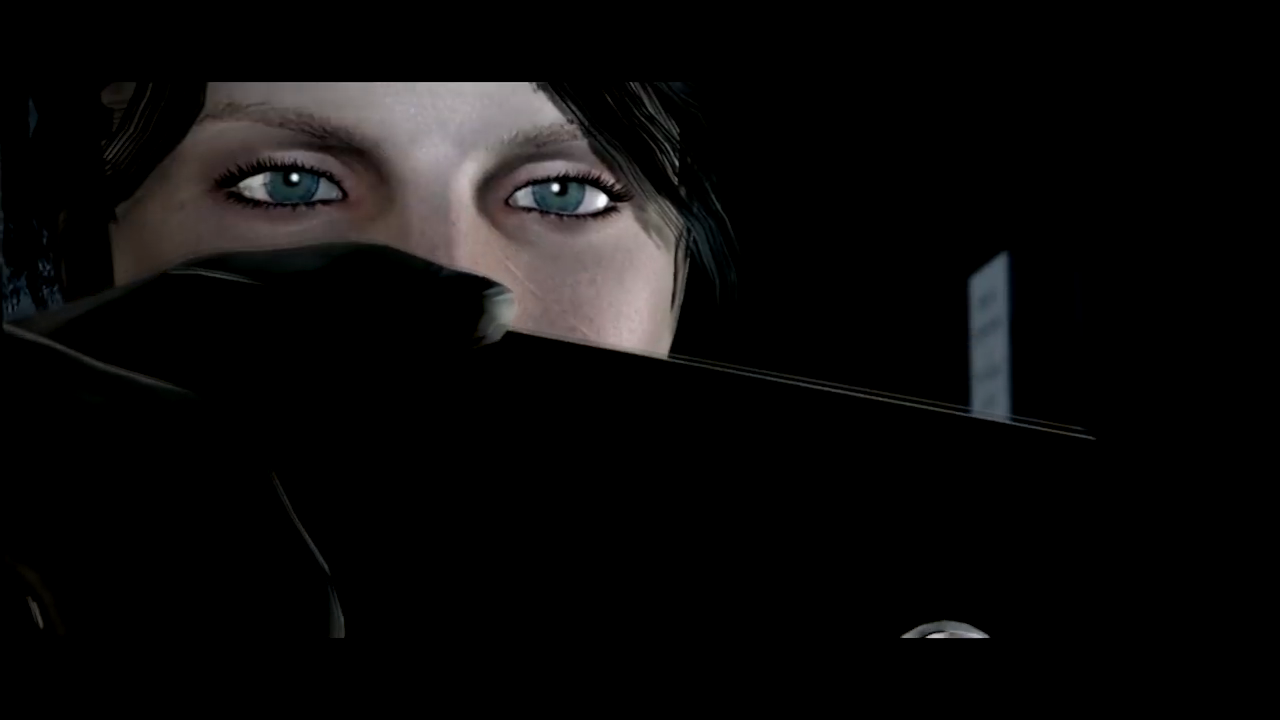
We were watching a movie tonight and it hit me on what the real problem is (and if I had read my original thread I would have seen it right away): you can't get good catchlights in the eyes if one or more of the eyes are in darkness. You'll see this often (and in my thread I have images if anyone wants to look them up) but in the movie tonight it was like in almost every scene -- a character had light on one side of their face, but catchlights on both eyes. In iClone this isn't something I've seen anyone do well, because to get that light you have to light up the other side of the face. So I went to maps and they work MUCH better (and I will stick with them -- just way too much trouble otherwise). But everyone needs to do what they like the best.
Alienware Aurora R16, Win 11, i9-149000KF, 3.20GHz CPU, 64GB RAM, RTX 4090 (24GB), Samsung 870 Pro 8TB, Gen3 MVNe M-2 SSD, 4TBx2, 39" Alienware Widescreen Monitor Mike "ex-genius" Kelley
|
|
|
|
|
GOETZIWOOD STUDIOS
|
GOETZIWOOD STUDIOS
Posted 7 Years Ago
|
|
Group: Forum Members
Last Active: 4 Years Ago
Posts: 1.2K,
Visits: 7.2K
|
F.Y.I.: Issue #3770 - GI Specular Bounce Strength Factor On Materials
-- guy rabiller | GOETZIWOOD STUDIOS "N.O.E." (Nations Of Earth) Sci-Fi TV Show, Showrunner.
|
|
|
|
|
Kelleytoons
|
Kelleytoons
Posted 7 Years Ago
|
|
Group: Forum Members
Last Active: Last Year
Posts: 9.2K,
Visits: 22.1K
|
Yeah, as you say, it's a choice -- I prefer larger speculars because, in animation, they always read better (in stills, not so much).
Alienware Aurora R16, Win 11, i9-149000KF, 3.20GHz CPU, 64GB RAM, RTX 4090 (24GB), Samsung 870 Pro 8TB, Gen3 MVNe M-2 SSD, 4TBx2, 39" Alienware Widescreen Monitor Mike "ex-genius" Kelley
|
|
|
|