As a starting point, I wanted to take the default CC Dress and change the weight maps so that the skirt portion would have 0% weight mapping. I realize this would not be correct mapping for a dress but I just wanted to try that as a starting point. As I understood weight mapping, this should have created a static skirt which would not be affected by bending bones (e.g. character walking). I imagined this would probably generate legs that go right through the cloth since they would have no effect of the skirt portion of the dress.
.................
What I got instead was very unexpected...
Yes, that is one of the many experiments I have tried. And what you expected is what happened. The legs just go straight through the cloth without affecting the skirt at all. However, I did not get the effect you are getting. The clothing moved along with the character fine. Just the legs didn't even know the skirt was there at all. without having that to check I cant say what the problem is but I would try and determine which vertices are doing that and then go back to blender and check the bone rigging values on those vertices and compare them with the vertices that aren't doing that. That might give you a hint to what is causing it.
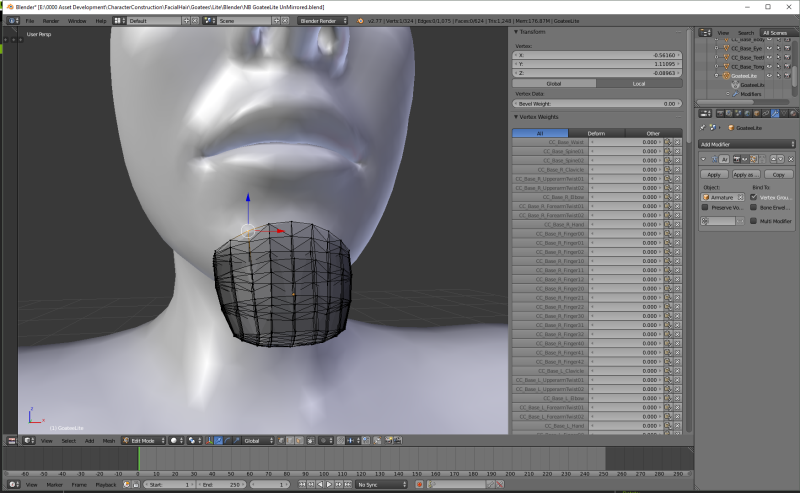
Here is an image illustrating where to check the rigging values on any vertice
The general gist was to take the custom clothing mesh, parent it to the iClone figure armature, transfer weights from CC Body to the custom cloth, export as FBX and import into Character Creator.
That sounds like how I do the clothes I have in my store
I followed this tutorial and managed to create some custom cloth bases. However, I ran into a problem when creating skirts and/or dresses because the transfer of the weight mapping from the CC Body would cause the bottom portion of the cloth to act like pants instead of a skirt/dress. I inquired about this on the forum and my conclusion was confirmed: I needed to modify the weight maps for the shirt/dress portion to correct the behavior.
How to make the skirt act more like a skirt?
After transferring the skin rigging to the clothing mesh I do some manual rigging on the skirts vertices between the legs.
Here Is one method I have tried
I will keep this explanation simple by describing what I do with just one of the legs twist bones..... to make it easier to read.
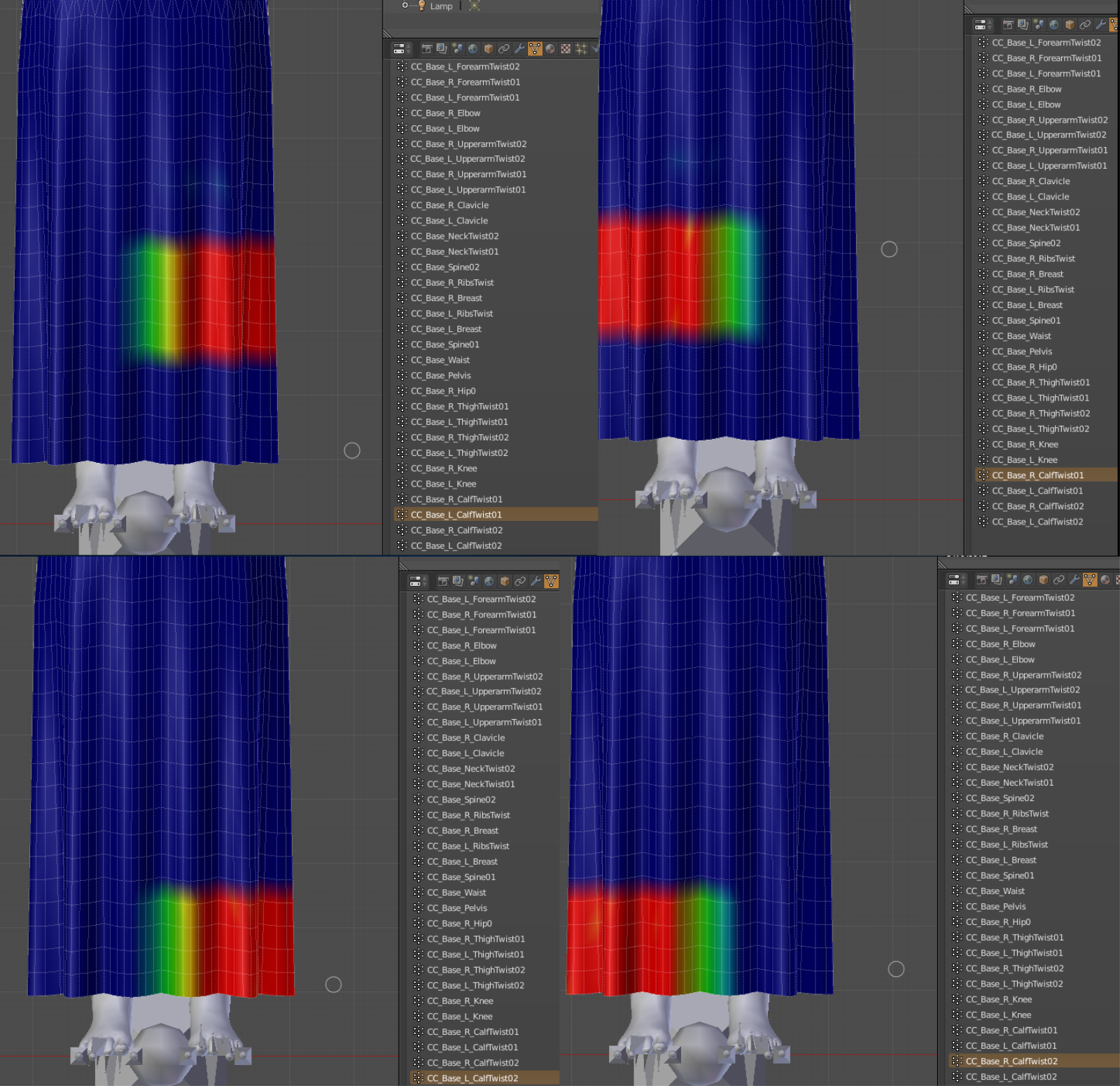
I select the left leg and then make the center column between the legs at the front and back of the skirt .5
The next column of vertices towards the right leg I make .4
The next column of vertices towards the right leg I make .3
The next column of vertices towards the right leg I make .2
The next column of vertices towards the right leg I make .1
From the center column again
The next column towards the left leg I make .6
The next column towards the left leg I make .7
The next column towards the left leg I make .8
The next column towards the left leg I make .9
Then I repeat that on the right leg. That way, all the vertices I have changed add up to 1 and during animation in iclone both legs move the vertices between the legs so they flow like a skirt instead of like pants.
A picture is worth 1000 words so here are 4 images put together to illustrate what I am saying
and a video of how it looks
i7-3770 3.4GHz CPU 16 GB Ram
GeForce GTX1080 TI 11GB
Windows 10 Pro 64bit