|
GrumpyOtis
|
GrumpyOtis
Posted 10 Years Ago
|
|
Group: Forum Members
Last Active: 2 Years Ago
Posts: 7,
Visits: 253
|
Hello! I was wondering if anyone knew what I was missing. I am exporting from iclone to 3Dexchange into unity but no matter what I do, the texture in 3dxchange look flat compared to iclone. Is there a settings I'm missing? 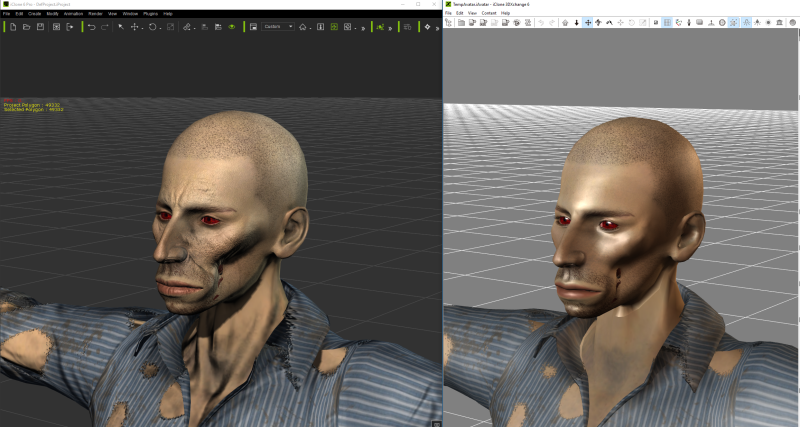
|
|
gogstudios
|
gogstudios
Posted 10 Years Ago
|
|
Group: Forum Members
Last Active: 7 Years Ago
Posts: 51,
Visits: 326
|
I see 2 problems with it:
1. The normal map is missing
2. The standard shader should be replaced with a legacy diffuse shader since standard shader is for PBR textures only. You could also replace it with a custom SSS shader for more realism.
SkyRoads clone for Android: https://play.google.com/store/apps/details?id=com.gog.skyroads
Target Number - A math puzzle game: https://play.google.com/store/apps/details?id=com.tomag.targetNumber
|