|
Author
|
Message
|
|
martok2112
|
martok2112
Posted 14 Years Ago
|
|
Group: Forum Members
Last Active: Last Year
Posts: 1.6K,
Visits: 2.4K
|
Hi, folks, friendly neighborhood Martok here with another tip on having characters move where you want them to, and then fixing up any glitches along the way. Ok.....this (yet another sci-fi based) tutorial is generally applicable for characters being animated in custom made sets where you have been trying like heck to get the floors to act like "terrain" in Director Mode. And when you try to record your character walking in DM, the character wants to fall through the floor a little bit...well, fear not, there is a quick and painless fix for that. And it's easier than paths. :) This comes in handy when your character is walking on a floor that may have varying heights as well, such as walking up a ramp, or steps that connect to a level above or below the floor that your character is walking on. Once again, I will use part of my Battlestar Galactica project to help demonstrate. The first thing to do is "not panic". :) 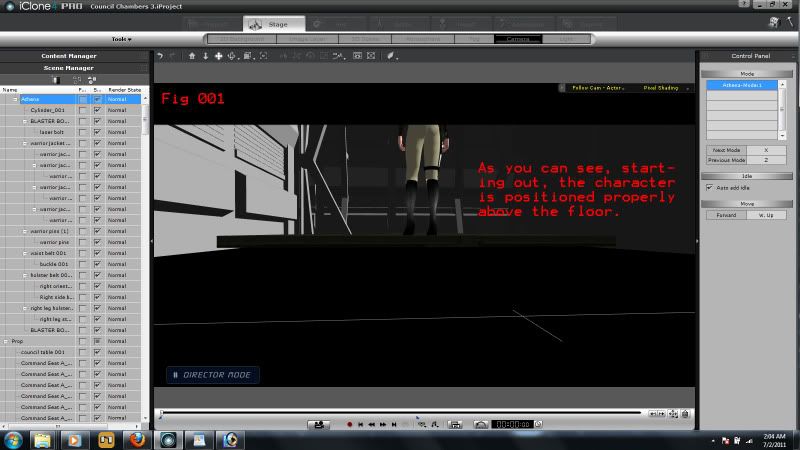 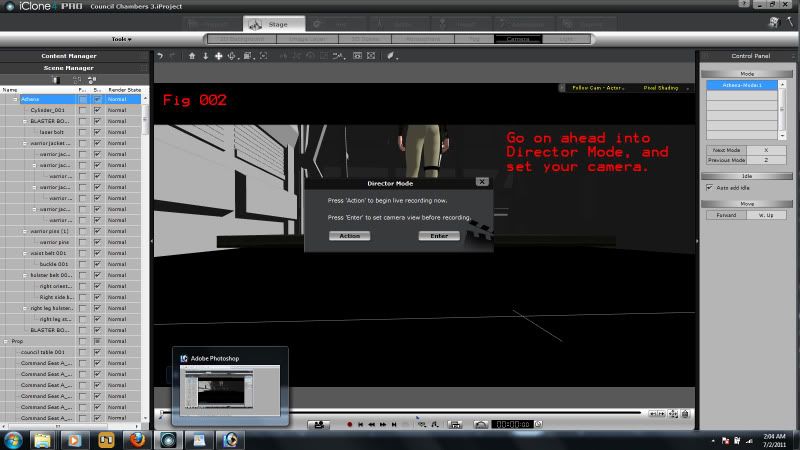 The second thing to do is go into "Director Mode", (Fig 001-002) set up your camera to follow your character, and walk your character in whichever direction you have it going, using the W, A, S, D keys, just like in a first person shooter. W=Forward, A=turn left, S=move back, D=turn right.

"Incompetence will always prevail so long as evil men stand by and do nothing."
-Martok2112
|
|
|
|
|
martok2112
|
martok2112
Posted 14 Years Ago
|
|
Group: Forum Members
Last Active: Last Year
Posts: 1.6K,
Visits: 2.4K
|
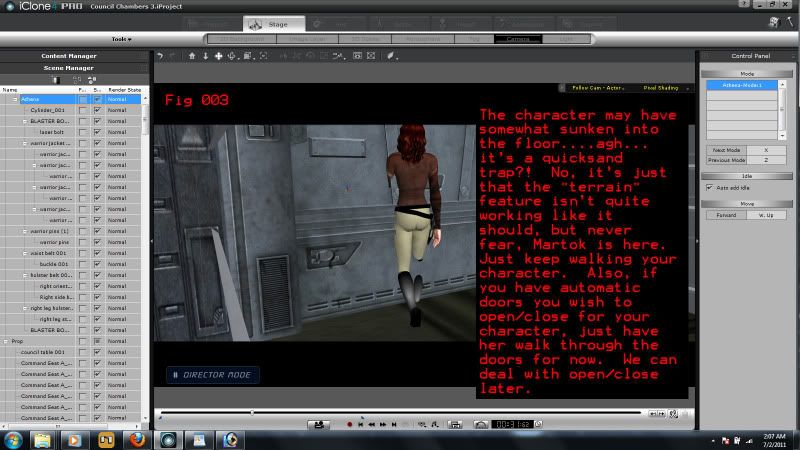 Just walk your path. If you're gonna go through automated doors, just walk your character through 'em like a ghost. We can deal with the opening/closing of hatches later. (Fig 003) 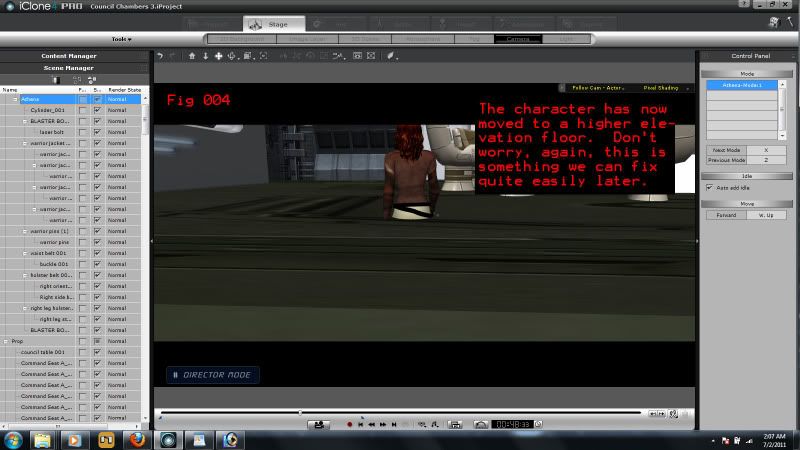 Now, in this tutorial, my character, Athena, is going to eventually come to a slightly elevated floor above the one she's currently walking. (Fig 004) For now, we're not worried about making her rise to match the floor height....just walk her on through the quicksand floor. (Fig 005) Due to a lack of interest...and idiocy of counting on the tutor's part, there will be no Fig 005 today....yeah, Steve, thanks a frakkin' lot! 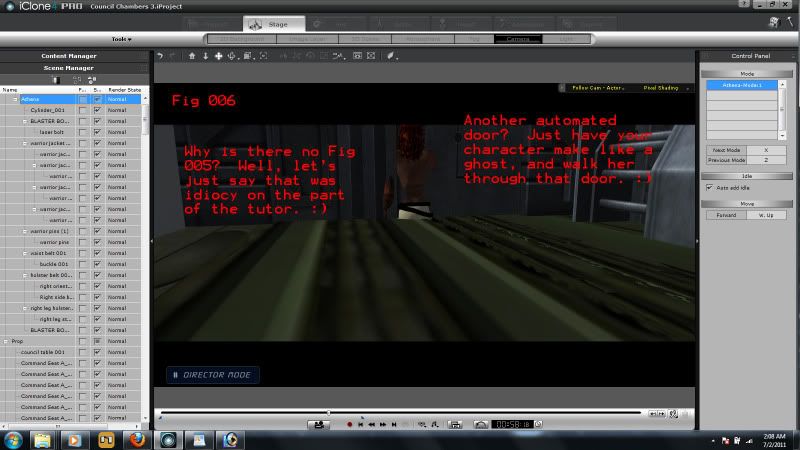 (Fig 006) Athena's coming up on another automated door. Heh...she's likin' the ghost stuff right now, so just walk her on through it.
"Incompetence will always prevail so long as evil men stand by and do nothing."
-Martok2112
|
|
|
|
|
martok2112
|
martok2112
Posted 14 Years Ago
|
|
Group: Forum Members
Last Active: Last Year
Posts: 1.6K,
Visits: 2.4K
|
|
|
|
|
|
martok2112
|
martok2112
Posted 14 Years Ago
|
|
Group: Forum Members
Last Active: Last Year
Posts: 1.6K,
Visits: 2.4K
|
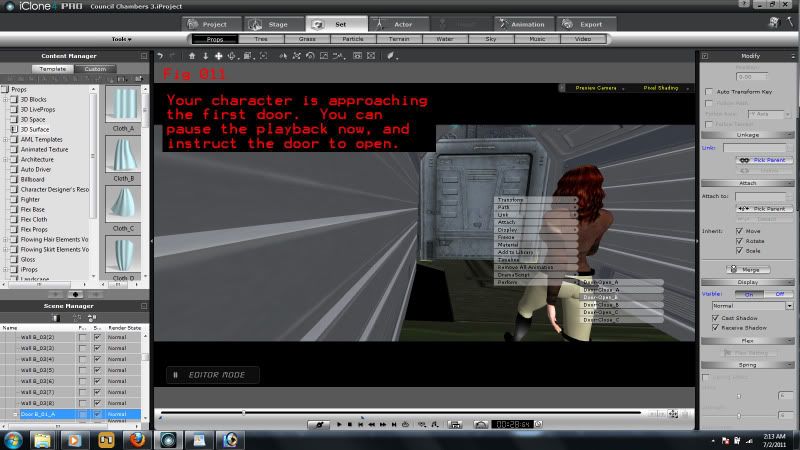 (Fig 011) Ok, so our character is approaching the first automated door. We can pause the playback, and command the door to open, and then resume playback. Voilla, Athena is now walking through the open door like she's supposed to. (Sorry, darlin', we know you were lovin' the ghost trick, but now it's time to get down to brass tacks......loovvvvvvee youuuuuu. :) ) 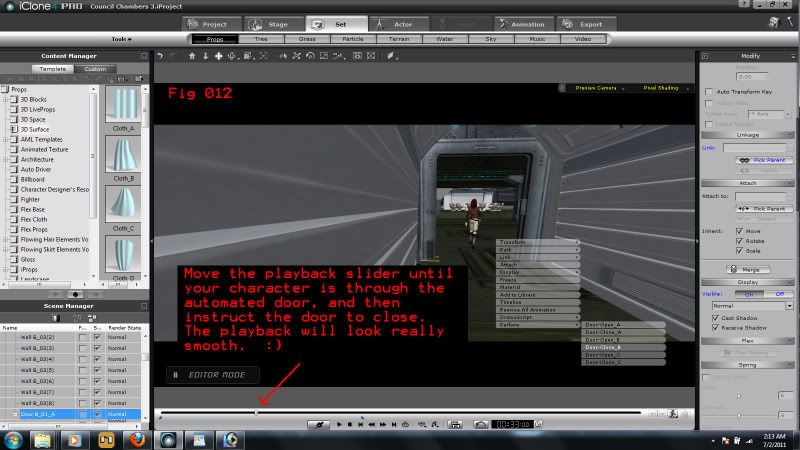 (Fig 012) Now we can slide the playback bar at the bottom of the UI forward until Athena clears the hatch, then have the hatch close behind her. Trust me, this will look really cool in the playback. 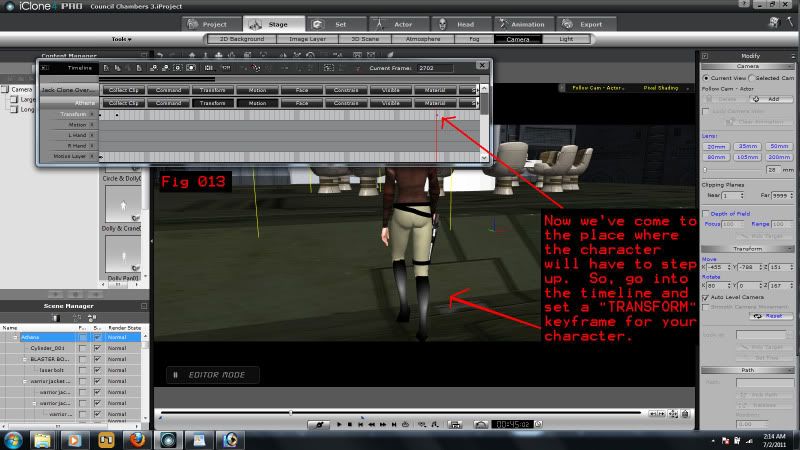 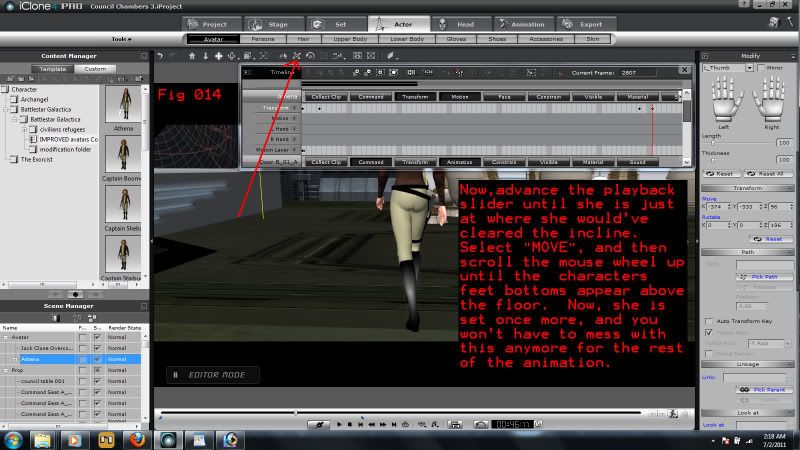 (Fig 013) Ok, now we've come to where Athena is going to have to walk up the incline in the council chamber. (Pretty neat set, eh?) So, we need to activate Athena in the timeline, and set a TRANSFORM keyframe. (For folks new to the UI, you can highlight your character, and right click which will bring up a list of options. Select "timeline", this will bring up the timeline with your character highlighted. Then select the "Transform" button, and at the appropriate point in time, activate a TRANSFORM keyframe by selecting the "set Keyframe" button in the tool bar on top of the timeline). There, now we have a new start point for what Athena is about to do next. (Fig 014) Now, we advance the playback slider forward until Athena has gotten to the clear the incline. Now all we have to do is select MOVE in the main tool set, and again, use the mouse wheel to scroll Athena up once more until her bottoms of her feet are above the deck. Once again, you won't have to do any more tweaking...she will stay on this plane until you make any further alterations, which we really won't have to for the rest of the tutorial.
"Incompetence will always prevail so long as evil men stand by and do nothing."
-Martok2112
|
|
|
|
|
martok2112
|
martok2112
Posted 14 Years Ago
|
|
Group: Forum Members
Last Active: Last Year
Posts: 1.6K,
Visits: 2.4K
|
|
|
|
|
|
kurzal
|
kurzal
Posted 14 Years Ago
|
|
Group: Forum Members
Last Active: 5 Years Ago
Posts: 627,
Visits: 10.4K
|
To avoid "quicksand floor" problem" use " Add to Terrain" feature.
--------
Igor

|
|
|
|
|
colour
|
colour
Posted 14 Years Ago
|
|
Group: Forum Members
Last Active: 2 Years Ago
Posts: 5.2K,
Visits: 8.1K
|
kurzal (7/2/2011)
To avoid "quicksand floor" problem" use " Add to Terrain" feature. Makes sense, Igor:) - Since Characters/Avatars (Including Horses;)) automatically follow Terrain, whereas Props don't. Another great Martok ScreenGrab Tut, BTW:) Just a reminder re; my previous request: Mark has kindly put all of his ScreenGrab Tuts together in one place under his Name. How about Martok, Cricky & yourself doing the same? Thanks:)
----------------------------------------------------------------------------------------- REALLUSION FORUM ANNUAL PINHEAD COMMUNITY PROJECTS. New Pinhead Website & Project to be announced in September 2015 -----------------------------------------------------------------------------------------
|
|
|
|
|
martok2112
|
martok2112
Posted 14 Years Ago
|
|
Group: Forum Members
Last Active: Last Year
Posts: 1.6K,
Visits: 2.4K
|
Thanks, Colour, will try to do that from now on. :) Kurzai, believe me, I've used the "add to terrain" feature for the floors, and I still get the quicksand floor. :) But it's no worry because of the simple quick fix. :)
"Incompetence will always prevail so long as evil men stand by and do nothing."
-Martok2112
|
|
|
|
|
kurzal
|
kurzal
Posted 14 Years Ago
|
|
Group: Forum Members
Last Active: 5 Years Ago
Posts: 627,
Visits: 10.4K
|
Kurzai, believe me, I've used the "add to terrain" feature for the floors, and I still get the quicksand floor. I believe :) How about ... yourself doing the same? Thanks, colour, for suggestion but I do not think my tiny "tips&tricks" have a great value for someone, really :) They may be interesting only to collectors of wild accents... :D
--------
Igor
|
|
|
|
|
animagic
|
animagic
Posted 14 Years Ago
|
|
Group: Forum Members
Last Active: Last Month
Posts: 15.8K,
Visits: 31.4K
|
Don't underestimate yourself, Kurzal! And, we love accents. We have you, Mike A., as long as we can learn!
|
|
|
|