|
Author
|
Message
|
|
therealzizzer
|
therealzizzer
Posted 2 Years Ago
|
|
Group: Forum Members
Last Active: Last Year
Posts: 13,
Visits: 135
|
I'm sorry to be so blunt but this is not a program that you can animate any character if it does not have the capabilities to make a rig with bone constraints. The knowledge to do this is already in this program because it's used with 2 arm 2 legged humans and features like reach target but we the users are blocked from doing simple animations like these on anything other than a human. We spend days trying to figure out how to make things work, days waiting for customer service give us an answer that doesn't answer our question, and more days Searching for workarounds to make things work that dont work and it is stupid. Simple animations cannot be done in iclone due to this lacking feature. I am so frustrated and I know I am not the only one. YOU HAVE TO HAVE BONE CONSTRAINTS. It is a must. Not having the ability to rig simple props in the way it should be done only makes people mad. Seriously! Please put this feature above all other updates because nothing could possibly be more important than this feature. I want to make some transformer type stuff for the market place but I can't even attach a simple ik control bone to my rig on a prop. Seriously! I am just baffled that I even have to suggest this and you are on iclone 8.
|
|
|
|
|
AutoDidact
|
AutoDidact
Posted 2 Years Ago
|
|
Group: Forum Members
Last Active: 2 Months Ago
Posts: 2.1K,
Visits: 13.6K
|
I want to make some transformer type stuff for the market place but I can't even attach a simple ik control bone to my rig on a prop. Iclone is not a traditional 3DCC when it comes to creating custom Characters not based on the core rigging of the prefab bases. I was able to import this Daz mech via the old 3DX app but only because it is actually a highly morphed Daz genesis 8 male under that armor which restricts is commercial use.
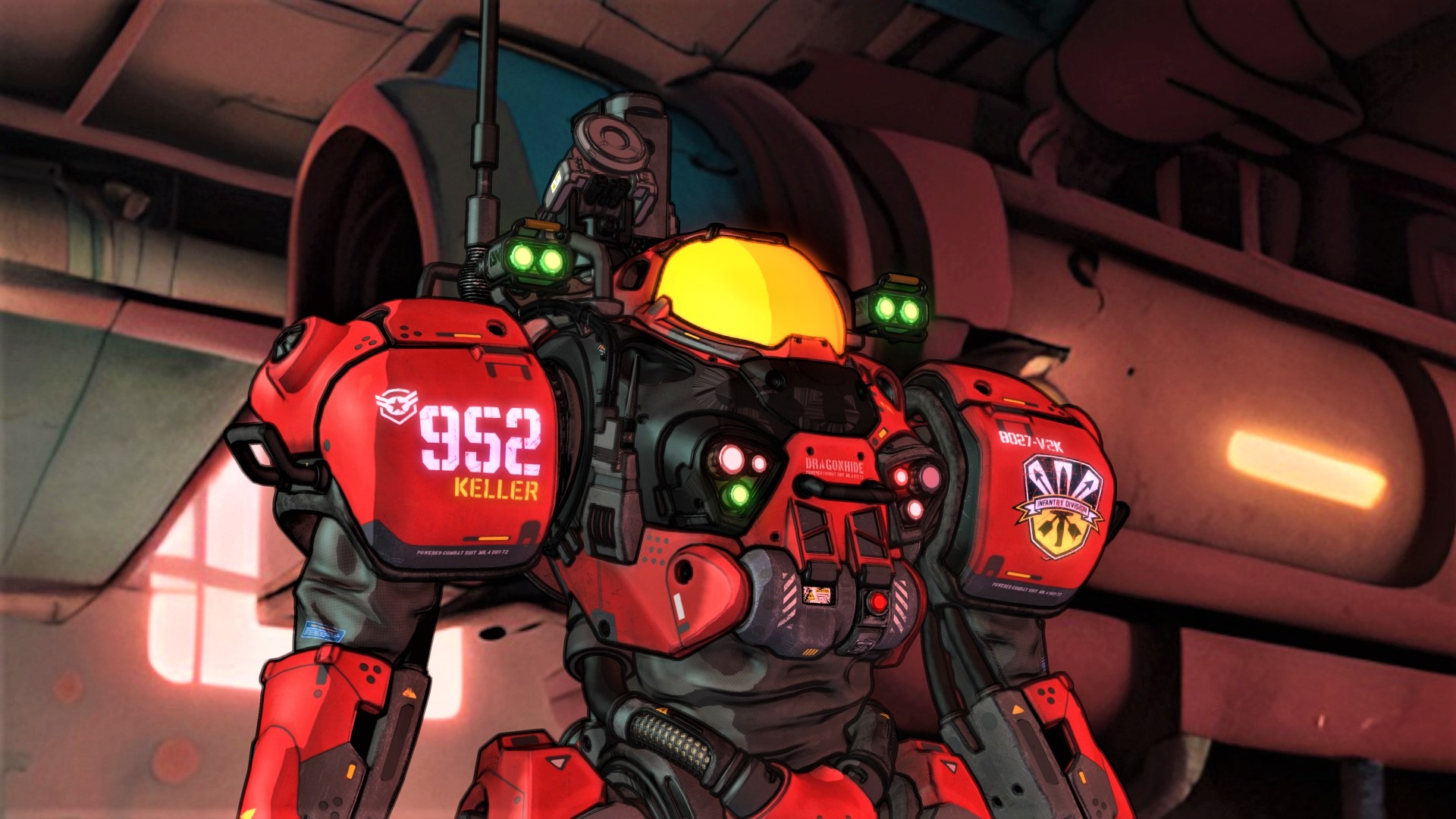
But for a marketplace mech /robot type character that will work in iclone you will have to create and rig it in an external 3DCC like Blender and import into CC4/IC8 as shown in this tutorial.
|
|
|
|
|
therealzizzer
|
therealzizzer
Posted 2 Years Ago
|
|
Group: Forum Members
Last Active: Last Year
Posts: 13,
Visits: 135
|
I do rig in blender but bone constraints will not import into iclone. I've rigged multiple things in blender but the constraints won't import into iclone. Tanks, 4 legged robots with guns, mechanical lamps with springs and gears, robot arms with hydrologics and moving brackets, and simple things like snake and hoses. Rigging in blender does not help if the bone constraints don't import over into iclonr. And if their not going to make it where it imports over, then there needs to be a way to add them on your characters and props while in iclone.
|
|
|
|
|
therealzizzer
|
therealzizzer
Posted 2 Years Ago
|
|
Group: Forum Members
Last Active: Last Year
Posts: 13,
Visits: 135
|
Besides, I'm not trying to build a character. I'm building transformer type accessories that you can attach to a character but I need the armature of the accessories to move and bend when the character moves his arm, legs, head, or whatever. The amount of time that goes into rigging in blender can be enormous. For it to work perfectly in blender but not at all in iclone is very frustrating.
If you know how to import a prop with armature into iclone and the bone constraints still work, Please impress me and show me how to do that. Attach a wire or hose with a chain of armature to a cc characters spine bone and the other end to one of his arm bones. The hose should bend when the character moves his arm. That is, if there is ik ctrl bone moves with the characters arm bone. How to do that in iclone? I have no idea. Simple in blender. Won't work for me in iclone.
|
|
|
|
|
AutoDidact
|
AutoDidact
Posted 2 Years Ago
|
|
Group: Forum Members
Last Active: 2 Months Ago
Posts: 2.1K,
Visits: 13.6K
|
Tanks, 4 legged robots with guns, mechanical lamps with springs and gears, robot arms with hydrologics and moving brackets, and simple things like snake and hoses. Iclone is largely a humanoid biped animation program to make it easier to use the motion system that is a core part of the application. You might be better off using the free pipeline to send your humans over to blender and animate your rigged mechs etc inside blender and render everything over there. I seriously doubt Reallusion is going to implement any advanced, nonhuman rigging tools inside iclone anytime soon.
|
|
|
|
|
4u2ges
|
4u2ges
Posted 2 Years Ago
|
|
Group: Forum Members
Last Active: Last Month
Posts: 5.3K,
Visits: 16.8K
|
The most you can get in iClone is a Python plugin: https://marketplace.reallusion.com/super-bone-editorCryptic to setup and use but could be some help...
|
|
|
|
|
Nirwana
|
Nirwana
Posted 2 Years Ago
|
|
Group: Forum Members
Last Active: Last Year
Posts: 242,
Visits: 1.5K
|
For it to work perfectly in blender but not at all in iclone is very frustrating.
Blender is Blender and iClone is iClone. What I mean is that both are independent programs and to expect them to work together flawlessly is IMO a bit much. As far as I can tell, there is already more support for Blender from iClone/RL than for most of the other 3D applications; as a C4D user I don't get much love from Reallusion in terms of a pipeline connection.
Iclone is largely a humanoid biped animation program to make it easier to use the motion system that is a core part of the application.
I agree.
You might be better off using the free pipeline to send your humans over to blender and animate your rigged mechs etc inside blender and render everything over there.
That is a good point for animations/videos and such. But, I think, that would not help therealzizzer in creating iClone assets for sale via the Marketplace/Content Store.
My YouTube channel: Animations made with Cinema 4D and Reallusion Products
|
|
|
|
|
AutoDidact
|
AutoDidact
Posted 2 Years Ago
|
|
Group: Forum Members
Last Active: 2 Months Ago
Posts: 2.1K,
Visits: 13.6K
|
As far as I can tell, there is already more support for Blender from iClone/RL than for most of the other 3D applications; as a C4D user I don't get much love from Reallusion in terms of a pipeline connection.
Actually the Excellent Blender Pipeline tool was developed (and is still maintained ) by an individual user named Victor Soupday. He likely gets alot of “in house” support for the addon now that Reallusion has officially adopted it ,but before his effort we had the same basic FBX export to Blender (with crap material conversion) as we have for Maya and C4D.
I think, that would not help therealzizzer in creating iClone assets for sale via the Marketplace/Content Store.
Good point!!
I can understand his frustration content development tools for rigging nonhuman mechs etc seems to be another one of the areas where Daz does a far better job for their content creators than Reallusion. Different priorities I guess.:Whistling:
|
|
|
|
|
therealzizzer
|
therealzizzer
Posted 2 Years Ago
|
|
Group: Forum Members
Last Active: Last Year
Posts: 13,
Visits: 135
|
This plugin is a start. Just being able to see the values of each bone moved in conjunction with the animation layer is 100 times better than trying to eyeball it like I currently have to do. I will give this plug-in a shot but I still need Bone constraints. There's just some things you can't do without having bone constraints. Thank you for suggesting this plug in though. It will still be helpful.
|
|
|
|
|
4u2ges
|
4u2ges
Posted 2 Years Ago
|
|
Group: Forum Members
Last Active: Last Month
Posts: 5.3K,
Visits: 16.8K
|
Yes, the IK for props is absolutely a must in iClone. It's been asked many times here and in FT for years. They have a Creature type (non-human type characters). But what for?? How the heck do we supposed to animate them? Funny, that there is check box "IK Constrain" on animation panel for creatures, but it does nothing and there is no reference to it in the manual. Yes, we have been getting away with flex things using a soft cloth (Rampa came up with a great idea years back). And I've been using it a lot: 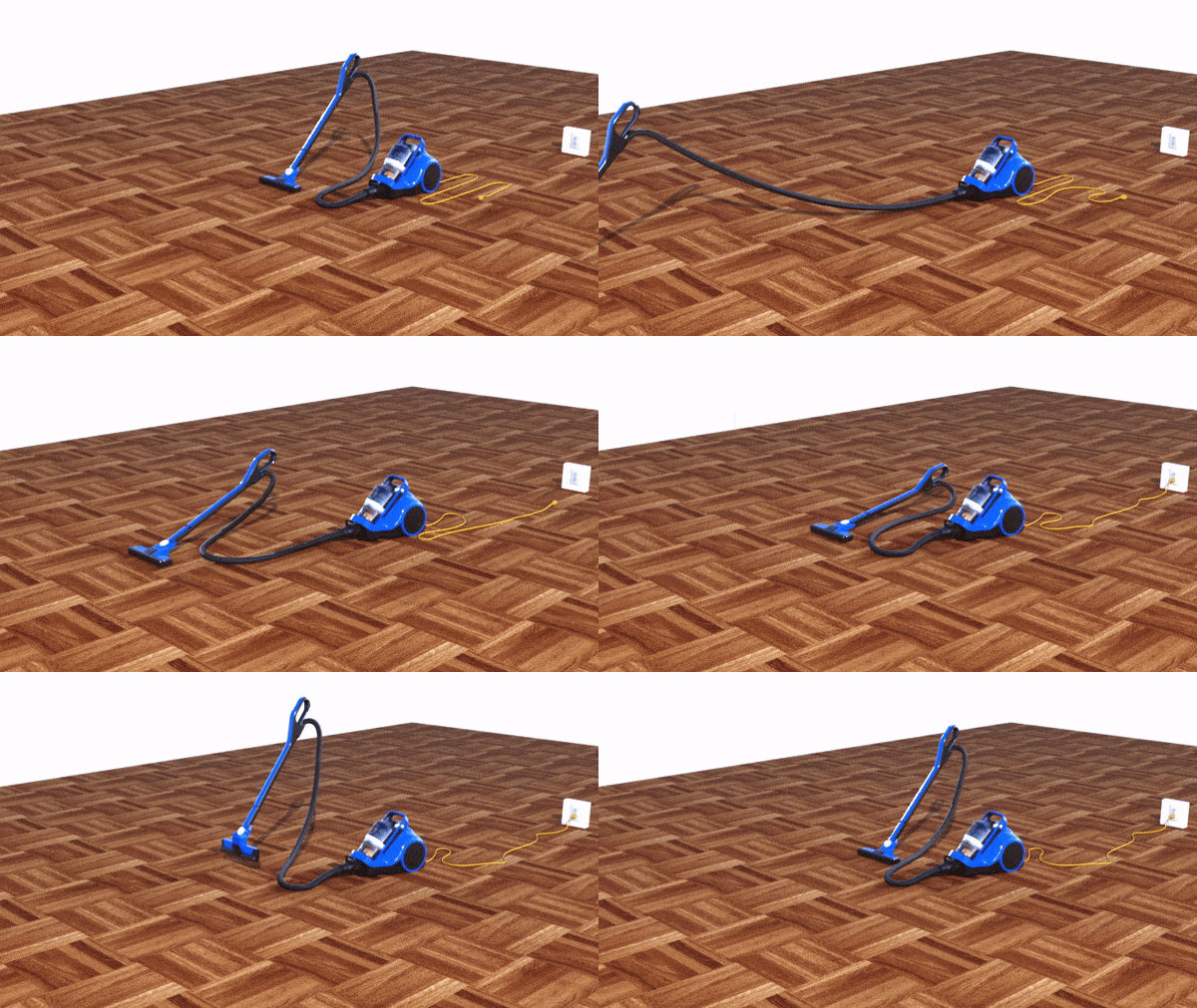 But that does not substitute a basic spline type control for rigged props (specially for "hard" mechanical things).
|
|
|
|