|
Author
|
Message
|
|
joao.henriques
|
joao.henriques
Posted 2 Years Ago
|
|
Group: Forum Members
Last Active: 4 Months Ago
Posts: 31,
Visits: 1.7K
|
Cannot see any wrinkles.. have all updates... it as mentioned to go to free resources but in that folder this mess shows up: 
|
|
|
|
|
mrimagee
|
mrimagee
Posted 2 Years Ago
|
|
Group: Forum Members
Last Active: 2 Years Ago
Posts: 5,
Visits: 443
|
Tell me how to solve the problem of Expression Wrinkles? I tried reinstalling everything, did Log out and so on anyway there is nothing in the Expression Wrinkles folder
|
|
|
|
|
Polaraul
|
Polaraul
Posted 2 Years Ago
|
|
Group: Forum Members
Last Active: Last Year
Posts: 39,
Visits: 943
|
Peter (RL) (2/28/2023)
Polaraul (2/28/2023)
But what if I have done this and the wrinkle system still does not show as per my earlier post in this thread?If you have followed all the advice given and the problem remains then sadly it is time to contact Technical Support (using the link below). They will be able to advise you further. https://www.reallusion.com/CustomerSupport/UserEx/QForm.html Thank you for the feedback and the help. It would have been interesting to see how this works, but it is not too much of an issue, These days I pretty much use Stable Diffusion to create my images anyway.
|
|
|
|
|
markcheng247
|
markcheng247
Posted 2 Years Ago
|
|
Group: Forum Members
Last Active: Last Month
Posts: 4,
Visits: 95
|
"Mesh to CC Technology" will be built into Headshot 2.0 (working title) as a paid upgrade. Mesh to CC Technology converts any human-like head mesh into a CC3+ character (much like Mesh to MetaHuman). This new tool is expected to launch in Q2/Q3 2023, and will be available to anyone who already owns CC4.
i was having some issues with my model's face that was created with Headshot (skin colors not matching). does your quote above about Headshot 2.0 suggest that my issue is a known one? basically my experience is that whenever the wrinkles are used, the skin color will pale in that area.. UPDATE: my issue went away after I activated the edit skin panel and then just hit apply again without making changes...
|
|
|
|
|
yorgon
|
yorgon
Posted 2 Years Ago
|
|
Group: Forum Members
Last Active: 2 Years Ago
Posts: 43,
Visits: 316
|
Peter, I'd like to ask you something about this. Is this technology going to turn head scans into automatic cc characters? For example. Will it automatically convert a head scan on its site into a CC character? If so, that's great news.
|
|
|
|
|
Peter (RL)
|
Peter (RL)
Posted 2 Years Ago
|
|
Group: Administrators
Last Active: Last Year
Posts: 23.1K,
Visits: 36.6K
|
yorgon (2/26/2023)
Mesh-to-CC technologywhat is this technology. it is mentioned in the post above. Does version 4.2 have this technology?"Mesh to CC Technology" will be built into Headshot 2.0 (working title) as a paid upgrade. Mesh to CC Technology converts any human-like head mesh into a CC3+ character (much like Mesh to MetaHuman). This new tool is expected to launch in Q2/Q3 2023, and will be available to anyone who already owns CC4.
Peter
Forum Administrator www.reallusion.com
|
|
|
|
|
Peter (RL)
|
Peter (RL)
Posted 2 Years Ago
|
|
Group: Administrators
Last Active: Last Year
Posts: 23.1K,
Visits: 36.6K
|
Polaraul (2/28/2023)
But what if I have done this and the wrinkle system still does not show as per my earlier post in this thread?If you have followed all the advice given and the problem remains then sadly it is time to contact Technical Support (using the link below). They will be able to advise you further. https://www.reallusion.com/CustomerSupport/UserEx/QForm.html
Peter
Forum Administrator www.reallusion.com
|
|
|
|
|
Polaraul
|
Polaraul
Posted 2 Years Ago
|
|
Group: Forum Members
Last Active: Last Year
Posts: 39,
Visits: 943
|
Peter (RL) (2/27/2023)
0oseven (2/27/2023)
I think I have the answer.
An update to the pack needs to be downloaded.
Go to free Resource/ characters / and left click on the icon. A panel opens advising the pack has been modified and you need to update.
Yes as I explained earlier in this thread. :Whistling: But what if I have done this and the wrinkle system still does not show as per my earlier post in this thread?
|
|
|
|
|
Peter (RL)
|
Peter (RL)
Posted 2 Years Ago
|
|
Group: Administrators
Last Active: Last Year
Posts: 23.1K,
Visits: 36.6K
|
0oseven (2/27/2023)
I think I have the answer.
An update to the pack needs to be downloaded.
Go to free Resource/ characters / and left click on the icon. A panel opens advising the pack has been modified and you need to update.
Yes as I explained earlier in this thread. :Whistling:
Peter
Forum Administrator www.reallusion.com
|
|
|
|
|
Peter (RL)
|
Peter (RL)
Posted 2 Years Ago
|
|
Group: Administrators
Last Active: Last Year
Posts: 23.1K,
Visits: 36.6K
|
toppro77 (2/25/2023)
These wrinkle items do not show up in my content manager and I have CC4. I see no update and there is no way to get CC4.2. My version still says CC4.12. Is this a hoax when it says new update in my email? It talks likes it's free to anyone who has CC4 but maybe you have to buy the wrinkle system and they aren't telling us that in the email. I have looked at the hub and there is no update available to me either. I have closed and reopened the hub and still no update. 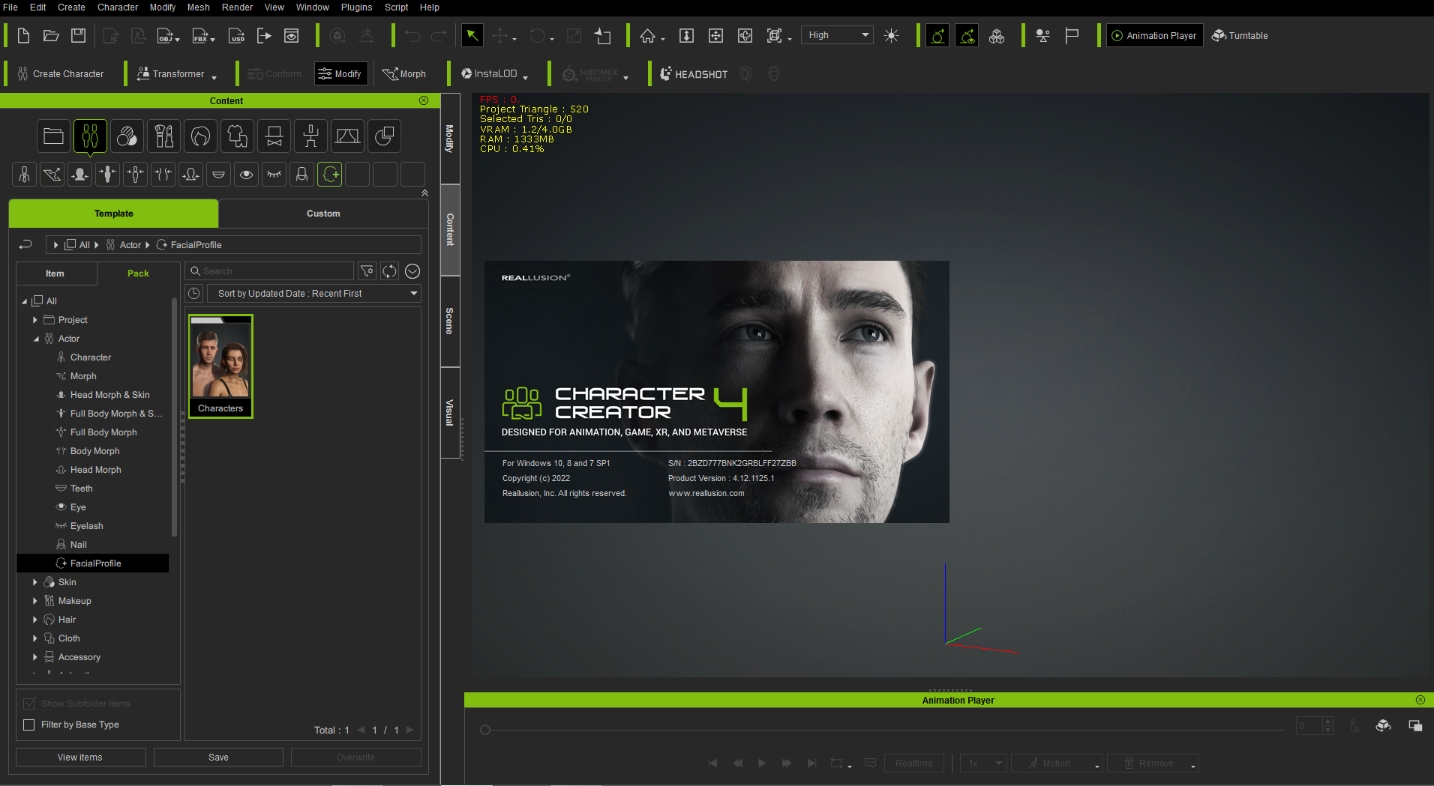 You have to get the 4.2 update in the Reallusion Hub. So try logging out of your account in the Hub, restart your computer, and then log back into the Hub. Then choose Updates on the left hand side panel.
Peter
Forum Administrator www.reallusion.com
|
|
|
|