Hello! We're just starting out testing the workflow from Character Creator to Unity, and I've dug through the videos, training, and docs, but haven't found an answer to this:
When exporting with a beard, the beard has no blendshapes, so when we use a Unity based Lip Sync tool like Salsa or LipSync Pro, only the face moves and the beard stays static.
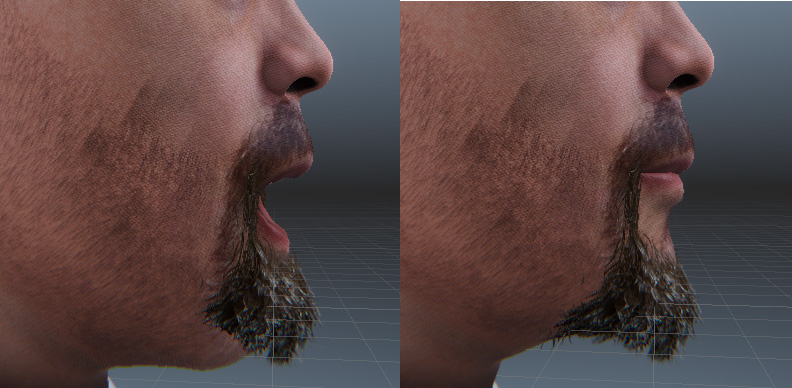
Victor's docs have a section about morph retargeting, but it seems possibly related to retargeting for animations generated in iClone, and not mapping morphs to behave in concert when used in Unity? Also this section of the docs seems to indicate there should be blend shapes on the beard, but in our export there are none, so I feel like I'm missing a setup step in Character creator.
Advanced Usage — CC/iC Unity Tools 1.3.0 documentation (soupday.github.io)Thanks for your time and assistance!