|
Author
|
Message
|
|
Kalex
|
|
|
Group: Forum Members
Last Active: Last Year
Posts: 602,
Visits: 6.5K
|
Hello everyone, I just wanted to share one issue I'm experiencing with CC4 since I installed it. I can't import any character (even the CC4 included) in the software. Either it crashes instantly, or it keeps loading at 65% and eventually freezes all my PC (16GB of RAM, RTX 3060, i5 10th gen). Anyone else experiencing something similar ? My guess is we'll have to wait a little bit for the first update.
|
|
|
|
|
yepkoo
|
yepkoo
Posted 3 Years Ago
|
|
Group: Forum Members
Last Active: 9 Months Ago
Posts: 1.2K,
Visits: 1.9K
|
When I first installed the program was crashing for me too. I also had a ton of different problems. After I reinstalled my computer, all the problems went away. I experienced the program crash only once after the format and I see it as normal. You can help the technical team if you can refer to the thread shared by Peter for the problems you are experiencing.
https://forum.reallusion.com/513446/Character-Creator-40-Official-Issues-Thread
----------------------------------------------------------------
https://www.youtube.com/yepkoo
https://dev.epicgames.com/community/profile/bxvo/Yepkoo#learning
|
|
|
|
|
Kalex
|
|
|
Group: Forum Members
Last Active: Last Year
Posts: 602,
Visits: 6.5K
|
Hey thanks for the quick reply !
I've also thought about reinstalling the software. So I reinstalled the software. It's the 4th time I reinstalled it yet, and I always have the same issue, instant crashing...
|
|
|
|
|
yepkoo
|
yepkoo
Posted 3 Years Ago
|
|
Group: Forum Members
Last Active: 9 Months Ago
Posts: 1.2K,
Visits: 1.9K
|
I have deleted and reinstalled programs many times, but it did not fix it. I spent 12 hours trying to solve the problems.I think the old database and CC4 are causing problems on some computers. So I couldn't get rid of any of these problems until I formatted the computer. Frankly, I don't know if it's an easy option for you. I'm also not sure if your problem is hardware related. If you can, you can eliminate the first option by formatting the computer.
----------------------------------------------------------------
https://www.youtube.com/yepkoo
https://dev.epicgames.com/community/profile/bxvo/Yepkoo#learning
|
|
|
|
|
Kalex
|
|
|
Group: Forum Members
Last Active: Last Year
Posts: 602,
Visits: 6.5K
|
Thank you for the help, yepkoo. I reinstalled Windows 10, now CC4 seems to work fine. I haven't had the chance yet to fully test it but for now it doesn't crash or makes everything freeze. If anything I'll come back =)
|
|
|
|
|
aaron_vfx
|
aaron_vfx
Posted 3 Years Ago
|
|
Group: Forum Members
Last Active: Last Year
Posts: 39,
Visits: 114
|
My CC4 is CONSTANTLY crashing, its almost unusable for me Reinstalling windows at this time is NOT a option for me, and it shouldn't be for anyone for the software to work! I've only had this PC for 9 months and have had NO problems with any other software. Unreal, MD, Maya, Max, Blender, full Adobe Suite, Zbrush, Cubase, Reaper, Davinci Resolve. None of them have a problem, only CC4 and iClone 8. Below is what happens every time I try import a rig. 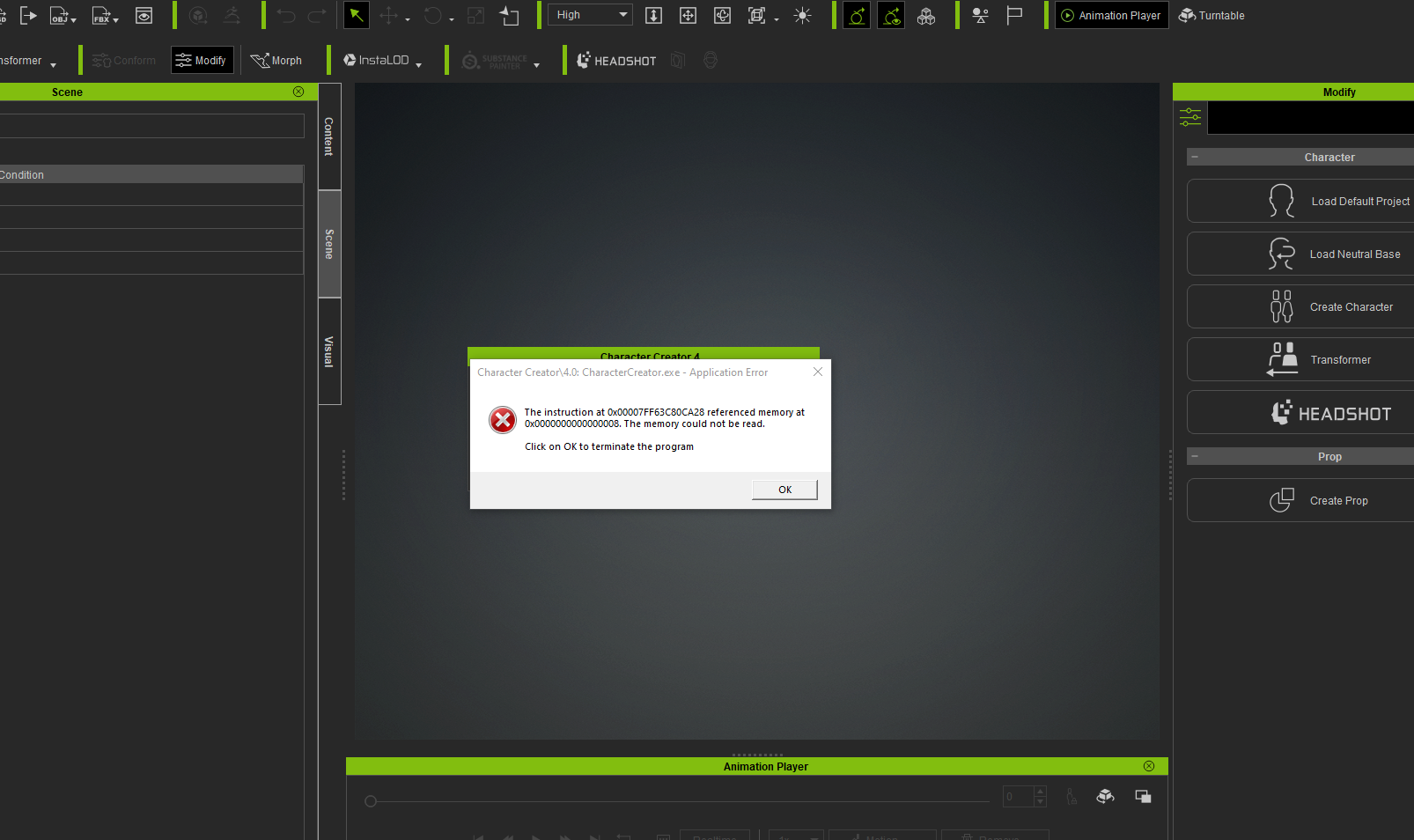 And then when I try to restart I get this: 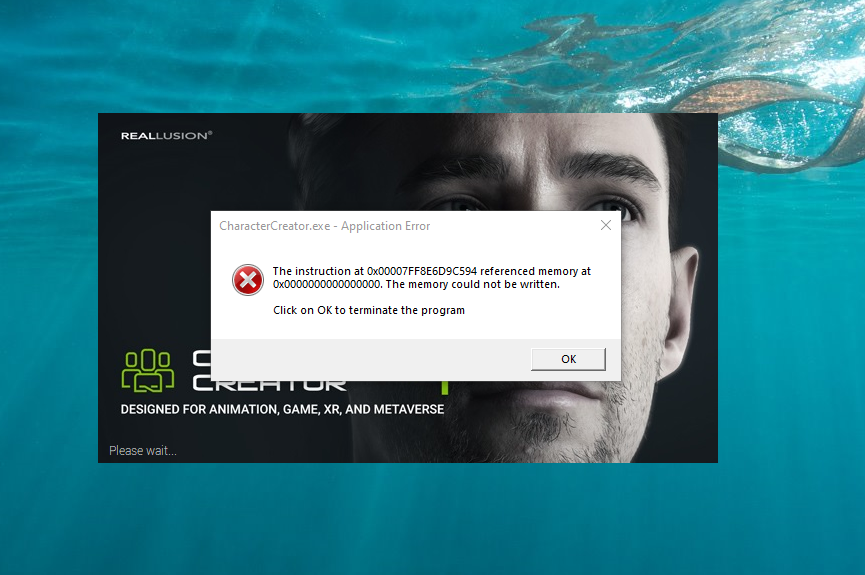 Support have a ticket but this has been going on since I installed CC4 last week, and I;ve heard anything back yet, so it sounds like it could be complicated
https://dev.epicgames.com/community/profile/Kp0v/AaronVFX
|
|
|
|
|
Kalex
|
|
|
Group: Forum Members
Last Active: Last Year
Posts: 602,
Visits: 6.5K
|
Sorry to hear you have this problem, mate.
A few things:
- Did you make sure to update your graphic pilot ?
- Any windows update you have to make ?
- What are your system specs ?
|
|
|
|
|
aaron_vfx
|
aaron_vfx
Posted 3 Years Ago
|
|
Group: Forum Members
Last Active: Last Year
Posts: 39,
Visits: 114
|
Kalex (5/17/2022)
Sorry to hear you have this problem, mate.
A few things:
- Did you make sure to update your graphic pilot ?
- Any windows update you have to make ?
- What are your system specs ? Thanks Kalex, My Windows is upto date, I do not however have the latest NVIDIA studio drivers, I'm going to update those and see if it happens still FYI my system specs are: NVIDIA GeFroce RTX3090 AMD Ryzen Threadripper 3970X 32-Core Processor 128GB RAM OS is running on a 1TB Firecuda M.2 Drive, my Reallusion programs are on my C drive and my templates etc are on a seperate drive to save space. Ill get back to you if hte GFX Drivers help Cheers Aaron
https://dev.epicgames.com/community/profile/Kp0v/AaronVFX
|
|
|
|
|
aaron_vfx
|
aaron_vfx
Posted 3 Years Ago
|
|
Group: Forum Members
Last Active: Last Year
Posts: 39,
Visits: 114
|
Updating GFX Drivers didn;t change anything, it is still crashing.
https://dev.epicgames.com/community/profile/Kp0v/AaronVFX
|
|
|
|
|
yepkoo
|
yepkoo
Posted 3 Years Ago
|
|
Group: Forum Members
Last Active: 9 Months Ago
Posts: 1.2K,
Visits: 1.9K
|
I think these issues are related to previous CC versions. If you do not have the means to reinstall the computer, you can write to Peter's thread to report problems. This information can assist technical support for hotfix updates.
Frankly, I didn't have the patience or time to wait for RL's updates to fix these issues.
https://forum.reallusion.com/513446/Character-Creator-40-Official-Issues-Thread
----------------------------------------------------------------
https://www.youtube.com/yepkoo
https://dev.epicgames.com/community/profile/bxvo/Yepkoo#learning
|
|
|
|