|
By Kalex - 4 Years Ago
|
Hello everyone,
I just wanted to share one issue I'm experiencing with CC4 since I installed it. I can't import any character (even the CC4 included) in the software. Either it crashes instantly, or it keeps loading at 65% and eventually freezes all my PC (16GB of RAM, RTX 3060, i5 10th gen).
Anyone else experiencing something similar ? My guess is we'll have to wait a little bit for the first update.
|
|
By yepkoo - 4 Years Ago
|
When I first installed the program was crashing for me too. I also had a ton of different problems. After I reinstalled my computer, all the problems went away.
I experienced the program crash only once after the format and I see it as normal.
You can help the technical team if you can refer to the thread shared by Peter for the problems you are experiencing.
https://forum.reallusion.com/513446/Character-Creator-40-Official-Issues-Thread
|
|
By Kalex - 4 Years Ago
|
Hey thanks for the quick reply !
I've also thought about reinstalling the software. So I reinstalled the software. It's the 4th time I reinstalled it yet, and I always have the same issue, instant crashing...
|
|
By yepkoo - 4 Years Ago
|
I have deleted and reinstalled programs many times, but it did not fix it.
I spent 12 hours trying to solve the problems.
I think the old database and CC4 are causing problems on some computers.
So I couldn't get rid of any of these problems until I formatted the computer.
Frankly, I don't know if it's an easy option for you. I'm also not sure if your problem is hardware related.
If you can, you can eliminate the first option by formatting the computer.
|
|
By Kalex - 4 Years Ago
|
Thank you for the help, yepkoo. I reinstalled Windows 10, now CC4 seems to work fine. I haven't had the chance yet to fully test it but for now it doesn't crash or makes everything freeze. If anything I'll come back =)
|
|
By aaron_vfx - 4 Years Ago
|
My CC4 is CONSTANTLY crashing, its almost unusable for me
Reinstalling windows at this time is NOT a option for me, and it shouldn't be for anyone for the software to work! I've only had this PC for 9 months and have had NO problems with any other software.
Unreal, MD, Maya, Max, Blender, full Adobe Suite, Zbrush, Cubase, Reaper, Davinci Resolve. None of them have a problem, only CC4 and iClone 8.
Below is what happens every time I try import a rig.
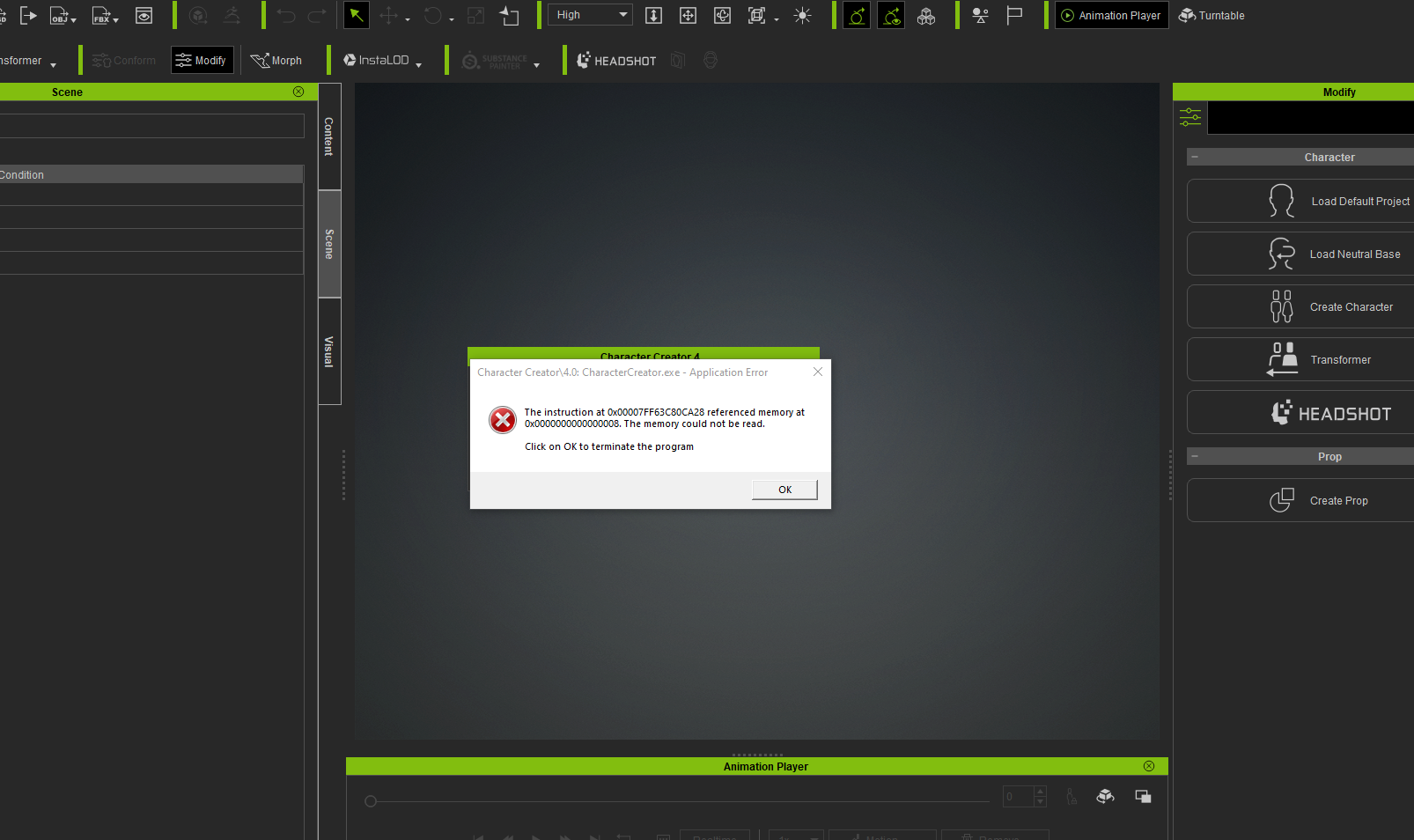
And then when I try to restart I get this:
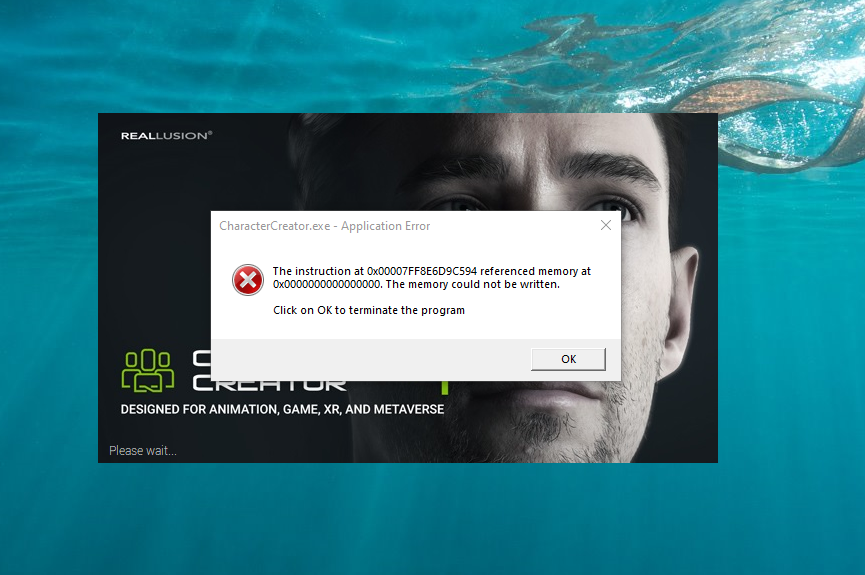
Support have a ticket but this has been going on since I installed CC4 last week, and I;ve heard anything back yet, so it sounds like it could be complicated
|
|
By Kalex - 4 Years Ago
|
Sorry to hear you have this problem, mate.
A few things:
- Did you make sure to update your graphic pilot ?
- Any windows update you have to make ?
- What are your system specs ?
|
|
By aaron_vfx - 4 Years Ago
|
|
Kalex (5/17/2022)
Sorry to hear you have this problem, mate.
A few things:
- Did you make sure to update your graphic pilot ?
- Any windows update you have to make ?
- What are your system specs ?
Thanks Kalex,
My Windows is upto date, I do not however have the latest NVIDIA studio drivers, I'm going to update those and see if it happens still
FYI my system specs are:
NVIDIA GeFroce RTX3090
AMD Ryzen Threadripper 3970X 32-Core Processor
128GB RAM
OS is running on a 1TB Firecuda M.2 Drive, my Reallusion programs are on my C drive and my templates etc are on a seperate drive to save space.
Ill get back to you if hte GFX Drivers help
Cheers
Aaron
|
|
By aaron_vfx - 4 Years Ago
|
Updating GFX Drivers didn;t change anything, it is still crashing.
|
|
By yepkoo - 4 Years Ago
|
I think these issues are related to previous CC versions. If you do not have the means to reinstall the computer, you can write to Peter's thread to report problems. This information can assist technical support for hotfix updates.
Frankly, I didn't have the patience or time to wait for RL's updates to fix these issues.
https://forum.reallusion.com/513446/Character-Creator-40-Official-Issues-Thread
|
|
By aaron_vfx - 4 Years Ago
|
yepkoo (5/17/2022)
I think these issues are related to previous CC versions. If you do not have the means to reinstall the computer, you can write to Peter's thread to report problems. This information can assist technical support for hotfix updates.
Frankly, I didn't have the patience or time to wait for RL's updates to fix these issues.
https://forum.reallusion.com/513446/Character-Creator-40-Official-Issues-Thread
Thanks I have posted in that thread, this is very frustrating,I bought the Reallusion software hoping to streamline my process, and unfortunately my experience so far has been the exact opposite!! :(
This is also my first purchase of Reallusion software, I tried the trial of CC3 and iClone 7 but thought I'd wait until the new versions came out before buying. I am starting to regret it
|
|
By yepkoo - 4 Years Ago
|
These programs have a lot of new features.
Since beta testing was not carried out with a large user base, it was predictable that some problems would arise at first.
But I'm sure these issues will be fixed.
I hope your problems will be resolved as soon as possible.
|
|
By Jeffster The Mighty - 4 Years Ago
|
|
I've never had it crash. If anything, it loads faster and runs smoother for me. I have had IC8 crash, but only if I'm using other card-intensive programs at the same time. I have learned to minimally use and save often when multitasking my big graphics programs, at least since In got my RTX card. Iclone never crashed before that.
|
|
By aaron_vfx - 4 Years Ago
|
I have an RTX3090 and 128GB of RAM :/
I can only go by my own experience that I am having with the software, this crash happens when I nothing else running, this also only happens with both iclone 8 and CC4, all my other software runs perfectly fine, MD, Maya, Max, Adobe, Davinci, Unreal, I understand software can be sketchy, but for me it's not about saving often, sometimes the software doesn't even load up! I just tried to open iClone 8 infact, and the splash screen appeared and then vanished, loading nothing!
Support have my ticket lets hope it can be solved :)
|
|
By younggunmotion - 4 Years Ago
|
For what it's worth, CC4 has been a hot mess for me since purchasing it on launch date. First, the app wouldn't start - couldn't get past the loading screen. Then when I finally got it working (had to tweak some settings in my display prefs), I couldn't load any characters without it just randomly closing. I've given up. I've been using CC3 and IC7 for years now, just going to stick with them for now. Hoping for a fix soon...
I've also got an RTX 3090 - wondering if it's a gpu error but who knows. Running the latest nvidia studio driver as well.
|
|
By Peter (RL) - 4 Years Ago
|
|
younggunmotion (5/17/2022)
For what it's worth, CC4 has been a hot mess for me since purchasing it on launch date. First, the app wouldn't start - couldn't get past the loading screen. Then when I finally got it working (had to tweak some settings in my display prefs), I couldn't load any characters without it just randomly closing. I've given up. I've been using CC3 and IC7 for years now, just going to stick with them for now. Hoping for a fix soon...
I've also got an RTX 3090 - wondering if it's a gpu error but who knows. Running the latest nvidia studio driver as well.
Have you customised your global graphics settings in the Nvidia Control Panel?
If so, you will find iClone and CC4 will be much more stable if you use a custom profile set to the default "Application Controlled" settings.
|
|
By younggunmotion - 4 Years Ago
|
|
Thanks for the recommendation Peter, but I have "Application Enabled" on for all of the settings that allow it within the Nvidia Control Panel. Still no luck. I think what frustrates me most is that sometimes it works and sometimes it doesn't, without anything changing in between. For a while it was working smoothly with only one of my two monitors enabled. Then it stopped. I think it's just too buggy to be usable for me right now. Hoping for some patches in the near future.
|
|
By Peter (RL) - 4 Years Ago
|
|
younggunmotion (5/17/2022)
Thanks for the recommendation Peter, but I have "Application Enabled" on for all of the settings that allow it within the Nvidia Control Panel. Still no luck. I think what frustrates me most is that sometimes it works and sometimes it doesn't, without anything changing in between. For a while it was working smoothly with only one of my two monitors enabled. Then it stopped. I think it's just too buggy to be usable for me right now. Hoping for some patches in the near future.
I do understand and I'm sorry you are encountering these problems. Patches are coming but obviously we need to track down why some users are experiencing crashes while others are seeing improved stability. It may be related to certain hardware configurations and this is what we will be looking into in the coming days. However, if you would like to get your particular case logged and be ready for any hotfixes that may be issued, please do feel free to contact Technical Support using the link below.
https://www.reallusion.com/CustomerSupport/UserEx/QForm.html
|
|
By judahcor - 4 Years Ago
|
This may sound like a step backwards but when ever I have encountered this same error and crash with CC4 its been with dual monitors- for one reason or another is desktop is set to extended and the program is not on the main monitor it crashes -- to see if this is your problem them try disconnection one monitor and reboot and try again. The problem seems to bee that when you move the program from one monitor to another the first launch monitor remains the primary monitor for many of the programs pop up menus and dialogues... This is much easier to test then reinstalling windows.
|
|
By sungod - 4 Years Ago
|
Single monitor is also important to test for those its crashing.
I agree with @judahcor
|
|
By younggunmotion - 4 Years Ago
|
|
Unfortunately the single monitor suggestion didn't work, but appreciate the help. I'm working on deleting ALL Reallusion files from my machine from previous and current installations, including deleting registry, and doing a fresh install of CC4 and IC8. Will report back.
|
|
By sungod - 4 Years Ago
|
|
younggunmotion (5/17/2022)
Unfortunately the single monitor suggestion didn't work, but appreciate the help. I'm working on deleting ALL Reallusion files from my machine from previous and current installations, including deleting registry, and doing a fresh install of CC4 and IC8. Will report back.
I use revo uninstaller pro to uninstall anything . Gnight all the best
|
|
By Ascensi - 4 Years Ago
|
|
Sound like maybe a video card driver issue. I'm using GTX 970 and don't get crashes at all loading up. The only other thing different on my system is that I have my virtual memory set to 32 GB. Could be an issue with the monitor as well (more than one display or because it might be using a generic driver)
|
|
By marinevid - 4 Years Ago
|
I have been having issues recently with the software both IClone 8 and CC4 on my workstation pc. I can't pose my characters using IK, and my reach target function is completely broken; I am also getting constant crashes in both programs. However, I downloaded trial versions on my laptop to see if the issues persisted; everything worked fine in both programs with no crashes. I'm also able to pose my characters using IK and use the reach target with no problems. I closed and opened the programs 20 times on my laptop with no crashes, and there were still no issues. I uninstalled all reallusion software on my workstation using IObit Uninstaller to make sure all possible files were erased, including in the registry; then, I reinstalled everything after making sure all of my drivers were up to date. All of the problems continued on my workstation. I put in a support ticket for this. I hope everything is resolved.
My Workstation Processor AMD Ryzen Threadripper PRO 3995WX 64-Cores Number of Cores 64 Speed 4.2 GHzRAM 256 GBVideo Card NVIDIA RTX A6000 x2 NVlink OS: Windows 11 64-Bit -----------------------------------------------------My Laptop: Specs Processor Intel(R) Core(TM) i7-8750H CPU @ 2.20GHzVideo Card GeForce GTX 1050 TiVideo Card #2 Intel(R) UHD Graphics 630Operating System Windows 11RAM 8.0 GB
|
|
By sungod - 4 Years Ago
|
marinevid (5/18/2022)
I have been having issues recently with the software both IClone 8 and CC4 on my workstation pc. I can't pose my characters using IK, and my reach target function is completely broken; I am also getting constant crashes in both programs. However, I downloaded trial versions on my laptop to see if the issues persisted; everything worked fine in both programs with no crashes. I'm also able to pose my characters using IK and use the reach target with no problems. I closed and opened the programs 20 times on my laptop with no crashes, and there were still no issues. I uninstalled all reallusion software on my workstation using IObit Uninstaller to make sure all possible files were erased, including in the registry; then, I reinstalled everything after making sure all of my drivers were up to date. All of the problems continued on my workstation. I put in a support ticket for this. I hope everything is resolved. My Workstation Processor AMD Ryzen Threadripper PRO 3995WX 64-Cores Number of Cores 64 Speed 4.2 GHzRAM 256 GBVideo Card NVIDIA RTX A6000 x2 NVlink OS: Windows 11 64-Bit -----------------------------------------------------My Laptop: Specs Processor Intel(R) Core(TM) i7-8750H CPU @ 2.20GHzVideo Card GeForce GTX 1050 TiVideo Card #2 Intel(R) UHD Graphics 630Operating System Windows 11RAM 8.0 GB
Okie i don't know who it was but someone else was also having issues on too many cores and pro video cards in IC7.
There are two thing I will tell you .
First make your own thread with title 'Workstation Threadripper A6000 crashes'
This was other workstation people will notice it.
Secondly can we try to restrict number of CPU cores of IC8/CC4 uses ?
On steam there is a program to restrict launching other programs on particular cores but I have to check if we can reduce number of cores.
|
|
By OB1Flow - 4 Years Ago
|
|
I'm having the same issue with crashing, no IK. I also have a Threadripper Pro 3975wx, 128GB of ECC Ram, and dual 3090s. I have tried disabling the second graphics card and additional monitor, same issues persist. I wonder if this is related to our CPU?
|
|
By yepkoo - 4 Years Ago
|
When I first installed these programs, I had many problems and I could not get rid of these problems until I formatted the computer.
Even if you uninstall RL programs, the database used by these programs and other files, if any, are not deleted. Even if you delete it with any cleaning program, it will not help. Cleanup programs only clean leftovers of the program, but the database is a file in itself, not a residue.
I deleted everything, I deleted the contents as well, and when I installed iClone 7, all the contents seemed to be installed even though I deleted the contents.
I'm sure these problems are caused by the database and/or other common files, if any, used by RL programs.
This problem does not occur on all computers.
Maybe because of a process that we do knowingly or unknowingly, such as a problem in the content path change or a similar operation, these problems may occur on some computers.
|
|
By aaron_vfx - 4 Years Ago
|
Luke has been in touch with me regarding this issue, he very kindly shared with me a version that works perfectly on my machine, they believe the issue to be caused by the number of CPU threads on my machine, so I should think if anyone else has similar cores, then they will likely run into the same issue as me.
I have an AMD Ryzen Threadripper 3970X 32-Core Processor (64 CPUs), ~3.7GHz
There is a fix coming next week, but if you're desperate for it (like I was), then you will need to speak to either Luke(RL), Peter(RL) or Rampa(RL) as this is not something I can give you,
Thanks again
Aaron
I cannot speak that this will work for everyone, but as we used to say at my old place, 'It worked on my machine'
|
|
By younggunmotion - 4 Years Ago
|
Interesting. I too have an AMD Ryzen Threadripper 3970X 32-Core Processor, so that brings me some hope. I'll reach out later today.
aaron_vfx (5/18/2022)
Luke has been in touch with me regarding this issue, he very kindly shared with me a version that works perfectly on my machine, they believe the issue to be caused by the number of CPU threads on my machine, so I should think if anyone else has similar cores, then they will likely run into the same issue as me.
I have an AMD Ryzen Threadripper 3970X 32-Core Processor (64 CPUs), ~3.7GHz
There is a fix coming next week, but if you're desperate for it (like I was), then you will need to speak to either Luke(RL), Peter(RL) or Rampa(RL) as this is not something I can give you,
Thanks again
Aaron
I cannot speak that this will work for everyone, but as we used to say at my old place, 'It worked on my machine'
|
|
By yepkoo - 4 Years Ago
|
My CPU is 24 cores.
However, after formatting, there was no problem.
What you say may be true, but I think there are other additional problems.
|
|
By OB1Flow - 4 Years Ago
|
|
aaron_vfx (5/18/2022)
Luke has been in touch with me regarding this issue, he very kindly shared with me a version that works perfectly on my machine, they believe the issue to be caused by the number of CPU threads on my machine, so I should think if anyone else has similar cores, then they will likely run into the same issue as me.
I have an AMD Ryzen Threadripper 3970X 32-Core Processor (64 CPUs), ~3.7GHz
There is a fix coming next week, but if you're desperate for it (like I was), then you will need to speak to either Luke(RL), Peter(RL) or Rampa(RL) as this is not something I can give you,
Thanks again
Aaron
I cannot speak that this will work for everyone, but as we used to say at my old place, 'It worked on my machine'
I'm unzipping the update right now as well. Fingers crossed!
|
|
By OB1Flow - 4 Years Ago
|
|
Works! IK behaves in CC4 now.
|
|
By aaron_vfx - 4 Years Ago
|
|
Awesome! :)
|
|
By aaron_vfx - 4 Years Ago
|
|
yepkoo (5/18/2022)
My CPU is 24 cores.
However, after formatting, there was no problem.
What you say may be true, but I think there are other additional problems.
Yeah perhaps, I'm going by what Luke told me, I have no idea what they did to actually fix it.
I'm just happy I can get to grips properly with it all now :)
|
|
By younggunmotion - 4 Years Ago
|
How would I go about getting this working version? Not sure how to get in touch with Luke.
OB1Flow (5/18/2022)
Works! IK behaves in CC4 now.
|
|
By OB1Flow - 4 Years Ago
|
|
Open a support ticket
|
|
By Peter (RL) - 4 Years Ago
|
|
younggunmotion (5/18/2022)
How would I go about getting this working version? Not sure how to get in touch with Luke.
The link for the IK hotfix is below. :)
https://drive.google.com/file/d/13ud4TyPP1W2xZq0oWh40NRcojhXNLrqd/view?usp=sharing
|
|
By Am7add9 - 4 Years Ago
|
|
yepkoo (5/18/2022)
My CPU is 24 cores.
However, after formatting, there was no problem.
What you say may be true, but I think there are other additional problems.
why give this bad advice? and more than once....
you should not have to format or uninstall any previous version
for this to work.
|
|
By younggunmotion - 4 Years Ago
|
|
Wonderful, thank you Peter! Seems to be working :D
|
|
By yepkoo - 4 Years Ago
|
Am7add9 (5/18/2022)
yepkoo (5/18/2022)
My CPU is 24 cores.
However, after formatting, there was no problem.
What you say may be true, but I think there are other additional problems.why give this bad advice? and more than once.... you should not have to format or uninstall any previous version for this to work.
I've explained how I solved my problem and it's not bad advice for those who can.
Formatting always fixes problems that have occurred on the computer.
Those who have the opportunity can do it, those who do not have the opportunity have to wait for the updates anyway.
Don't waste your time making other people's posts a problem.
|
|
By sungod - 4 Years Ago
|
Meanwhile OP of this thread solved his issue on first Page i think.
Strangely he solved it by reinstalling Formatting
As a former sysadmin I first try uninstalling thoroughly and in a step by step manner, restarting and reinstalling in steps and then restarting :)
Last resort Format.
Funny thing I uninstalled IC7/CC3 from hub in steps and Installed New version with no issue till now. But then my system is dedicated to Iclone.
But in past i fixed issue of IC7/CC3 by reinstalling windows :) on other PC.
Sometimes good uninstalling works and Sometimes Reformat works
Happy Helping in other thread @all but this thread of OP is done.
Cya guys :)
|
|
By sungod - 4 Years Ago
|
|
So happy that people with many cores like thread ripper solved it 😇👍
|
|
By marinevid - 4 Years Ago
|
OB1Flow (5/18/2022)
aaron_vfx (5/18/2022)
Luke has been in touch with me regarding this issue, he very kindly shared with me a version that works perfectly on my machine, they believe the issue to be caused by the number of CPU threads on my machine, so I should think if anyone else has similar cores, then they will likely run into the same issue as me.
I have an AMD Ryzen Threadripper 3970X 32-Core Processor (64 CPUs), ~3.7GHz
There is a fix coming next week, but if you're desperate for it (like I was), then you will need to speak to either Luke(RL), Peter(RL) or Rampa(RL) as this is not something I can give you,
Thanks again
Aaron
I cannot speak that this will work for everyone, but as we used to say at my old place, 'It worked on my machine'I'm unzipping the update right now as well. Fingers crossed!
Thanks so much. I downloaded the hotfix and everything works now on my workstation.
I have a AMD Threadripper 3995wx 64 core.
|
|
By Am7add9 - 4 Years Ago
|
yepkoo (5/18/2022)
Am7add9 (5/18/2022)
yepkoo (5/18/2022)
My CPU is 24 cores.
However, after formatting, there was no problem.
What you say may be true, but I think there are other additional problems.why give this bad advice? and more than once.... you should not have to format or uninstall any previous version for this to work. I've explained how I solved my problem and it's not bad advice for those who can. Formatting always fixes problems that have occurred on the computer. Those who have the opportunity can do it, those who do not have the opportunity have to wait for the updates anyway. Don't waste your time making other people's posts a problem.
i use my time wisely, like not hanging out on forums.
|
|
By yepkoo - 4 Years Ago
|
Am7add9 (5/18/2022)
yepkoo (5/18/2022)
Am7add9 (5/18/2022)
yepkoo (5/18/2022)
My CPU is 24 cores.
However, after formatting, there was no problem.
What you say may be true, but I think there are other additional problems.why give this bad advice? and more than once.... you should not have to format or uninstall any previous version for this to work. I've explained how I solved my problem and it's not bad advice for those who can. Formatting always fixes problems that have occurred on the computer. Those who have the opportunity can do it, those who do not have the opportunity have to wait for the updates anyway. Don't waste your time making other people's posts a problem. i use my time wisely, like not hanging out on forums.
pass
|
|
By Farouce - 4 Years Ago
|
laughing my ass off.. Reformat my computer.. are you people crazy..
|
|
By animagic - 4 Years Ago
|
|
Farouce (5/19/2022)
laughing my ass off.. Reformat my computer.. are you people crazy..
Such a meaningful contribution to the discussion...:blink:
|
|
By yepkoo - 4 Years Ago
|
|
Farouce (5/19/2022)
laughing my ass off.. Reformat my computer.. are you people crazy..
A member with only one message :)
The interesting thing is that he came to the RL forum site just to reply to my message :)
Who is this?
Should I brag about it? :)
Many people have formatted the computer.
There were those who were not able to do this.
However, the computer is formatted when necessary, and this will surely happen to you one day.
Therefore, instead of writing nonsense replies to my messages, mind your own business.
|
|
By gsx913 - 4 Years Ago
|
|
how did you install the hotfix? I have the same issue, but with iClone. RL support gave me the link to the unreleased iClone updated version, but there are no installation instructions, and there often seems to be a long delay for them to reply when you raise a ticket. I waited 6 days for a reply last time before just opening a new ticket.
|
|
By cheyennerobinson_45 - 4 Years Ago
|
|
I would like to know the answer to this as well.
|
|
By cheyennerobinson_45 - 4 Years Ago
|
I just copied and pasted the contents of the patch into the cc4 and i am about to try the same thing for iClone 8. CC4 worked and i was able to export to Omniverse which is the issue that i was receiving the error message. It fixed my issue.
Also I am running the 12th Gen i9 processor.
|
|
By fsilva - 4 Years Ago
|
|
Sorry you're having issues. When I first updated to CC3, I had problems. My fix was simple, try running as an Administrator.
|