|
Author
|
Message
|
|
mark
|
|
|
Group: Forum Members
Last Active: Last Year
Posts: 4.9K,
Visits: 16.7K
|
Brilliant! ;)

Click here to go to my YouTube Channel filled with iClone Tutes and Silly Stuff
Visit ANIMATED PROJECTIONS Powered by iCLONE
Intel Core i7 3960X @ 3300MHz Overclocked to 4999.7 MHz Sandy Bridge 24.0GB DDR3 @ 833MHz Graphic Display HP ZR30w
GeForce GTX 980Ti 6GB Microsoft Windows 7 Professional 64-bit SP1 ASUSTeK COMPUTER INC. P9X79 WS (LGA2011)
|
|
|
|
|
plan111
|
plan111
Posted 3 Years Ago
|
|
Group: Forum Members
Last Active: 8 Months Ago
Posts: 80,
Visits: 226
|
@Kidder
Amazing! Tried this with all kinds of other parameters that don't have a slider and it works with all of them. The timeline is now my global slider for adjusting parameters that don't have a slider (but still should in a future update). Fantastic tip.
Thanks again.
|
|
|
|
|
plan111
|
plan111
Posted 3 Years Ago
|
|
Group: Forum Members
Last Active: 8 Months Ago
Posts: 80,
Visits: 226
|
Well there's something I would have never thought of. And it works. Didn't know that you could animate the rotation of a material. I guess that the timeline has become the sliders that iclone doesn't have.
Thanks for the tip.
|
|
|
|
|
Kidder
|
Kidder
Posted 3 Years Ago
|
|
Group: Forum Members
Last Active: 3 days ago
Posts: 119,
Visits: 7.3K
|
A simple way to get the texture to 45 degrees or any other value is to use the timeline. Move the cursor to 100 frames then apply a 90 degree move, if you want it at 45 degrees go to frame 50, place cursor there and remove animation. You now have a 45 degee texture. You can do this with tiling as well to find the best tiling for your material by scrubbing the timeline to get get the desired effect you want instead of guessing . Hope this helps Karen
See my other videos on my YouTube channel Kissler101

|
|
|
|
|
plan111
|
plan111
Posted 3 Years Ago
|
|
Group: Forum Members
Last Active: 8 Months Ago
Posts: 80,
Visits: 226
|
@michaelrbarton
Thanks for the elaborate reply.
I did try superimposing it on the UV map, but it still gave me weird results. If I remember correctly, DAZ lets you rotate the material freely (with sliders on top of that, which are way better than the clunky text boxes with little arrows in iCLone). If iClone doesn't have that, it would be a great feature for 8. Plus sliders for all the other ridiculous text boxes.
I have the Substance Super Tools from Reallusion that can also create the diffuse, normal, AO, height, metallic maps, but it's good to know that there's a free one. I'll try it right away. Thanks for that tip too.
Cheers
|
|
|
|
|
michaelrbarton
|
michaelrbarton
Posted 3 Years Ago
|
|
Group: Forum Members
Last Active: Last Year
Posts: 974,
Visits: 11.2K
|
If you apply an orange  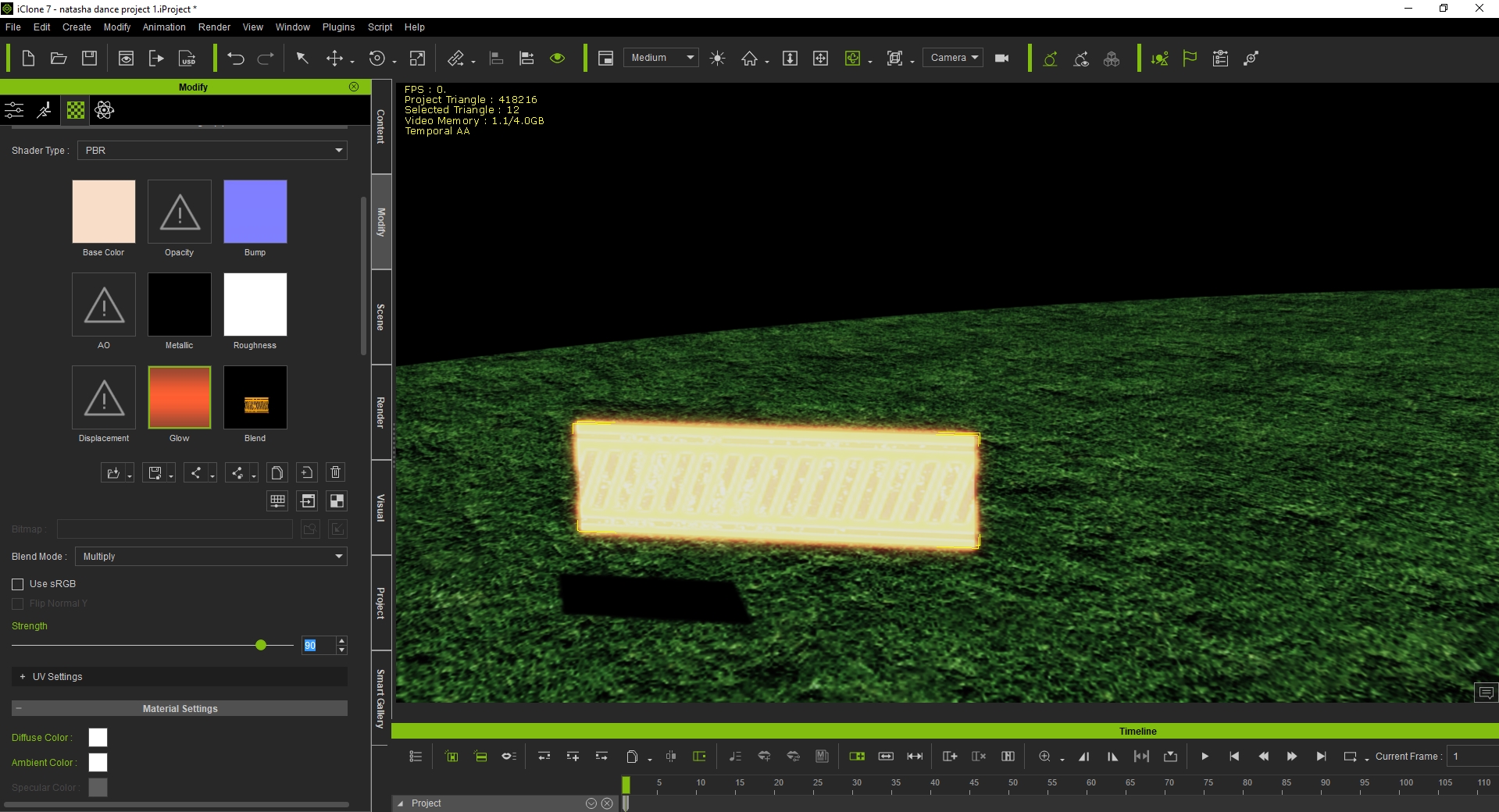 texture in the glow map of the box, it will give the effect of glowing lights. The glow textures are in the textures folder of the content template.
|
|
|
|
|
michaelrbarton
|
michaelrbarton
Posted 3 Years Ago
|
|
Group: Forum Members
Last Active: Last Year
Posts: 974,
Visits: 11.2K
|
You can apply a texture to the box by using the UV reference image. I googled a free diagonal stripes image. Look at photos of how I did this. I applied different colors to each box of the texture of the 3D prop box. I found out red is the front. I layered the photo over the red portion of the box and resized it to fit. If you just put the crop squares over the box, it will tell you how big the box is. Then resize the image to that and layer it over. And you have diagonal stripes. I found a free PBR generator that lets you take a single image and make diffuse, normal, AO, height, metallic textures. Here is link. Bounding Box Software - Materialize I hope this helps you. The UV reference photo is 512x512. You can make it 2048x2048 by resizing it. Then you can layer a better quality photo over it.  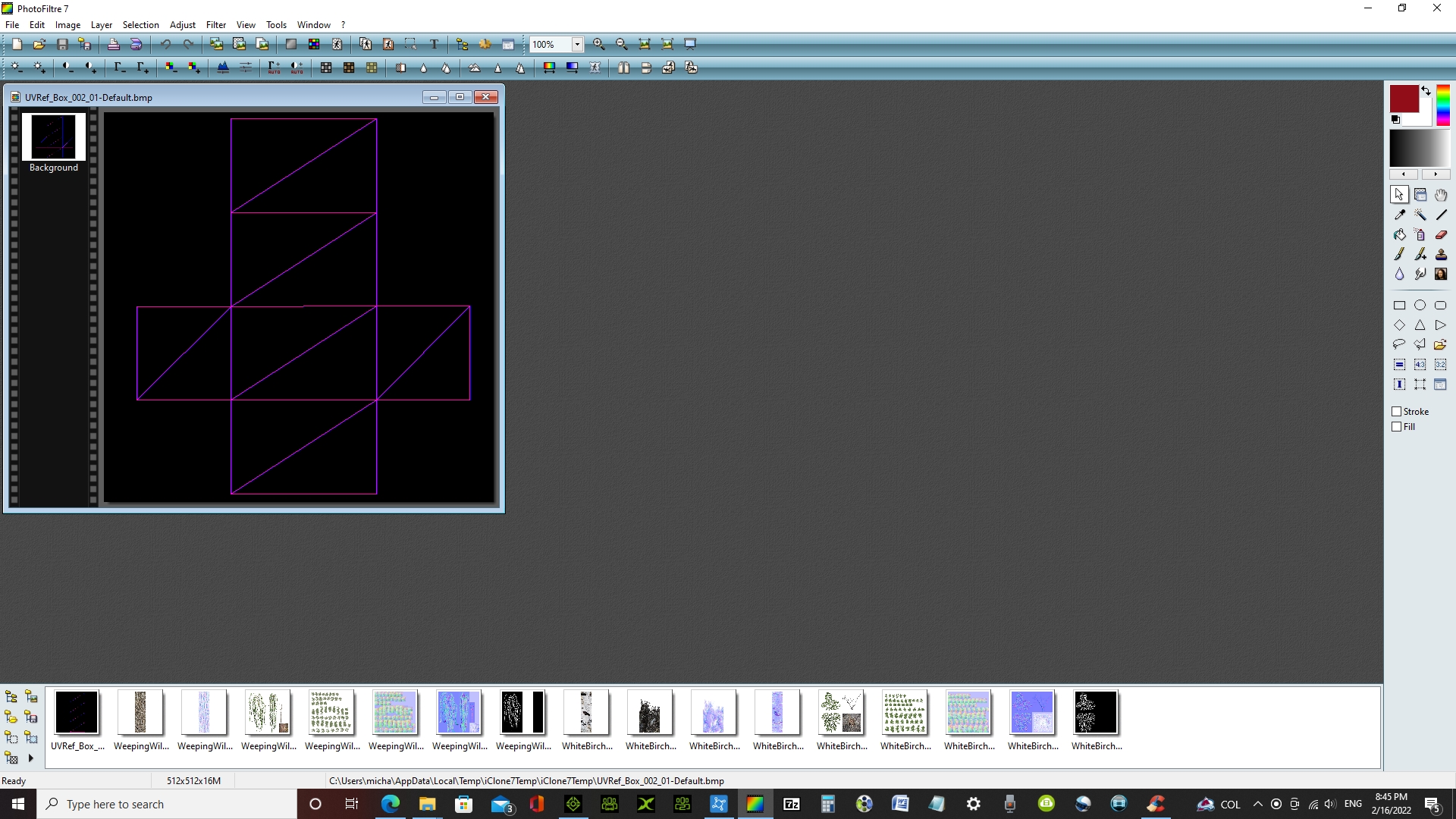   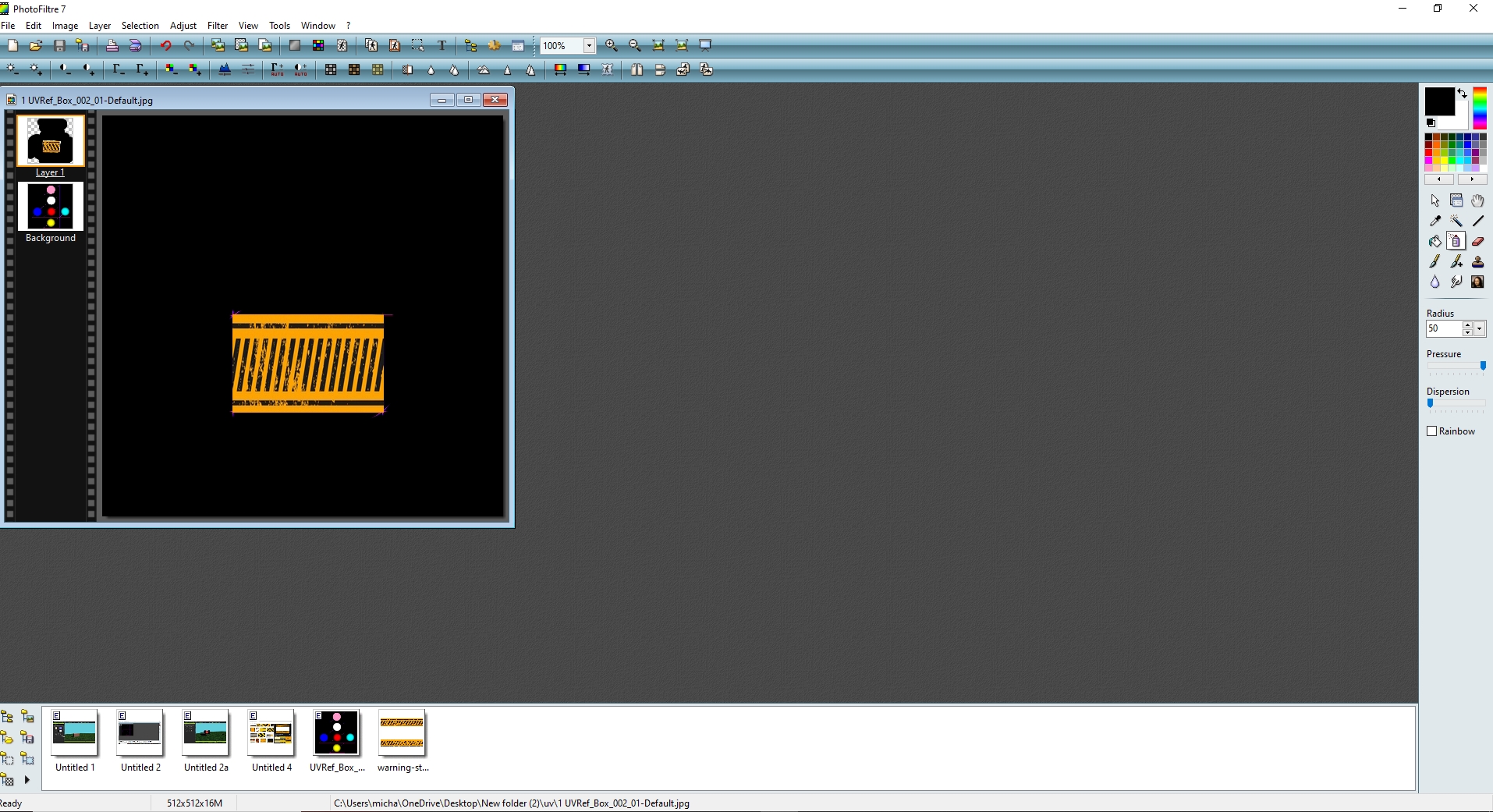  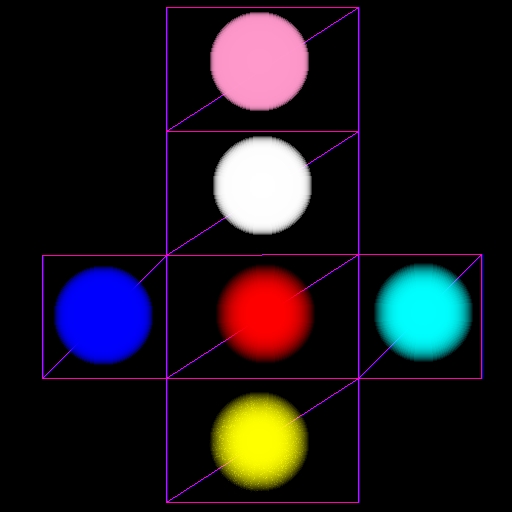
|
|
|
|
|
plan111
|
plan111
Posted 3 Years Ago
|
|
Group: Forum Members
Last Active: 8 Months Ago
Posts: 80,
Visits: 226
|
Hi. Is there a way to rotate a material by an amount other than 90 degrees? In the Material tab of the modify panel, on top, right under the “Strength” slider there is a “UV Settings” section with a couple of buttons to rotate the material but they only rotate by 90 degrees. All the way down the panel, there is another UV Settings section with a rotate text box to enter a value, but whatever value I enter, it only gives me weird results, and I can’t even undo them, I have to remove the material and start over again. And by the way, what is the difference between those two UV Settings sections? I’ve attached a screenshot. Thanks.
|
|
|
|