Profile Picture

Convert RAW to Imotion

Posted By Cartooniste 3 Years Ago
You don't have permission to rate!
1
2

Author
Message
4u2ges
4u2ges
Posted 3 Years Ago
View Quick Profile
Distinguished Member

Distinguished Member (22.3K reputation)Distinguished Member (22.3K reputation)Distinguished Member (22.3K reputation)Distinguished Member (22.3K reputation)Distinguished Member (22.3K reputation)Distinguished Member (22.3K reputation)Distinguished Member (22.3K reputation)Distinguished Member (22.3K reputation)Distinguished Member (22.3K reputation)

Group: Forum Members
Last Active: 4 hours ago
Posts: 5.3K, Visits: 16.8K
The problem with your motion to begin with is, that it did not have a t-pose. All bones assignment must start in T-pose.
You have to either manually pose dummy into a t-pose (might be hard to make it precise), or use the routine I have outlined here: https://forum.reallusion.com/FindPost500970.aspx

1. But since you have both profiles now you can load a t-pose profile and start practicing bones assignment.
Click Load T-pose and point to the AXIS.3dxTPose profile I have attached.
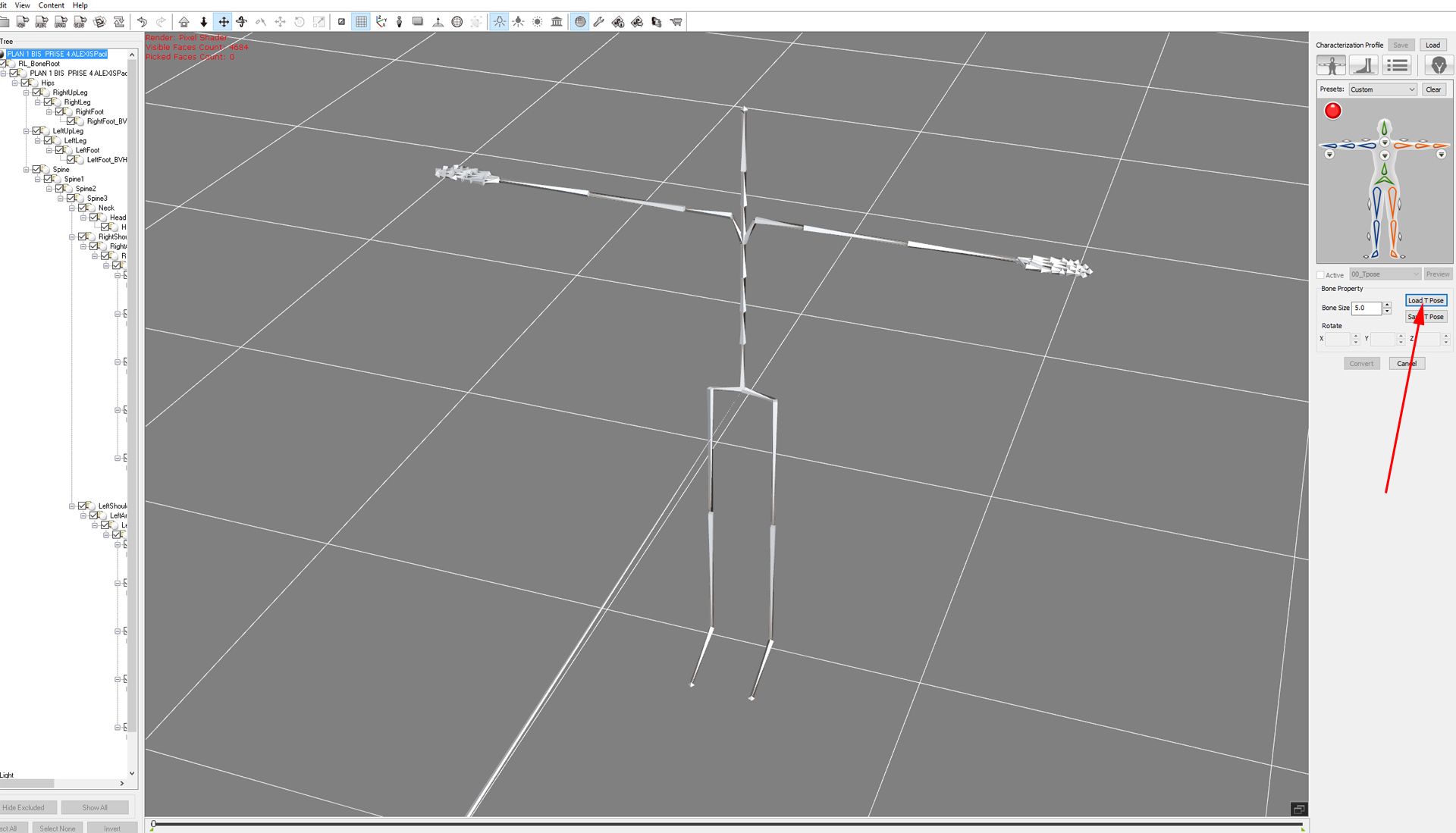
https://forum.reallusion.com/uploads/images/659c7e5f-4c9c-4dad-8c77-4940.jpg

Have a look at this video. It shows basics of bones mapping: https://youtu.be/sg9MgQtjiik?t=146

2. If you do not want to assign anything yourself, use the second profile I have attached.
Click Load at the top and point to AXIS.3dxProfile All bones would be properly assigned
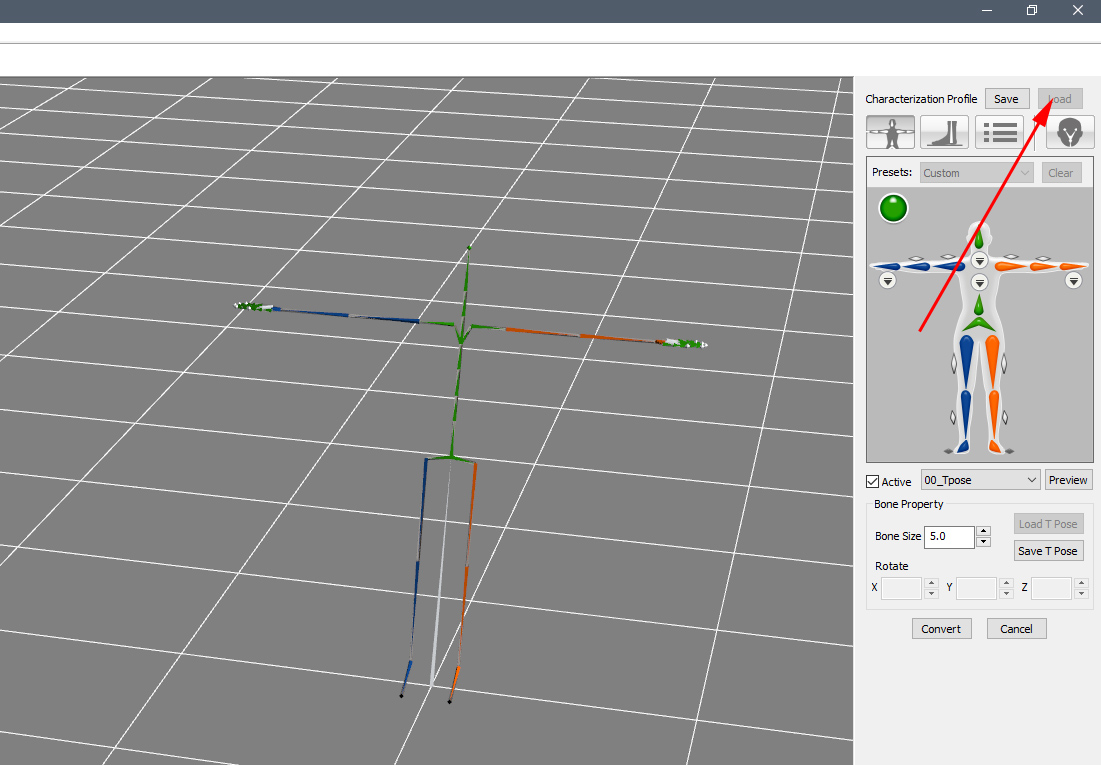
https://forum.reallusion.com/uploads/images/d586fc39-47b4-443d-880a-5680.jpg


1
2


Reading This Topic