Profile Picture

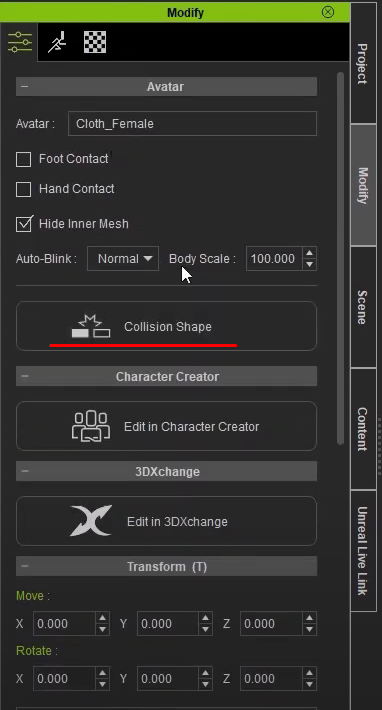
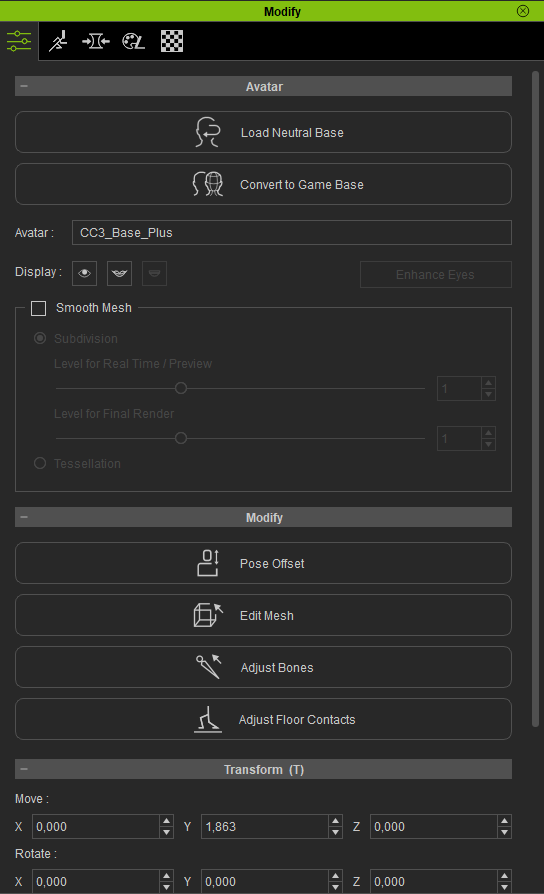
"Collision Shape" button is missing

Posted By slamjs96 4 Years Ago
You don't have permission to rate!
Author
Message
slamjs96
slamjs96
Posted 4 Years Ago
View Quick Profile
New Member

New Member (95 reputation)New Member (95 reputation)New Member (95 reputation)New Member (95 reputation)New Member (95 reputation)New Member (95 reputation)New Member (95 reputation)New Member (95 reputation)New Member (95 reputation)

Group: Forum Members
Last Active: 3 Years Ago
Posts: 1, Visits: 67
https://forum.reallusion.com/uploads/images/2e9ab921-312e-49de-a83d-73ee.png

Above is how it is in the tutorial videos.
Below is how it's for me in the app
https://forum.reallusion.com/uploads/images/8cf6daf5-d696-450b-9623-403d.png


How can I edit mesh collision?

I've problems when importing to the UE4, auto collision generation generates collision for twist bones instead of the actual bones ( for upperarm twist instead of the upperarm ).
When I trying to generate collision for the actual upperarm_l(r) an error displayed ( something about no faces for that bone found )


Reading This Topic