Profile Picture

Apply Humanoid motions to ActorCore characters in Unity

Posted By Bridgette_RL 4 Years Ago
You don't have permission to rate!
Author
Message
Bridgette_RL
Bridgette_RL
Posted 4 Years Ago
View Quick Profile
Distinguished Member

Distinguished Member (2.2K reputation)Distinguished Member (2.2K reputation)Distinguished Member (2.2K reputation)Distinguished Member (2.2K reputation)Distinguished Member (2.2K reputation)Distinguished Member (2.2K reputation)Distinguished Member (2.2K reputation)Distinguished Member (2.2K reputation)Distinguished Member (2.2K reputation)

Group: Administrators
Last Active: Last Year
Posts: 79, Visits: 689
If you would like to apply your own Humanoid motions to the ActorCorecharacter in Unity, you'll need to disable the Character Creator & iClone Auto Setup first and convert the character to a Humanoid. For more details, please refer to the following instructions:


1. Go to Tools > Character Creator & iClone Auto Setup in Unity.


2. Disable Auto-Processing.


3. Select the ActorCorecharacter's FBX file model and convert it to Humanoid.
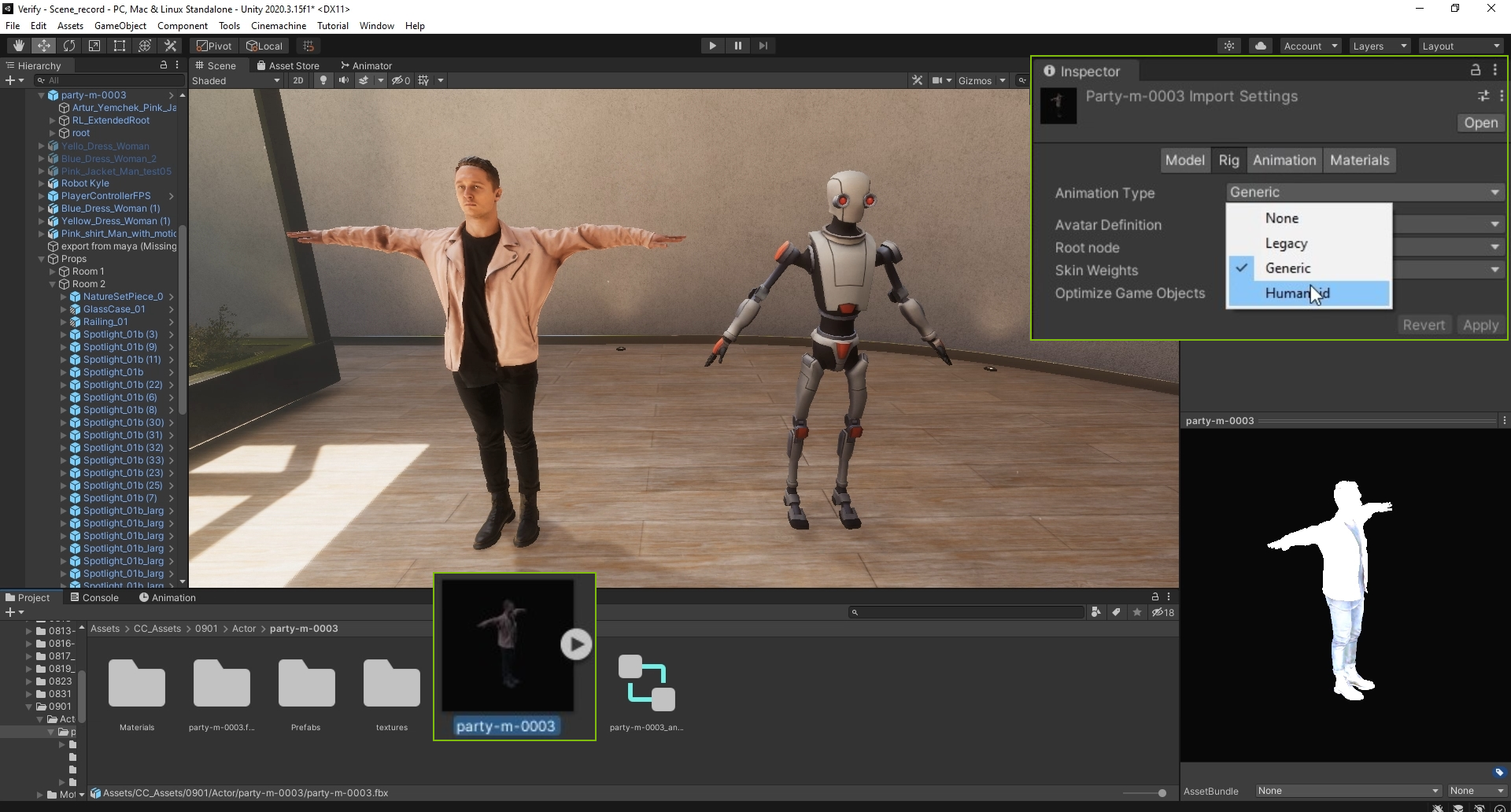
https://forum.reallusion.com/uploads/images/b52c61ff-7ac4-42bc-b7bd-3ee9.png


4. After this, you can simply apply your Humanoid motions to ActorCorecharacters using the Controller in Unity.
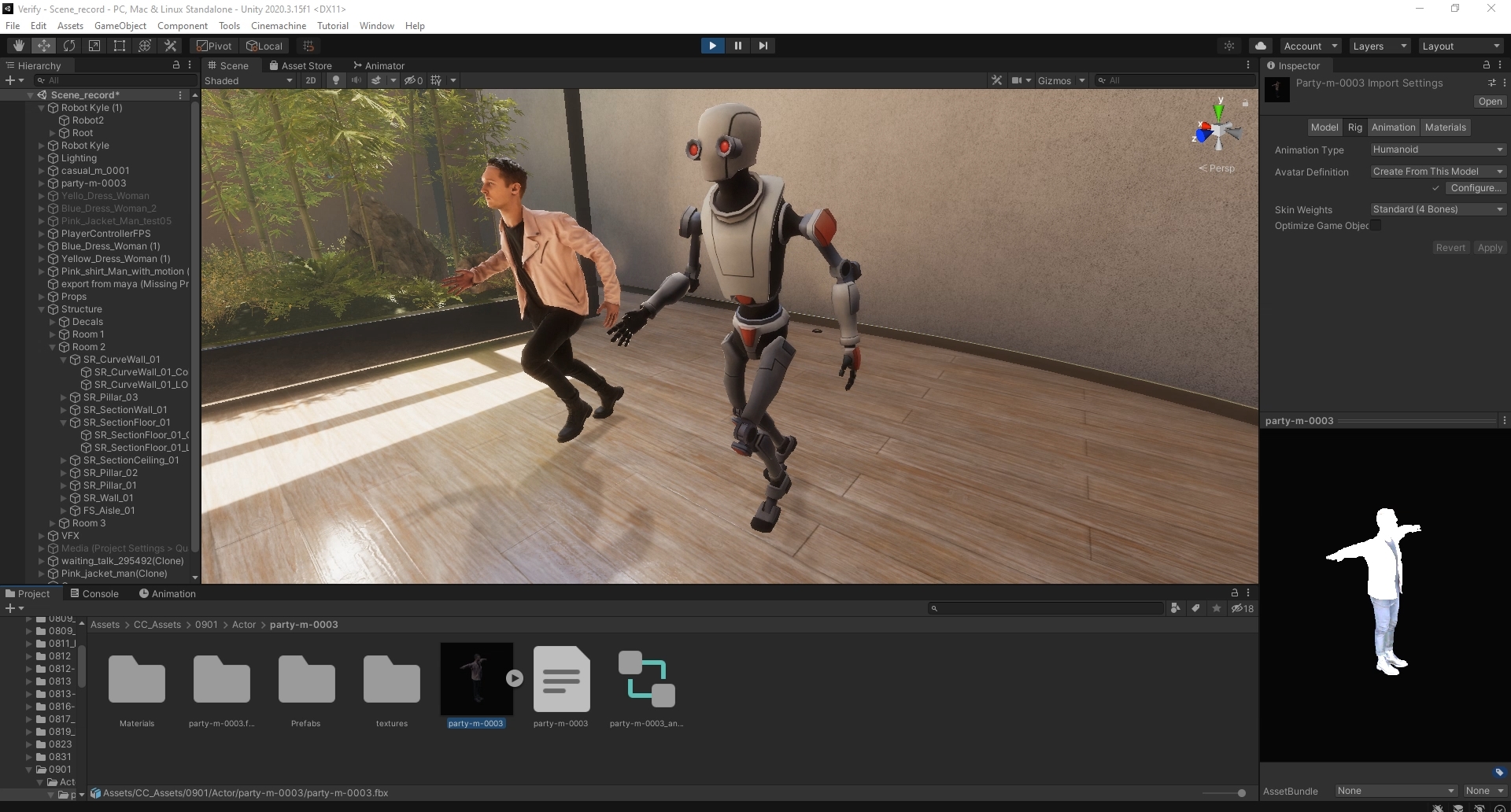
https://forum.reallusion.com/uploads/images/7f2dadb3-0985-4e52-8918-3720.jpg


Note: If you want to apply ActorCoremotions, please make sure you convert ActorCoremotions to Humanoid as well, otherwise you'll get an error result.
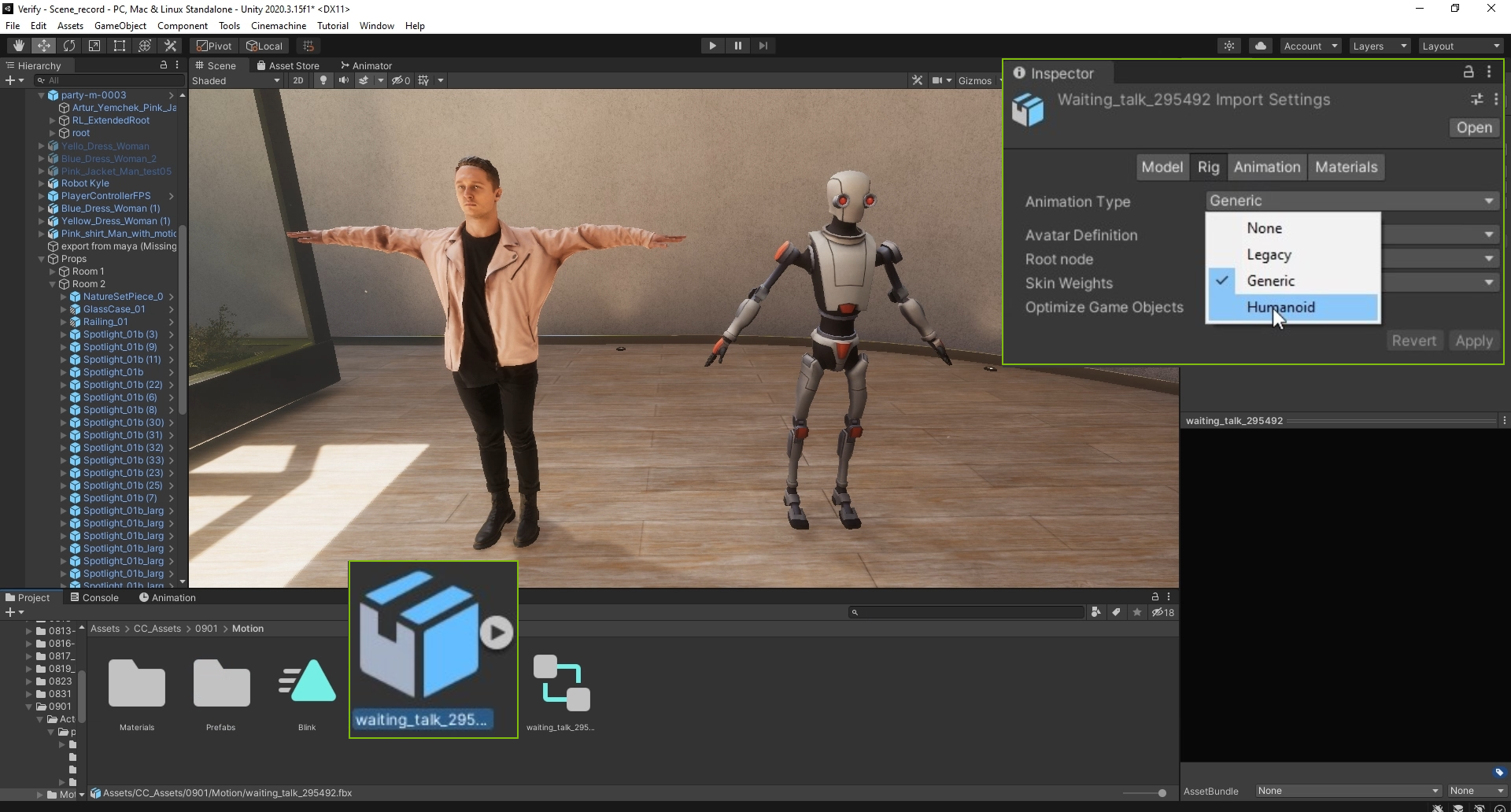
https://forum.reallusion.com/uploads/images/1c24e9e4-9d4c-4b32-9bd6-0d0c.png

Threaded View


Reading This Topic